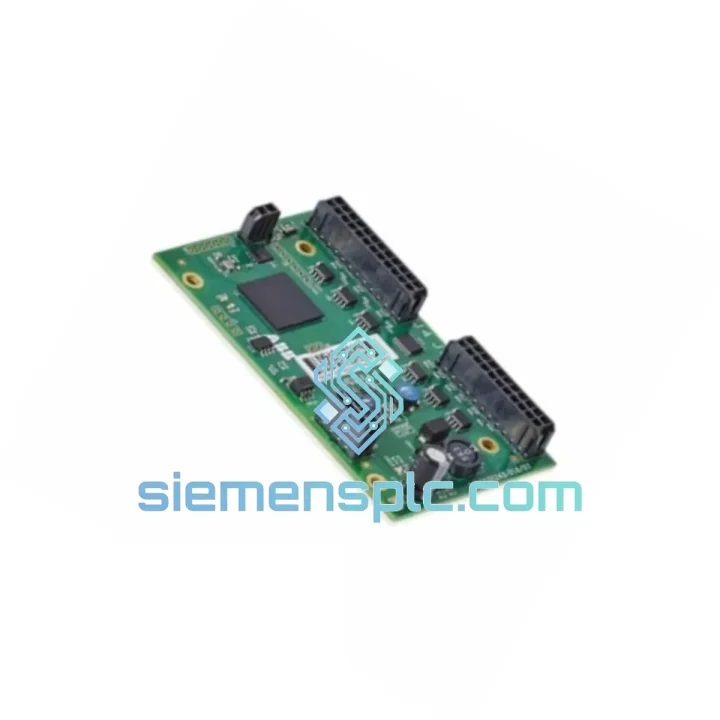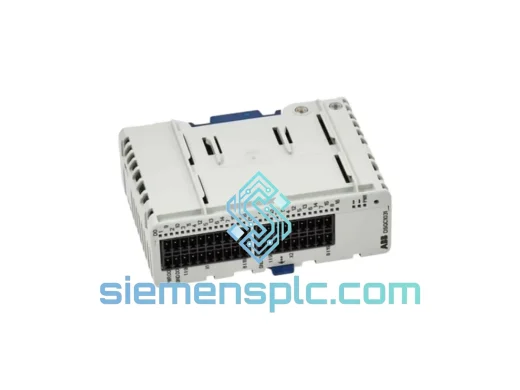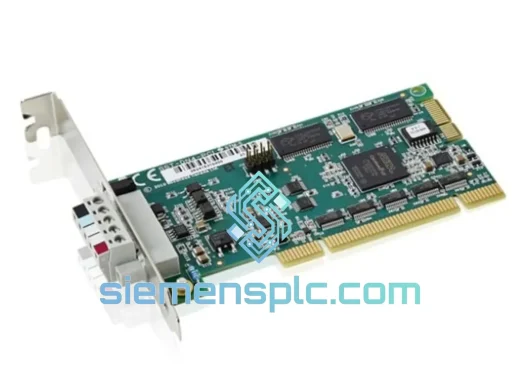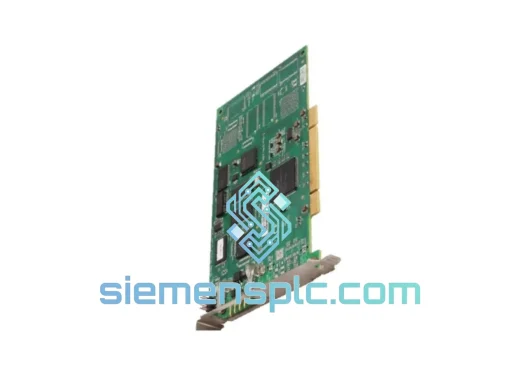
ABB DSQC603 3HAC12817-1 DeviceNet Communication Module
Request verified availability, condition, replacement risk review, packing options and courier lead time for 3HAC12817-1.
Click Request Quote and the part number is inserted into the inquiry form automatically.
- Reply by email: [email protected]
- WhatsApp / Tel: +86 18359268345
- Mon-Sat 9:00-18:00 GMT+8
Key Product Information
Core fields for model confirmation and RFQ routing. Detailed product narrative remains below.
- Brand
- ABB
- Primary Part Number
- 3HAC12817-1
- Product Type
- Fieldbus Communication Module
- Series / Family
- IRC5
- Manufacturer
- ABB Robotics
- Country of Origin
- SE
- Catalog Category
- Communication
- Operating Temp.
- 0°C to +55°C
- Humidity
- 5–95% RH, non-condensing
- Compliance
- CE, RoHS
ABB DSQC603 (3HAC12817-1) — Stop the Clock on Your Downtime. Ship Today from Xiamen.
Your IRC5 robot cell just went dark. The line is stopped. Every minute costs real money — tooling idle, operators standing by, production targets slipping. The DSQC603 DeviceNet communication board is one of the most failure-prone option cards in the IRC5 platform, and when it goes, the entire robot loses fieldbus visibility. You need a verified replacement in hand, not a lead-time quote that stretches three weeks.
We stock the ABB DSQC603 (ABB part number 3HAC12817-1) in Xiamen and ship same-day on confirmed orders. DHL Express and FedEx International Priority are our default carriers — most destinations in Asia, Europe, and North America receive within 3–5 business days. No middlemen, no warehouse delays, no excuses.
⚡ URGENT REQUIREMENT?
Email: [email protected] | WhatsApp: +86 18359268345
Send your PO number, required quantity, and destination — we respond within 2 hours, 7 days a week.
Quick Technical Datasheet
| Manufacturer | ABB Robotics |
| Model / SKU | DSQC603 |
| ABB Part Number | 3HAC12817-1 |
| Module Function | DeviceNet Master / Slave Fieldbus Communication |
| Compatible Platform | ABB IRC5 (Standard, Compact, Panel Mounted) |
| Fieldbus Protocol | DeviceNet (CAN-based, IEC 62026-3) |
| Operating Modes | Master and Slave (software configurable) |
| Baud Rates | 125 / 250 / 500 kbps |
| Node Address Range | 0–63 (software configurable via RobotStudio) |
| Supply Voltage | 24 VDC via IRC5 backplane |
| Operating Temperature | 0°C to +55°C |
| Humidity | 5–95% RH, non-condensing |
| Connector | 5-pin Open Style DeviceNet (V+, CAN_H, Shield, CAN_L, V−) |
| Form Factor | IRC5 option board (plug-in card, no tools required) |
| RobotWare Option Required | DeviceNet Master/Slave (709-1 / 709-2) |
| Compliance | CE, RoHS |
| Stock Status | ✅ Ready to Ship — Xiamen Warehouse |
Troubleshooting & Replacement Tips
Common failure signatures that point to a dead DSQC603:
- IRC5 FlexPendant shows error 38301 — DeviceNet internal error or 38302 — DeviceNet board not responding at startup. These are not recoverable by warm restart — the board has failed at the hardware level.
- All DeviceNet I/O signals drop simultaneously while the robot motion system remains functional. If only specific nodes drop, suspect cable or termination first. If the entire network vanishes, the DSQC603 is the prime suspect.
- Error 38320 — DeviceNet duplicate MAC ID after a board swap: the replacement board retained a node address from a previous installation. Reconfigure MAC ID in RobotStudio → I/O System → DeviceNet before going live.
- Intermittent 38310 — DeviceNet bus off faults under load: check 120 Ω termination resistors at both trunk ends before condemning the board. A missing terminator causes identical symptoms.
Step-by-step replacement procedure (IRC5 Standard Cabinet):
- Safe state first. Execute a controlled stop, set the IRC5 main switch to OFF, and lock out / tag out per your site LOTO procedure. Wait 30 seconds for backplane capacitors to discharge.
- Document the existing configuration. Before pulling the board, open RobotStudio and export the I/O configuration (File → Export → I/O Configuration). Record the MAC ID, baud rate, and all defined DeviceNet signals. You will need these values for the replacement board.
- Remove the failed DSQC603. Open the IRC5 cabinet door. The option board slot is located on the upper-right section of the drive module. Disconnect the 5-pin DeviceNet trunk connector. Release the two captive screws on the board bracket and slide the card out of the backplane slot.
- Inspect the slot and connector. Check the backplane connector pins for corrosion or bent contacts. A damaged backplane connector will kill a new board within hours — address it before installing the replacement.
- Install the DSQC603 replacement. Slide the new board firmly into the option slot until the backplane connector seats fully. Tighten the bracket screws finger-tight, then a quarter-turn with a screwdriver. Reconnect the DeviceNet trunk cable — polarity matters on the 5-pin connector, verify V+ and V− orientation.
- Restore configuration. Power on the IRC5. The new board will appear as an unconfigured DeviceNet interface. In RobotStudio, import the previously exported I/O configuration or manually re-enter the MAC ID, baud rate, and signal definitions. Confirm the RobotWare DeviceNet option (709-1 or 709-2) is licensed — the board will not initialize without it.
- Network verification. Use the DeviceNet diagnostic view in RobotStudio to confirm all expected slave nodes are online. Check for duplicate MAC ID conflicts. Run a full I/O test cycle before releasing the cell to production.
Configuration notes specific to DSQC603:
- The DSQC603 does not have physical DIP switches for node address or baud rate — all configuration is software-based via RobotWare. This eliminates hardware misconfiguration but means a factory-reset board has no address until programmed.
- Baud rate must match the existing network segment. Mismatched baud rate causes immediate bus-off — the board will not auto-negotiate.
- If replacing a board that was running in Slave mode under an external PLC, notify the PLC programmer — the new board’s EDS file may need to be re-imported into the PLC’s DeviceNet scanner configuration if the firmware revision changed.
Reliability in Harsh Conditions
Automotive body shops, foundry automation, and paint line environments are where the DSQC603 earns its keep — and where counterfeit or substandard boards fail within weeks. The original ABB DSQC603 is designed to operate continuously in the thermal cycling, vibration, and humidity conditions inherent to industrial robot cells.
The PCB uses conformal coating on critical signal traces, providing resistance to condensation and airborne contaminants common in paint shop and casting environments. The backplane connector is rated for thousands of insertion cycles, and the board’s CAN transceiver circuitry includes bus fault protection to survive the voltage spikes that occur when DeviceNet cable is connected or disconnected under power — a common field mistake that destroys lesser hardware.
Vibration tolerance is validated to IEC 60068-2-6 levels consistent with IRC5 cabinet mounting — the board does not require additional damping or isolation when installed per ABB’s mechanical specification. In high-vibration applications such as press-tending or forging cells, ensure the cabinet mounting bolts are torqued to spec and the DeviceNet cable is strain-relieved at the cabinet entry point to prevent connector fatigue.
Every unit we ship has been stored in climate-controlled conditions in ESD-safe packaging. We do not sell boards that have been sitting in uncontrolled warehouse environments — humidity and electrostatic discharge are silent killers of communication hardware, and a board that tests fine on the bench can fail within days if it absorbed moisture during improper storage.
Global Express Logistics
Our dispatch warehouse is located in Xiamen, Fujian, China — a major international cargo hub with direct DHL and FedEx gateway access. Here is how your order moves from confirmation to your hands:
- Order confirmed before 14:00 CST: Same-day dispatch. The module is pulled from stock, inspected, packed in ESD-safe anti-static bag inside a foam-lined carton, and handed to the carrier the same afternoon.
- Carrier options: DHL Express Worldwide and FedEx International Priority are our primary carriers. Both provide door-to-door tracking and customs clearance service. For time-critical shipments, we can also arrange TNT or UPS on request.
- Typical transit times: Southeast Asia 1–2 days | East Asia (Japan, Korea) 2–3 days | Europe 3–5 days | North America 3–5 days | Middle East / South Asia 3–4 days | Australia / New Zealand 3–5 days.
- Commercial documentation: Commercial invoice, packing list, and country of origin certificate are prepared for every shipment. For EU imports, we can provide an EUR.1 movement certificate on request. HS code 8537.10 is declared for customs classification.
- Customs duties: Shipments are dispatched DAP (Delivered At Place) — import duties and local taxes are the buyer’s responsibility. We provide accurate declared values and do not under-declare for customs purposes.
- Tracking: A tracking number is emailed within 2 hours of dispatch. For urgent shipments, we proactively monitor the first 24 hours of transit and alert you to any carrier exceptions.
Contact Information
Our technical sales team includes engineers with hands-on IRC5 and DeviceNet experience. When you contact us, you speak to someone who understands your problem — not a call center reading from a script.
📧 Email: [email protected]
💬 WhatsApp: +86 18359268345
🌐 Web: siemensplc.com
© 2026 siemensplc.com. All rights reserved. All product names, part numbers, and trademarks are the property of their respective owners. This listing is for replacement and MRO procurement purposes.
Send This Part Number to Sales
Confirmation Process
We check the full part number, brand, series and visible nameplate information before quotation.
Sales confirms stock path, condition option, quantity and realistic lead time for export dispatch.
DHL, FedEx, UPS or buyer courier arrangements can be reviewed with packing requirements.