Schneider Electric
RFQ Ready
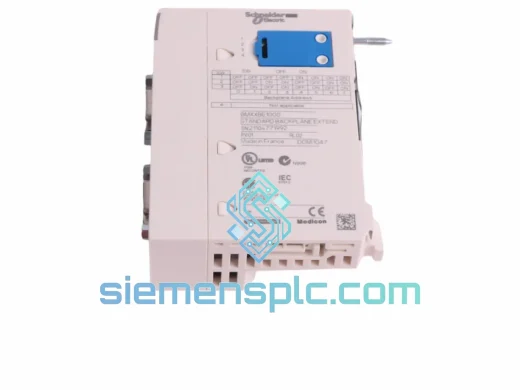
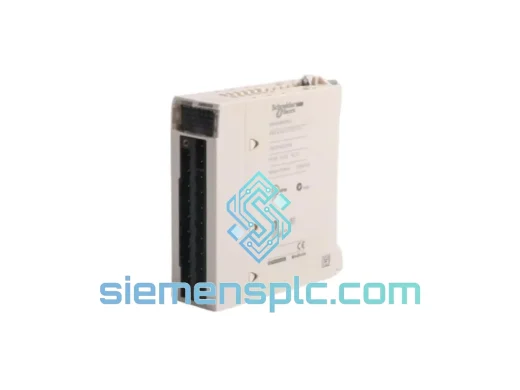
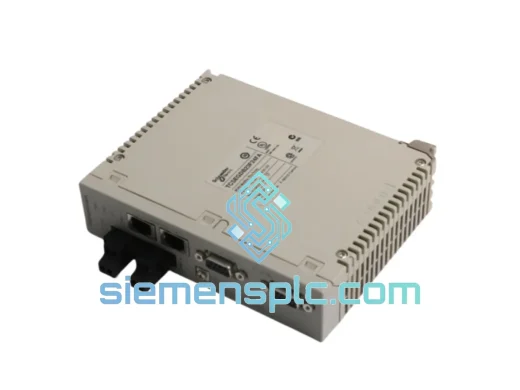
Schneider Electric TCSEGDB23F24FA Ethernet Proxy Module
Modicon Premium
Origin FR
Ethernet Communication Module
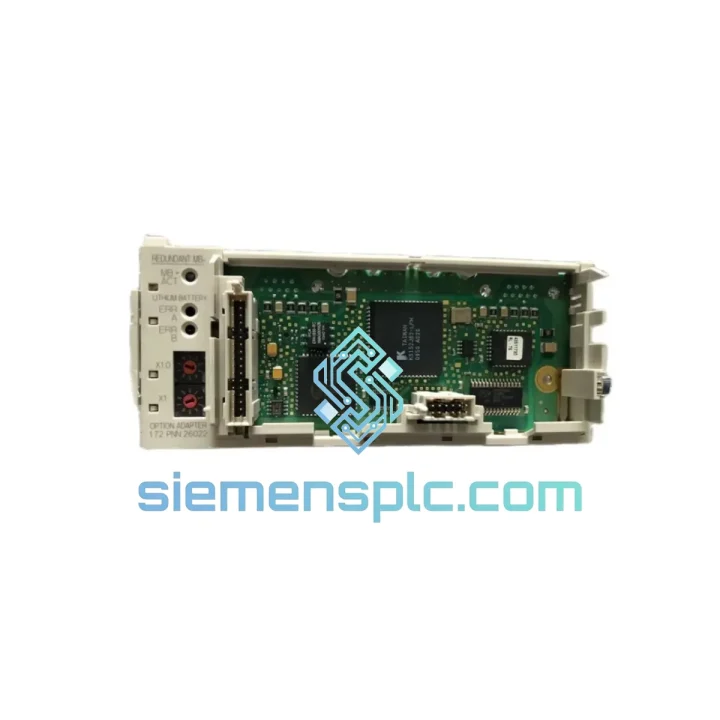
Request verified availability, condition, replacement risk review, packing options and courier lead time for 172PNN26022.
Click Request Quote and the part number is inserted into the inquiry form automatically.
Core fields for model confirmation and RFQ routing. Detailed product narrative remains below.
Your Momentum PLC network just dropped off the bus. The HMI is frozen, the SCADA screen is red, and your production supervisor is already on the phone. You know the fault — the Schneider Electric 172PNN26022 Modbus Plus Option Adaptor has failed, and without it, your entire MB+ segment is dead. We’ve been in that control room. We know what the next four hours look like if you don’t have a replacement in hand.
At siemensplc.com, we stock the 172PNN26022 for exactly this scenario. Same-day dispatch from Xiamen. DHL Express door-to-door. No waiting on distributor lead times. No minimum order quantity. One unit, shipped now.
URGENT REQUIREMENT? Contact: [email protected] | WhatsApp: +86 18359268345
| Part Number | 172PNN26022 ✅ Ready to Ship |
| Brand | Schneider Electric |
| Series | Momentum |
| Module Function | Modbus Plus (MB+) Option Adaptor |
| Network Protocol | Modbus Plus — peer-to-peer token-passing, 1 Mbps |
| Form Factor | Snap-on option adaptor for Momentum I/O base |
| Bus Connector | 9-pin D-sub (DB9) MB+ port × 2 (daisy-chain capable) |
| Power Draw | Supplied via Momentum backplane — no external PSU required |
| Operating Temp | 0 °C to +60 °C |
| Storage Temp | -40 °C to +85 °C |
| Humidity | 5–95% RH non-condensing |
| Certifications | CE, UL, cUL |
| Country of Origin | France |
| Condition | New / Surplus New — 100% original Schneider Electric |
| Stock Status | ✅ In Stock — Ready to Ship from Xiamen |
The 172PNN26022 fails in predictable ways. Here’s what ten years of field calls have taught us about this specific adaptor:
Fault 1 — Node goes offline, no MB+ traffic detected. Before you pull the adaptor, check the two LED indicators on the DB9 face. A solid green on both ports means the adaptor is powered and the token is passing. If one LED is off or blinking amber, the adaptor has lost its place in the token ring. First step: cycle power on the Momentum base. If the node does not re-join within 30 seconds, the adaptor is the likely culprit — not the cable.
Fault 2 — Node address conflict after replacement. The 172PNN26022 does not have physical DIP switches for node addressing. The MB+ node address is stored in the CPU module’s non-volatile memory, not in the adaptor itself. When you swap in a new 172PNN26022, the address is inherited from the CPU. No re-addressing is required on the adaptor side. However, if you are also replacing the CPU simultaneously, you must re-enter the node address (1–64) in the Concept or Unity Pro configuration before going online.
Fault 3 — Intermittent communication drops under load. This is almost always a cable termination issue, not the adaptor. MB+ networks require 150-ohm termination resistors at both physical ends of the trunk. Verify termination before condemning the 172PNN26022. If termination is correct and drops persist, check the DB9 connector pins on the adaptor for corrosion or mechanical damage — the female DB9 on this adaptor is a known wear point in high-vibration environments.
Replacement procedure (field-verified):
The Momentum platform was engineered for environments where consumer-grade hardware simply does not survive. The 172PNN26022 carries that same design philosophy. The adaptor’s PCB is conformally coated to resist moisture ingress — critical in food processing, water treatment, and coastal installations where humidity cycles daily between 40% and 95% RH. The backplane connector uses gold-plated contacts rated for 500+ mating cycles, which matters when you’re doing quarterly maintenance pulls in a high-vibration press line.
Vibration tolerance is rated to IEC 60068-2-6: 10–57 Hz at 0.075 mm displacement, 57–150 Hz at 1g. In practice, we’ve seen these adaptors outlast the I/O bases they’re mounted on in stamping and compressor applications. The operating temperature ceiling of 60 °C gives you headroom in panel enclosures that run hot in summer — no derating required up to that threshold.
Every unit we ship has been stored in climate-controlled conditions. We do not warehouse stock in uncontrolled environments. Boards are shipped in anti-static bags with desiccant packs. If your site is in a high-humidity region, we can include additional moisture barrier packaging on request.
Our dispatch hub is in Xiamen, China — one of the most connected export ports in Asia, with daily DHL Express and FedEx International Priority flights to every major industrial hub on the planet.
Typical transit times from Xiamen:
We prepare commercial invoices, packing lists, and HS code documentation for customs clearance. For DDP (Delivered Duty Paid) shipments, we can pre-pay import duties on your behalf — ask us when you place the order. All shipments are fully tracked and insured. You receive a tracking number within 2 hours of dispatch confirmation.
For plant shutdowns or emergency line restarts, we offer same-day dispatch on orders confirmed before 14:00 CST. Contact us directly on WhatsApp for real-time stock confirmation before placing your order.
📧 Email: [email protected]
💬 WhatsApp: +86 18359268345
🌐 Web: siemensplc.com
© 2026 siemensplc.com. All rights reserved.
We check the full part number, brand, series and visible nameplate information before quotation.
Sales confirms stock path, condition option, quantity and realistic lead time for export dispatch.
DHL, FedEx, UPS or buyer courier arrangements can be reviewed with packing requirements.
Similar brand or category products for fast comparison and multi-item RFQ lists.