Schneider Electric
RFQ Ready
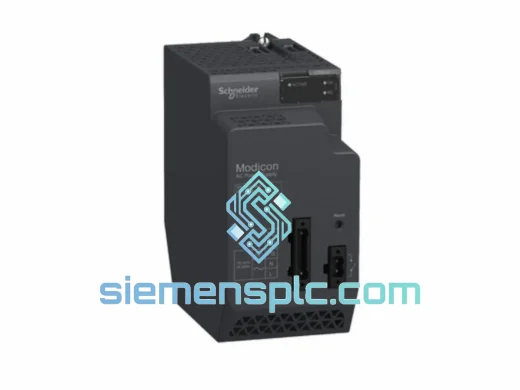
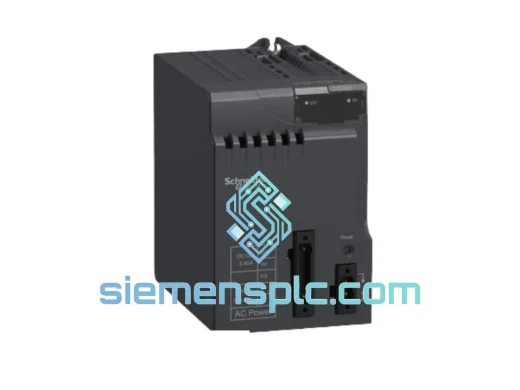
Schneider Electric BMXCPS3500 PLC Power Supply Module
Modicon M340
Origin FR
PLC Power Supply Module
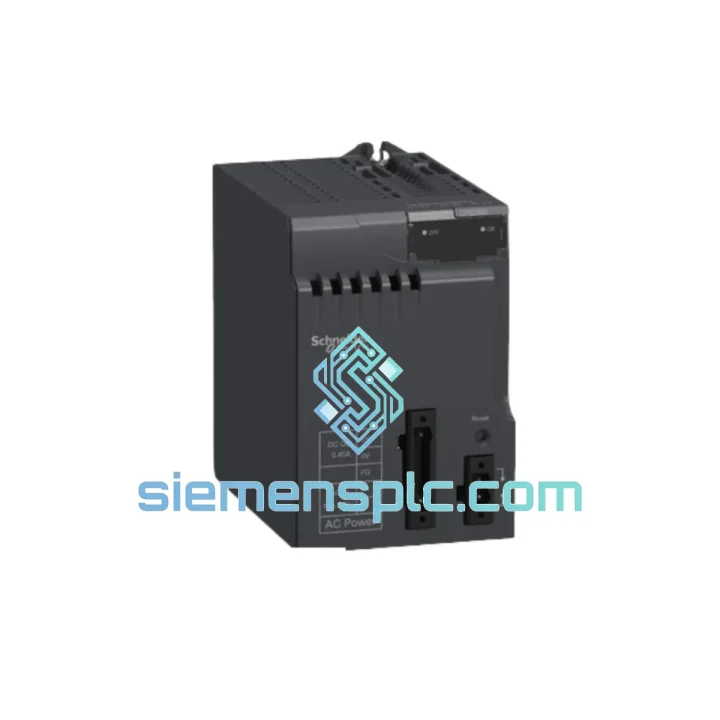
Request verified availability, condition, replacement risk review, packing options and courier lead time for BMXCPS2000.
Click Request Quote and the part number is inserted into the inquiry form automatically.
Core fields for model confirmation and RFQ routing. Detailed product narrative remains below.
You already know what a failed power supply means on the floor. The M340 rack goes dark, the CPU drops offline, and every downstream process tied to that PLC — conveyor, dosing pump, robotic cell, SCADA loop — stops cold. The BMXCPS2000 is not a peripheral. It is the single point of failure that takes the entire rack with it when it goes. No redundancy on the AC input side means no margin for delay. You need a verified, spec-matched unit in hand before the next shift starts.
We stock the Schneider Electric BMXCPS2000 in Xiamen and ship internationally via DHL Express and FedEx Priority. Order confirmed before 3 PM CST ships same business day. No waiting on distributor lead times. No minimum order quantity. One unit, shipped fast, tracked door to door.
URGENT REQUIREMENT? Contact: [email protected] | WhatsApp: +86 18359268345
| Parameter | Specification |
|---|---|
| Part Number | BMXCPS2000 |
| Brand | Schneider Electric |
| Series | Modicon M340 |
| Module Type | AC Rack Power Supply |
| Input Voltage | 100–240 V AC, 50/60 Hz (universal) |
| Output | 24 V DC internal bus, 20 W rated |
| Slot Footprint | 1 slot — leftmost position on backplane |
| Compatible Backplanes | BMX XBP 0400 / 0600 / 0800 / 1200 |
| Operating Temperature | 0°C to +60°C continuous |
| Storage Temperature | -25°C to +70°C |
| Protection Rating | IP20 |
| Certifications | CE, UL, cUL, CSA |
| Dimensions (H×W×D) | 100 × 30 × 115 mm |
| Weight | ~500 g |
| Country of Origin | France |
| Stock Status | ✅ Ready to Ship — Xiamen Warehouse |
Fault Symptom Recognition
Before pulling the module, confirm the fault is actually the BMXCPS2000 and not upstream supply. Check these first:
Hot-Swap Warning
The BMXCPS2000 is NOT hot-swappable. The M340 rack must be fully de-energized before removal. Attempting to pull the PSU under live AC will damage the backplane bus connectors and may corrupt the CPU’s RAM state. Isolate the incoming AC supply, verify with a multimeter, then proceed.
Step-by-Step Replacement Procedure
Common Post-Replacement Issues
The BMXCPS2000 was not designed for a climate-controlled server room. It was built for the kind of environments where automation actually runs — foundry floors with airborne metal dust, coastal water treatment plants with salt-laden humidity, outdoor telecom enclosures cycling between -10°C nights and +55°C afternoons.
The universal AC input (100–240 V, 50/60 Hz) handles grid instability without manual range switching — critical in regions where supply voltage fluctuates outside nominal. The internal power conversion topology is designed to maintain regulated 24 V DC output through input voltage sags down to approximately 85 V AC, giving the rack a buffer against momentary supply dips that would otherwise cause nuisance trips.
Thermal management is passive — no internal fan, no moving parts. The module dissipates heat through its aluminum housing and relies on panel airflow. Rated to +60°C continuous operation, it meets the thermal demands of most industrial enclosures without derating. In high-ambient installations above 50°C, ensure the panel has adequate forced ventilation and that the PSU is not positioned directly above heat-generating drives or transformers.
Vibration resistance meets IEC 60068-2-6 test profiles — the module stays seated and operational on machinery with significant mechanical vibration, including compressor skids, press lines, and mobile equipment. The backplane connector locking mechanism prevents the module from working loose under sustained vibration cycles.
Humidity tolerance extends to 95% RH non-condensing. In high-humidity environments, ensure the panel enclosure maintains positive pressure or uses desiccant breathers to prevent condensation on the backplane bus. Condensation on the connector interface is the primary environmental failure mode for M340 rack modules — the module itself is robust, but the backplane is not.
Our warehouse is located in Xiamen, Fujian — one of China’s primary export hubs with direct access to international freight lanes via Xiamen Gaoqi International Airport and Xiamen Port. This geography is deliberate: it gives us competitive transit times to Southeast Asia, the Middle East, Europe, and the Americas without routing through congested inland hubs.
Standard Express Transit Times (from Xiamen):
What’s included with every shipment:
For shipments to countries with import restrictions on industrial electronics, our logistics team handles the necessary documentation. We have experience shipping to regulated markets including India (BIS considerations), Brazil (ANVISA/INMETRO), and the EU (CE declaration support).
Emergency same-day dispatch is available for orders confirmed before 15:00 CST. Contact us directly via WhatsApp for urgent freight coordination — we can arrange Saturday dispatch for critical downtime situations.
Email: [email protected]
WhatsApp: +86 18359268345
Web: siemensplc.com
© 2026 siemensplc.com. All rights reserved.
We check the full part number, brand, series and visible nameplate information before quotation.
Sales confirms stock path, condition option, quantity and realistic lead time for export dispatch.
DHL, FedEx, UPS or buyer courier arrangements can be reviewed with packing requirements.
Similar brand or category products for fast comparison and multi-item RFQ lists.