Schneider Electric
RFQ Ready
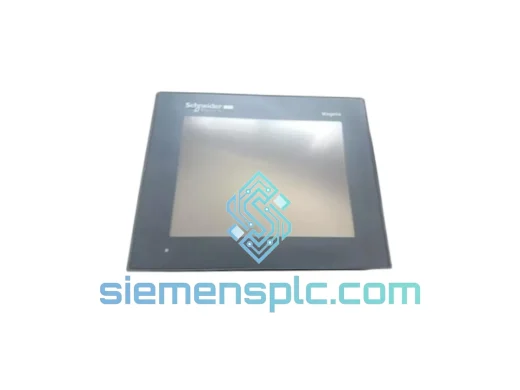
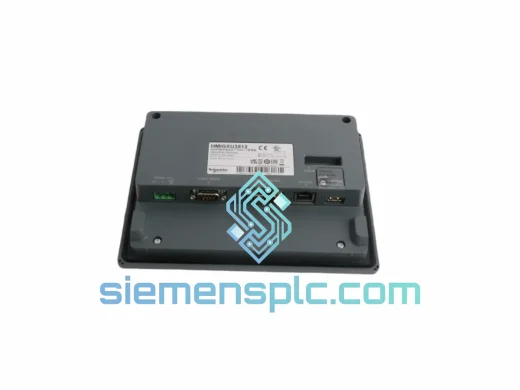
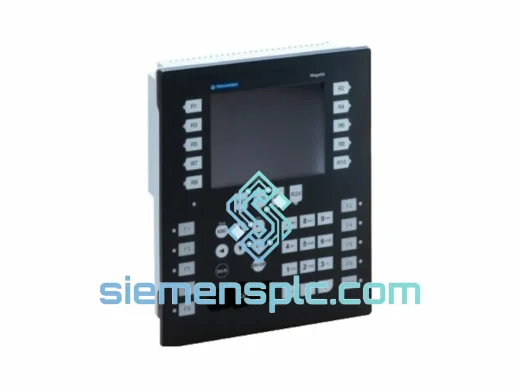
Schneider Electric XBTGT7340 HMI Touch Panel
Magelis
Origin FR
HMI Touch Panel
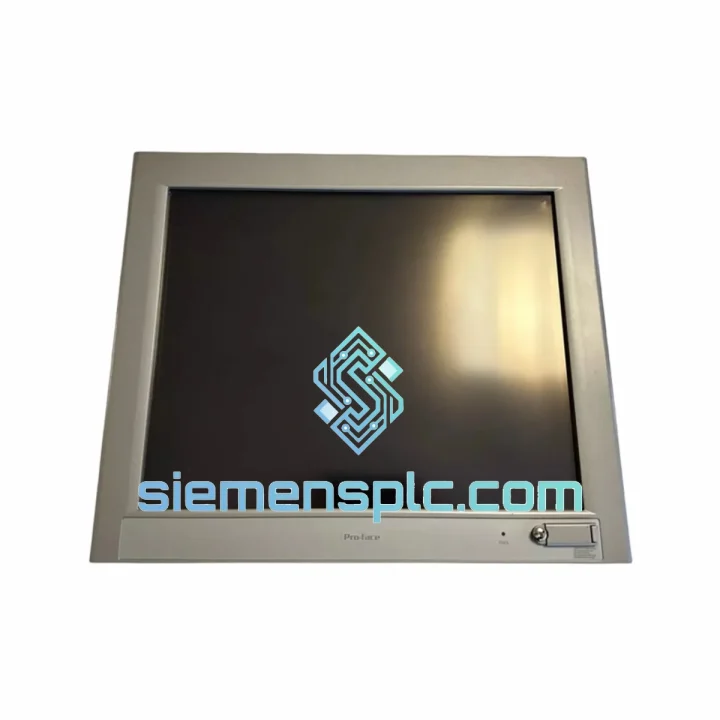
Request verified availability, condition, replacement risk review, packing options and courier lead time for FP3900-T41.
Click Request Quote and the part number is inserted into the inquiry form automatically.
Core fields for model confirmation and RFQ routing. Detailed product narrative remains below.
Every minute your line is down, you’re bleeding money. A failed Magelis HMI panel shouldn’t be a 6-week procurement nightmare. The FP3900-T41 (3582701-01) is on our shelf in Xiamen right now — tested, verified original Schneider Electric, and ready to clear customs today. We’ve shipped this exact part to plants in Germany, Australia, Saudi Arabia, and Mexico. The process is fast because we’ve done it hundreds of times.
URGENT REQUIREMENT? Contact: [email protected] | WhatsApp: +86 18359268345
| Manufacturer | Schneider Electric |
| Part Number | FP3900-T41 |
| Reference / SKU | 3582701-01 |
| Series | Magelis HMI |
| Product Type | Industrial Touch Screen HMI Panel |
| Display Type | Resistive Touch Screen |
| Communication Ports | RS-232, RS-485, Ethernet RJ45 |
| Supported Protocols | Modbus RTU/TCP, Uni-Telway, CANopen, Ethernet/IP |
| Power Supply | 24 VDC (±20%) |
| Operating Temperature | 0°C to +50°C |
| Storage Temperature | -20°C to +70°C |
| Front Panel Protection | IP65 |
| Programming Software | Vijeo Designer 6.x or later |
| Certifications | CE, UL, RoHS |
| Country of Origin | France |
| Condition | New / Original |
| Stock Status | ✅ Ready to Ship — Xiamen Warehouse |
After handling dozens of Magelis panel swaps in the field, here’s what actually trips people up:
1. Firmware Version Mismatch
This is the #1 cause of a “blank screen after replacement” call. The FP3900-T41 must run a firmware version compatible with your Vijeo Designer project file. Before you pull the old panel, connect a laptop, open Vijeo Designer, and note the firmware version under Target > Properties. Download the matching firmware from Schneider’s portal before the swap — don’t assume the replacement ships with the version you need.
2. Application Transfer Failure (Error Code 0x0003 / 0x0010)
If you see transfer errors after connecting via Ethernet or serial, check: (a) IP address conflict — the replacement panel defaults to 192.168.1.100; change it before connecting to your plant network. (b) COM port settings — RS-232 baud rate must match the project configuration exactly (typically 19200, 8N1). (c) Firewall on the engineering laptop blocking port 502 (Modbus TCP).
3. Touch Calibration Drift After Installation
Resistive touch panels can shift calibration during shipping or if the panel was stored at temperature extremes. On first boot, hold the touch screen for 5 seconds during the Magelis splash screen to enter calibration mode. Run the 5-point calibration before handing back to the operator.
4. Communication Loss to PLC (Alarm: “PLC No Response”)
Verify the station address in the Vijeo Designer project matches the PLC’s configured address. For Modicon M340/M580 via Ethernet/IP, confirm the IP subnet matches. For Uni-Telway (UTW) connections, check the TSX SCA 62 adapter is seated correctly and the address DIP switches on the adapter match the project settings — this is a silent killer that wastes hours.
5. Backlight Failure vs. Panel Failure
If the screen is dark but the panel is responding (you can hear relay clicks or see network activity), the backlight CCFL or LED strip has failed — not the panel logic board. On the FP3900-T41, the backlight is a field-replaceable component. Don’t scrap the whole panel before checking this. If you need a backlight assembly, contact us separately.
6. Panel Locks Up Under High Ambient Temperature
The FP3900-T41 is rated to +50°C ambient, but that assumes adequate airflow behind the panel. If your enclosure is sealed and the internal temperature exceeds 55°C, the panel will throttle and eventually lock. Add a filtered fan or heat exchanger to the enclosure door — this is a design fix, not a panel defect.
The Magelis FP3900-T41 was not designed for office environments. Schneider Electric built this panel to survive the kind of conditions that destroy consumer-grade electronics in weeks.
The IP65-rated front bezel creates a sealed barrier against fine dust, metal swarf, and directed water jets — standard in food processing, foundry, and outdoor enclosure applications. The resistive touch surface operates reliably with gloved hands and is unaffected by water droplets or light oil contamination, which capacitive screens cannot claim.
Vibration resistance meets IEC 60068-2-6 specifications, covering sinusoidal vibration profiles common in compressor rooms, press lines, and mobile equipment. The internal PCB uses conformal coating on critical signal traces, providing a moisture barrier against condensation cycles in coastal or high-humidity plant environments.
The power supply input accepts 24 VDC ±20%, meaning the panel continues operating through the voltage sags that accompany large motor starts on the same bus — a real-world condition that causes cheaper panels to reset and corrupt their runtime data. Schneider’s internal EMC filtering suppresses conducted interference from variable frequency drives and welding equipment sharing the same cabinet.
Long-term, the Magelis platform was designed for 24/7 continuous operation with an MTBF exceeding 100,000 hours under rated conditions. That’s over 11 years of uninterrupted runtime — which is why you’ll find these panels still running in plants that installed them in the early 2010s.
Our warehouse is located in Xiamen, Fujian, China — one of the country’s primary export hubs with direct access to DHL, FedEx, and UPS international gateways.
Standard Express Timeline (door-to-door):
What’s included in every shipment:
For urgent shipments, we offer same-day dispatch for orders confirmed before 14:00 CST. If your plant is down and every hour counts, send us a WhatsApp message directly — we will prioritize your order and provide a real-time shipping update.
📧 Email: [email protected]
💬 WhatsApp: +86 18359268345
🌐 Web: siemensplc.com
© 2026 siemensplc.com. All rights reserved.
We check the full part number, brand, series and visible nameplate information before quotation.
Sales confirms stock path, condition option, quantity and realistic lead time for export dispatch.
DHL, FedEx, UPS or buyer courier arrangements can be reviewed with packing requirements.
Similar brand or category products for fast comparison and multi-item RFQ lists.