Schneider Electric
RFQ Ready
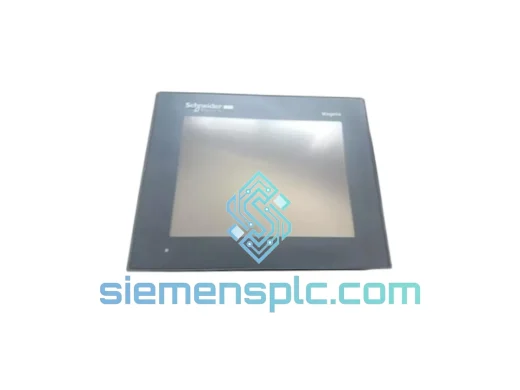
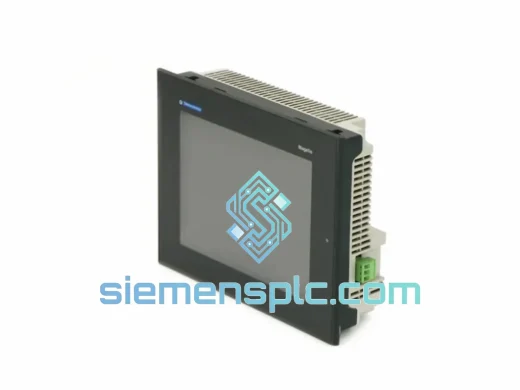
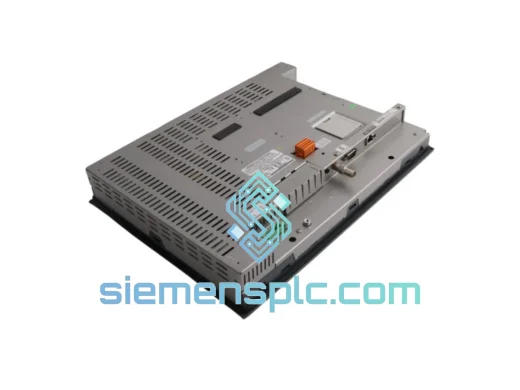
Schneider Electric XBTGT7340 HMI Touch Panel
Magelis
Origin FR
HMI Touch Panel
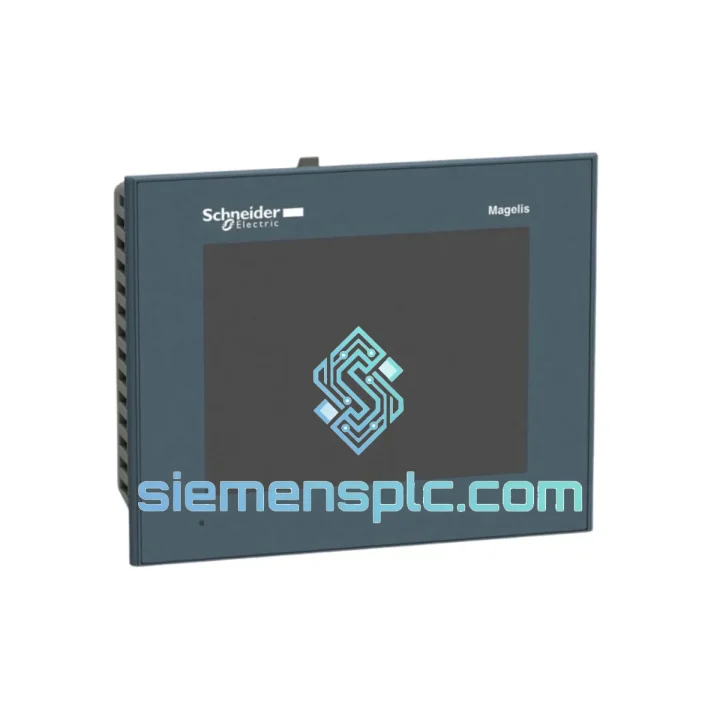
Request verified availability, condition, replacement risk review, packing options and courier lead time for HMIGTO2300.
Click Request Quote and the part number is inserted into the inquiry form automatically.
Core fields for model confirmation and RFQ routing. Detailed product narrative remains below.
Every minute your line sits idle costs real money. A failed HMI panel shouldn’t be a 3-week procurement nightmare. We stock the Schneider Electric HMIGTO2300 — a 3.5″ Magelis GTO resistive touch panel — and we ship it the same day your order clears. From our Xiamen warehouse to your plant floor via DHL or FedEx Express, most destinations in Asia, Europe, and North America receive units within 3–5 business days. No waiting on factory lead times. No broker markups. Just the part you need, moving fast.
Whether you’re dealing with a black screen at startup, a touch calibration failure that won’t hold, or a unit that simply stopped communicating with the PLC after a power surge — we’ve seen it all. This page is written by engineers who’ve pulled dead panels off machines at 2 AM. We’ll give you the specs, the swap procedure, and the failure patterns worth knowing before you crack open that cabinet.
⚡ URGENT REQUIREMENT? Contact: [email protected] | WhatsApp: +86 18359268345
| Part Number | HMIGTO2300 |
| Brand / Series | Schneider Electric / Magelis GTO |
| Display | 3.5″ TFT Color LCD, 320 × 240 px (QVGA) |
| Touch Technology | Resistive (single-touch) |
| Processor / Memory | 400 MHz ARM | 64 MB RAM / 128 MB Flash |
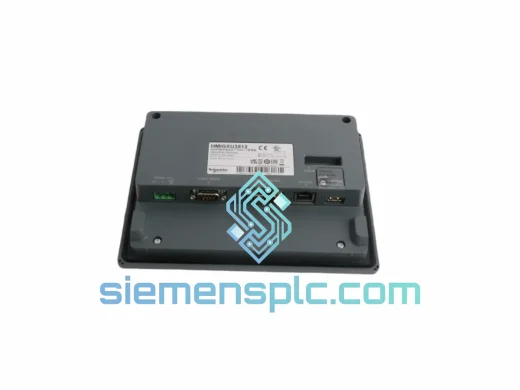
| Communication Ports | COM1 (RS-232/485), USB Host, USB Device, Ethernet RJ45 |
| Power Supply | 24 VDC ±20%, ≤ 10 W |
| Operating Temperature | 0 °C to +50 °C |
| Protection Rating | IP65 (front panel) |
| Panel Cutout | 118 × 92 mm | Unit: 126 × 100 × 46 mm |
| Programming Software | Vijeo Designer v4.7 or later |
| Certifications | CE, UL, cUL, RoHS |
| Stock Status | ✅ Ready to Ship – Same Day Dispatch Available |
Most common failure modes on the HMIGTO2300:
1. Black screen / no backlight at power-on. First, verify 24 VDC is present at the terminal block — not just at the breaker. A sagging rail under load (below ~19.2 V) will cause the panel to refuse to boot without any error code. If voltage is good, the backlight inverter board is the next suspect. These are not field-repairable; the unit needs replacement.
2. Touch input drifts or stops registering. Resistive panels accumulate calibration error over time, especially in high-vibration environments. Go to System Settings → Touch Calibration and run the 5-point calibration. If the panel won’t accept calibration or reverts after a power cycle, the touch controller IC has failed — replace the unit.
3. COM1 communication loss with PLC. Check the RS-232/485 mode jumper inside the panel (accessible via the rear cover). Confirm it matches your wiring: RS-232 for point-to-point, RS-485 for multi-drop. A mismatch here looks identical to a cable fault. Also verify baud rate, parity, and stop bits match the PLC driver settings in Vijeo Designer.
4. Ethernet link established but no data exchange. The HMIGTO2300 does not support DHCP by default. Assign a static IP in the same subnet as your PLC. Confirm the Vijeo Designer project’s target IP matches the panel’s configured address — a mismatch after a firmware update is a common trap.
Replacement procedure (field-tested, 15-minute swap):
Firmware note: If the replacement unit ships with a different firmware version than the original, Vijeo Designer may prompt a project conversion. Always test on a non-production machine or in simulation mode before going live. Firmware files are available from Schneider Electric’s support portal.
The HMIGTO2300 was designed for the kind of environments that destroy consumer electronics in weeks. The IP65-rated front panel creates a sealed barrier against dust ingress and directed water jets — critical in food processing, chemical dosing, and outdoor pump stations where wash-down is routine. The operating temperature range of 0 °C to +50 °C covers the majority of industrial cabinet environments, including those without active cooling.
The resistive touch technology is inherently immune to EMI-induced ghost touches that plague capacitive panels near variable-frequency drives and large contactors. Operators can use the panel with gloves — a practical necessity in cold storage, foundry, and heavy fabrication settings. The 400 MHz ARM processor handles screen refresh and PLC polling simultaneously without the lag that plagues older XBTGT-series panels under heavy tag loads.
Vibration resistance meets IEC 60068-2-6 standards, making the unit suitable for mounting directly on machine frames subject to continuous mechanical vibration. The Flash memory architecture means there are no spinning disks or mechanical components to fail from shock or vibration — the unit either works or it doesn’t, with no gradual degradation that masks itself as a PLC communication issue.
Units we ship have been inspected for physical damage, label authenticity, and firmware integrity. We power-on test each panel before packing. You’re not getting a unit pulled from a shelf and shipped blind.
Our dispatch hub is in Xiamen, China — one of the country’s primary export ports with direct DHL and FedEx Express service to over 220 countries. Here’s how the process works from the moment your order is confirmed:
We handle all export paperwork including commercial invoice, packing list, and HS code declaration (HS 8537.10 for HMI panels). For customers requiring a Certificate of Origin or specific customs valuation documentation, notify us at order time and we’ll prepare it before dispatch. Import duties and local taxes are the buyer’s responsibility — we recommend consulting your customs broker for your country’s applicable rate on HS 8537.10.
For orders requiring delivery within 48 hours to major hubs (Singapore, Frankfurt, Los Angeles, Dubai), contact us directly before placing your order so we can confirm carrier availability and book a priority slot.
📧 Email: [email protected]
💬 WhatsApp: +86 18359268345
🌐 Web: siemensplc.com
© 2026 siemensplc.com. All rights reserved.
We check the full part number, brand, series and visible nameplate information before quotation.
Sales confirms stock path, condition option, quantity and realistic lead time for export dispatch.
DHL, FedEx, UPS or buyer courier arrangements can be reviewed with packing requirements.
Similar brand or category products for fast comparison and multi-item RFQ lists.