Product Overview
XBTGT2220 Down? Every Minute Costs You — Get Back Online Fast
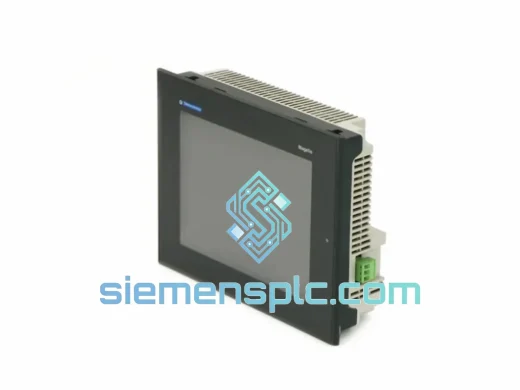
An HMI failure on a live production line is not a maintenance ticket — it is a full stop. No operator visibility, no process control, no output. The Schneider Electric XBTGT2220 is one of the most widely deployed 5.7″ Magelis GTO terminals in Asian and European manufacturing, and when it fails, the clock starts immediately. We stock this unit in Xiamen specifically because we have seen what a 2-week OEM lead time does to a plant’s monthly output figures. You do not have that kind of time. We know it.
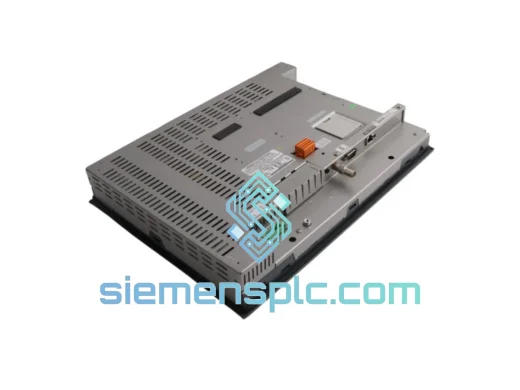
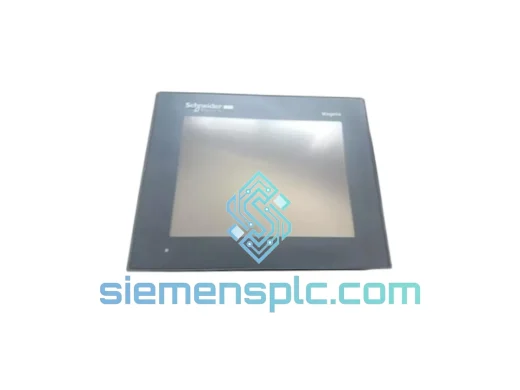
This listing is for a 100% original Schneider Electric XBTGT2220 Magelis GTO HMI terminal, verified, tested, and ready to ship same or next business day via DHL Express or FedEx International Priority.
URGENT REQUIREMENT? Contact: [email protected] | WhatsApp: +86 18359268345
Quick Technical Datasheet
| Parameter |
Specification |
Status |
| Part Number |
XBTGT2220 |
✔ Ready to Ship |
| Brand |
Schneider Electric (Telemecanique) |
|
| Series |
Magelis GTO |
|
| Display |
5.7″ TFT Color LCD, Resistive Touch |
|
| Resolution |
320 × 240 px (QVGA), 65,536 colors |
|
| Processor |
32-bit RISC |
|
| Application Memory |
4 MB Flash / 16 MB SDRAM |
|
| Programming Software |
Vijeo Designer v4.7+ |
|
| Communication Ports |
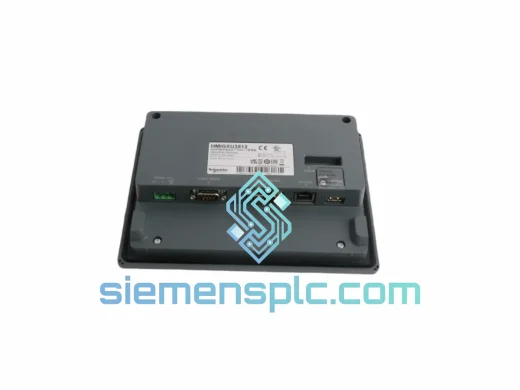
RS-232C, RS-485, USB Host, USB Device, Ethernet 10/100 |
|
| Protocols |
Modbus RTU/TCP, Uni-Telway, FIPIO, CANopen, EtherNet/IP |
|
| Power Supply |
24 VDC ±20% |
|
| Power Consumption |
≤ 15 W |
|
| Operating Temperature |
0 °C to +50 °C |
|
| Humidity |
10%–85% RH non-condensing |
|
| Front Panel Protection |
IP65 |
|
| Panel Cutout |
192 × 138 mm |
|
| Dimensions (W×H×D) |
202 × 148 × 52 mm |
|
| Weight |
~500 g |
|
| Certifications |
CE, UL, cUL, RoHS |
|
| Country of Origin |
China |
|
| Stock Location |
Xiamen, China |
✔ In Stock |
Troubleshooting & Replacement Tips
After handling dozens of XBTGT2220 field swaps, here are the failure modes and gotchas that will save you hours on-site:
Top Failure Modes in the Field
-
Blank screen / backlight failure: The most common complaint. The TFT backlight CCFL (or LED on later revisions) degrades after 50,000+ hours. If the unit powers on (you can hear the relay click or see faint display content with a flashlight), the logic board is fine — it is a display module issue. A full unit swap is faster than sourcing a display sub-assembly.
-
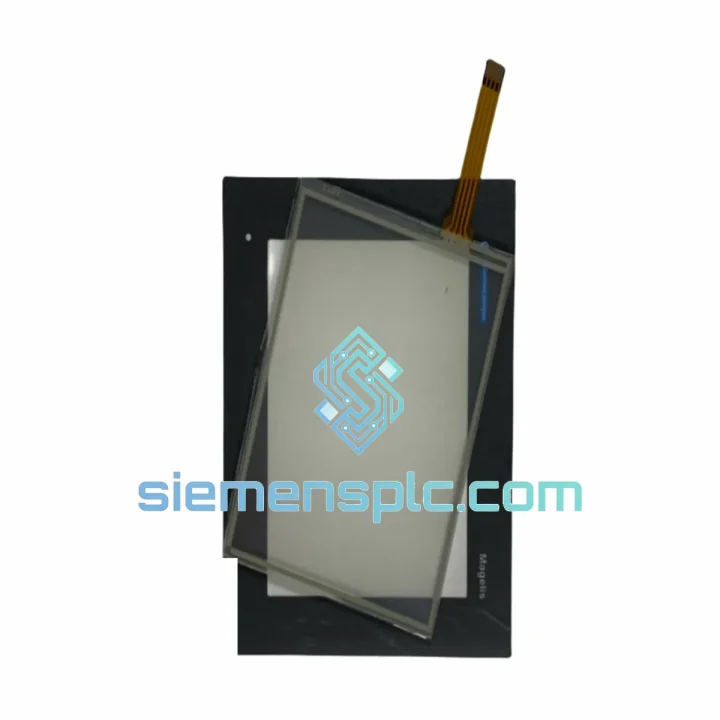
Touch calibration drift: Resistive touch layers delaminate or develop dead zones after years of operator use. Recalibration via Vijeo Designer’s touch panel utility helps temporarily, but physical wear is irreversible. Plan the swap during the next scheduled maintenance window before it becomes a crisis.
-
Communication loss to PLC (Modbus RTU): Check RS-485 termination resistor (120 Ω) at both ends of the bus. A failed XBTGT2220 RS-485 transceiver IC will pull the entire bus low, causing all nodes to drop. Isolate the HMI from the bus first to confirm the fault source before condemning the PLC.
-
Ethernet port not recognized: Often caused by surge damage on unprotected industrial networks. The PHY chip on the XBTGT2220 is not field-replaceable. If ping fails and the link LED is dead, the unit needs replacement — not firmware reflash.
-
Application not loading after power cycle: Flash memory corruption. Attempt a firmware recovery via USB Device port using Vijeo Designer’s firmware update tool. If the unit does not enumerate as a USB device, the bootloader is compromised — replace the unit.
Replacement Procedure — Step by Step
-
Step 1 – Backup: Before powering down, export the current application project from the running unit via USB Host (if accessible) or retrieve the .xbt project file from your engineering workstation. Never assume the project is current on the HMI — always use the PC master copy.
-
Step 2 – Power isolation: Isolate 24 VDC supply to the HMI. Tag out per your site LOTO procedure. The XBTGT2220 does not have an internal fuse accessible from the front — cut power at the DIN rail terminal block.
-
Step 3 – Disconnect communications: Label and photograph all cable connections before removal — RS-232, RS-485, Ethernet, USB. The RS-485 port pinout (D+/D-/GND) must be re-verified on the replacement unit; some early Magelis GTO revisions had reversed D+/D- labeling.
-
Step 4 – Panel removal: Release the 4 rear clamp brackets (quarter-turn). The unit slides forward out of the panel cutout. Gasket condition should be inspected — replace if compressed or cracked to maintain IP65 integrity.
-
Step 5 – Firmware match: Before loading the application, confirm the replacement unit’s firmware version matches or exceeds the version used when the project was compiled. Vijeo Designer will warn on version mismatch, but some older projects compiled on v4.7 will behave unexpectedly on units running v6.x firmware without a project migration step.
-
Step 6 – Application download: Connect via USB Device or Ethernet. Use Vijeo Designer’s “Transfer → Send to Target” function. Verify all communication driver settings (station address, baud rate, parity) match the original configuration exactly.
-
Step 7 – Commissioning check: Power up, confirm PLC communication (check the connection status indicator in the Vijeo runtime), verify all alarm pages load, and perform a touch calibration. Log the replacement in your maintenance records with the new unit’s serial number.
Configuration Notes
- The XBTGT2220 does not use hardware DIP switches for station addressing — all addressing is software-configured within Vijeo Designer’s communication driver settings.
- If replacing a unit on a Modbus RTU network, confirm the slave address assigned to the HMI (if it acts as a slave to a SCADA master) matches the original. This is set in the Vijeo project’s “I/O Manager” under the communication driver properties.
- For Uni-Telway networks: the XBT station address must be unique on the bus. Default is 0 — verify no address conflict exists before going live.
- Ethernet IP address is stored in the unit’s non-volatile memory, not in the Vijeo project file. After replacement, reconfigure the IP via the HMI’s built-in configuration menu (accessible at boot before the application loads) or via Vijeo Designer’s “Ethernet Configuration” tool.
Reliability in Harsh Conditions
The XBTGT2220 was designed to the IEC 60068 environmental test standard series — not as a marketing claim, but as a qualification requirement for industrial panel builders. Here is what that means in practice:
-
Vibration (IEC 60068-2-6): Tested to sinusoidal vibration across 10–150 Hz frequency sweep. In real terms, this covers the resonance frequencies of most industrial machinery — compressors, pumps, presses. The unit’s internal PCB is conformal-coated and mechanically secured to prevent solder joint fatigue under sustained vibration.
-
Shock (IEC 60068-2-27): Half-sine shock pulses at 15g / 11 ms. Covers forklift impacts, door slam events, and mechanical shock from nearby press operations. The resistive touch overlay is bonded to the display frame to prevent delamination under shock loading.
-
Thermal cycling: Operating range 0–50 °C with storage down to -20 °C. The embedded RTOS and Flash memory are rated for the full temperature range without data loss. In high-ambient environments (foundries, boiler rooms), ensure panel ventilation keeps the enclosure interior below 50 °C — the XBTGT2220 has no active cooling and relies on convection.
-
Humidity and condensation: Rated to 85% RH non-condensing. The IP65 front gasket prevents moisture ingress from the panel face. Rear connector area is not sealed — in high-humidity environments, use cable glands and ensure the panel enclosure itself is rated IP54 or better.
-
EMC: CE-marked per EN 61000 series. Tested for conducted and radiated emissions, ESD immunity (IEC 61000-4-2), and fast transient/burst immunity (IEC 61000-4-4). In practice, always use shielded cables on RS-485 and Ethernet runs, and ground the shield at one end only to avoid ground loops.
Global Express Logistics
Our warehouse is located in Xiamen, Fujian Province — one of China’s primary export hubs with direct access to Xiamen Gaoqi International Airport and Xiamen Port. This is not a drop-ship arrangement. Stock is physically on our shelves.
-
Order cutoff: Orders confirmed and paid before 14:00 CST ship same business day. Orders after cutoff ship next business day.
-
DHL Express Worldwide: Typical transit 2–4 business days to Europe, Middle East, Southeast Asia. 3–5 business days to North America and South America. Real-time tracking from dispatch.
-
FedEx International Priority: Available as an alternative carrier. Recommended for US, Canada, and Mexico destinations where FedEx ground network provides faster final-mile delivery than DHL.
-
Export documentation: Commercial invoice, packing list, and certificate of origin provided with every shipment. HS Code 8537.10 applies to this product category. We handle all export customs clearance from the China side.
-
Import duties: Buyer is responsible for import duties and taxes in the destination country. We can declare at actual value or provide a pro-forma invoice for customs purposes — contact us before shipment if you have specific customs requirements.
-
Packaging: Anti-static bag, foam-lined carton, and outer corrugated box. Fragile sticker and orientation arrows applied. Units are secured to prevent movement during air freight handling.
-
Tracking: AWB number sent via email within 2 hours of carrier pickup. WhatsApp notification available on request.
Contact Information
Email: [email protected]
WhatsApp: +86 18359268345
Web: siemensplc.com
© 2026 siemensplc.com. All rights reserved.