Allen-Bradley
RFQ Ready
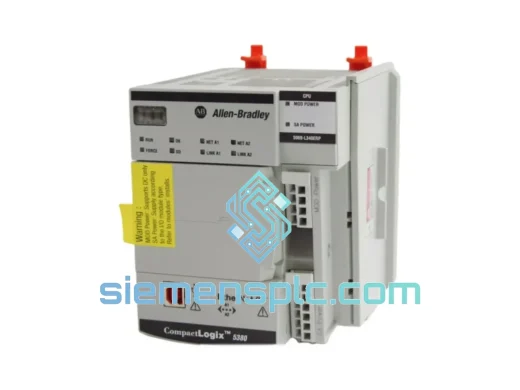
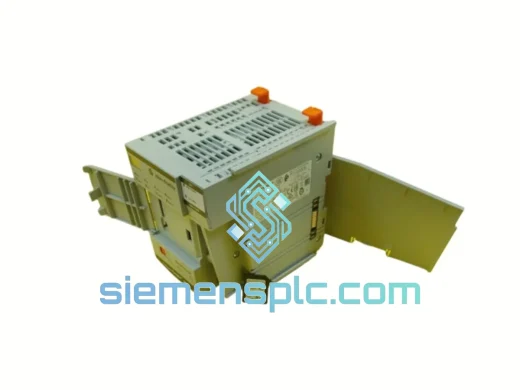
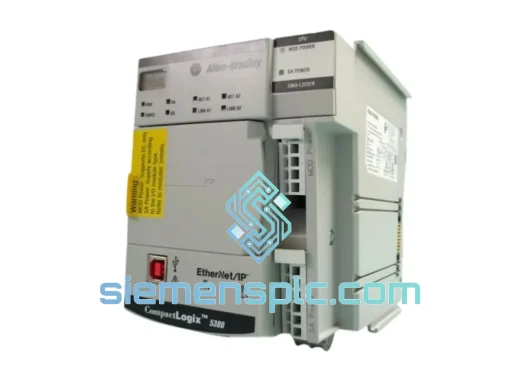
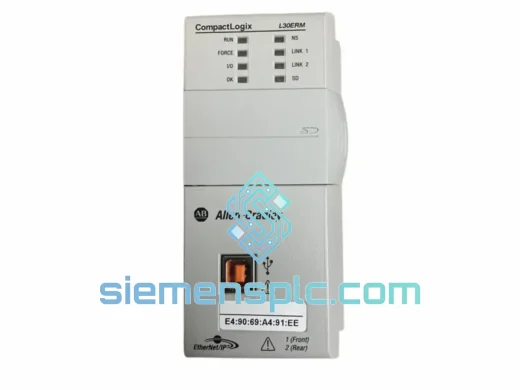
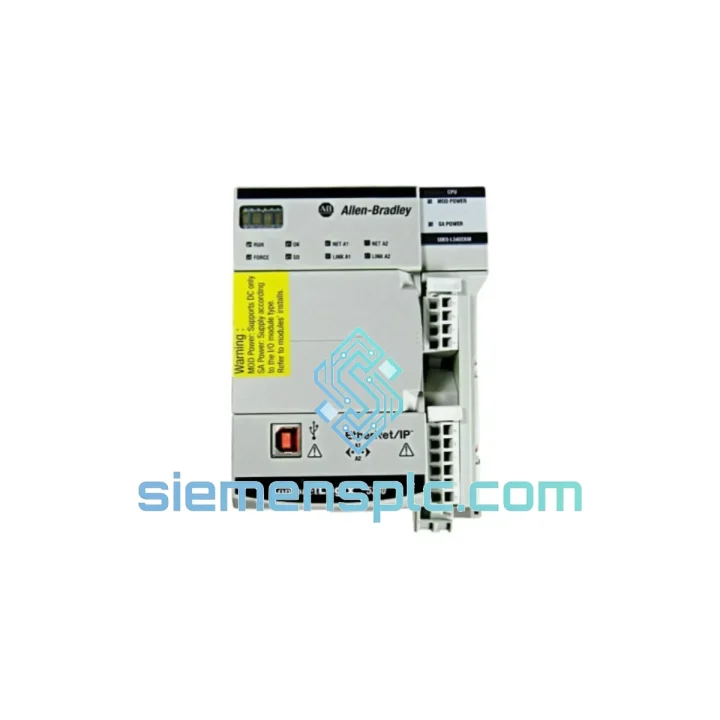
Allen-Bradley 1769-L30ERM PLC Motion Controller – CompactLogix 5370
CompactLogix
Origin US
PLC Motion Controller
Request verified availability, condition, replacement risk review, packing options and courier lead time for 5069-L340ERM.
Click Request Quote and the part number is inserted into the inquiry form automatically.
Core fields for model confirmation and RFQ routing. Detailed product narrative remains below.
A failed 5069-L340ERM doesn’t just halt one machine — it can cascade across an entire production cell. With 16-axis CIP Motion coordination and dual EtherNet/IP ports driving your Kinetix servo network, there is no graceful degradation. The line stops. Hard. We stock the Allen-Bradley 5069-L340ERM CompactLogix 5380 4MB EtherNet/IP Motion Controller specifically for this scenario: verified, tested, and ready to ship from Xiamen within hours of your order confirmation. While your maintenance team is pulling the failed unit, we’re already booking the DHL courier.
URGENT REQUIREMENT? Contact: [email protected] | WhatsApp: +86 18359268345
| Parameter | Specification | Status |
|---|---|---|
| Catalog Number | 5069-L340ERM | ✔ Ready to Ship |
| Platform | CompactLogix 5380 | |
| Manufacturer | Allen-Bradley / Rockwell Automation | |
| User Memory | 4 MB | |
| Motion Axes | Up to 16 coordinated CIP Motion axes | |
| EtherNet/IP Ports | 2 × Dual-port (embedded DLR switch) | |
| I/O Capacity | Up to 256 I/O modules (local + remote) | |
| Programming Software | Studio 5000 Logix Designer v30+ | |
| Languages Supported | LD, FBD, ST, SFC | |
| USB Port | Type-B (programming / firmware update) | |
| SD Card Slot | Yes — 1784-SD2 compatible | |
| Power Supply Required | 5069-PA4 (AC) or 5069-PB4 (24 VDC) | |
| Operating Temperature | 0 °C to +60 °C | |
| Relative Humidity | 5% to 95% non-condensing | |
| Vibration | IEC 60068-2-6 | |
| Shock | IEC 60068-2-27 | |
| Enclosure Rating | IP20 | |
| Certifications | UL, CE, RCM, KC, EAC | |
| Mounting | DIN rail (EN 50022) or panel mount | |
| Weight | ~720 g | |
| Country of Origin | USA | |
| Stock Condition | New surplus / Refurbished — confirmed per order | ✔ In Stock |
Before you pull the controller, capture these first:
Common fault codes and what they actually mean on the 5069-L340ERM:
Replacement checklist — do this in order:
The CompactLogix 5380 platform was designed for environments that would kill consumer-grade electronics. The 5069-L340ERM carries IEC 60068-2-6 vibration certification — tested at 5 Hz to 500 Hz sweep across all three axes, simulating the continuous vibration profile of a stamping press or a mobile equipment installation. Shock resistance per IEC 60068-2-27 covers the kind of mechanical impact that happens when a forklift clips a panel or a press cycle sends a shockwave through the floor.
Operating temperature range of 0 °C to +60 °C covers the majority of industrial panel environments without forced cooling, provided the panel is properly sized and ventilated. Humidity tolerance up to 95% non-condensing means the controller handles the steam and moisture common in food processing and chemical plant environments — as long as the panel maintains positive pressure and the IP20 enclosure requirement is met with a properly sealed cabinet.
The conformal coating on the PCB assemblies provides an additional layer of protection against airborne contaminants — metallic dust, oil mist, and chemical vapors that are present in machining and surface treatment environments. This is not a marketing claim; it’s a measurable specification that differentiates the 5069 series from lower-cost alternatives that fail prematurely in the same conditions.
Every unit we ship has been functionally tested under load before dispatch. We do not ship untested stock. For refurbished units, the test report is available on request and includes power-on hours, firmware version confirmed, and I/O bus communication verification.
Our warehouse is located in Xiamen, Fujian — one of China’s primary export hubs with direct DHL and FedEx gateway access. This is not a drop-ship arrangement. Stock is physically on our shelves, inspected, and ready for same-day dispatch on orders confirmed before 15:00 CST.
Typical transit times from Xiamen:
All shipments include: commercial invoice, packing list, and certificate of origin. For orders requiring import duty minimization, we can provide HS code documentation (HS 8537.10) and assist with customs declaration preparation. Tracking numbers are issued within 2 hours of dispatch and sent directly to your registered email. For urgent shipments, we can arrange airport-to-airport freight with local customs broker coordination on the destination end — contact us to discuss.
We have shipped to over 40 countries. Customs holds are rare but do occur — we maintain relationships with freight forwarders in key markets and will actively assist in resolving any customs issues at no additional charge.
Email: [email protected]
WhatsApp: +86 18359268345
Web: siemensplc.com
© 2026 siemensplc.com. All rights reserved.
We check the full part number, brand, series and visible nameplate information before quotation.
Sales confirms stock path, condition option, quantity and realistic lead time for export dispatch.
DHL, FedEx, UPS or buyer courier arrangements can be reviewed with packing requirements.
Similar brand or category products for fast comparison and multi-item RFQ lists.