Mitsubishi Electric
RFQ Ready
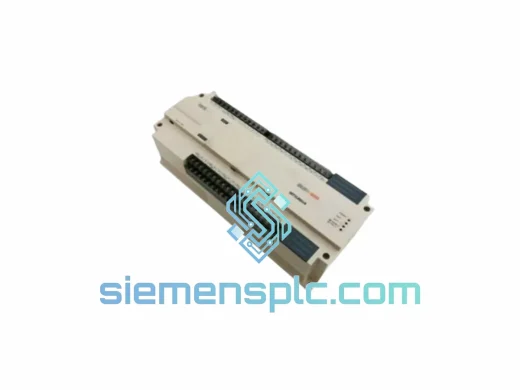
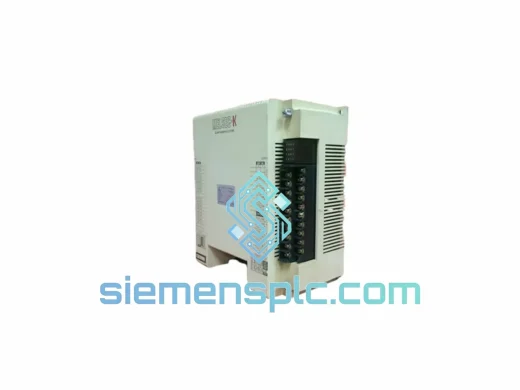
Mitsubishi Electric KOJ1-E32DR-C Sequence Controller
MELSEC-F
Origin JP
Programmable Logic Controller
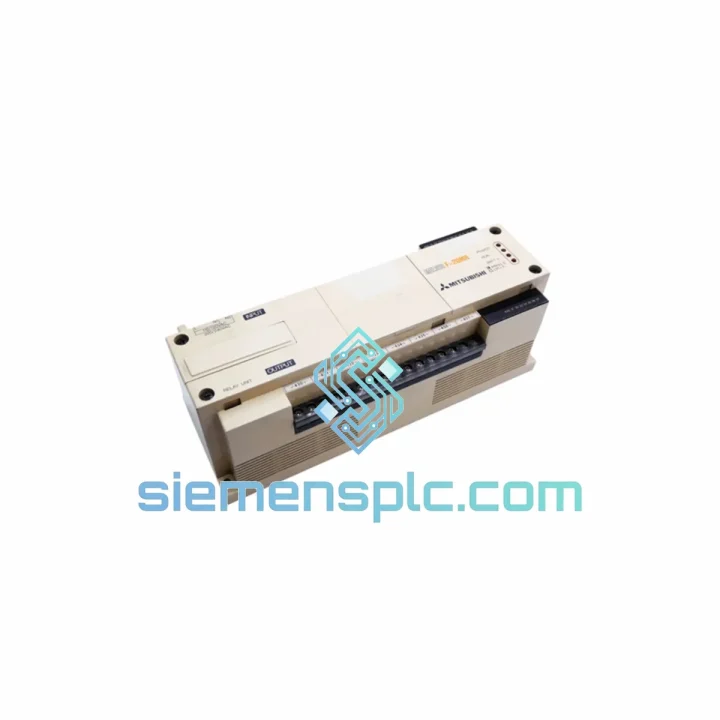
Request verified availability, condition, replacement risk review, packing options and courier lead time for F1-20MR.
Click Request Quote and the part number is inserted into the inquiry form automatically.
Core fields for model confirmation and RFQ routing. Detailed product narrative remains below.
Your line stopped. The F1-20MR is dead — no outputs, no scan, no heartbeat on the RUN LED. You’ve already pulled the unit, confirmed it’s not a power supply issue, and now you need a replacement today, not in three weeks. We stock the Mitsubishi Electric F1-20MR and ship globally via DHL Express and FedEx International Priority. From our Xiamen warehouse to your dock in 48–72 hours. No excuses, no runaround.
⚡ URGENT REQUIREMENT? Contact: [email protected] | WhatsApp: +86 18359268345
| Parameter | Specification | Status |
|---|---|---|
| Model | F1-20MR | ✅ Ready to Ship |
| Series | MELSEC-F1 | — |
| Manufacturer | Mitsubishi Electric | — |
| I/O Configuration | 20 Points: 12 DI / 8 DO (Relay) | — |
| Output Type | Relay (MR) — AC/DC loads | — |
| Supply Voltage | 100–240 VAC, 50/60 Hz | — |
| Program Memory | 2,000 Steps (EEPROM) | — |
| Scan Time | Approx. 0.5 ms / 1,000 steps | — |
| Relay Output Rating | 2A per point, 8A per common | — |
| Input Voltage | 24 VDC (sink/source) | — |
| Mounting | DIN Rail / Panel Mount | — |
| Operating Temp | 0°C to 55°C | — |
| Storage Temp | -20°C to 70°C | — |
| Humidity | 35–85% RH (non-condensing) | — |
| Weight | Approx. 1,270 g | — |
| Origin | Japan | — |
| Programming | Ladder Diagram (LD) via F1 Handheld / Peripheral | — |
| Expansion | F1-8EX, F1-8EYR, F1-8EYT modules | — |
Common failure modes on the F1-20MR that field engineers encounter:
1. RUN LED off, no outputs — CPU lockup or EEPROM corruption. Before condemning the CPU, check the battery voltage (if fitted on your variant). A dead backup battery causes program loss on power cycle. If the unit powers up but immediately faults, attempt a full memory clear: hold RESET while powering on, then re-download your ladder program. If the unit won’t accept a download or the programmer throws a communication error, the CPU is likely failed — replace the F1-20MR.
2. Relay outputs chattering or failing to energize. The MR relay contacts on the F1-20MR are rated 2A per point. Inductive loads without suppression diodes or RC snubbers will arc the contacts over time. Before installing the replacement unit, verify all output loads have proper suppression. Measure coil inrush on contactors and solenoids. Burned relay contacts are a symptom of an upstream wiring problem — fix it before you burn the new board.
3. Input LEDs lit but no program response. Check the input common wiring. The F1-20MR uses a shared common for input groups. A broken common wire will cause an entire input group to appear dead in the program even though individual input LEDs may flicker. Verify COM terminal continuity with a multimeter before assuming CPU failure.
4. Communication errors with handheld programmer. The F1-20MR uses a proprietary peripheral port — not RS-232C standard pinout. Confirm you’re using the correct F1-series programming cable (SC-09 or equivalent). Baud rate mismatch is a common issue: the F1 peripheral port defaults to 9,600 bps. If using a USB-to-serial adapter, verify the adapter’s COM port latency settings in Device Manager — high latency causes timeout errors that mimic CPU faults.
Replacement procedure checklist (field-tested):
The MELSEC-F1 platform was engineered for the factory floor, not the server room. The F1-20MR operates continuously in environments that would kill consumer-grade electronics within weeks. Vibration resistance is built into the PCB mounting and component selection — conformal coating on the main board protects against condensation and airborne contaminants common in food processing and chemical plants. The relay output section uses industrial-grade relays with mechanical life ratings exceeding 10 million operations under rated load.
Operating temperature range of 0°C to 55°C covers the majority of industrial panel environments, including outdoor enclosures in subtropical climates. The unit’s EEPROM-based program storage means no battery dependency for program retention in most configurations — your ladder logic survives power outages without data loss. EMC immunity is designed to IEC 61000 standards, making the F1-20MR tolerant of the electrical noise generated by VFDs, servo drives, and large motor starters sharing the same panel.
Units sourced through siemensplc.com are inspected for physical integrity, label authenticity, and connector condition prior to dispatch. Anti-static packaging and foam-lined cartons protect the PCB during international transit. Every unit ships with a basic functional verification record.
Our dispatch hub is in Xiamen, Fujian Province — one of China’s primary export ports with direct DHL and FedEx gateway access. Here’s how your order moves:
We understand that a PLC sitting in a box in Xiamen is worthless to you. Speed and reliability of delivery is not a marketing claim — it’s the core of what we do.
📧 Email: [email protected]
💬 WhatsApp: +86 18359268345
🌐 Web: siemensplc.com
© 2026 siemensplc.com. All rights reserved.
We check the full part number, brand, series and visible nameplate information before quotation.
Sales confirms stock path, condition option, quantity and realistic lead time for export dispatch.
DHL, FedEx, UPS or buyer courier arrangements can be reviewed with packing requirements.
Similar brand or category products for fast comparison and multi-item RFQ lists.