
GE Multilin
In Stock OK
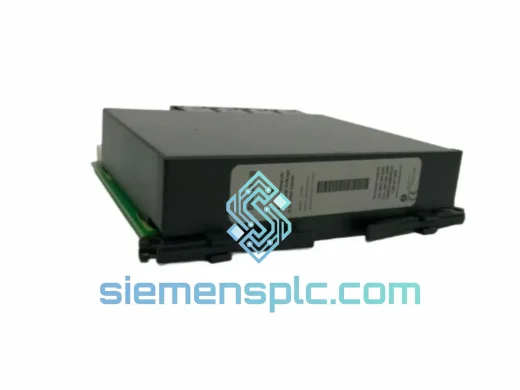
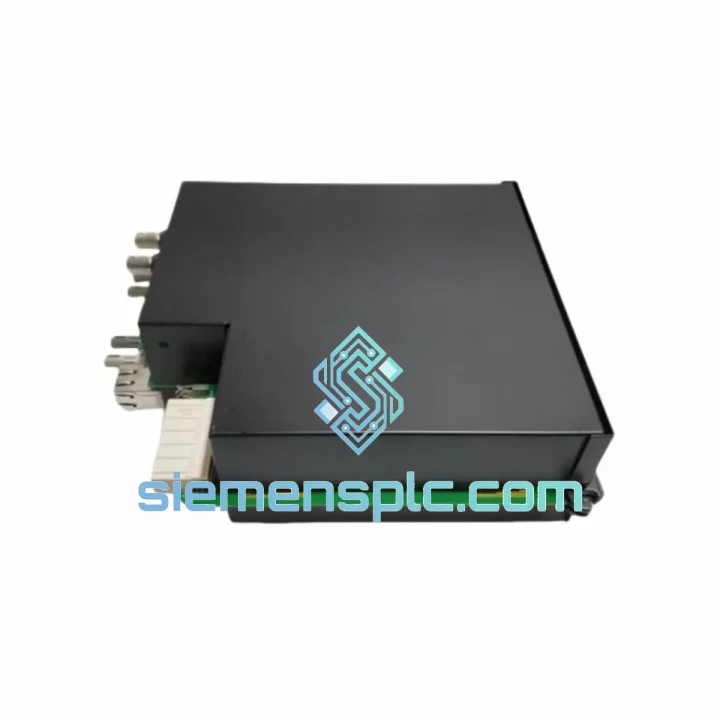
GE Multilin UR6DV Digital I/O Module
Request verified availability, condition, replacement risk review, packing options and courier lead time for UR6DV.
BrandGE Multilin
Part NumberUR6DV
ConditionAvailability Check
Lead TimeRFQ Confirmation
DocumentsDatasheet / photos by RFQ
ShippingExport packing available
Auto-filled RFQ
UR6DV
Click Request Quote and the part number is inserted into the inquiry form automatically.
- Reply by email: [email protected]
- WhatsApp / Tel: +86 18359268345
- Mon-Sat 9:00-18:00 GMT+8
Procurement Data
Key Product Information
Core fields for model confirmation and RFQ routing. Detailed product narrative remains below.
- Brand
- GE Multilin
- Primary Part Number
- UR6DV
- Product Type
- Digital I/O Module
- Series / Family
- UR Series
- Manufacturer
- GE Multilin (GE Grid Solutions)
- Country of Origin
- US
- Catalog Category
- I/O Modules
- Operating Temp.
- –40°C to +85°C
- Humidity
- 5% to 95% non-condensing
- Compliance
- IEC 60255, IEEE C37.90, UL, CE
Model confirmed for inquiry
UR6DV
Send quantity, destination and urgency. The RFQ form keeps this part number attached.
Request Quote
Product Overview
UR6DV Down? Every Minute of Substation Downtime Costs You — We Ship Today
A failed UR6DV doesn’t just trip an alarm — it can black out a feeder, halt a generation unit, or freeze an entire SCADA interlocking scheme. We stock the GE Multilin UR6DV specifically because it fails at the worst possible time, and your maintenance window is measured in hours, not days. Our Xiamen warehouse ships same-day on confirmed orders. DHL Express puts this module on your bench in 48–72 hours, anywhere on the planet.
URGENT REQUIREMENT? Contact: [email protected] | WhatsApp: +86 18359268345
Quick Technical Datasheet
| Parameter | Specification |
|---|---|
| Part Number / SKU | UR6DV ✅ Ready to Ship |
| Manufacturer | GE Multilin (GE Grid Solutions) |
| Platform | Universal Relay (UR) Series |
| Module Function | Digital I/O — Inputs & Outputs Expansion |
| Digital Input Channels | 24 channels, wet/dry contact configurable |
| Output Type | Form-A and Form-C relay contacts |
| Input Voltage Range | 24 / 48 / 110 / 125 / 250 VDC (field selectable) |
| Input Recognition Latency | < 1 ms |
| Supported Protocols | IEC 61850 GOOSE, DNP3, Modbus RTU/TCP |
| Operating Temperature | –40°C to +85°C |
| Humidity | 5% to 95% non-condensing |
| Chassis Compatibility | UR 3U / 6U rack chassis |
| Compliance | IEC 60255, IEEE C37.90, UL, CE |
| Country of Origin | Canada / USA |
| Stock Status | ✅ In Stock — Ships within 24 hours |
Troubleshooting & Replacement Tips
After ten years of field work on UR-platform substations, here’s what actually goes wrong with the UR6DV and what you need to know before you pull the old card:
1. Confirm the fault is the module, not the wiring harness. Before you order a replacement, disconnect the field wiring from the UR6DV terminal block and check input states in UR Setup software. If all 24 inputs read logic-0 with wiring disconnected and a known-good 24 VDC test signal applied directly to the terminal, the module is dead. If inputs are erratic with wiring connected, check for ground loops or broken shield continuity first — a bad cable has burned more than one replacement budget.
2. Slot addressing — this is where most replacements go wrong. The UR chassis assigns I/O slot addresses automatically based on physical slot position. When you seat the new UR6DV, the CPU will auto-detect it and assign the same slot address as the failed unit — provided you install it in the identical slot. Do not move it to a different slot thinking it’s equivalent. The protection logic, GOOSE bindings, and DNP3 point maps are all tied to slot address. Wrong slot = wrong address = protection scheme offline.
3. Firmware compatibility check before power-up. Pull the chassis CPU firmware version from the UR Setup software (Settings → Product Setup → Order Code). The UR6DV module firmware must be compatible with the CPU firmware revision. GE Multilin publishes a compatibility matrix in the UR Series Instruction Manual (GEK-113000). If your CPU is running firmware 7.4x or later, verify the replacement module ships with matching firmware. Mismatched firmware will cause the CPU to flag a “Module Mismatch” alarm and refuse to enable the I/O points.
4. Input threshold DIP switches — check before you close the panel. On earlier UR6DV revisions, the DC input voltage threshold is set by a bank of DIP switches on the module PCB edge, not purely by software. Match the switch positions on the new module to the failed unit before installation. Photograph the old module’s switch bank before you pull it. Common field error: new module defaults to 24 VDC threshold, old module was set for 125 VDC — result is all inputs read logic-1 permanently on a 125 VDC battery bus.
5. Common fault codes you’ll see on the UR front panel LCD:
- “CARD FAIL Slot X” — Module hardware fault or unseated connector. Re-seat first; if it persists, the module is failed.
- “MODULE MISMATCH Slot X” — Firmware version incompatibility between CPU and I/O module. Update firmware before commissioning.
- “I/O CONFIG ERROR” — Settings file references I/O points that don’t match installed hardware. Re-download the settings file after module swap.
- “COMM FAIL Slot X” — Backplane communication lost. Check chassis backplane connector pins for corrosion or mechanical damage.
6. Settings file re-download is mandatory after replacement. Even if the new module is identical, re-download the .urs settings file from UR Setup to the relay after installation. This re-initializes the I/O mapping and clears any latched fault states. Do not skip this step — protection elements will not arm until the settings are confirmed.
Reliability in Harsh Conditions
The UR6DV was engineered for environments that destroy consumer-grade electronics. GE Multilin designed the UR platform to meet IEC 60255-21 seismic and vibration requirements — the module withstands 2g continuous vibration across 10–150 Hz, which covers everything from diesel generator harmonics to seismic zone 4 installations. The PCB conformal coating protects against condensation and airborne contaminants common in coastal substations and tropical climates. Operating range of –40°C to +85°C means it functions in an unheated Nordic relay house in January and an un-air-conditioned Middle Eastern switchgear room in August without derating.
Optical isolation on all 24 digital inputs provides 2,500 V galvanic separation between field wiring and the chassis backplane — critical in substations where ground potential rise during fault events can spike field wiring to dangerous levels. The relay output contacts are rated for 8A make, 0.3A carry at 250 VAC/VDC, handling trip coil inrush without contact welding. Every unit we ship has been visually inspected, label-verified, and bench-tested for input/output continuity before dispatch.
Global Express Logistics
Our Xiamen warehouse is 40 minutes from Xiamen Gaoqi International Airport (XMN), a DHL and FedEx hub with daily freighter departures to Frankfurt, Dubai, Chicago, and Singapore. Here’s the actual flow from your order to your hands:
- Order confirmed before 14:00 CST: Same-day pick, pack, and handover to DHL Express or FedEx International Priority.
- Transit time: Southeast Asia 24–36 hrs | Europe 48–60 hrs | North America 48–72 hrs | Middle East 36–48 hrs | Australia 36–48 hrs.
- Documentation: Commercial invoice, packing list, HS code declaration (8537.10 / 8538.90 as applicable), and Certificate of Origin issued with every shipment. Customs clearance support available on request.
- Tracking: AWB number sent via email within 2 hours of carrier pickup. Real-time tracking link provided.
- Emergency freight: For critical shutdowns, we can arrange next-flight-out courier on request — contact us directly on WhatsApp for fastest response.
We have shipped UR-series modules to substations in Germany, Saudi Arabia, Australia, Brazil, and across Southeast Asia. Customs documentation is prepared correctly the first time — no delays from misdeclared goods.
Contact Information
📧 Email: [email protected]
💬 WhatsApp: +86 18359268345
🌐 Web: siemensplc.com
© 2026 siemensplc.com. All rights reserved.
Ready to quote
[email protected]
Send This Part Number to Sales
RFQ workflow
Quality workflow ->
Confirmation Process
01Model confirmation
We check the full part number, brand, series and visible nameplate information before quotation.
02Availability reply
Sales confirms stock path, condition option, quantity and realistic lead time for export dispatch.
03Packing & courier
DHL, FedEx, UPS or buyer courier arrangements can be reviewed with packing requirements.
Continue sourcing
Browse full catalog ->
Related Automation Parts
Similar brand or category products for fast comparison and multi-item RFQ lists.
GE Multilin
RFQ Ready
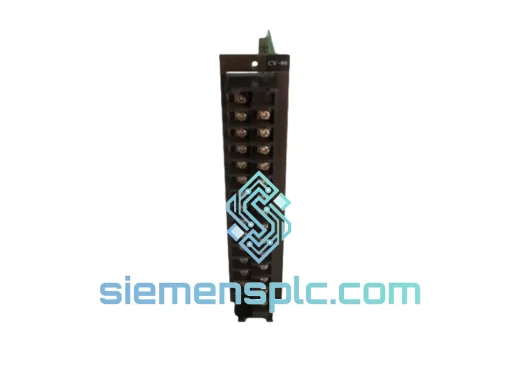
GE GEVM-5Y1-02 Relay Output Module – Multilin VM Series
Multilin VM Series
Origin US
Relay Output Module
GE Multilin
RFQ Ready
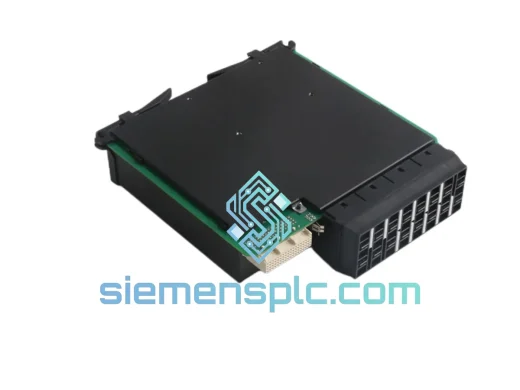
GE Multilin UR8LH Relay Output Module – UR Series
UR Platform
Origin US
Relay Output Module
GE Multilin
RFQ Ready
GE Multilin UR9AH Communication Module – UR Series
cation Module for UR Series
Origin US
Relay Communication Module