Honeywell
RFQ Ready
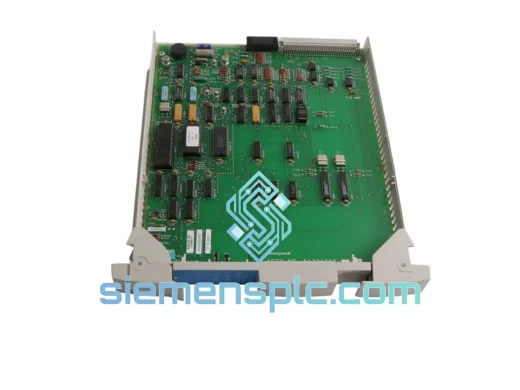
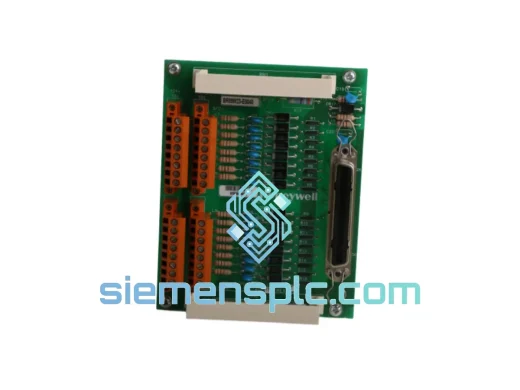
Honeywell SC-PCMX01 51307195-175 DCS Terminal Unit
Experion PKS
Origin US
DCS Terminal Unit
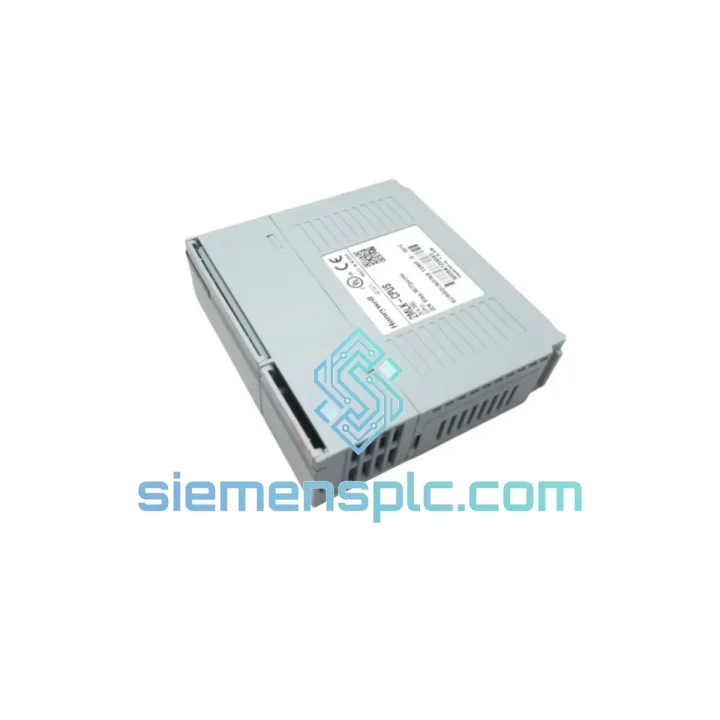
Request verified availability, condition, replacement risk review, packing options and courier lead time for 2MLK-CPUS-CC.
Click Request Quote and the part number is inserted into the inquiry form automatically.
Core fields for model confirmation and RFQ routing. Detailed product narrative remains below.
A failed CPU module in a POINTS DCS controller node doesn’t just trip an alarm — it takes your entire process segment offline. Batch reactors stall. Compressor trains trip. Safety interlocks freeze in their last state. The clock starts the moment that CTRL FAULT LED goes red, and it doesn’t stop until a replacement card is seated, booted, and back on the network. We stock the Honeywell 2MLK-CPUS-CC in Xiamen and we move it within 24 hours of PO confirmation. No broker lead times. No factory allocation queues. The card is on the shelf. You need it. Let’s get it moving.
The 2MLK-CPUS-CC is the central processing unit for Honeywell’s POINTS distributed control system controller chassis. It carries the full execution burden of the node: function block scan cycle, I/O bus arbitration, supervisory LAN communication, and — critically — the bumpless redundancy transfer logic that keeps your process running when the primary CPU faults. The “-CC” suffix designates the hot-standby redundant variant, meaning this card is designed to operate as either the primary or secondary CPU in a redundant pair. It is not interchangeable with simplex-only variants. If your system is configured for redundancy and you install the wrong suffix, the redundancy handshake will fail and you’ll be running simplex without knowing it.
We’ve shipped this module to refineries in Oman, petrochemical complexes in Malaysia, power generation facilities in Poland, and pharmaceutical batch plants in India. The logistics path from our Xiamen warehouse to your plant gate is well-worn. We know the HS codes, the export documentation requirements, and how to get a shipment moving on a Saturday when your procurement team isn’t available.
URGENT REQUIREMENT? Contact: [email protected] | WhatsApp: +86 18359268345
| Parameter | Specification |
|---|---|
| Part Number | 2MLK-CPUS-CC |
| Manufacturer | Honeywell Process Solutions |
| Platform | POINTS Distributed Control System (DCS) |
| Module Role | Controller Node CPU — Primary or Secondary (Redundant Pair) |
| Redundancy Class | CC — Hot-Standby Redundant CPU |
| Form Factor | Single-slot backplane card, POINTS controller chassis |
| Backplane Interface | POINTS proprietary I/O bus + POINTS LAN supervisory port |
| Operating Temperature | 0°C to +60°C continuous |
| Humidity Rating | 5–95% RH non-condensing (conformal coated PCB) |
| Power Supply | Backplane bus — no external PSU required |
| Configuration Tool | Honeywell Control Builder / POINTS Engineering Workstation |
| Node Addressing | Software-assigned via Engineering Workstation (no DIP switches) |
| Certifications | CE, UL (per POINTS system-level certification) |
| Weight | ~1,060 g |
| Country of Origin | United States |
| Stock Status | ✅ Ready to Ship — Xiamen Warehouse |
Fault Pattern 1 — CTRL FAULT LED solid red, node drops off POINTS LAN:
This is a hard CPU fault. Pull the fault log from the POINTS Engineering Workstation before touching anything. Fault codes 0x04 (internal processor exception) and 0x08 (memory integrity failure) both point to a dead CPU card — not a configuration issue, not a network problem. The card is done. Order the replacement now while you’re still reading the fault log, because the lead time on your decision is already costing you.
Fault Pattern 2 — Redundancy switchover fails, both CPUs report FAULT simultaneously:
The primary failed and the secondary couldn’t complete the handshake. First check the POINTS LAN cable between the two CPU slots — a loose or damaged cable will prevent sync and leave both cards in a fault state. If the cable is intact, replace the primary 2MLK-CPUS-CC first. Do not touch the secondary until the new primary has booted, joined the network, and re-established sync. Replacing both cards simultaneously without a working reference node will force a cold restart of the entire controller — which means your process goes to its last safe state, not a controlled hold.
Fault Pattern 3 — CPU boots, STATUS LED green, but I/O modules show communication errors:
This is usually a firmware version mismatch between the replacement CPU and the I/O modules already in the chassis. Check the firmware revision on the replacement card against the system’s current baseline. Use Honeywell Control Builder to push the correct firmware to the replacement card before declaring the node healthy. Running mismatched firmware versions in a POINTS chassis causes intermittent I/O scan errors that are extremely difficult to diagnose after the fact.
Step-by-Step Replacement Procedure:
Configuration Note — No DIP Switches, No Jumpers:
The 2MLK-CPUS-CC has no user-accessible hardware addressing switches. Node address assignment, redundancy role configuration, and I/O bus parameters are all managed through the POINTS Engineering Workstation configuration database. If the system database has not been backed up recently, export the controller configuration before pulling the faulty card. The replacement will load its configuration from the database on first boot — but only if the database is intact and the node address is correctly assigned in the project file.
Do not attempt to clone firmware from a faulty card using third-party tools. POINTS CPU firmware is tied to the system’s license key structure. Use Honeywell Control Builder exclusively to push firmware to the replacement card after it has joined the network.
The POINTS platform was engineered for continuous, unattended operation in process industry environments — not office-grade control rooms. The 2MLK-CPUS-CC reflects that design philosophy at the component level. The PCB carries full conformal coating, providing a barrier against humidity, condensation, and airborne chemical contamination. In coastal refineries and tropical chemical plants where ambient humidity regularly sits above 85% RH, this coating is the difference between a card that lasts five years and one that fails in eighteen months due to creep corrosion on the signal traces.
Thermal performance is rated for sustained operation across the full 0–60°C range without throttling or fault. This matters in real plant conditions — control rooms lose HVAC during emergencies, and the DCS needs to keep running precisely when the environment is at its worst. The card’s thermal design handles this without derating.
Vibration tolerance is qualified to IEC 60068-2-6 test profiles, covering the frequency ranges generated by rotating machinery, reciprocating compressors, and structural resonance in steel-framed plant buildings. The backplane connector is rated for a minimum of 200 insertion cycles, so repeated card swaps during scheduled maintenance turnarounds won’t degrade contact integrity over the life of the installation.
EMC immunity meets IEC 61000-4 levels for both conducted and radiated interference. In environments with large variable frequency drives, high-current switchgear, and bus systems operating in close proximity to the control cabinet, this shielding level is not optional — it’s what keeps the CPU’s communication interfaces stable when the electrical environment around it is hostile.
Every unit we ship from our Xiamen warehouse is physically inspected before listing: connector condition, board-level corrosion check, conformal coating integrity, and visual inspection for thermal stress or arc damage. Units that don’t pass are not listed. What arrives at your plant is a card that’s ready to go into a live system on day one.
Our warehouse operates out of Xiamen, Fujian — a primary export gateway with direct DHL Express and FedEx International Priority access. Here is exactly what happens from the moment your order is confirmed:
For genuine plant emergency situations — unplanned shutdowns where every hour of downtime carries a documented cost — contact us directly on WhatsApp before placing the order. We can confirm stock availability, prepare the shipment, and have it moving before the paperwork is finalized, then reconcile documentation in parallel. We’ve handled real emergencies before. We know what the pressure looks like from your side of the phone.
📧 Email: [email protected]
💬 WhatsApp: +86 18359268345
🌐 Web: siemensplc.com
© 2026 siemensplc.com. All rights reserved.
We check the full part number, brand, series and visible nameplate information before quotation.
Sales confirms stock path, condition option, quantity and realistic lead time for export dispatch.
DHL, FedEx, UPS or buyer courier arrangements can be reviewed with packing requirements.
Similar brand or category products for fast comparison and multi-item RFQ lists.