B&R Automation
RFQ Ready
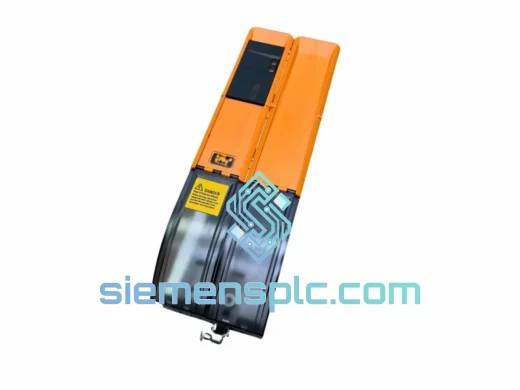
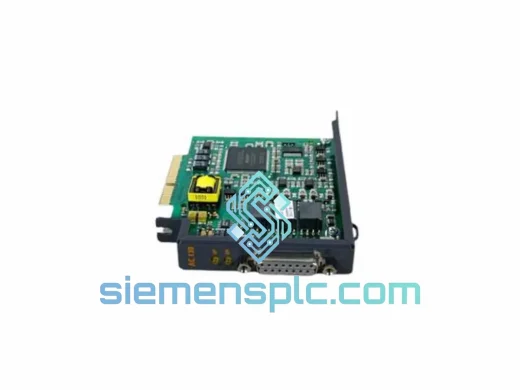
B&R 8AC120.60-1 ACOPOS Axis Module
Ready to Ship
Origin AT
Servo Drive Axis Module
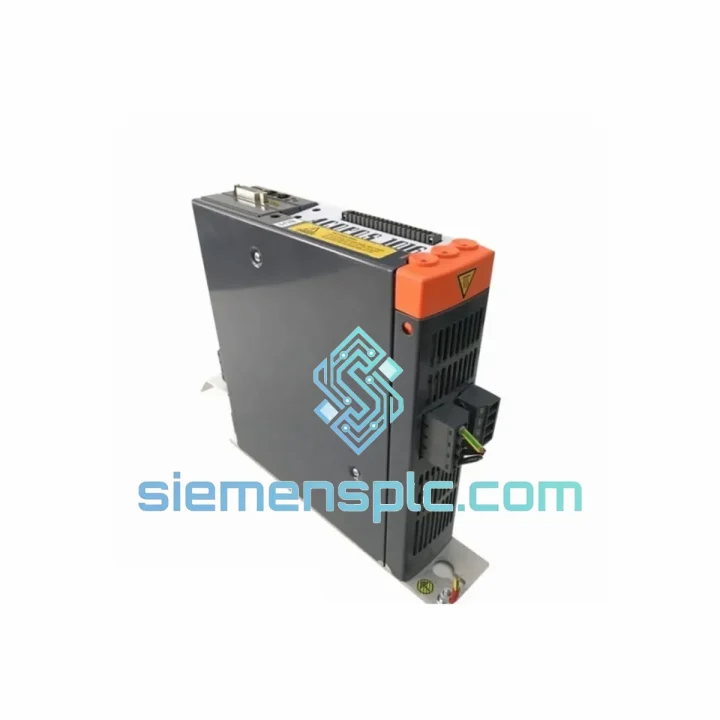
Request verified availability, condition, replacement risk review, packing options and courier lead time for 8V1010.00-2.
Click Request Quote and the part number is inserted into the inquiry form automatically.
Core fields for model confirmation and RFQ routing. Detailed product narrative remains below.
Your line is down. The ACOPOS drive is dead. You’ve already called your local distributor and heard the words no engineer wants to hear: “Lead time is 8–12 weeks.” That’s not an option. We stock the B&R 8V1010.00-2 in Xiamen, China — verified original, tested, and ready to leave our warehouse today via DHL Express or FedEx Priority. Most destinations in Asia receive units within 48–72 hours. Europe and the Americas within 3–5 business days. We’ve done this hundreds of times. We know what’s at stake.
URGENT REQUIREMENT? Contact us immediately:
📧 [email protected] | 📱 WhatsApp: +86 18359268345
| Parameter | Specification | Status |
|---|---|---|
| Part Number | 8V1010.00-2 | ✅ Ready to Ship |
| Series | ACOPOS | |
| Manufacturer | B&R Automation (ABB Group) | |
| Drive Type | Single-Axis Servo Amplifier | |
| Continuous Output Current | 10 A RMS | |
| Peak Output Current | 20 A (200% for 5 s) | |
| DC Bus Voltage | 750 V DC nominal | |
| Mains Supply | 3 × 400–480 V AC, 50/60 Hz | |
| Communication | POWERLINK (100 Mbit/s, integrated) | |
| Encoder Interfaces | EnDat 2.1/2.2, Resolver, SSI, TTL Incremental | |
| Safety Function | STO — SIL 2 / PLd (IEC 62061 / ISO 13849-1) | |
| Protection Rating | IP20 | |
| Operating Temperature | 0 °C to +45 °C | |
| Panel Width | 45 mm (slim, DIN rail or panel mount) | |
| Weight | 2.6 kg | |
| Certifications | CE, UL, cUL | |
| Origin | Germany / Austria |
After handling dozens of emergency 8V1010.00-2 swaps in the field, here are the failure patterns and swap pitfalls that catch engineers off guard:
Most Common Failure Modes
The 8V1010.00-2 most frequently fails due to three root causes. First, DC bus capacitor degradation — typically after 5–8 years of continuous operation in environments above 40 °C. The symptom is an intermittent E6010 (DC bus overvoltage) or E6020 (DC bus undervoltage) fault that clears on power cycle but returns under load. Do not keep resetting it; the capacitors are failing and the next event may take out the IGBT module. Second, IGBT bridge failure from a motor short or cable insulation breakdown. This presents as an immediate E5010 (overcurrent) or E5020 (short circuit) fault on enable. Before fitting the replacement, megger-test the motor cable and motor windings — a failed motor will destroy a new drive within seconds. Third, POWERLINK communication loss caused by corrupted firmware or a failed onboard processor, showing as E8010 or E8020 network errors. If the drive powers up but never appears on the POWERLINK network, the firmware is likely corrupted.
Step-by-Step Replacement Procedure
Step 1 — Before you touch anything: record the existing drive’s firmware version from the Automation Studio device tree or the drive’s front panel display. You will need to match this on the replacement unit. Step 2 — Power down the entire ACOPOS supply module (8V1180 or equivalent) and verify DC bus voltage is below 50 V with a multimeter before disconnecting any cables. The DC bus holds charge for several minutes after mains removal. Step 3 — Label every connector before removal. The X1 (mains), X2 (motor power), X3 (encoder), X4 (STO), and X5 (POWERLINK) connectors are keyed differently but a harness under tension can be forced into the wrong socket. Step 4 — Check the node number DIP switch (SW1) on the replacement unit. The 8V1010.00-2 uses a hardware node address switch for POWERLINK addressing. Match the switch position exactly to the failed unit — mismatched node numbers will cause the controller to fail to enumerate the axis and throw a configuration error. Step 5 — After mechanical installation, connect Automation Studio, open the device configuration, and perform a firmware download if the version does not match. Do not skip this step even if the drive appears to boot normally — a firmware mismatch between the drive and the Automation Studio project will cause subtle motion errors that are difficult to diagnose later. Step 6 — Run the motor identification routine (ACOPOS Tuning Wizard) before enabling the axis in production. Even with the same motor type, mechanical wear on the original motor means the new drive’s auto-tuned parameters may differ slightly from the stored values.
Common Fault Codes Quick Reference
| Fault Code | Description | First Action |
|---|---|---|
| E5010 | Overcurrent / Short Circuit | Megger motor & cable before replacing drive |
| E6010 | DC Bus Overvoltage | Check braking resistor & regen load |
| E6020 | DC Bus Undervoltage | Verify supply module output & mains voltage |
| E7010 | Motor Overtemperature | Check motor thermal sensor wiring (X3 pin) |
| E8010 | POWERLINK Network Error | Verify node address DIP switch & cable |
| E9010 | Encoder Signal Error | Check EnDat cable shield continuity |
The ACOPOS 8V1010.00-2 was not designed for a climate-controlled server room. It was built for the factory floor. The drive’s internal architecture addresses the three environmental threats that kill electronics in industrial settings.
Vibration is handled through conformal-coated PCBs and mechanically secured connector latches. The drive meets IEC 60068-2-6 sinusoidal vibration testing at 10–150 Hz, 1g — sufficient for mounting on machine frames subject to press or conveyor vibration. If your installation involves severe shock loads, ensure the mounting panel is isolated from the vibration source and that cable strain relief is properly fitted; the encoder connector (X3) is the most vibration-sensitive point on this drive.
Thermal management is achieved through an integrated forced-air cooling channel. The drive requires a minimum 25 mm clearance above and below for airflow. In enclosures where ambient temperature exceeds 40 °C, derate the continuous output current by 2.5% per degree above 40 °C. At 45 °C (the rated maximum), the effective continuous current is 10 A — no derating required at the limit, but any additional heat sources in the enclosure must be accounted for. We have seen drives fail prematurely in enclosures where a poorly sealed cable entry allowed warm, humid air to bypass the enclosure’s heat exchanger.
Humidity and condensation are addressed by the IP20 rating and the conformal coating on the control board. However, IP20 does not protect against condensation from rapid temperature cycling. If your machine is in an environment where the enclosure temperature drops below the dew point during shutdowns (common in food processing and outdoor installations), fit a thermostatically controlled anti-condensation heater in the enclosure. We have recovered drives that appeared dead due to condensation-induced short circuits — after drying, they tested functional. Do not assume a drive is failed until it has been dried and retested.
Our warehouse is located in Xiamen, Fujian Province, China — one of the country’s primary export hubs with direct access to Xiamen Gaoqi International Airport and daily consolidated freight departures to DHL and FedEx international hubs in Shanghai and Guangzhou.
For emergency orders confirmed before 14:00 CST (UTC+8), same-day dispatch is standard. The shipment workflow is as follows: order confirmation and payment verification trigger immediate warehouse pick and quality inspection; the unit is packed in anti-static foam with a humidity indicator card and double-boxed for international freight; commercial invoice, packing list, and HS code documentation (HS 8537.10) are prepared simultaneously; the shipment is handed to DHL Express or FedEx Priority by 18:00 CST on the same day.
Typical transit times from Xiamen: Southeast Asia (Vietnam, Thailand, Malaysia, Indonesia) — 1 to 2 business days; Northeast Asia (Japan, South Korea, Taiwan) — 1 to 2 business days; South Asia (India, Pakistan, Bangladesh) — 2 to 3 business days; Middle East (UAE, Saudi Arabia, Turkey) — 2 to 3 business days; Europe (Germany, Netherlands, Poland, UK) — 3 to 4 business days; North America (USA, Canada, Mexico) — 3 to 5 business days; South America (Brazil, Chile, Argentina) — 4 to 6 business days.
All shipments include a tracking number issued within 2 hours of dispatch. For orders requiring import clearance support, we provide a detailed commercial invoice with accurate HS codes and declared values to facilitate smooth customs clearance. We have shipped to over 60 countries and understand the documentation requirements for industrial electronics imports in most major markets. If your country requires specific import permits or has restrictions on used industrial equipment, contact us before ordering — we will advise on the correct documentation path.
📧 Email: [email protected]
📱 WhatsApp: +86 18359268345
🌐 Web: siemensplc.com
© 2026 siemensplc.com. All rights reserved. All product names, trademarks, and registered trademarks are the property of their respective owners.
We check the full part number, brand, series and visible nameplate information before quotation.
Sales confirms stock path, condition option, quantity and realistic lead time for export dispatch.
DHL, FedEx, UPS or buyer courier arrangements can be reviewed with packing requirements.
Similar brand or category products for fast comparison and multi-item RFQ lists.