Fanuc
RFQ Ready
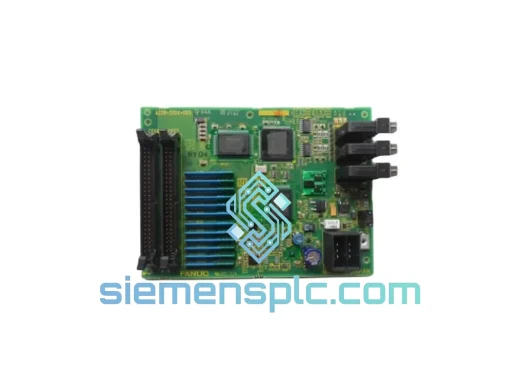
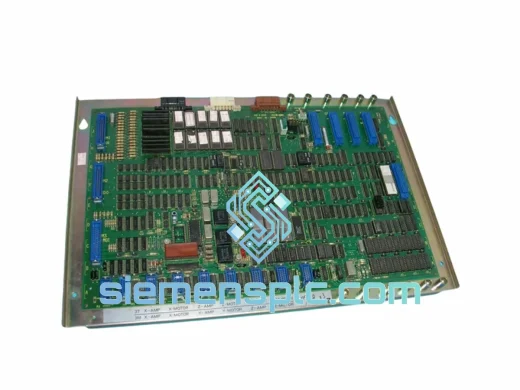
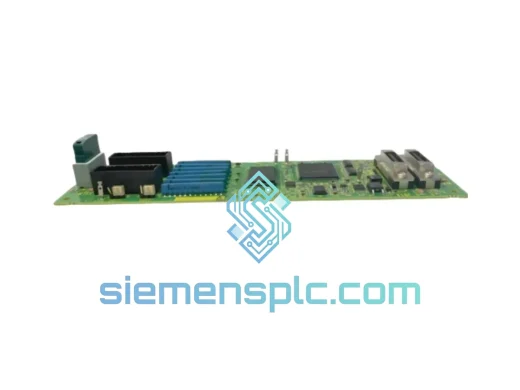
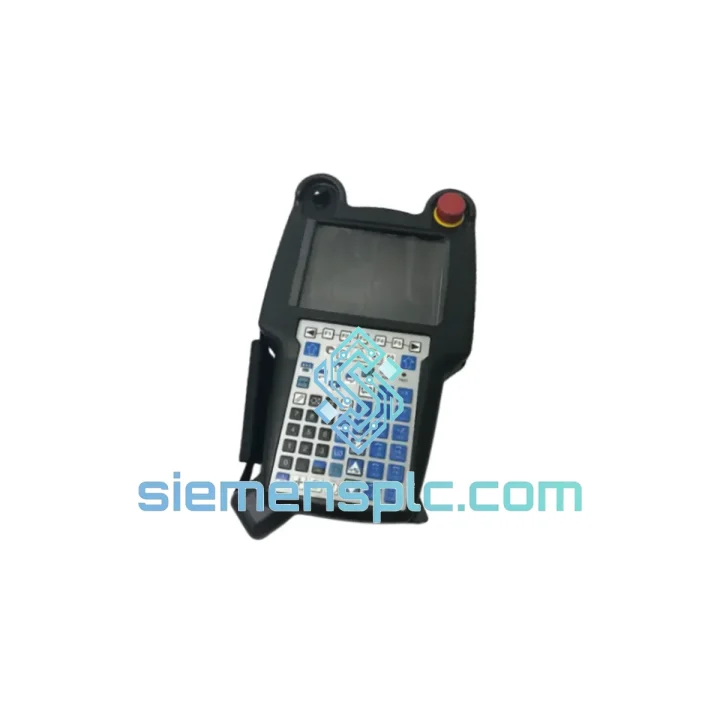
FANUC A20B-2004-038 Printed Circuit Board
Precision Control
Origin JP
Printed Circuit Board
Request verified availability, condition, replacement risk review, packing options and courier lead time for A05B-2518-C200.
Click Request Quote and the part number is inserted into the inquiry form automatically.
Core fields for model confirmation and RFQ routing. Detailed product narrative remains below.
Every minute a machining center sits idle costs real money. On a high-volume production line running FANUC Series 30i/31i/32i controls, a failed I-Pendant doesn’t just halt one machine — it can cascade into missed delivery windows, penalty clauses, and a very uncomfortable call with your plant manager. The FANUC A05B-2518-C200 I-Pendant is in stock at our Xiamen warehouse right now. We don’t deal in lead times measured in weeks. We deal in same-day dispatch.
This is not a refurbished unit dressed up with fresh labels. Every A05B-2518-C200 we ship is sourced through verified industrial channels, physically inspected for connector integrity, LCD function, E-Stop actuation, and enable-switch response before it goes into a box. If your line is down, this is the call you make.
URGENT REQUIREMENT? Contact: [email protected] | WhatsApp: +86 18359268345
| Parameter | Specification |
|---|---|
| Part Number | A05B-2518-C200 ✅ Ready to Ship |
| Manufacturer | FANUC Corporation |
| Compatible Platform | FANUC Series 30i / 31i / 32i CNC |
| Display Type | High-resolution color LCD with backlight |
| Operator Interface | MDI keyboard, soft-key panel, jog/feed override dial |
| Emergency Stop | Integrated E-Stop, IEC 60947-5-5 compliant |
| Enable Device | 3-position deadman switch (ISO 10218 / IEC 60204-1) |
| Cable Interface | Dedicated FANUC pendant cable connector |
| Enclosure | Industrial-grade, coolant-mist and dust resistant |
| Unit Weight | Approx. 1.5 kg |
| Country of Origin | Japan |
| HS Code | 8537.10 |
| Stock Status | In Stock — Xiamen Warehouse |
Swapping an A05B-2518-C200 looks straightforward on paper, but there are three failure modes that catch engineers off guard on-site:
1. Pendant Communication Fault (Alarm 910 / 911 Series)
Before condemning the pendant itself, check the cable first. The FANUC pendant cable is a known wear point — the strain relief at the machine-side connector cracks after years of repeated coiling. Wiggle the cable at both ends while watching the alarm. If the fault clears intermittently, you have a cable issue, not a pendant issue. Replace the cable before pulling the pendant.
2. LCD Backlight Failure vs. Full Display Failure
A completely black screen is not always a dead pendant. Shine a flashlight at an angle across the LCD surface. If you can faintly see the menu structure, the backlight inverter has failed — the pendant logic is still alive. A05B-2518-C200 units with backlight-only failure can sometimes be returned to service with a backlight board swap. If the screen shows nothing under direct light, the LCD panel or the main board has failed — full pendant replacement is the correct path.
3. Enable Switch Nuisance Tripping
If the machine faults on motion commands with an enable-switch-related alarm despite the operator holding the switch correctly, the 3-position switch contacts are worn. This is a mechanical wear item. On the A05B-2518-C200, the enable switch is a field-replaceable sub-assembly. However, if you are already sourcing a replacement pendant, it is faster to swap the full unit than to wait for switch parts. Confirm the new pendant’s enable switch actuates cleanly through all three positions before installing.
Replacement Procedure — Key Steps:
A machining center environment is hostile to electronics. Coolant mist settles on every surface. Vibration from spindle loads and rapid-traverse moves transmits through the pendant cable and into the housing. Ambient temperatures in summer can push 45°C on the shop floor near heat-generating equipment. The A05B-2518-C200 is built for exactly this reality.
The housing is injection-molded from impact-resistant engineering polymer with sealed seams at the LCD bezel and keypad membrane interface. The internal PCB assemblies are conformally coated to resist condensation and coolant aerosol ingress. The pendant cable connector uses a positive-locking mechanism that resists vibration-induced loosening — a failure mode that plagues cheaper aftermarket alternatives. FANUC’s thermal design keeps internal component temperatures within spec even when the pendant is left hanging in direct sunlight near a machine window. This is not marketing language. These are the design decisions that explain why a FANUC pendant outlasts three generations of the machines it was originally installed on.
Our dispatch hub is in Xiamen, China — one of the most logistics-connected cities on the eastern seaboard, with direct access to DHL, FedEx, and UPS international express networks. Here is what the process looks like from your purchase order to your receiving dock:
If your situation is genuinely critical — line down, shift starting in four hours — contact us directly on WhatsApp. We have arranged same-day courier pickups for customers in exactly that position.
📧 Email: [email protected]
💬 WhatsApp: +86 18359268345
🌐 Web: siemensplc.com
© 2026 siemensplc.com. All rights reserved.
We check the full part number, brand, series and visible nameplate information before quotation.
Sales confirms stock path, condition option, quantity and realistic lead time for export dispatch.
DHL, FedEx, UPS or buyer courier arrangements can be reviewed with packing requirements.
Similar brand or category products for fast comparison and multi-item RFQ lists.