Yokogawa
In Stock OK
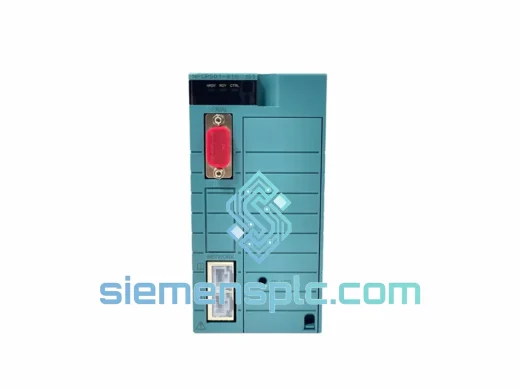
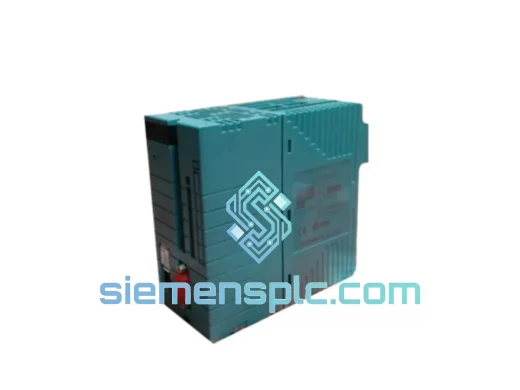
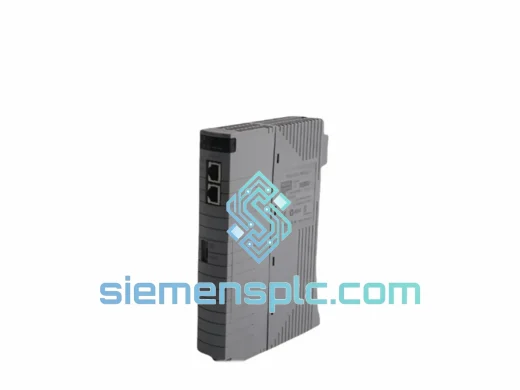
Yokogawa CP133E-32-S3 CPU Module
Request verified availability, condition, replacement risk review, packing options and courier lead time for CP133E-32-S3.
BrandYokogawa
Part NumberCP133E-32-S3
ConditionAvailability Check
Lead TimeRFQ Confirmation
DocumentsDatasheet / photos by RFQ
ShippingExport packing available
Auto-filled RFQ
CP133E-32-S3
Click Request Quote and the part number is inserted into the inquiry form automatically.
- Reply by email: [email protected]
- WhatsApp / Tel: +86 18359268345
- Mon-Sat 9:00-18:00 GMT+8
Procurement Data
Key Product Information
Core fields for model confirmation and RFQ routing. Detailed product narrative remains below.
- Brand
- Yokogawa
- Primary Part Number
- CP133E-32-S3
- Product Type
- PLC CPU Module
- Series / Family
- STARDOM
- Manufacturer
- Yokogawa Electric Corporation
- Country of Origin
- JP
- Catalog Category
- DCS & Safety Modules
- Operating Temp.
- 0 °C to +55 °C
Model confirmed for inquiry
CP133E-32-S3
Send quantity, destination and urgency. The RFQ form keeps this part number attached.
Request Quote
Product Overview
CP133E-32-S3 Down? Every Minute of Downtime Costs You — We Ship Today
Your STARDOM FCN node just dropped offline. The HMI is red. Your process engineer is on the phone. You’ve already ruled out field wiring and I/O faults — the CP133E-32-S3 CPU module is the culprit. You need a verified, drop-in replacement unit in hand before the next shift, not in three weeks from a slow-moving distributor chain.
At siemensplc.com, we stock the Yokogawa CP133E-32-S3 for exactly this scenario. Our warehouse in Xiamen holds verified surplus and new-old-stock units, pre-inspected and ready for same-day dispatch via DHL Express or FedEx International Priority. We’ve handled emergency breakdowns for plants across Southeast Asia, the Middle East, and Europe — and we understand that a 48-hour delivery window is the difference between a controlled restart and a full production loss event.
URGENT REQUIREMENT? Contact: [email protected] | WhatsApp: +86 18359268345
Quick Technical Datasheet
| Parameter | Specification |
|---|---|
| Part Number | CP133E-32-S3 |
| Manufacturer | Yokogawa Electric Corporation |
| Platform | STARDOM FCN / FCJ |
| CPU Architecture | Real-time embedded processor |
| User Program Memory | 32 MB |
| Ethernet Ports | 2 × 100BASE-TX (dual-homed / ring topology) |
| Serial Ports | RS-232C / RS-485 |
| Programming Standard | IEC 61131-3 (LD, FBD, SFC, ST, IL) |
| Minimum Task Cycle | 1 ms |
| Operating Temperature | 0 °C to +55 °C |
| Storage Temperature | −20 °C to +70 °C |
| Power Input | 5 VDC via FCN backplane |
| Module Weight | 1,880 g |
| Certifications | CE, UL, cUL, RoHS |
| Country of Origin | Japan |
| Stock Status | Ready to Ship – Xiamen Warehouse |
Troubleshooting & Replacement Tips
After ten years of field work on STARDOM FCN installations, these are the failure patterns and swap pitfalls that catch engineers off guard:
Common Failure Indicators:
- RUN LED off / ERR LED solid red: CPU has halted. Watchdog timeout triggered by corrupted user program or failed memory self-test on boot. Do not attempt a warm restart — power-cycle the entire FCN rack and observe LED sequence on re-power.
- Both Ethernet LEDs dark: Internal NIC failure or backplane communication fault. Swap the CPU before condemning the backplane — the NIC on this module is the more common failure point in high-humidity environments.
- Intermittent scan overruns (FAST/TOOLS alarm: Task Cycle Exceeded): Caused by a degrading CPU clock oscillator. Manifests as sporadic overruns that worsen over weeks. A replacement CP133E-32-S3 resolves this permanently.
- Module not recognized by rack (no LED activity): Inspect backplane slot connector pins for corrosion or mechanical damage. Clean with IPA and re-seat. If still unresponsive, the module is confirmed failed.
Replacement Procedure — Field-Tested Steps:
- Back up the project first. STARDOM Engineering Tool → Project → Backup. If the CPU is completely unresponsive, pull the last known-good backup from your engineering workstation archive.
- Record the IP configuration. The CP133E-32-S3 stores Ethernet IP settings in non-volatile flash — these are NOT embedded in the project file. You must manually re-enter the same IP addresses on the replacement unit via Engineering Tool before downloading the program.
- Match firmware versions. Check the firmware version label on the failed unit (side label, format Vx.xx). The replacement must run the same major firmware version. CPU-to-I/O firmware mismatch causes initialization errors on first boot. We confirm firmware version of our stock units before shipment on request.
- No DIP switches on this model. The CP133E-32-S3 has no hardware DIP switches for node addressing — all addressing is software-configured. Do not confuse with I/O module slot-position addressing, which is automatic.
- Cold start after installation. After downloading the project to the replacement unit, perform a full cold start (not warm restart) to ensure all I/O modules re-initialize cleanly against the new CPU.
- Monitor for 15 minutes under load. Watch FAST/TOOLS for task overrun alarms before returning the system to operations control.
Reliability in Harsh Conditions
The CP133E-32-S3 is not a commercial-grade board with an industrial sticker on it. Yokogawa’s design validation for this module covers the conditions that actually exist in process plants:
- Vibration: Tested to IEC 60068-2-6 (sinusoidal, 10–150 Hz, 1G) and IEC 60068-2-64 (random vibration). Suitable for installations near compressors, pump skids, and rotating machinery where structural vibration is continuous.
- Thermal cycling: Validated across the full 0–55 °C operating range with repeated thermal shock cycles. Conformal-coated PCB prevents delamination and micro-cracking that causes premature field failures in cheaper alternatives.
- Humidity: Rated to 90% RH non-condensing. Conformal coating and sealed connector design provide meaningful protection in coastal, tropical, and high-humidity process environments.
- EMI/RFI immunity: CE-marked to EMC Directive 2014/30/EU. Tested to IEC 61000-4 series — ESD, EFT, surge, conducted RF, radiated RF. Operates cleanly in panels with VFDs, large motor starters, and high-current switching equipment.
- Component longevity: Industrial-grade capacitors and oscillators rated for 10+ year MTBF at operating temperature. Yokogawa’s extended lifecycle policy supports spare parts availability for 10+ years post-production — relevant when you’re planning your long-term spares strategy.
Global Express Logistics
Our dispatch process is built around one objective: getting the module to your site before your next planned restart window.
- Same-day dispatch: Orders confirmed before 15:00 CST ship the same business day. We maintain pre-packed, ESD-protected stock to eliminate warehouse processing delays.
- Carrier options: DHL Express Worldwide (2–4 business days to most destinations) and FedEx International Priority (2–3 business days to major hubs). We select the fastest routing for your destination at time of booking.
- Export documentation: Commercial invoice, packing list, and certificate of conformance prepared simultaneously with packing. Form E (ASEAN), EUR.1 (EU), and other destination-specific documents available — advise at order confirmation.
- HS Code: 8537.10 pre-declared on all shipments to minimize customs clearance delays.
- Tracking: AWB number provided within 2 hours of dispatch. We monitor shipments proactively and flag any customs holds immediately.
- Packaging: Anti-static bag → foam-lined rigid carton → outer shipping carton with fragile and ESD warning labels. Humidity indicator card included. Air freight ready without additional preparation.
Contact Information
Reach our technical sales team directly — no call centers, no ticket queues.
Email: [email protected]
WhatsApp: +86 18359268345
Web: siemensplc.com
© 2026 siemensplc.com. All rights reserved.
Ready to quote
[email protected]
Send This Part Number to Sales
RFQ workflow
Quality workflow ->
Confirmation Process
01Model confirmation
We check the full part number, brand, series and visible nameplate information before quotation.
02Availability reply
Sales confirms stock path, condition option, quantity and realistic lead time for export dispatch.
03Packing & courier
DHL, FedEx, UPS or buyer courier arrangements can be reviewed with packing requirements.
Continue sourcing
Browse full catalog ->
Related Automation Parts
Similar brand or category products for fast comparison and multi-item RFQ lists.
Yokogawa
RFQ Ready
Yokogawa NFSBT02 S1 Autonomous Controller
STARDOM
Origin JP
PLC Autonomous Controller