Beckhoff
RFQ Ready
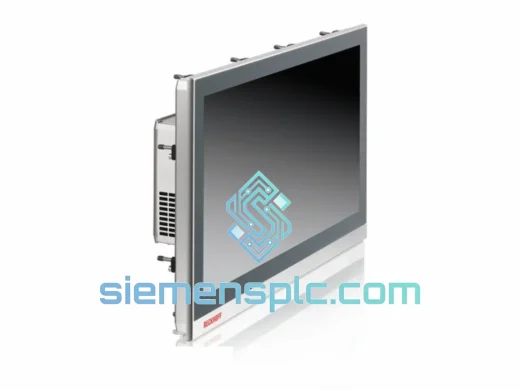
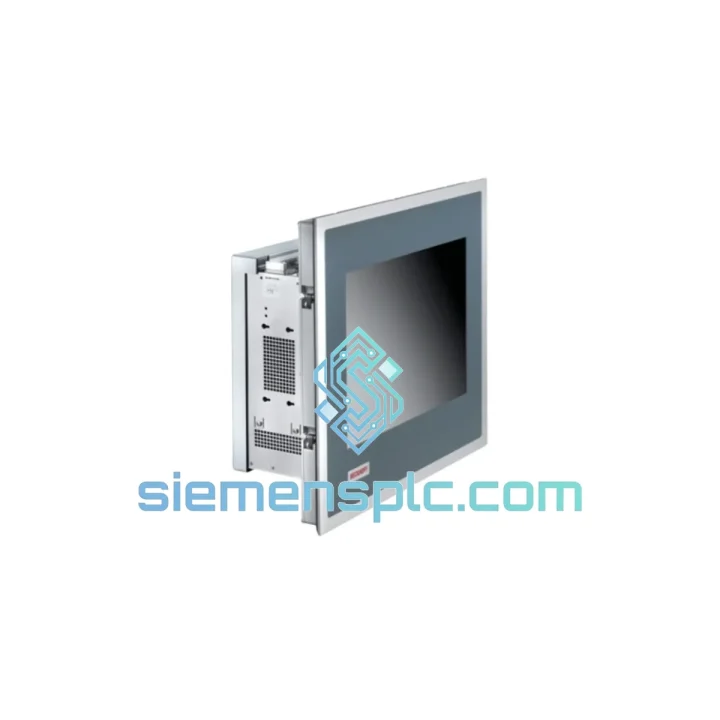
BECKHOFF CP6500-1006-0020 Industrial Panel PC
CP6500 Series
Origin DE
Industrial Panel PC
Request verified availability, condition, replacement risk review, packing options and courier lead time for CP7232-0001-0010.
Click Request Quote and the part number is inserted into the inquiry form automatically.
Core fields for model confirmation and RFQ routing. Detailed product narrative remains below.
Your line is down. The operator panel is dark. Every minute the CP7232-0001-0010 stays offline, you’re bleeding production output, missing delivery windows, and fielding calls from plant management. We’ve been in that room. We know what it costs — not just in euros or dollars, but in credibility. That’s exactly why siemensplc.com stocks the Beckhoff CP7232-0001-0010 as a priority replacement unit, pre-inspected and ready to clear customs from Xiamen within hours of your order confirmation. No waiting on factory lead times. No 6-week procurement cycles. One call, one shipment, line back up.
URGENT REQUIREMENT? Contact: [email protected] | WhatsApp: +86 18359268345
| Parameter | Specification |
|---|---|
| Part Number | CP7232-0001-0010 |
| Brand / Manufacturer | Beckhoff Automation GmbH & Co. KG |
| Series | CP7232 Control Panel |
| Display Size | 15.6″ Widescreen (16:9) |
| Display Technology | TFT LCD — Projected Capacitive (PCT) Multi-Touch |
| Resolution | 1366 × 768 (HD) |
| Brightness | 400 cd/m² |
| Touch Points | Up to 10-point simultaneous input |
| Front Protection Rating | IP65 (dust-tight / water-jet proof) |
| Operating Temperature | 0 °C … +55 °C |
| Storage Temperature | -20 °C … +60 °C |
| Housing | Die-cast aluminum front bezel |
| Interface to IPC | DVI-D + USB (HID touch) |
| Supply Voltage | 24 V DC (via connected Beckhoff IPC) |
| Mounting | Panel cut-out, portrait or landscape |
| Certifications | CE, UL |
| Origin | Germany |
| Stock Status | ✅ Ready to Ship — Xiamen Warehouse |
After ten years of emergency callouts, here’s what actually goes wrong with the CP7232-0001-0010 and what to check before you even unbox the replacement:
1. No Display / Black Screen After Power-On
Ninety percent of the time this is not a dead panel — it’s a failed DVI-D cable or a loose connector at the IPC end. Before condemning the CP7232-0001-0010, swap the DVI-D cable first. Check the IPC’s DVI output with a known-good monitor. If the IPC outputs video correctly and the panel stays black, the panel’s internal DVI receiver board has likely failed — that’s your confirmed replacement trigger.
2. Touch Input Unresponsive or Erratic
The PCT touch controller communicates over USB HID. First check: is the USB cable seated at both ends? Second check: open Device Manager on the connected IPC and confirm the HID-compliant touch screen device is enumerated without error flags. If the device shows a yellow exclamation mark, reinstall the Beckhoff HMI driver package. If the device doesn’t enumerate at all after a cable swap, the touch controller PCB inside the panel has failed.
3. Replacing the Panel — Step-by-Step
① Power down the IPC and the 24 V DC supply rail feeding the panel. Lock out / tag out per your site procedure.
② Photograph the existing cable routing before disconnecting — DVI-D and USB exit points vary by cabinet layout.
③ Release the panel clamps from the rear of the cut-out (typically 8–12 clamps depending on cabinet depth).
④ Disconnect DVI-D and USB. Note: the CP7232-0001-0010 has no internal CPU, no SD card, no firmware to back up — it is a pure display/touch front-end. No configuration data is stored on the panel itself.
⑤ Install the replacement unit. Torque the panel clamps evenly to avoid warping the IP65 gasket seal.
⑥ Reconnect DVI-D and USB. Power up the IPC first, then apply 24 V to the panel rail.
⑦ Verify touch calibration in TwinCAT HMI or Windows touch settings. PCT panels are factory-calibrated but a single-point calibration check after installation is good practice.
4. Option Code Clarification (-0001-0010)
The suffix encodes factory hardware options. The -0010 suffix on this variant indicates the standard configuration without additional interface extensions. If your failed unit carries a different suffix (-0020, -0030), verify the option code before ordering — interface pinouts and mounting accessories may differ.
5. Firmware / Driver Compatibility
The CP7232-0001-0010 itself carries no user-flashable firmware. However, the Beckhoff IPC it connects to must run a compatible TwinCAT HMI version. If you’re replacing a panel on an older IPC running TwinCAT 2, confirm the HMI project is not using CP7232-specific resolution presets that differ from your replacement unit’s 1366×768 native resolution.
The CP7232-0001-0010 was not designed for a climate-controlled server room. It was built for the floor — and the floor is unforgiving.
The die-cast aluminum front bezel is not decorative. It absorbs mechanical shock from accidental tool impacts and distributes vibration loads away from the LCD assembly. On press lines and CNC machining centers where floor vibration is continuous and broadband, this matters. Panels with plastic bezels develop micro-fractures in the LCD backlight assembly within 18–24 months under the same conditions. The CP7232-0001-0010 routinely outlasts that benchmark.
The IP65 front seal is a continuous silicone gasket compressed uniformly by the panel clamps. In food and beverage washdown environments, this seal is the difference between a panel that survives a daily high-pressure rinse cycle and one that develops condensation behind the glass within a week. Proper clamp torque during installation is non-negotiable — uneven clamping creates leak paths at the gasket corners.
Operating temperature ceiling of +55 °C means this panel can run continuously in an unventilated steel cabinet in a foundry or glass plant without thermal throttling. The PCT touch layer adds no meaningful heat load. Contrast this with resistive touch overlays, which degrade in high-temperature environments due to adhesive layer softening — PCT eliminates that failure mode entirely.
Humidity tolerance is equally robust. The sealed front construction prevents moisture ingress from the operator side. The rear of the panel, which connects to the IPC, should be installed in a cabinet with appropriate IP rating for the rear environment — the panel itself does not provide rear-side sealing.
Our dispatch hub is in Xiamen, Fujian — one of China’s primary export ports with direct daily freight connections to DHL, FedEx, and UPS international gateways.
Standard Express Timeline (from order confirmation):
— Order confirmed + payment cleared: same-day or next-morning dispatch
— DHL Express / FedEx International Priority: 2–4 business days to Europe, North America, Southeast Asia
— FedEx Economy / DHL Express Worldwide: 4–7 business days for remote destinations
— All shipments include full export documentation: commercial invoice, packing list, certificate of origin
Customs & Compliance: We classify the CP7232-0001-0010 under the correct HS code for industrial HMI panels and provide accurate declared values. We do not under-declare. Accurate documentation means your shipment clears customs without holds — a delay at customs is just as costly as a delay in dispatch.
Packaging: Each unit ships in anti-static bag, foam-lined inner carton, and double-wall outer carton with moisture-barrier liner. The panel face is protected by a foam insert cut to the exact bezel profile. We’ve shipped to oil platforms in the North Sea and semiconductor fabs in Taiwan — the packaging spec was built around those requirements.
Tracking: AWB number provided within 2 hours of dispatch. We monitor shipments proactively and flag any customs holds or delivery exceptions before you have to ask.
📧 Email: [email protected]
💬 WhatsApp: +86 18359268345
🌐 Web: siemensplc.com
© 2026 siemensplc.com. All rights reserved.
We check the full part number, brand, series and visible nameplate information before quotation.
Sales confirms stock path, condition option, quantity and realistic lead time for export dispatch.
DHL, FedEx, UPS or buyer courier arrangements can be reviewed with packing requirements.
Similar brand or category products for fast comparison and multi-item RFQ lists.