
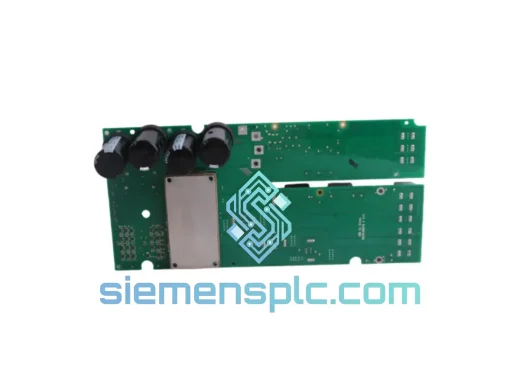
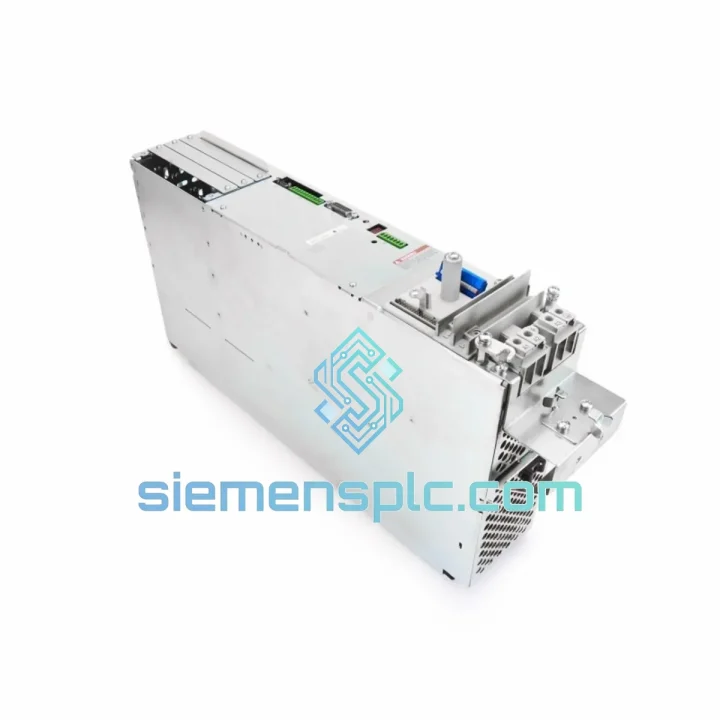
LinMot
In Stock OK
LinMot E4000-MT Servo Drive
Request verified availability, condition, replacement risk review, packing options and courier lead time for E4000-MT.
BrandLinMot
Part NumberE4000-MT
ConditionAvailability Check
Lead TimeRFQ Confirmation
DocumentsDatasheet / photos by RFQ
ShippingExport packing available
Auto-filled RFQ
E4000-MT
Click Request Quote and the part number is inserted into the inquiry form automatically.
- Reply by email: [email protected]
- WhatsApp / Tel: +86 18359268345
- Mon-Sat 9:00-18:00 GMT+8
Procurement Data
Key Product Information
Core fields for model confirmation and RFQ routing. Detailed product narrative remains below.
- Brand
- LinMot
- Primary Part Number
- E4000-MT
- Product Type
- Servo Drive
- Series / Family
- MT Series
- Manufacturer
- LinMot (Switzerland)
- Country of Origin
- Switzerland
- Catalog Category
- Motor Drives
- Operating Temp.
- 0 °C to +40 °C
Model confirmed for inquiry
E4000-MT
Send quantity, destination and urgency. The RFQ form keeps this part number attached.
Request Quote
Product Overview
LinMot E4000-MT: Stop the Clock on Your Downtime — Ship Today from Xiamen
Your line is down. Every hour costs real money — lost output, idle labor, delayed orders. The LinMot E4000-MT servo drive is the single-axis controller your MT-series linear motor depends on, and when it fails, there is no workaround. We stock it. We ship it fast. DHL and FedEx express from Xiamen, direct to your facility, anywhere on the planet.
This is not a catalog listing. This is a field-ready replacement unit, inspected, verified, and boxed for immediate dispatch. If your machine is waiting, so is this drive — on our shelf, not on a 12-week lead time from the factory.
URGENT REQUIREMENT? Contact: [email protected] | WhatsApp: +86 18359268345
Quick Technical Datasheet
| Part Number / SKU | E4000-MT ✅ Ready to Ship |
| Manufacturer | LinMot (Switzerland) |
| Series / Platform | E4000 / MT Series |
| Device Type | Single-Axis Servo Drive / Linear Motor Controller |
| Compatible Motors | LinMot MT-Series Linear Motors |
| Control Modes | Closed-loop Position, Velocity, Force |
| Fieldbus Interfaces | CANopen (DS402), EtherCAT (CoE) — model-dependent |
| Supply Voltage | 24–48 VDC nominal |
| Encoder Feedback | Integrated linear encoder via motor cable (no external encoder required) |
| Mounting | DIN-rail, panel-mount (IP20) |
| Operating Temperature | 0 °C to +40 °C |
| Storage Temperature | -25 °C to +70 °C |
| Weight | ~1,500 g |
| Country of Origin | Switzerland |
| Certifications | CE, RoHS |
| Commissioning Software | LinMot Talk (free, PC-based) |
| Stock Status | ✅ In Stock — Ready to Ship from Xiamen |
Troubleshooting & Replacement Tips
Ten years of field calls on LinMot systems teach you the same lessons repeatedly. Here is what actually matters when you are swapping an E4000-MT under pressure:
1. Fault Code F07 / F08 — Motor Not Recognized on Power-Up
The E4000-MT auto-identifies the connected MT-series motor via the motor cable’s integrated encoder data line. If you see F07 (motor communication error) or F08 (encoder signal absent) immediately after replacement, the first suspect is the motor cable — not the drive. Check the M12 connector at the motor end for bent pins or moisture ingress before condemning the new drive. If the cable checks out, verify that the replacement drive’s firmware version matches or exceeds the version the motor was last paired with. Mismatched firmware between drive and motor parameter set is the second most common cause of this fault on first power-up after a swap.
2. Firmware Version Matching — Do Not Skip This Step
LinMot Talk displays the drive firmware version on the Status tab. Before going live, confirm the firmware on the replacement E4000-MT is compatible with your existing motion profiles and PLC function blocks. If your system was running firmware 6.x and the replacement ships with 7.x, re-upload your parameter file (.lca) via LinMot Talk before enabling the axis. Running a mismatched parameter file against a newer firmware build can cause unexpected velocity scaling or force limit behavior — exactly what you do not want during a hot restart.
3. CANopen Node ID — Set Before Connecting to the Bus
The E4000-MT’s CANopen node address is configured via LinMot Talk (not hardware DIP switches on this series). If you are replacing a drive that held node ID 3 on your CANopen network, the replacement unit will default to node ID 1 from the factory. Connect it to your PC via USB before connecting to the fieldbus, set the node ID to match the original, save to non-volatile memory, then power-cycle before connecting to the CAN network. Bringing a duplicate node ID onto a live CANopen bus will cause bus-off errors across all nodes — a mistake that turns a 30-minute swap into a 3-hour debugging session.
4. EtherCAT Topology — Slave Address Is Automatic, But Check the Chain
For EtherCAT variants, the slave address is assigned automatically by the master during network scan. However, if the E4000-MT is not the last node in the chain, verify that the EtherCAT pass-through (daisy-chain) port on the replacement unit is connected correctly. A missing downstream connection will drop all subsequent slaves from the network scan — the master will report fewer slaves than expected, and the fault will appear to be in the PLC, not the drive.
5. Motion Profile Re-Upload — Non-Volatile Memory Is Blank on a New Drive
The E4000-MT stores motion profiles (stroke tables, velocity curves, force limits) in internal non-volatile memory. A factory-fresh replacement has none of your profiles. Before enabling the axis, connect LinMot Talk, load your saved .lca parameter file, and write it to the drive. If you do not have a backup of the parameter file, you can extract it from a second identical drive on the same machine — or contact us and we will assist with parameter reconstruction from the motor nameplate data.
6. Enable Signal Interlock — Check the Hardware Enable Before Blaming the Drive
The E4000-MT requires both a software enable (via fieldbus) and a hardware enable signal on the digital I/O connector (pin assignment varies by drive variant). After replacement, if the axis does not respond to the PLC enable command, measure the hardware enable pin voltage before assuming a drive fault. A missing 24 VDC on the enable input will hold the drive in a safe-torque-off state regardless of fieldbus commands — this is by design, not a defect.
Reliability in Harsh Conditions
The E4000-MT is a panel-mount drive rated IP20, which means it depends on the control cabinet for environmental protection. But the cabinet environment itself is often more hostile than engineers expect. Here is how this drive holds up:
Thermal Management: The drive’s internal power stage is designed for continuous operation at ambient temperatures up to 40 °C inside the cabinet. In practice, cabinet temperatures in summer production environments frequently exceed this. If your cabinet runs hot, mount the E4000-MT with adequate clearance above and below for convective airflow, and consider adding a cabinet cooler if ambient exceeds 35 °C consistently. The drive’s thermal protection will trigger a fault and shut down the axis before damage occurs — but repeated thermal cycling accelerates capacitor aging in the DC bus section, which is the most common long-term failure mode on any servo drive.
Vibration: DIN-rail mounted drives in machinery with significant mechanical vibration — presses, compactors, conveyor frames — are subject to connector fretting and DIN-rail clip fatigue. After installation, verify that all connectors are fully seated and latched, and that the DIN-rail clip is tight. A drive that vibrates loose from the rail will intermittently lose its 24 VDC logic supply, producing random fault resets that are nearly impossible to diagnose without a data logger.
Humidity and Condensation: IP20 enclosures offer no protection against condensation. In facilities with large temperature swings between shifts — cold overnight, warm during production — condensation can form on the drive’s PCB. If your facility has this profile, ensure the cabinet has a thermostat-controlled heater to maintain internal temperature above the dew point during idle periods. A drive that has experienced condensation will often pass initial power-up tests but fail within hours as moisture migrates into connector contacts.
EMC and Cable Routing: The E4000-MT’s motor cable carries high-frequency switching currents. Route motor cables separately from signal cables and fieldbus wiring. Shared cable trays between motor power and encoder/fieldbus lines are the single most common source of intermittent communication faults on LinMot installations — and the hardest to reproduce on demand for a service call.
Global Express Logistics
We operate from Xiamen, China — one of the country’s primary export hubs with direct access to DHL, FedEx, and UPS international gateways. Here is how a typical urgent order moves:
Day 0 — Order Confirmation: You contact us via email or WhatsApp. We confirm stock, issue a pro-forma invoice, and hold the unit. Payment via T/T bank transfer or other agreed terms. For established accounts, we can ship against a purchase order.
Day 0–1 — Outbound Inspection and Packing: The E4000-MT is inspected against the order: part number label, firmware version noted, connector caps fitted, anti-static packaging applied, and placed in a double-wall export carton with foam cushioning rated for air freight handling.
Day 1 — Handover to Carrier: DHL Express or FedEx International Priority pickup from our Xiamen facility. Tracking number issued to you within 2 hours of handover. Commercial invoice and packing list prepared for customs clearance — HS code, declared value, and country of origin (Switzerland) documented correctly to avoid customs holds.
Day 2–4 — In-Transit: DHL Express from Xiamen typically delivers to Western Europe in 2–3 business days, North America in 3–4 business days, Southeast Asia in 1–2 business days. FedEx International Priority timelines are comparable. We monitor shipments actively and alert you to any customs queries before they cause delays.
Customs and Import Duties: We declare all shipments accurately. For EU imports, the E4000-MT falls under servo drive HS codes with applicable import duty rates — we provide all documentation needed for your customs broker or for self-clearance. We do not under-declare values; accurate documentation protects you from customs holds that would defeat the purpose of express shipping.
Delivery Confirmation: Carrier proof of delivery sent to you automatically. For critical shipments, we recommend providing a direct mobile number for the carrier’s local delivery team to ensure same-day delivery to the right person on site.
Contact Information
Email: [email protected]
WhatsApp: +86 18359268345
Web: siemensplc.com
© 2026 siemensplc.com. All rights reserved.
Ready to quote
[email protected]
Send This Part Number to Sales
RFQ workflow
Quality workflow ->
Confirmation Process
01Model confirmation
We check the full part number, brand, series and visible nameplate information before quotation.
02Availability reply
Sales confirms stock path, condition option, quantity and realistic lead time for export dispatch.
03Packing & courier
DHL, FedEx, UPS or buyer courier arrangements can be reviewed with packing requirements.
Continue sourcing
Browse full catalog ->
Related Automation Parts
Similar brand or category products for fast comparison and multi-item RFQ lists.
ABB
RFQ Ready
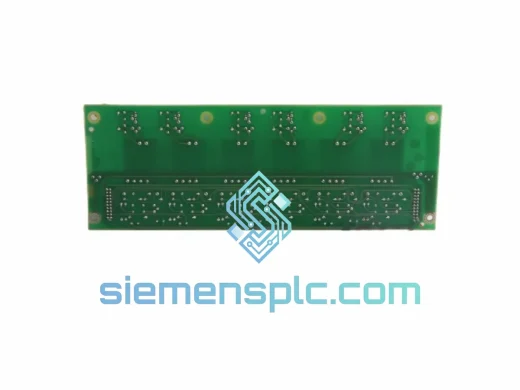
ABB ZINT-592 Fieldbus Interface Board – ZINT Series
ACS Drive
Origin SE
Interface Board
ABB
RFQ Ready
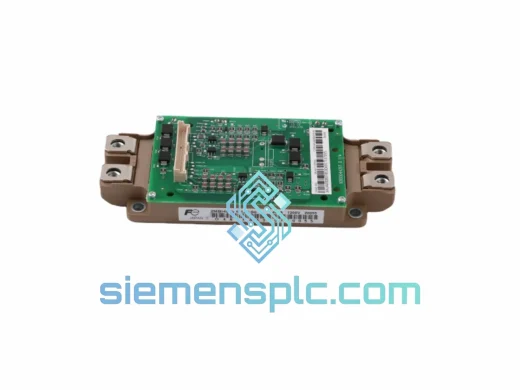
ABB YPK113A 61002774 Drive Control Board
In-Stock Xiamen
Origin SE
Drive Control Board