GE
In Stock OK
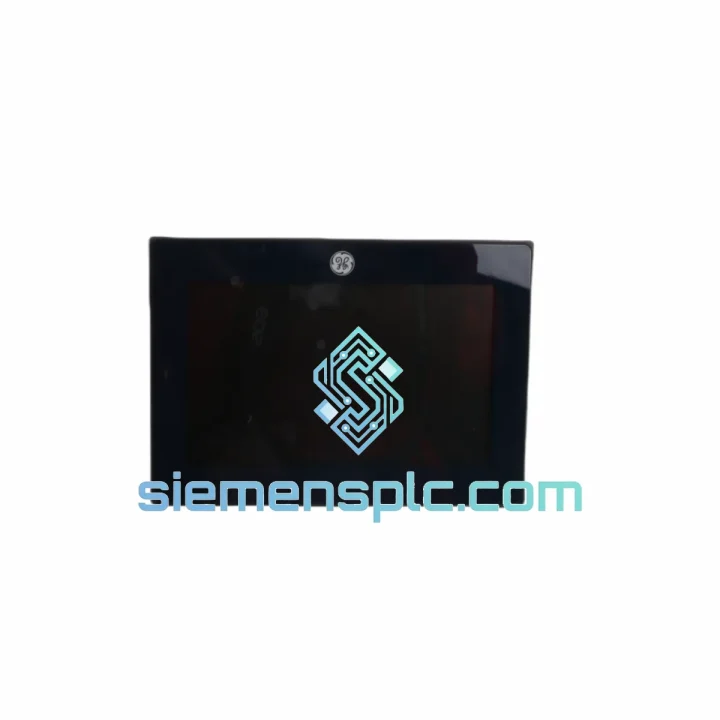
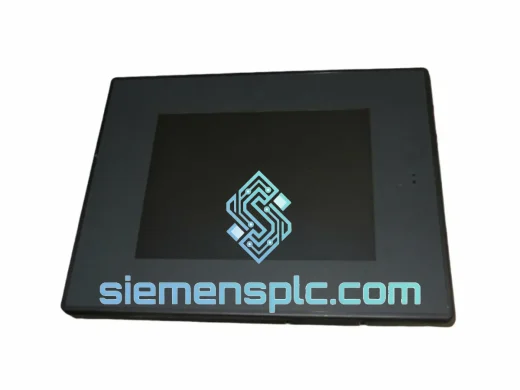
GE IC755CSW07CDACA-CG Industrial HMI
Request verified availability, condition, replacement risk review, packing options and courier lead time for IC755CSW07CDACA-CG.
BrandGE
Part NumberIC755CSW07CDACA-CG
ConditionAvailability Check
Lead TimeRFQ Confirmation
DocumentsDatasheet / photos by RFQ
ShippingExport packing available
Auto-filled RFQ
IC755CSW07CDACA-CG
Click Request Quote and the part number is inserted into the inquiry form automatically.
- Reply by email: [email protected]
- WhatsApp / Tel: +86 18359268345
- Mon-Sat 9:00-18:00 GMT+8
Procurement Data
Key Product Information
Core fields for model confirmation and RFQ routing. Detailed product narrative remains below.
- Brand
- GE
- Primary Part Number
- IC755CSW07CDACA-CG
- Product Type
- Industrial HMI
- Series / Family
- PACSystems
- Country of Origin
- US
- Catalog Category
- HMI Panels
Model confirmed for inquiry
IC755CSW07CDACA-CG
Send quantity, destination and urgency. The RFQ form keeps this part number attached.
Request Quote
Product Overview
GE IC755CSW07CDACA-CG Quick Panel+ 7″ HMI — Stop the Clock on Your Downtime
Your line is down. Every minute costs real money — lost output, idle labor, delayed shipments. The GE IC755CSW07CDACA-CG Quick Panel+ 7″ HMI is on our shelf in Xiamen right now. We’ve shipped this exact part to plants in Germany, Australia, Mexico, and the UAE on next-flight-out DHL within hours of a confirmed order. No lead-time games, no “check back in 6 weeks.” If you’re reading this during a breakdown, stop scrolling and contact us now.
URGENT REQUIREMENT? Contact: [email protected] | WhatsApp: +86 18359268345
Quick Technical Datasheet
| Part Number | IC755CSW07CDACA-CG ✅ Ready to Ship |
| Brand | GE (General Electric) / Emerson Automation Solutions |
| Series | Quick Panel+ Operator Interface |
| Display | 7″ Widescreen TFT LCD, 800 × 480 px (WVGA) |
| Touch Type | Resistive single-touch |
| CPU | ARM Cortex-A8 @ 800 MHz |
| RAM / Flash | 512 MB / 4 GB |
| OS | Windows Embedded Compact 7 |
| Comms | 1× Ethernet 10/100, 1× RS-232/485, 2× USB Host, 1× USB Device |
| Power Input | 24 VDC nominal (18–30 VDC range) |
| Power Draw | ≤ 15 W typical |
| Operating Temp | 0 °C to +50 °C |
| Storage Temp | −20 °C to +70 °C |
| Ingress Protection | IP65 front panel (IEC 60529) |
| Mounting | Panel cutout, flush mount — approx. 192 × 138 mm (W × H) |
| Weight | ~720 g |
| Programming Software | Proficy Machine Edition (PME) / View Designer |
| Certifications | CE, UL 508, RoHS, IP65, EtherNet/IP ODVA |
| Stock Status | ✅ In Stock — Ships within 24 hours of payment confirmation |
Troubleshooting & Replacement Tips
Swapping an IC755CSW07CDACA-CG in the field is straightforward if you follow the sequence below. Skip steps and you’ll spend another two hours chasing a ghost fault.
Step 1 — Backup the project before you touch anything. Connect your engineering laptop running Proficy Machine Edition to the live unit via Ethernet or USB Device port. Use PME’s “Upload from Target” function to pull the current project file (.mer or .csp). If the screen is dead and you can’t upload, check whether a backup exists on the plant server or the previous commissioning engineer’s laptop. No backup = you’re rebuilding from scratch. Factor that into your downtime estimate.
Step 2 — Note the firmware version. Go to System Settings → About on the running unit before shutdown. The IC755CSW07CDACA-CG ships with a specific firmware build. If your replacement unit has a different firmware revision, you must update it before downloading the project — PME will reject a project compiled for a newer runtime on an older firmware. Firmware updater is available from the GE/Emerson support portal (GFK-2847 series documents).
Step 3 — Power down and label every cable. This panel uses a single 24 VDC terminal block, one Ethernet RJ45, one RS-232/485 DB9 or terminal strip, and up to two USB connections. Photograph the wiring before disconnecting. The RS-232/485 port polarity (A/B lines) is a common swap error that produces a solid “Communication Fault” alarm on startup — costs 20 minutes to diagnose if you didn’t label it.
Step 4 — Panel cutout check. The 7″ Quick Panel+ requires a cutout of approximately 192 mm × 138 mm. If you’re replacing an older 7″ Quick Panel (non-plus), verify the cutout dimensions match — the Plus series has a slightly different bezel depth. Forcing the unit into an undersized cutout will crack the front gasket and void IP65 protection.
Step 5 — First power-on sequence. Apply 24 VDC. The unit boots Windows CE in approximately 45–60 seconds. If you see a “No Project” screen, that’s normal — the replacement unit ships without a project loaded. Do not panic. Connect PME, set the target IP address (match the original unit’s IP exactly to avoid PLC communication reconfiguration), and download your backed-up project.
Step 6 — Touch calibration. After project download, run touch screen calibration from System Settings. Resistive screens drift slightly from factory — skipping calibration causes operators to report “buttons not responding” within the first shift.
Common fault codes on this platform:
- “Target Mismatch” in PME — firmware version on the replacement unit doesn’t match the project’s target configuration. Update firmware first, then re-download.
- “Communication Fault” on all PLC tags — 90% of the time this is an IP address mismatch or the RS-232/485 A/B wires swapped. Check both before suspecting hardware.
- Blank white screen on boot — backlight inverter failure on the old unit (confirms replacement was necessary) or, on the new unit, a corrupt project download. Re-download the project.
- Touch input offset — resistive screen not calibrated post-replacement. Run calibration utility from System Settings.
- “Runtime Version Incompatible” — project was compiled on a newer PME version than the runtime on the replacement unit. Either update the unit firmware or recompile the project on a matching PME version.
Reliability in Harsh Conditions
The IC755CSW07CDACA-CG was designed for environments that destroy consumer-grade electronics in weeks. The IP65-rated front panel withstands direct water jets and complete dust exclusion — validated to IEC 60529. The resistive touch screen operates reliably with gloved hands, a critical requirement in food processing, chemical, and heavy manufacturing environments where capacitive screens fail.
The operating temperature range of 0 °C to +50 °C covers the vast majority of industrial panel enclosures, including those in non-climate-controlled facilities in tropical and desert climates. The wide input voltage tolerance (18–30 VDC) means the unit continues operating through the voltage sags and spikes common on factory floors with heavy motor loads — no additional line conditioning required in most installations.
Vibration resistance meets IEC 60068-2-6 standards, making this unit suitable for mounting on or near machinery with significant mechanical vibration — presses, compressors, and conveyor drive panels. The ARM Cortex-A8 processor runs without a cooling fan, eliminating the single most common hardware failure point in industrial computers. Fanless design means no bearing wear, no dust accumulation on heatsinks, and no scheduled maintenance for the compute platform itself.
Units sourced through our Xiamen warehouse are inspected for physical integrity, connector condition, and label authenticity before dispatch. Every unit is powered on, display and touch function verified, and communication ports tested. We do not ship untested stock.
Global Express Logistics
Our warehouse is located in Xiamen, Fujian Province — one of China’s primary export hubs with direct access to DHL, FedEx, and UPS international express networks. For urgent MRO shipments, this geography matters: Xiamen has multiple daily international flights, which means a part confirmed and packed by 4:00 PM CST can be on an aircraft the same evening.
Typical transit times from Xiamen:
- Southeast Asia (Singapore, Thailand, Vietnam): 2–3 business days via DHL Express
- Australia / New Zealand: 3–4 business days via FedEx International Priority
- Europe (Germany, UK, Netherlands): 3–5 business days via DHL Express Worldwide
- Middle East (UAE, Saudi Arabia): 3–4 business days via FedEx
- North America (USA, Canada, Mexico): 4–5 business days via DHL or FedEx
- South America (Brazil, Chile): 5–7 business days, subject to customs clearance
Every shipment includes a full commercial invoice, packing list, and certificate of conformance for customs clearance. HS code documentation is provided for all destinations. For countries with import restrictions on industrial electronics, we advise on the correct declaration procedure — we’ve cleared shipments into over 60 countries without a single customs seizure.
For genuine plant-down emergencies, contact us via WhatsApp at +86 18359268345 before placing an order. We will confirm real-time stock, provide a proforma invoice within 30 minutes, and coordinate same-day dispatch if payment is received before the daily freight cutoff. We’ve done this for customers in Germany, Australia, and the United States — we know what a production stoppage costs and we treat every urgent order accordingly.
Contact Information
Email: [email protected]
WhatsApp: +86 18359268345
Web: siemensplc.com
© 2026 siemensplc.com. All rights reserved.
Ready to quote
[email protected]
Send This Part Number to Sales
RFQ workflow
Quality workflow ->
Confirmation Process
01Model confirmation
We check the full part number, brand, series and visible nameplate information before quotation.
02Availability reply
Sales confirms stock path, condition option, quantity and realistic lead time for export dispatch.
03Packing & courier
DHL, FedEx, UPS or buyer courier arrangements can be reviewed with packing requirements.
Continue sourcing
Browse full catalog ->
Related Automation Parts
Similar brand or category products for fast comparison and multi-item RFQ lists.
GE
RFQ Ready
GE IC754VBI10MTD-BB HMI Operator Interface – QuickPanel View
PACSystems
Origin US
HMI Operator Interface