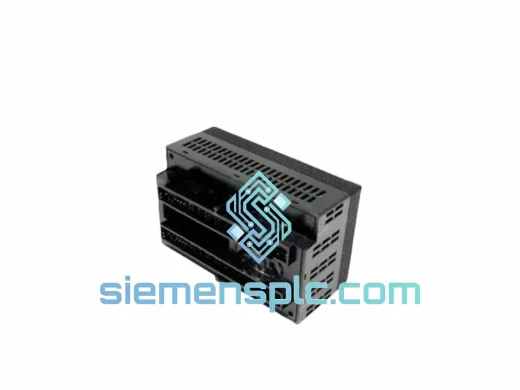
Product Overview
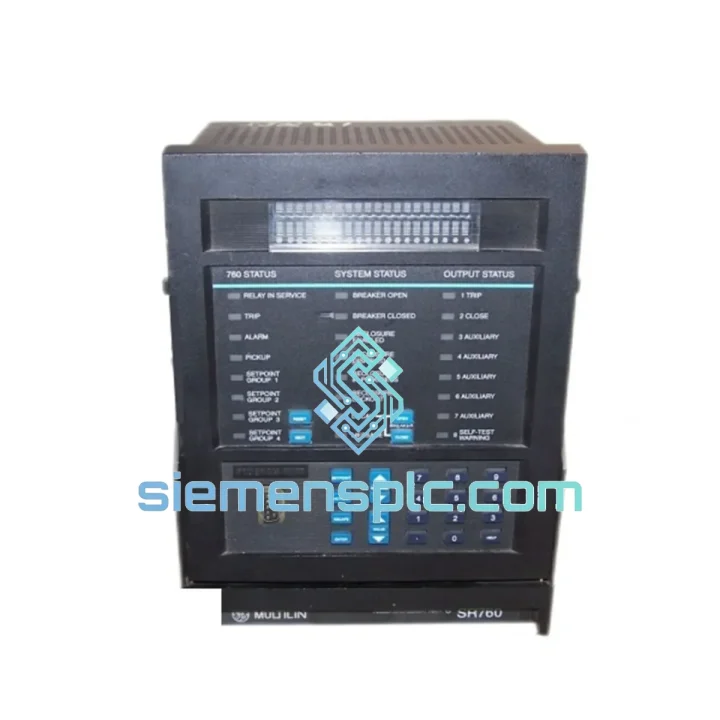
GE SR760 760-P1-G1-S1-HI-A20-R — Stop the Clock on Your Feeder Outage
Every minute a medium-voltage feeder sits offline, the cost meter runs. Whether it is a tripped distribution board in a petrochemical plant, a failed protection relay in a utility substation, or an unresponsive feeder in a mining switchroom, the GE SR760 760-P1-G1-S1-HI-A20-R is the unit that gets your system back online. This is not a catalog listing — it is a field-ready replacement module, inspected, verified, and staged for same-day dispatch from Xiamen.
The SR760 is GE Multilin’s workhorse feeder management relay. It has been deployed across thousands of medium-voltage installations globally — utility distribution feeders, industrial MCCs, offshore platforms, and renewable collector circuits. When one fails, the replacement window is tight and the configuration margin for error is zero. This page is written for the engineer on-site with a clipboard, not a purchasing agent browsing a catalog.
⚡ URGENT REQUIREMENT? Contact: [email protected] | WhatsApp: +86 18359268345
Quick Technical Datasheet
| Parameter |
Specification |
| Full Order Code |
SR760 760-P1-G1-S1-HI-A20-R |
| Manufacturer |
GE Multilin (GE Grid Solutions) |
| Series |
SR760 Feeder Management Relay |
| CT Input Rating |
1 A / 5 A selectable |
| VT Input Rating |
100–120 V AC (phase-to-phase) |
| Auxiliary Supply (HI) |
20–60 V DC / 20–48 V AC |
| I/O Configuration (P1) |
8 Digital Inputs / 7 Output Relays |
| Metering (G1) |
3Ø V, I, P, Q, PF, Hz, kWh — revenue grade |
| Communications (S1) |
RS-485 Modbus RTU, rear port |
| Protection Functions |
50/51, 50N/51N, 67/67N, 27, 59, 81O/U, 46, 50BF, 79, 25 |
| Oscillography |
16 cycles, 8 records stored |
| Operating Temperature |
-40°C to +60°C |
| Mounting Format |
19″ rack / panel flush mount, 4U |
| Standards |
IEC 60255, ANSI/IEEE C37.90, UL, CE |
| Origin |
Canada (GE Multilin, Markham, Ontario) |
| Warranty |
12 months from shipment date |
| Stock Status |
✅ Ready to Ship — Dispatch within 24 hours |
| Lead Time via siemensplc.com |
3–5 business days worldwide (DHL/FedEx express) |
Troubleshooting & Replacement Tips
The SR760 is a mature platform, but field replacements carry specific risks if the configuration handoff is not handled correctly. Here is what experienced FAEs check before and after swapping this relay:
Common Failure Modes That Bring You Here:
-
Relay fails to power up after a DC bus disturbance — The HI-range auxiliary supply (20–60 V DC) is robust, but sustained voltage spikes above 80 V DC on 48 V systems can damage the internal power supply module. Check the auxiliary supply rail with a meter before installing the replacement. If the rail is dirty, fit a transient suppressor before energizing the new unit.
-
Persistent “UNIT FAILURE” self-test alarm — This alarm on the SR760 front panel typically indicates a failed DSP board or corrupted firmware. A power cycle rarely clears it. The relay requires replacement, not reset.
-
Output relay contacts welded or non-responsive — Output relay O1 (trip) is the most common casualty in installations with undersized trip coil circuits. If the breaker trip coil draws more than 5 A inrush, the output contact can weld on the first operation. Verify trip coil current against the relay’s 5 A continuous / 30 A make rating before commissioning the replacement.
-
RS-485 Modbus communication loss — Before assuming the relay’s S1 port has failed, check the termination resistor (120 Ω) at both ends of the RS-485 bus. A missing terminator on a long cable run causes reflections that mimic a failed port. Also verify the Modbus address has not defaulted to 1 after a firmware reset.
-
Incorrect 50/51 pickup after replacement — The SR760 stores all settings in non-volatile memory, but a factory-reset unit ships with default settings. Do not assume the replacement relay retains the previous unit’s settings. Always upload a verified settings file via EnerVista SR760 software before energizing.
Step-by-Step Replacement Checklist:
- ① Back up the failed relay’s settings file via EnerVista SR760 (File → Save Settings) if the unit still powers up. If not, retrieve the last-known settings from your protection coordination documentation or SCADA archive.
- ② Record the existing Modbus address, baud rate, and parity settings from the front-panel display before de-energizing.
- ③ De-energize the auxiliary supply and isolate all CT and VT secondary circuits using test blocks. Short the CT secondaries before disconnecting — open CT secondaries on an energized feeder are a safety hazard.
- ④ Remove the failed relay. Inspect the rear terminal block for signs of overheating, corrosion, or loose wiring. Re-torque all terminals on the replacement unit to the specified 1.2 N·m before wiring.
- ⑤ Install the replacement SR760. Verify the firmware version matches your settings file. If the firmware version differs by more than one minor revision, update firmware before loading settings — mismatched firmware can silently corrupt protection function parameters.
- ⑥ Load the verified settings file via EnerVista. Perform a complete settings audit: pickup levels, time-dial settings, directional element polarization (67/67N), auto-reclose shot count (79), and sync-check window (25).
- ⑦ Perform secondary injection testing on all active protection elements before returning the feeder to service. Do not skip this step — a settings file loaded correctly is not the same as a relay that trips correctly.
- ⑧ Restore Modbus communications and verify SCADA point mapping. The SR760 Modbus register map is firmware-version dependent — confirm your SCADA driver is reading the correct register addresses for the installed firmware.
Reliability in Harsh Conditions
The SR760 platform was designed to IEC 60068 environmental test standards, and the 760-P1-G1-S1-HI-A20-R variant is no exception. In the field, this relay has proven itself in conditions that eliminate lesser equipment:
-
Vibration Resistance: Qualified to IEC 60255-21-1 Class 2 vibration endurance — relevant for installations in compressor buildings, pump stations, and marine switchboards where structural vibration is continuous. The relay’s internal PCB assemblies are conformally coated and mechanically secured to prevent solder joint fatigue over multi-year service cycles.
-
Thermal Cycling: The -40°C to +60°C operating range covers outdoor switchgear in northern climates and un-air-conditioned tropical substations equally. Internal components are rated for the full temperature envelope without derating — no fan, no heater required.
-
Humidity and Condensation: Conformal coating on all PCBs provides protection against condensation in high-humidity environments. The relay meets IEC 60068-2-30 damp heat cycling requirements, making it suitable for coastal and tropical installations without additional enclosure treatment.
-
EMC Immunity: Qualified to IEC 61000-4 series for conducted and radiated immunity, including surge (IEC 61000-4-5, 4 kV), fast transient burst (IEC 61000-4-4, 4 kV), and electrostatic discharge (IEC 61000-4-2, 8 kV contact). In high-fault-current switchgear environments, this immunity level is not optional — it is the baseline for reliable operation during and after fault events.
-
Surge Withstand Capability (SWC): Meets ANSI/IEEE C37.90.1 oscillatory and fast transient SWC requirements — critical for installations where CT and VT secondary circuits are exposed to high-energy transients during close-in faults.
Global Express Logistics
siemensplc.com operates from Xiamen, China — one of the most logistics-capable export cities in Asia. When you place an urgent order, here is exactly what happens:
-
Order Confirmation (Hour 0–2): Your order is confirmed and the unit is pulled from verified stock. A pre-shipment inspection is completed: physical condition check, power-on self-test, serial number documentation, and ESD-safe packaging.
-
Export Documentation (Hour 2–6): Commercial invoice, packing list, and certificate of origin are prepared. HS code classification is confirmed for your destination country to prevent customs clearance delays. For destinations requiring import licenses or specific certifications, our team flags this proactively.
-
Carrier Handoff (Same Day or Next Morning): Shipments are handed to DHL Express or FedEx International Priority — both operate daily pickup from Xiamen. For orders confirmed before 14:00 CST, same-day carrier handoff is standard.
-
Transit Times (Door-to-Door Express):
- Southeast Asia (Singapore, Malaysia, Thailand): 2–3 business days
- Middle East (UAE, Saudi Arabia, Qatar): 3–4 business days
- Europe (Germany, UK, Netherlands, France): 3–5 business days
- North America (USA, Canada): 4–5 business days
- Australia / New Zealand: 3–4 business days
- South America (Brazil, Chile, Colombia): 5–7 business days
-
Tracking & Support: A tracking number is provided within 12 hours of dispatch. Our team monitors shipments actively and intervenes with the carrier if customs holds or routing exceptions occur — you are not left to chase the courier yourself.
-
Incoterms Available: EXW, FOB Xiamen, CIF, DAP, DDP — specify your preferred terms at the time of quotation.
Contact Information
📧 Email: [email protected]
💬 WhatsApp: +86 18359268345
🌐 Web: siemensplc.com
© 2026 siemensplc.com. All rights reserved.