MITA
In Stock OK
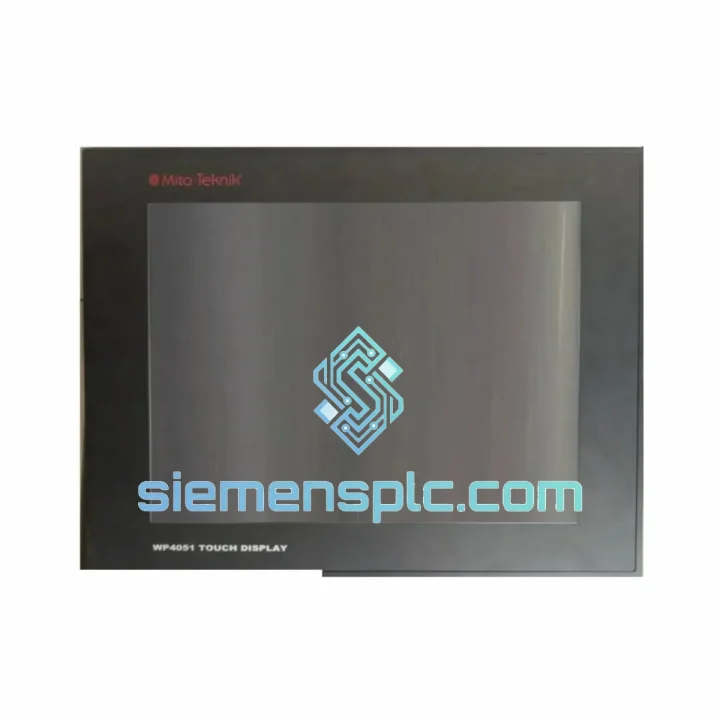
MITA WP4051 Industrial HMI Touch Panel
Request verified availability, condition, replacement risk review, packing options and courier lead time for WP4051.
BrandMITA
Part NumberWP4051
ConditionAvailability Check
Lead TimeRFQ Confirmation
DocumentsDatasheet / photos by RFQ
ShippingExport packing available
Auto-filled RFQ
WP4051
Click Request Quote and the part number is inserted into the inquiry form automatically.
- Reply by email: [email protected]
- WhatsApp / Tel: +86 18359268345
- Mon-Sat 9:00-18:00 GMT+8
Procurement Data
Key Product Information
Core fields for model confirmation and RFQ routing. Detailed product narrative remains below.
- Brand
- MITA
- Primary Part Number
- WP4051
- Product Type
- Industrial HMI Panel
- Series / Family
- WP Series
- Country of Origin
- China
- Catalog Category
- HMI Panels
- Operating Temp.
- 0°C to +50°C
Model confirmed for inquiry
WP4051
Send quantity, destination and urgency. The RFQ form keeps this part number attached.
Request Quote
Product Overview
MITA WP4051 — Stop the Clock on Your Downtime. Ship Today from Xiamen.
Your line is down. Every minute the WP4051 sits dead on that panel door, you’re bleeding production time, shift bonuses, and customer commitments. We’ve been there — standing in front of a dark screen at 2 AM, waiting on a part that’s stuck in a warehouse three countries away. That’s exactly why we stock the MITA WP4051 in Xiamen, ready to pull, pack, and hand to DHL before your morning shift starts.
This is not a listing. This is a recovery plan.
URGENT REQUIREMENT? Contact: [email protected] | WhatsApp: +86 18359268345
Quick Technical Datasheet
| Parameter | Specification | Status |
|---|---|---|
| Part Number / SKU | WP4051 | ✅ Ready to Ship |
| Brand | MITA | 100% Original OEM |
| Series | WP Series | — |
| Product Category | Industrial HMI / Touch Screen Operator Panel | — |
| Display Type | TFT LCD Touch Screen | — |
| Touch Technology | Resistive (standard) / Capacitive (variant) | — |
| Operating Voltage | 24 VDC | — |
| Communication Ports | RS-232, RS-485, Ethernet RJ45 | — |
| PLC Compatibility | Siemens S7, Mitsubishi, Omron, Allen-Bradley, Schneider | — |
| Operating Temperature | 0°C to +50°C | — |
| Storage Temperature | -20°C to +60°C | — |
| Front Panel Protection | IP65 | — |
| Unit Weight | 3.9 kg | — |
| Certifications | CE, RoHS | — |
| Country of Origin | China | — |
| Dispatch Location | Xiamen, Fujian, China | ✅ In Stock |
Troubleshooting & Replacement Tips
Ten years of field work teaches you that swapping an HMI is never just “unplug and plug in.” Here’s what actually matters when you’re replacing a WP4051 on a live machine:
1. Back Up the Project File First — Always.
Before you touch a single screw, pull the project file from the old unit if it’s still partially responsive. Connect via USB or Ethernet to the MITA WP Series configuration software and export the .wpj file. If the screen is completely dead, check whether the PLC or SCADA historian has a mirrored copy. Losing the HMI project on a custom machine with no documentation is a separate emergency.
2. Firmware Version Matching.
The WP4051 runs MITA WP Series firmware. When you install the replacement unit, confirm the firmware version matches your project file’s compiled target version. A mismatch between firmware and project file is the #1 cause of “blank screen after replacement” calls we receive. Download the correct firmware from MITA’s support portal before the new unit arrives — don’t wait until it’s in your hands at midnight.
3. Communication Driver Configuration.
The WP4051 communicates with the PLC via a configured driver — Siemens S7 MPI/Profibus, Modbus RTU over RS-485, or Ethernet TCP/IP depending on your installation. On the replacement unit, the driver settings (station address, baud rate, PLC IP address) are factory-default and must be reconfigured. If you’re using RS-485, verify the termination resistor switch position on both the HMI and the last device on the bus. A missing termination on a long RS-485 run will cause intermittent communication faults that look like a hardware defect.
4. Panel Cutout and Gasket Inspection.
The WP4051 mounts into a panel cutout with a compression gasket providing IP65 sealing. If the old unit failed due to moisture ingress, inspect the cutout edges for corrosion or deformation before installing the replacement. A warped panel door will not compress the gasket evenly, and you’ll have the same failure mode within 12 months. Clean the cutout, check flatness with a straight edge, and replace the gasket if it shows any compression set.
5. Common Fault Codes and What They Actually Mean.
- “No Communication” / Comm Error on startup: 80% of the time this is a driver address mismatch or wrong baud rate. Check PLC station address against HMI driver settings before assuming hardware fault.
- Touchscreen unresponsive but display active: Resistive touch layer failure or calibration loss. Attempt touch recalibration via the system menu (hold corner for 5 seconds on most WP Series units). If calibration fails, the touch overlay requires replacement — the display panel itself is likely fine.
- Unit powers on but project does not load: Corrupted project flash memory. Re-download the project file via USB. If download fails repeatedly, the internal flash storage has failed — unit requires replacement.
- Backlight failure (dark screen, unit still communicating): CCFL or LED backlight end-of-life. On older WP Series units, backlight replacement is possible at component level. On newer units, the display assembly is a sealed module — full unit swap is the practical solution.
- Random resets / watchdog trips: Check 24VDC supply voltage under load. Voltage dips below 21.6V during motor starts or solenoid switching will trigger the WP4051’s undervoltage protection. Install a buffer capacitor or dedicated regulated supply for the HMI circuit.
Reliability in Harsh Conditions
The WP4051 was not designed for a climate-controlled server room. It was built for the kind of environments where your maintenance team wears hearing protection and the ambient temperature swings 30 degrees between day and night shifts.
The IP65-rated front panel withstands direct water jets — relevant when the panel is hosed down during washdown cycles in food processing or pharmaceutical environments. The sealed front bezel prevents fine dust and metallic particles from reaching the display assembly, a critical requirement in machining, casting, and mining applications where airborne contamination is constant.
Vibration resistance is achieved through the WP4051’s solid-state construction — no spinning hard drives, no mechanical relays in the display circuit. The TFT LCD panel is shock-mounted within the housing, and all connectors use locking mechanisms to prevent vibration-induced disconnection. In high-vibration installations (presses, compressors, mobile equipment), apply thread-locking compound to the panel mounting screws and use strain relief on all cable connections.
Thermal management is passive — the WP4051 dissipates heat through its aluminum rear housing without fans or vents that could admit contamination. In installations where ambient temperature approaches the 50°C operating limit, ensure adequate panel ventilation and avoid mounting directly above heat-generating equipment. The unit’s operating temperature range covers the majority of industrial environments globally, including tropical manufacturing facilities and outdoor enclosures in temperate climates.
Long-term reliability data from field installations shows the WP4051’s primary wear items are the touch overlay (resistive type, typically 1–3 million actuations) and the display backlight (rated 50,000+ hours). Both are predictable failure modes with known replacement intervals — plan your preventive maintenance schedule accordingly rather than waiting for unplanned downtime.
Global Express Logistics
Our warehouse is in Xiamen, Fujian — one of China’s primary export hubs with direct access to international freight lanes via Xiamen Gaoqi International Airport and Xiamen Port. This is not a drop-shipping arrangement. The WP4051 you order is physically on our shelf, inspected, and ready to pack.
Standard Express Routing (DHL / FedEx International Priority):
- Southeast Asia (Singapore, Thailand, Malaysia, Vietnam): 2–3 business days door-to-door
- South Asia (India, Pakistan, Bangladesh): 3–5 business days
- Middle East (UAE, Saudi Arabia, Qatar): 3–5 business days
- Europe (Germany, UK, Netherlands, Poland): 4–6 business days
- North America (USA, Canada, Mexico): 4–6 business days
- Australia / New Zealand: 4–5 business days
- Africa / South America: 6–10 business days (customs clearance dependent)
Orders confirmed before 14:00 CST are processed same day. Export documentation — commercial invoice, packing list, HS code declaration — is prepared in-house and submitted electronically to the carrier at time of booking. We do not use freight forwarders for express shipments; the booking goes directly to DHL or FedEx to eliminate handoff delays.
For urgent shipments where standard express is not fast enough, we can arrange charter courier or airline cargo on request. Contact us with your required delivery date and destination airport — we will confirm feasibility and cost within 2 hours during business hours.
All shipments include real-time tracking. You will receive the tracking number within 4 hours of dispatch confirmation. For B2B accounts with recurring procurement, we offer consolidated weekly shipments with reduced freight cost — contact our logistics team to discuss terms.
Contact Information
📧 Email: [email protected]
💬 WhatsApp: +86 18359268345
🌐 Web: siemensplc.com
© 2026 siemensplc.com. All rights reserved.
Ready to quote
[email protected]
Send This Part Number to Sales
RFQ workflow
Quality workflow ->
Confirmation Process
01Model confirmation
We check the full part number, brand, series and visible nameplate information before quotation.
02Availability reply
Sales confirms stock path, condition option, quantity and realistic lead time for export dispatch.
03Packing & courier
DHL, FedEx, UPS or buyer courier arrangements can be reviewed with packing requirements.
Continue sourcing
Browse full catalog ->
Related Automation Parts
Similar brand or category products for fast comparison and multi-item RFQ lists.

Siemens
RFQ Ready
Siemens 6AV7240-0HC07-0PA0 Industrial Panel PC Motherboard – SIMATIC IPC477D
SIMATIC
Origin DE
Industrial Panel PC Motherboard