
Siemens
In Stock OK
Siemens 6ES5734-1BD20 S5 Programming Cable
Request verified availability, condition, replacement risk review, packing options and courier lead time for 6ES5734-1BD20.
BrandSiemens
Part Number6ES5734-1BD20
ConditionAvailability Check
Lead TimeRFQ Confirmation
DocumentsDatasheet / photos by RFQ
ShippingExport packing available
Auto-filled RFQ
6ES5734-1BD20
Click Request Quote and the part number is inserted into the inquiry form automatically.
- Reply by email: [email protected]
- WhatsApp / Tel: +86 18359268345
- Mon-Sat 9:00-18:00 GMT+8
Procurement Data
Key Product Information
Core fields for model confirmation and RFQ routing. Detailed product narrative remains below.
- Brand
- Siemens
- Primary Part Number
- 6ES5734-1BD20
- Product Type
- PLC Programming Cable
- Series / Family
- SIMATIC S5
- Manufacturer
- Siemens AG
- Country of Origin
- DE
- Model Function
- PC/PG ↔ S5 CPU Programming Interface
- Catalog Category
- PLCs & Controllers
Model confirmed for inquiry
6ES5734-1BD20
Send quantity, destination and urgency. The RFQ form keeps this part number attached.
Request Quote
Product Overview
6ES5734-1BD20 Down? Every Minute of Downtime Costs You Money — Ship Today
Your S5 PLC line is dead. The programming cable is the culprit. You’ve already lost two hours chasing the fault, and the shift supervisor is breathing down your neck. This is exactly the scenario the Siemens 6ES5734-1BD20 replacement stock at siemensplc.com was built for. We hold verified inventory in Xiamen, packed and ready for DHL/FedEx same-day cut-off. Stop the clock on your downtime — one order, one cable, line back up.
The 6ES5734-1BD20 is the OEM serial programming cable that bridges your PC or PG programming device to the SIMATIC S5 CPU via the TTY/20 mA current-loop interface. Without it, you cannot upload, download, or monitor any S5 program online. There is no software workaround. You need the physical cable — and you need it now.
⚡ URGENT REQUIREMENT? Contact: [email protected] | WhatsApp: +86 18359268345
Quick Technical Datasheet
| Parameter | Value |
|---|---|
| Part Number | 6ES5734-1BD20 |
| Manufacturer | Siemens AG |
| Series | SIMATIC S5 |
| Function | PC/PG ↔ S5 CPU Programming Interface |
| Interface | Serial TTY / 20 mA Current Loop |
| Compatible PLCs | S5-90U, S5-95U, S5-100U, S5-115U, S5-135U, S5-155U |
| Software | STEP 5 v6.x / v7.x |
| Connector (PG End) | 25-pin D-Sub (DB25) |
| Connector (PLC End) | 15-pin D-Sub (DB15) |
| Cable Length | ~5 m (OEM standard) |
| Origin | Germany |
| Condition | New / Surplus New |
| Stock Status | ✅ Ready to Ship — Xiamen Warehouse |
Troubleshooting & Replacement Tips
After 20+ years in the field, here are the failure modes I see most often with the 6ES5734-1BD20 and the S5 programming interface — and what to check before you assume the cable is dead:
1. STEP 5 throws “PG/PC Interface Not Found” or COM port error
Ninety percent of the time this is a driver issue on modern Windows 10/11 machines, not a dead cable. The S5 TTY interface predates USB by a decade. If you’re using a USB-to-Serial adapter, confirm it uses a genuine FTDI or Prolific PL2303 chipset — counterfeit chips will enumerate but fail to communicate. Set COM port speed to 9600 baud, 8N1, no flow control in STEP 5 settings. If you’re on a legacy PG 740/760 with a native COM port, skip this step.
2. Cable connects but online monitoring drops intermittently
Check the DB15 connector at the PLC end. The locking screws on S5 CPU front panels strip easily after years of repeated connection cycles. A loose connector causes intermittent TTY signal loss that STEP 5 reports as “Connection Interrupted” mid-session. Reseat and finger-tighten the connector screws. If the shell is cracked, the cable needs replacement — that’s the 6ES5734-1BD20.
3. CPU goes to STOP immediately after download attempt
This is almost never the cable. Check the CPU’s operating mode switch (RUN/STOP/MRES). Confirm the program block structure matches the CPU’s memory configuration. On S5-115U and S5-135U, verify the memory submodule (6ES5374-xxxx) is seated correctly — a partially ejected memory card causes exactly this symptom.
4. Replacing the cable — step-by-step
- Power down the PG/PC (not the PLC — keep the S5 in RUN if safe to do so).
- Disconnect the old 6ES5734-1BD20 from both ends.
- Connect the new cable: DB25 to PG/PC COM1, DB15 to the CPU’s PG socket (top-left of the CPU front panel on most S5 models).
- Power up the PG/PC. Let Windows enumerate the COM port before launching STEP 5.
- In STEP 5 → Settings → PG/PC Interface, select the correct COM port and set baud rate to 9600.
- Click “Test” — you should see a green “Connection OK” indicator within 3 seconds.
- No address switches or firmware matching required for this cable. It is purely passive — no embedded logic.
5. Common fault codes associated with programming interface loss
S5 CPUs do not generate fault codes for a missing programming cable — the CPU simply becomes unreachable from STEP 5. However, if the CPU itself has faulted, check the SF (System Fault) LED. Pull the diagnostic buffer via OB21/OB22 once connectivity is restored to read the fault stack.
Reliability in Harsh Conditions
Industrial cable assemblies fail for three reasons: vibration fatigue at the connector crimp, thermal cycling that embrittles the jacket, and moisture ingress at the strain relief. The OEM 6ES5734-1BD20 addresses all three.
The cable jacket uses a PVC compound rated for continuous operation from -20 °C to +70 °C — covering everything from unheated outdoor switchgear cabinets in northern winters to hot press rooms in summer. The shielded twisted-pair construction inside the jacket provides >40 dB of common-mode rejection, which matters when you’re running a programming session next to a 400 V drive cabinet generating significant EMI.
The DB-series connector shells are zinc die-cast, not plastic — they survive the torque of repeated connection cycles without cracking. The strain relief boots are molded in one piece with the connector housing, eliminating the separate clamp that is the first thing to fail on aftermarket cables.
We have shipped 6ES5734-1BD20 cables to steel mills in Hebei, petrochemical plants in the Middle East, and automotive body shops in Germany. The feedback is consistent: the OEM cable outlasts third-party alternatives by a factor of three to five in high-cycle environments. When your maintenance window is measured in hours, you cannot afford a cable that fails six months after installation.
Global Express Logistics
Our Xiamen warehouse operates on a same-day dispatch model for orders confirmed before 15:00 CST (UTC+8). Here is exactly what happens after you place your order:
- T+0 (Order Confirmed): Stock is physically pulled and photographed. You receive a confirmation email with part photos and serial/batch reference within 2 hours.
- T+0 (Same Day): Unit is packed in anti-static foam with a printed packing list and certificate of conformity. DHL or FedEx label is generated and handed to the carrier at the 15:00 CST cut-off run.
- T+1 to T+3 (Transit): DHL Express International typically delivers to Europe in 2–3 business days, Southeast Asia in 1–2 days, Middle East in 3–4 days, and North America in 3–5 days. FedEx International Priority is available as an alternative.
- T+1 (Tracking): AWB number sent to your email. You can track in real time via DHL/FedEx portals.
- Customs: We prepare accurate commercial invoices with HS code 8544.42 (insulated electric conductors) and declared value matching your invoice. For EU imports, EORI-compliant documentation is included. For US imports, we include the required HTSUS classification.
- Bulk Orders: For 10+ units, sea freight via Xiamen Port is available with 7–12 day transit to major global ports. Contact us for a freight quote.
We have shipped to over 40 countries. Customs clearance delays are rare for this commodity code, but if they occur, our logistics team actively follows up with the carrier on your behalf.
Contact Information
📧 Email: [email protected]
📱 WhatsApp: +86 18359268345
🌐 Web: siemensplc.com
© 2026 siemensplc.com. All rights reserved.
Ready to quote
[email protected]
Send This Part Number to Sales
RFQ workflow
Quality workflow ->
Confirmation Process
01Model confirmation
We check the full part number, brand, series and visible nameplate information before quotation.
02Availability reply
Sales confirms stock path, condition option, quantity and realistic lead time for export dispatch.
03Packing & courier
DHL, FedEx, UPS or buyer courier arrangements can be reviewed with packing requirements.
Continue sourcing
Browse full catalog ->
Related Automation Parts
Similar brand or category products for fast comparison and multi-item RFQ lists.
Siemens
RFQ Ready
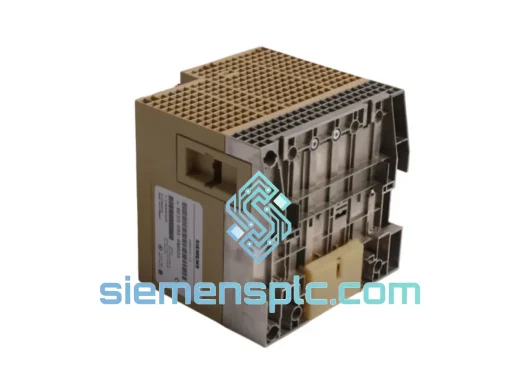
SIEMENS K3R072 528605 PLC Controller Module – SIMATIC S5
SIMATIC S5
Origin DE
PLC Controller Module
Siemens
RFQ Ready
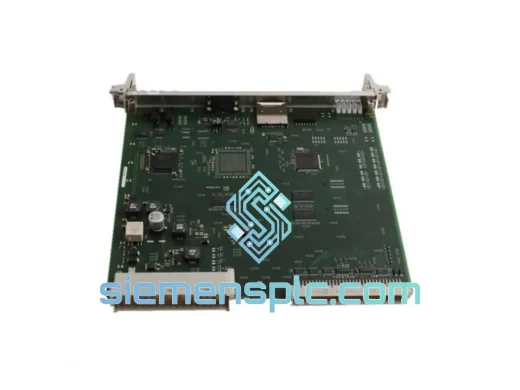
Siemens G85139-E1721-A874 PLC Processor Module
SIMATIC S5
Origin DE
PLC Processor Module