Siemens
RFQ Ready
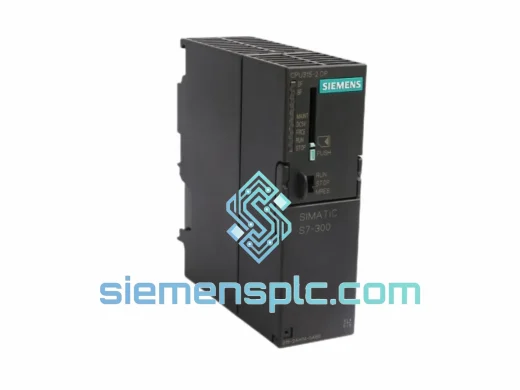
Siemens 6ES7 315-2EH14-0AB0 CPU 315-2 PN/DP PLC Module
SIMATIC S7-300
Origin DE
PLC CPU Module
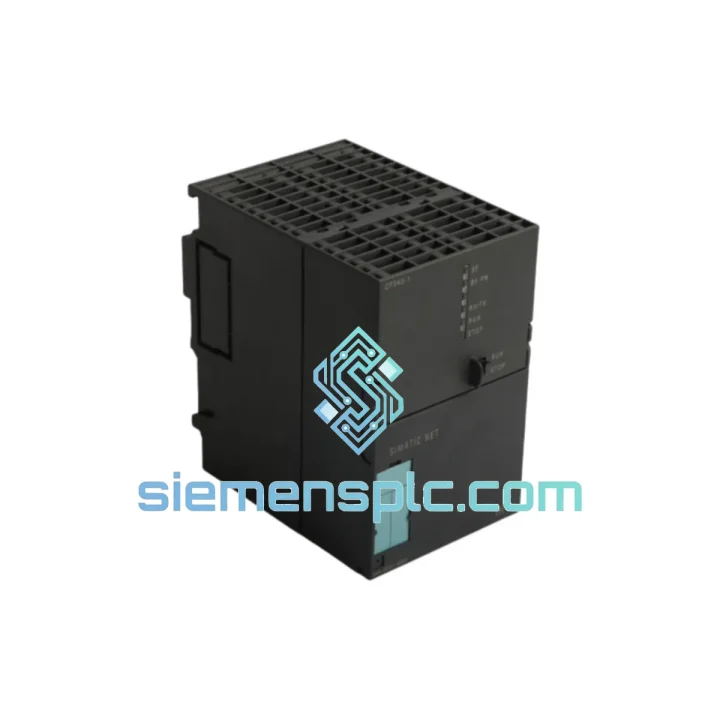
Request verified availability, condition, replacement risk review, packing options and courier lead time for 6GK7343-1EX21-0XE0.
Click Request Quote and the part number is inserted into the inquiry form automatically.
Core fields for model confirmation and RFQ routing. Detailed product narrative remains below.
Every minute your S7-300 rack sits offline without a working communications processor, your line is bleeding money. Whether it’s a failed ISO-on-TCP connection that took down your SCADA link, a corrupted firmware state after a power surge, or a physically damaged RJ45 port from a cable pull — the Siemens 6GK7343-1EX21-0XE0 is the exact module you need, and we have it on the shelf in Xiamen right now. No lead-time negotiation. No factory order. Ship today.
URGENT REQUIREMENT? Contact: [email protected] | WhatsApp: +86 18359268345
| Part Number | 6GK7343-1EX21-0XE0 ✔ Ready to Ship |
| Series | SIMATIC NET CP 343-1 EX21 |
| Compatible Platform | SIMATIC S7-300 (all CPU variants) |
| Network Interface | Industrial Ethernet 10/100 Mbit/s, RJ45 auto-sensing |
| Supported Protocols | TCP/IP, ISO-on-TCP (RFC 1006), UDP, ICMP, SNMP v1, DHCP, NTP |
| S7 Communication | S7 connections (client + server), S7 routing across subnets |
| Open Communication | SEND/RECEIVE via TCP, ISO-on-TCP, UDP — up to 16 simultaneous connections |
| Configuration Tool | STEP 7 V5.x / SIMATIC Manager with NCM S7 |
| Power Draw | Via S7-300 backplane bus (5 VDC), no external PSU wiring |
| Operating Temperature | 0 to +60 degrees C continuous |
| Storage Temperature | -40 to +70 degrees C |
| Protection Class | IP20 |
| Hazardous Area | ATEX II 3 G — Zone 2 approved |
| Certifications | CE, UL, cUL, FM Class I Div 2 |
| Dimensions (W x H x D) | 40 x 125 x 120 mm |
| Weight | approx. 340 g |
| Origin | Germany |
| Stock Status | In Stock — Ships within 24 hours |
After ten years of pulling failed CPs off live racks, here is what actually goes wrong with the 6GK7343-1EX21-0XE0 and how to handle the swap without creating a second fault.
Fault 1 — BF LED solid red, no Ethernet link: Nine times out of ten this is a corrupted MAC address table or a failed internal PHY after a lightning-induced surge on the Ethernet cable. Confirm by checking the CP diagnostic buffer in STEP 7 via Online, Module Information, Diagnostic Buffer. If you see event ID 0x8552 or 0x8553, the hardware is gone. Order the replacement now.
Fault 2 — SF LED flashing, connections drop intermittently: Usually a firmware mismatch after a CPU firmware update. The CP 343-1 EX21 firmware is stored on the module itself — it does not auto-update from the CPU. After installing the replacement, use STEP 7 NCM S7 Firmware Update to push the correct version before going online. Match firmware to your STEP 7 version: V2.x for STEP 7 V5.4 and below; V3.x for V5.5 and above.
Fault 3 — Module not recognized on backplane, no LED activity: Check slot assignment. The CP 343-1 EX21 must be configured in the hardware catalog at the exact physical slot it occupies. If you are moving it to a different slot during replacement, update the HW Config in STEP 7, recompile, and download to the CPU before powering up. Slot mismatch causes a permanent SF fault that looks identical to a dead module.
Replacement Procedure:
Note on addressing: There are no DIP switches or rotary address selectors on this module. All addressing is software-configured via NCM S7. The HW Config download is mandatory before the module will communicate.
The CP 343-1 EX21 was not designed for a climate-controlled server room. It was built for the plant floor, and the 6GK7343-1EX21-0XE0 reflects that in every design decision.
The module’s conformal-coated PCB resists condensation and airborne contaminants common in food processing and chemical environments. Operating across 0 to 60 degrees C without derating means it handles the thermal cycling of a steel mill’s electrical cabinet — cold at startup, hot after eight hours of production. The backplane bus connector uses gold-plated contacts rated for 100 or more insertion cycles, which matters when you are swapping modules under pressure during a breakdown.
Vibration resistance meets IEC 60068-2-6 at sinusoidal 10 to 58 Hz with 0.075 mm amplitude, and 58 to 500 Hz at 1 g. In practice this covers the vibration profile of most pump skids, compressor stations, and press lines where S7-300 racks are commonly mounted. The DIN rail mounting with integrated locking clips prevents the module from walking out of the rack under sustained vibration — a failure mode seen repeatedly on cheaper third-party alternatives.
ATEX II 3 G certification for Zone 2 hazardous areas means this CP can be installed in the same cabinet as equipment handling flammable gases or vapors, provided the cabinet itself meets the enclosure requirements. The RJ45 port uses a shielded connector body tied to the module chassis ground, providing a defined path for cable shield currents and reducing susceptibility to conducted EMI from variable-frequency drives and contactors sharing the same cable tray. In high-EMI environments, always use Siemens IE FC TP cable with the IE FC RJ45 Plug 180 (6GK1901-1BB10-2AA0) for a fully shielded field-terminated connection.
Our warehouse is in Xiamen, Fujian, China — one of the country’s primary export hubs with direct access to DHL Express, FedEx International Priority, and UPS Worldwide Express gateways. The 6GK7343-1EX21-0XE0 is physically on our shelf, inspected, and ready to pack. This is not a drop-ship arrangement.
Orders confirmed before 15:00 CST ship same business day. Orders after 15:00 ship next morning. Tracking number provided within 2 hours of dispatch.
Estimated door-to-door transit times:
Full export documentation is prepared on every shipment: commercial invoice with HS code 8537.10, packing list, and certificate of origin. For customers requiring import licenses for industrial automation equipment, a pro-forma invoice is available in advance to accelerate customs clearance. Anti-static packaging with humidity indicator cards is standard — the module arrives in the same condition it left our warehouse.
For critical plant shutdowns where every hour counts, contact us directly on WhatsApp for real-time coordination on the fastest available routing. We have arranged same-day courier handoffs to international gateways for customers facing production emergencies.
Email: [email protected]
WhatsApp: +86 18359268345
Web: siemensplc.com
© 2026 siemensplc.com. All rights reserved.
We check the full part number, brand, series and visible nameplate information before quotation.
Sales confirms stock path, condition option, quantity and realistic lead time for export dispatch.
DHL, FedEx, UPS or buyer courier arrangements can be reviewed with packing requirements.
Similar brand or category products for fast comparison and multi-item RFQ lists.