ABB
RFQ Ready
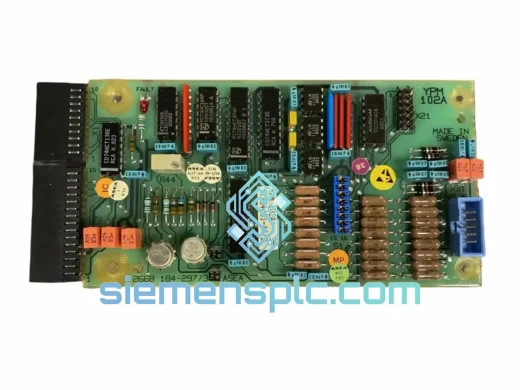
ABB YPM102A YT204001-AA Analog Output Module – AC 800M S800 I/O
S800
Origin SE
Analog Output Module
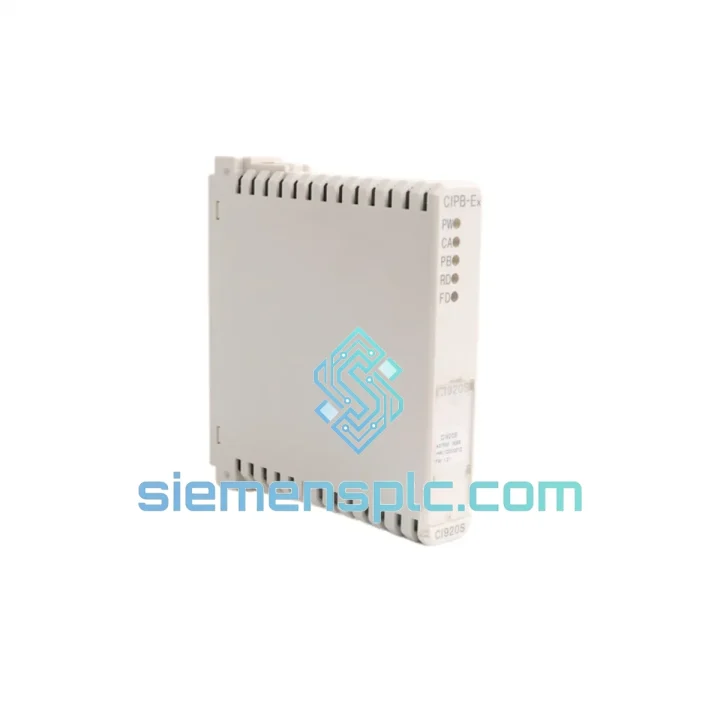
Request verified availability, condition, replacement risk review, packing options and courier lead time for CI920S 3BDS014111.
Click Request Quote and the part number is inserted into the inquiry form automatically.
Core fields for model confirmation and RFQ routing. Detailed product narrative remains below.
You already know what a dead CI920S costs. The moment that module drops off the ModuleBus, every PROFIBUS DP slave on that segment goes silent — drives, valves, transmitters, the lot. Your DCS shows a cascade of alarms and your shift supervisor is already on the phone. The clock is running at whatever your plant’s downtime rate is, and it does not stop until that module is seated and communicating again.
We carry the ABB CI920S (3BDS014111) in verified original condition, warehoused in Xiamen, China. Every unit is inspected before dispatch. Cut-off for same-day shipping is 12:00 noon CST — order before that and your module is in a DHL or FedEx box heading to your facility today. No waiting on distributor lead times. No factory order queues. Stock on hand, ready to move.
⚡ URGENT REQUIREMENT? Contact: [email protected] | WhatsApp: +86 18359268345
| Brand | ABB |
| Part Number | CI920S / 3BDS014111 |
| Platform | ABB AC 800M / S800 I/O |
| Function | PROFIBUS DP Communication Interface |
| Protocol | PROFIBUS DP — IEC 61158 / EN 50170 |
| Supply Voltage | 24 VDC (via S800 backplane) |
| Operating Temp | 0 °C to +55 °C |
| Storage Temp | −40 °C to +70 °C |
| Relative Humidity | 5 % – 95 % RH, non-condensing |
| Certifications | CE, UL, cUL |
| Weight | 120 g |
| Country of Origin | Germany |
| Availability | ✅ Ready to Ship — Xiamen, China |
Ten years of field calls on S800 systems teach you that most CI920S swap-outs fail not because the new module is bad, but because of three avoidable mistakes made during the changeover. Here is what to watch.
Fault Diagnosis Before You Pull the Module:
Rotary Switch and Address Configuration:
The S800 I/O station uses two rotary switches — x10 and x1 — to set the ModuleBus station address. Before removing the failed CI920S, photograph or record the switch positions. The replacement module ships with switches at factory default (address 01). If your station is addressed at 07 or 12 or any other value, you must set the switches on the new module before powering up. A station address conflict on the ModuleBus will prevent the CI920S from enumerating and generate a duplicate address alarm in CBM — a confusing fault that wastes time if you do not know to look for it.
Step-by-Step Replacement:
The CI920S was qualified to IEC 61131-2 and IEC 60068 environmental standards — not because ABB wanted a marketing badge, but because the S800 platform was designed from the ground up for process industry applications where the control room is sometimes a pressurized container on an offshore platform and sometimes a sheet-metal cabinet bolted to the wall of a cement mill.
Vibration qualification covers sinusoidal excitation from 10 Hz to 150 Hz at 1g acceleration — enough to cover the harmonic signature of most rotating machinery when the panel is mounted within 3 meters of a pump or compressor. Mechanical shock testing at 15g / 11 ms half-sine pulse addresses the kind of impact loading that happens when a forklift clips a panel or a nearby machine trips hard. The module survives both without connector damage or PCB delamination.
Thermal performance is equally serious. The 0–55 °C operating range covers the realistic worst case in a non-air-conditioned tropical control room in July. The −40 °C storage rating means a module shipped by air freight through a cold-soak cargo hold arrives at your site ready to install without any acclimatization period. The conformal coating applied to the PCB provides a physical barrier against condensation, salt spray, and airborne process dust — the kind of contamination that kills uncoated electronics within 18 months in coastal petrochemical environments. When you are replacing a module that ran for a decade in a hostile environment, the replacement needs the same build quality. The CI920S delivers it.
Xiamen is not a random warehouse location. It is one of China’s five major export ports, with bonded logistics zones and direct daily flights to major cargo hubs in Dubai, Frankfurt, Singapore, and Los Angeles. DHL and FedEx both operate dedicated freight facilities here. When we hand your shipment to the carrier, it enters a mature, high-frequency network — not a regional feeder service.
Typical transit times from our warehouse to your site:
Every shipment includes a commercial invoice, detailed packing list, and certificate of conformance. Export documentation is prepared in parallel with packing — there is no administrative delay after the module is boxed. If your site requires an import permit or specific HS code declaration, contact us before ordering and we handle it. For genuine emergencies where standard express is not fast enough, we can arrange charter air freight consolidation — tell us your deadline and we work backward from it.
© 2026 siemensplc.com. All rights reserved.
We check the full part number, brand, series and visible nameplate information before quotation.
Sales confirms stock path, condition option, quantity and realistic lead time for export dispatch.
DHL, FedEx, UPS or buyer courier arrangements can be reviewed with packing requirements.
Similar brand or category products for fast comparison and multi-item RFQ lists.