ABB
RFQ Ready
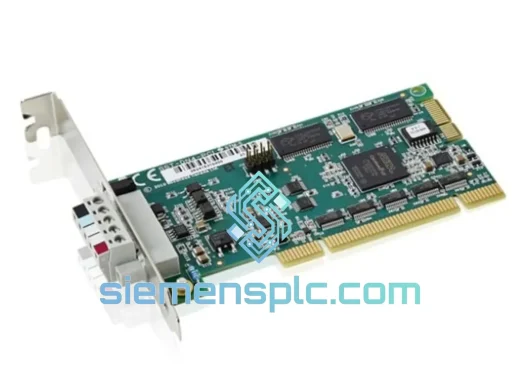
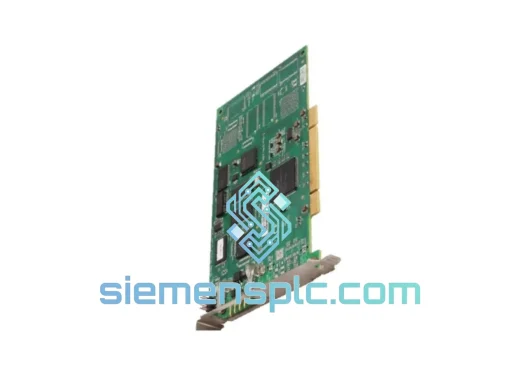
ABB 3HAC034865-003 Industrial Communication Module
IRC5
Origin SE
Industrial Communication Module
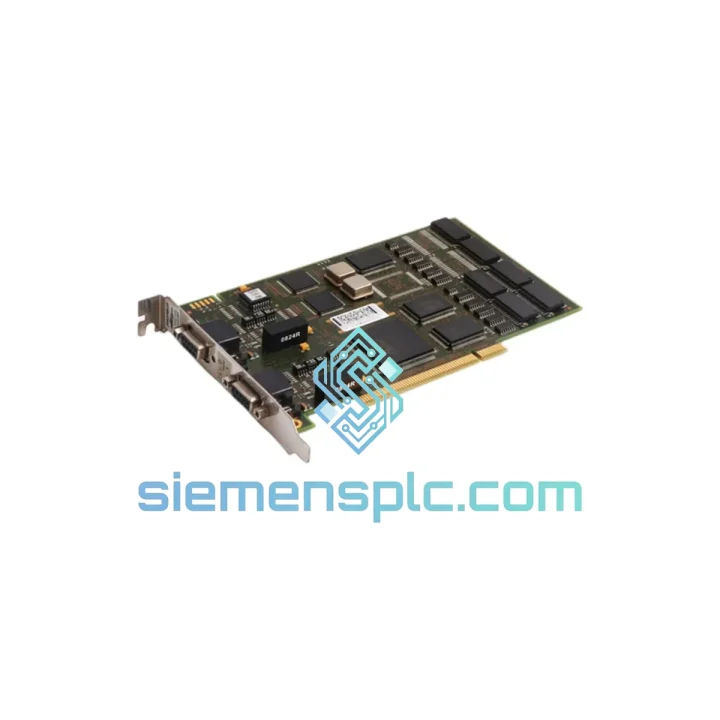
Request verified availability, condition, replacement risk review, packing options and courier lead time for 3HAC023047-001.
Click Request Quote and the part number is inserted into the inquiry form automatically.
Core fields for model confirmation and RFQ routing. Detailed product narrative remains below.
Every minute your IRC5 robot cell sits idle, you’re bleeding money. A failed Profibus-DP adapter shouldn’t be the reason your production line stays dark for days. We stock the ABB DSQC637 (3HAC023047-001) right now, in Xiamen, ready to pull from the shelf and land on your dock via DHL Express — often within 48–72 hours to most industrial hubs worldwide. No waiting on ABB’s standard lead times. No scrambling through distributors. One call, one shipment, line back up.
URGENT REQUIREMENT? Contact: [email protected] | WhatsApp: +86 18359268345
| Parameter | Value |
|---|---|
| Part Number | DSQC637 / 3HAC023047-001 |
| Manufacturer | ABB Robotics |
| Function | Profibus-DP Slave Fieldbus Adapter |
| Compatible Controller | ABB IRC5 (Single & Dual Cabinet) |
| Fieldbus Protocol | Profibus-DP (IEC 61158 / EN 50170) |
| Max Baud Rate | 12 Mbit/s (auto-negotiated) |
| I/O Capacity | 512 bytes IN / 512 bytes OUT |
| Connector | DB9 Female (standard Profibus) |
| Power Source | IRC5 backplane (no external PSU needed) |
| Operating Temperature | 0 °C to +55 °C |
| RobotWare Compatibility | RobotWare 5.10+ and 6.x |
| Certifications | CE, UL |
| Weight | ~140 g |
| Origin | Germany |
| Stock Status | ✅ Ready to Ship — Xiamen Warehouse |
Pulled from real field experience — here’s what actually matters when you’re swapping a DSQC637 under pressure:
Step 1 — Confirm the fault before you pull the board. On the IRC5 FlexPendant, navigate to Event Log and look for error codes in the 71xxx range (Profibus communication errors). Code 71001 (Profibus adapter not found) and 71003 (cyclic data timeout) are the two most common indicators of a dead DSQC637. Don’t replace the board based on a blinking LED alone — verify the error log first.
Step 2 — Node address preservation. The DSQC637 does not store the Profibus node address on the board itself; the address is configured in RobotWare system parameters under Communication → Profibus → DeviceNet Slave. When you install the replacement board, the address carries over automatically from the system parameters — no rotary switch or DIP switch to set on this module. Confirm the address matches your PLC’s GSD configuration before going live.
Step 3 — Backplane seating. The most common installation error in the field is an incompletely seated backplane connector. Power down the IRC5 cabinet fully (main switch off, wait 30 seconds for capacitors to discharge), insert the DSQC637 firmly until the retention clips click, then torque the two M3 screws to 0.5 Nm. A partially seated board will produce intermittent 71001 faults that are maddening to diagnose.
Step 4 — Firmware check. If you’re running RobotWare 6.x and installing a board with a revision label earlier than Rev C, update the RobotWare system to the latest patch before commissioning. Older board revisions on RW6 can cause cyclic data frame errors under high bus load (>8 Mbit/s).
Step 5 — Bus termination. If the DSQC637 is the last node on the Profibus segment, ensure the termination resistor network on the DB9 connector is enabled (pins 3–8 bridged via the termination plug). Missing termination on a long cable run is a frequent cause of intermittent communication faults that appear after the robot warms up.
Common failure modes we see on returned units: DB9 pin 6 (VP +5V) corrosion from condensation in humid environments; backplane edge connector wear after repeated insertions; firmware corruption following uncontrolled power loss during a RobotWare update cycle. Inspect these three areas on your failed board to understand root cause before the replacement goes in.
Robot cells are not clean rooms. The DSQC637 is engineered to operate in the kind of environment that kills consumer-grade electronics in weeks. The board’s conformal coating protects against coolant mist, weld spatter particulate, and the humidity swings common in automotive paint shops and food processing facilities. Vibration resistance is validated to IEC 60068-2-6 (sinusoidal, 10–150 Hz, 1g), which covers the resonance frequencies generated by servo drives and pneumatic actuators mounted on the same frame as the IRC5 cabinet.
Thermal cycling is the other killer. The DSQC637 is rated for continuous operation at 55 °C ambient — the realistic upper limit inside a sealed IRC5 cabinet during a full production shift in a hot stamping plant. The onboard components are selected for industrial temperature grades, not commercial. That distinction matters when your robot runs three shifts with no cool-down window.
All units we ship are inspected for physical integrity: connector pin straightness, conformal coating coverage, and board-level visual inspection under magnification. We do not ship boards with bent pins, cracked solder joints, or compromised coating — those go to the reject pile, not your production line.
Our warehouse is located in Xiamen, Fujian — one of China’s primary export hubs with direct DHL Express and FedEx International Priority access. Here’s the actual flow from your order to your hands:
Day 0 (Order confirmed before 15:00 CST): Unit pulled from shelf, inspected, anti-static bagged, packed in double-wall carton with foam insert. Commercial invoice and packing list generated with accurate HS code (8537.10) for customs clearance.
Day 1: DHL Express or FedEx IP pickup from our facility. Tracking number sent to your email within 2 hours of handover. For orders requiring a formal export declaration, we handle the customs documentation in-house — no delays from third-party freight forwarders.
Day 2–4 (most destinations): Delivery to EU, North America, Southeast Asia, and Middle East industrial zones. Japan and Australia typically Day 3–5. Remote locations or destinations with customs inspection queues may add 1–2 days.
We have shipped DSQC637 units to automotive plants in Germany, battery factories in Hungary, food processing facilities in Australia, and semiconductor fabs in Malaysia. The logistics process is the same every time — fast, documented, and traceable. If your customs team needs a specific invoice format, certificate of origin, or material safety data, contact us before shipment and we’ll prepare it.
Email: [email protected]
WhatsApp: +86 18359268345
Web: siemensplc.com
© 2026 siemensplc.com. All rights reserved.
We check the full part number, brand, series and visible nameplate information before quotation.
Sales confirms stock path, condition option, quantity and realistic lead time for export dispatch.
DHL, FedEx, UPS or buyer courier arrangements can be reviewed with packing requirements.
Similar brand or category products for fast comparison and multi-item RFQ lists.