ABB
In Stock OK
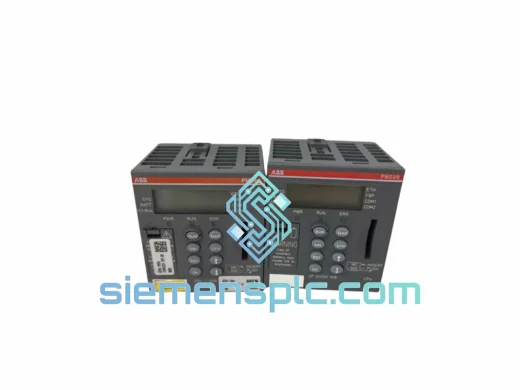
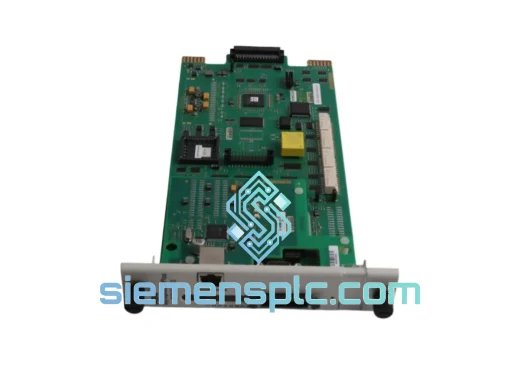
ABB PM573-ETH PLC CPU Module
Request verified availability, condition, replacement risk review, packing options and courier lead time for PM573-ETH.
BrandABB
Part NumberPM573-ETH
ConditionAvailability Check
Lead TimeRFQ Confirmation
DocumentsDatasheet / photos by RFQ
ShippingExport packing available
Auto-filled RFQ
PM573-ETH
Click Request Quote and the part number is inserted into the inquiry form automatically.
- Reply by email: [email protected]
- WhatsApp / Tel: +86 18359268345
- Mon-Sat 9:00-18:00 GMT+8
Procurement Data
Key Product Information
Core fields for model confirmation and RFQ routing. Detailed product narrative remains below.
- Brand
- ABB
- Primary Part Number
- PM573-ETH
- Product Type
- PLC CPU Module
- Series / Family
- AC500
- Manufacturer
- ABB
- Country of Origin
- SE
- Catalog Category
- Communication
- Operating Temp.
- 0 °C to +60 °C
Model confirmed for inquiry
PM573-ETH
Send quantity, destination and urgency. The RFQ form keeps this part number attached.
Request Quote
Product Overview
ABB PM573-ETH AC500 CPU Module — Stop the Clock on Your Downtime
Every minute a line sits idle costs real money. When your AC500 rack throws a CPU fault and the PM573-ETH is the culprit, you don’t have time to chase a 6-week lead time through a regional distributor. We stock the PM573-ETH in Xiamen and ship same-day via DHL Express or FedEx International Priority. Most customers in Southeast Asia, the Middle East, and Europe receive their unit within 48–72 hours of order confirmation. That’s the difference between a shift delay and a full production shutdown.
The PM573-ETH is the mid-range workhorse of ABB’s AC500 family — a compact, DIN-rail-mounted CPU with an integrated 10/100 Ethernet port that handles Modbus TCP, PROFINET IO controller, and FTP/HTTP services without an add-on communication module. It runs IEC 61131-3 programs compiled in ABB Automation Builder and pairs with the full TB5xx terminal base ecosystem. If you’re replacing a failed unit in an existing rack, the swap is straightforward — but there are configuration details that will bite you if you skip them. Read the replacement tips below before you power up.
URGENT REQUIREMENT? Contact: [email protected] | WhatsApp: +86 18359268345
Quick Technical Datasheet
| Parameter | Specification |
|---|---|
| Part Number | PM573-ETH |
| Manufacturer | ABB |
| Series | AC500 |
| Module Type | CPU / Programmable Control Unit |
| Ethernet Interface | 1 × RJ45, 10/100 Mbit/s |
| Supported Protocols | Modbus TCP, PROFINET IO Controller, FTP, HTTP, SNTP |
| Programming Standard | IEC 61131-3 via ABB Automation Builder |
| Program Memory | 512 KB (user program) |
| Data Memory | 512 KB retain + 1 MB non-retain |
| SD Card Slot | Yes — for program backup and firmware update |
| Real-Time Clock | Integrated, battery-backed |
| Operating Temperature | 0 °C to +60 °C |
| Storage Temperature | −40 °C to +70 °C |
| Relative Humidity | 5–95 % (non-condensing) |
| Power Supply | 24 VDC via terminal base (TB5xx) |
| Degree of Protection | IP20 |
| Certifications | CE, UL, cUL, RoHS |
| Country of Origin | Germany |
| Stock Status | ✅ Ready to Ship — Xiamen Warehouse |
Troubleshooting & Replacement Tips
Swapping a PM573-ETH is not a plug-and-play operation if you want the system back online without a second fault. Here’s what 10 years of field work has taught us:
1. Firmware version mismatch is the #1 silent killer. The replacement unit’s firmware must match — or be compatible with — the Automation Builder project version that was compiled on the failed CPU. If the project was built on AB 2.3 and your replacement ships with firmware 3.x, you will get a “project version mismatch” error on download. Pull the firmware version from the SD card backup of the old unit (file: SYSINFO.TXT) before you power up the new one. Downgrade or upgrade via SD card using the ABB firmware update procedure (document 2CDC 135 012 M0201).
2. IP address and node configuration are stored in the CPU, not the terminal base. The PM573-ETH does not auto-discover its IP from the rack. After replacement, connect a laptop directly to the Ethernet port and use the ABB IP Configuration Tool (or a BOOTP/DHCP server) to assign the correct IP before attempting an Automation Builder download. Skipping this step means your SCADA system will never find the new CPU.
3. Retain data is gone — plan for it. The battery-backed retain memory on the failed CPU is not transferable. If your application uses retain variables for production counters, recipe parameters, or setpoints, you need a reload procedure. Check your program for RETAIN and PERSISTENT variable declarations and have your operator restore values from HMI or a CSV backup before releasing the line.
4. SD card program restore. If the previous CPU had an SD card with a valid program backup (DEFAULT.PRG), insert it into the replacement unit before first power-up. The PM573-ETH will auto-load the program on boot — this is the fastest path back to production when you don’t have a laptop on-site.
5. Common fault codes to check before condemning the CPU:
- ERR LED solid red: Hardware fault — check 24 VDC supply voltage at terminal base pins. Voltage below 20.4 V will cause CPU reset loops that look like a dead module.
- RUN LED off, ERR LED blinking: Program download error or corrupted SD card. Try removing the SD card and re-downloading from Automation Builder.
- ETH LED off: Ethernet link fault — check cable and switch port. The PM573-ETH does not support auto-MDI/MDIX on all firmware versions; use a straight-through cable to a managed switch.
- CPU in STOP mode after power cycle: Check the RUN/STOP switch position on the front panel. It’s a physical switch — easy to accidentally bump during panel work.
6. Terminal base compatibility: The PM573-ETH seats on TB5600, TB5610, or TB5620 terminal bases. It will not seat on the older TB5100 series. Verify your base part number before ordering if you’re unsure.
Reliability in Harsh Conditions
The AC500 platform was engineered for environments where consumer-grade electronics fail within weeks. The PM573-ETH carries a conformal coating option on the PCB assembly, protecting against condensation and corrosive atmospheres found in coastal facilities, chemical plants, and outdoor enclosures. The module is vibration-tested to IEC 60068-2-6 (5–150 Hz, 1 g) and shock-tested to IEC 60068-2-27 (15 g, 11 ms), making it suitable for installation on moving machinery, compressor skids, and mobile equipment.
Thermal management is passive — no fans, no moving parts. The CPU dissipates heat through the terminal base and enclosure wall. In ambient temperatures up to 60 °C, no derating is required. Above 50 °C, verify that the I/O modules in the same rack are within their own thermal limits, as the CPU itself is rarely the thermal bottleneck in a dense AC500 rack.
EMC performance meets EN 61000-6-2 (industrial immunity) and EN 61000-6-4 (industrial emissions). In high-noise environments — VFD-heavy panels, arc welding cells, large motor starters — ensure the terminal base is properly grounded to the DIN rail and that shielded Ethernet cable is used for runs longer than 3 meters.
Global Express Logistics
Our warehouse is located in Xiamen, Fujian Province — one of China’s primary export hubs with direct access to DHL, FedEx, and UPS international gateways. Here’s how a typical urgent order moves:
- Order confirmed before 14:00 CST: Same-day dispatch. DHL Express tracking number issued by 18:00 CST.
- Transit to Southeast Asia (SG, MY, TH, VN): 1–2 business days.
- Transit to Middle East (UAE, SA, QA): 2–3 business days.
- Transit to Europe (DE, NL, PL, UK): 3–4 business days.
- Transit to Americas (US, MX, BR): 3–5 business days.
All shipments include a commercial invoice, packing list, and certificate of origin. HS Code 8537.10 is declared for customs clearance. For orders requiring an ATA Carnet, formal import permit documentation, or specific country-of-origin certification, contact us 24 hours before dispatch so we can prepare the correct paperwork. Duties and import taxes are the buyer’s responsibility (DAP Incoterms) unless a DDP arrangement is agreed in writing.
For bulk orders (5+ units), sea freight via Xiamen Port is available with full container load (FCL) or less-than-container load (LCL) options. Lead time for sea freight is 18–25 days to most major ports.
Contact Information
Email: [email protected]
WhatsApp: +86 18359268345
Web: siemensplc.com
© 2026. All rights reserved.
Ready to quote
[email protected]
Send This Part Number to Sales
RFQ workflow
Quality workflow ->
Confirmation Process
01Model confirmation
We check the full part number, brand, series and visible nameplate information before quotation.
02Availability reply
Sales confirms stock path, condition option, quantity and realistic lead time for export dispatch.
03Packing & courier
DHL, FedEx, UPS or buyer courier arrangements can be reviewed with packing requirements.
Continue sourcing
Browse full catalog ->
Related Automation Parts
Similar brand or category products for fast comparison and multi-item RFQ lists.
ABB
RFQ Ready
ABB SPBRC410 PLC Communication Controller
AC500
Origin SE
PLC Communication Controller