
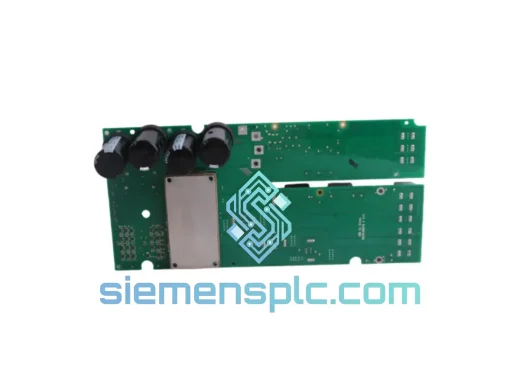
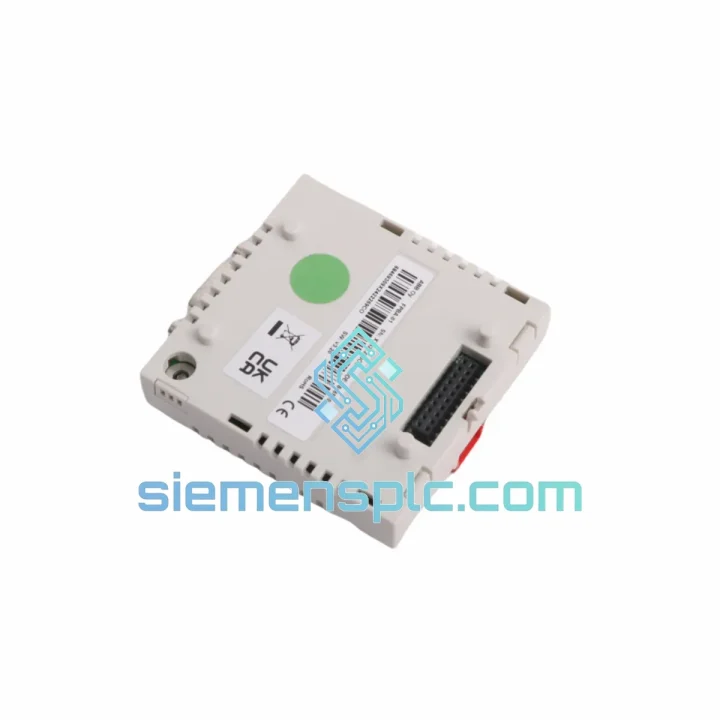
ABB
In Stock OK
ABB FPBA-01 Fieldbus Adapter Module
Request verified availability, condition, replacement risk review, packing options and courier lead time for FPBA-01.
BrandABB
Part NumberFPBA-01
ConditionAvailability Check
Lead TimeRFQ Confirmation
DocumentsDatasheet / photos by RFQ
ShippingExport packing available
Auto-filled RFQ
FPBA-01
Click Request Quote and the part number is inserted into the inquiry form automatically.
- Reply by email: [email protected]
- WhatsApp / Tel: +86 18359268345
- Mon-Sat 9:00-18:00 GMT+8
Procurement Data
Key Product Information
Core fields for model confirmation and RFQ routing. Detailed product narrative remains below.
- Brand
- ABB
- Primary Part Number
- FPBA-01
- Product Type
- Fieldbus Adapter Module
- Product Family
- Other series
- Manufacturer
- ABB
- Country of Origin
- SE
- Catalog Category
- Motor Drives
- Compliance
- CE, RoHS
Model confirmed for inquiry
FPBA-01
Send quantity, destination and urgency. The RFQ form keeps this part number attached.
Request Quote
Product Overview
ABB FPBA-01 Down? Every Minute of Fieldbus Silence Costs You Money — Ship Today from Xiamen
A dead PROFIBUS DP link doesn’t announce itself politely. One moment your ACS drive is running; the next, the PLC master is throwing Slave Not Responding faults, the line stops, and your maintenance team is staring at a blinking red LED on the option slot. The ABB FPBA-01 is the single point of failure between your PROFIBUS DP master and your drive’s control logic — and when it fails, there is no workaround. You need an exact replacement, and you need it now.
We stock the ABB FPBA-01 in Xiamen and ship globally via DHL Express and FedEx International Priority. Most orders to Southeast Asia, the Middle East, and Europe clear customs and arrive within 3–5 business days. We’ve supplied emergency replacements to automotive stamping lines, paper mill winder drives, and water treatment pump stations — situations where every hour of downtime has a dollar figure attached to it. This is not a catalog listing. This is a ready-to-ship module with a team behind it that understands what a production stoppage actually means.
URGENT REQUIREMENT? Contact: [email protected] | WhatsApp: +86 18359268345
Quick Technical Datasheet
| Parameter | Specification |
|---|---|
| Part Number | FPBA-01 |
| Manufacturer | ABB |
| Series | FPBA Fieldbus Adapter Series |
| Protocol | PROFIBUS DP (EN 50170 / IEC 61158) |
| DP Version | DP-V0 (cyclic), DP-V1 acyclic via drive firmware |
| Baud Rate | 9.6 kbps – 12 Mbps (auto-detect) |
| Node Address | 1–125, set via drive parameter group 51 |
| Connector | 9-pin D-sub (DB9), female |
| Mounting | Drive option slot (plug-in, no external wiring) |
| Power Source | Supplied by drive option slot — no external PSU |
| Compatible Drives | ACS355, ACS550, ACS800, ACS880 (slot-dependent) |
| Operating Temp | 0°C to +55°C |
| Storage Temp | -40°C to +70°C |
| Weight | ~40 g |
| Compliance | CE, RoHS |
| Country of Origin | Finland |
| Stock Status | ✅ Ready to Ship — Xiamen Warehouse |
Troubleshooting & Replacement Tips
After handling dozens of FPBA-01 swap-outs in the field, here are the failure patterns and replacement pitfalls that actually matter:
Common Failure Signatures
- Fault 7 / COMM ERROR on ACS800: The drive has lost communication with the PROFIBUS master. Before condemning the FPBA-01, check the DB9 termination resistor — a missing 220Ω terminator at the last node on the segment is responsible for roughly 30% of these calls. If termination is correct and the fault persists after a power cycle, the adapter is the prime suspect.
- LED Status — No Green, No Red: The option slot is not powering the module. Check the slot connector pins for bent contacts or corrosion. On ACS800 drives, a blown option slot fuse (F3 on the RMIO board) will kill power to all option modules.
- LED Red Solid: Module is powered but not communicating. Verify the GSD file version loaded in your PROFIBUS master matches the FPBA-01 firmware revision. Mismatched GSD files cause the master to reject the slave configuration silently.
- Intermittent Comm Drops Under Load: Vibration-induced connector loosening is common in compressor and crusher applications. The FPBA-01’s DB9 connector has no locking mechanism — use a DB9 locking screw adapter if the drive is in a high-vibration enclosure.
Replacement Procedure — Step by Step
- Safe isolation first. De-energize the drive and wait for the DC bus to discharge below 50V (check the DC bus terminals with a meter — do not rely on the keypad display alone).
- Document the existing parameter settings. Before pulling the old module, upload the drive parameters to the keypad memory or PC tool (DriveStudio / Drive Composer). Parameter group 51 (FIELDBUS ADAPTER) will need to be re-entered after the swap.
- Remove the old FPBA-01. Press the retention clip and slide the module straight out of the option slot. Do not twist — the connector is fragile.
- Inspect the slot connector. Use compressed air to clear any debris. Check for bent pins on the drive-side connector. A damaged slot connector means the new module will also fail.
- Install the new FPBA-01. Align the module guide rails and press firmly until the retention clip clicks. A partial seating is the most common installation error — the module will appear installed but the drive will report no option module detected.
- Re-enter parameter group 51. Key parameters: 51.01 (FBA TYPE — should auto-populate as FPBA-01 after power-up), 51.02 (PROFIBUS NODE ADDRESS — match your PLC configuration exactly), 51.03 (BAUD RATE — set to AUTO unless your segment has specific requirements). Activate the new settings with parameter 51.27 (FBA PAR REFRESH = REFRESH).
- Verify GSD file match. Confirm the GSD file in your PROFIBUS master (Step 7, TIA Portal, or equivalent) matches the firmware version of the replacement module. ABB provides GSD files via their download center — use the file version printed on the module label.
- Power up and monitor. The FPBA-01 green LED should flash during initialization and go solid green within 10 seconds of the PROFIBUS master establishing communication. If it stays flashing, the master has not yet recognized the slave — check node address and GSD file.
Configuration Notes for Specific Drive Families
- ACS355: Uses option slot 1 only. The FPBA-01 replaces the FMBA-01 (Modbus) in the same slot — only one fieldbus adapter can be active at a time.
- ACS550: Parameter group 51 is accessed via the panel. After installing the FPBA-01, perform a drive reset (parameter 99.06 = DONE) to allow the drive to recognize the new option module.
- ACS800: Supports up to three option modules simultaneously. The FPBA-01 is typically installed in slot 1. Verify the RMIO board firmware version — FPBA-01 requires RMIO firmware 17.x or later for full DP-V1 acyclic support.
- ACS880: The FPBA-01 is compatible with the ACS880’s option slot A. Note that the ACS880 also supports the newer FPBA-21 (PROFIBUS DP with extended diagnostics) — if your PLC master supports DP-V2, consider whether the FPBA-21 is a better long-term fit.
Reliability in Harsh Conditions
The FPBA-01 was not designed for a climate-controlled server room. ABB engineered this module for the same environments where the drives it connects to operate — foundry floors, offshore platforms, cement plants, and outdoor pump stations.
The PCB is conformally coated to resist humidity and condensation ingress, a critical feature in coastal industrial facilities and tropical climates where relative humidity regularly exceeds 90%. The module has been validated to IEC 60068-2-6 vibration testing standards, covering sinusoidal vibration profiles that simulate the mechanical stress of being mounted inside a drive cabinet on a compressor skid or a ship’s engine room. Thermal cycling performance is validated across the full -40°C to +70°C storage range, meaning a module that has been sitting in an unheated spare parts store through a northern European winter will perform identically to one pulled from a climate-controlled warehouse.
The DB9 connector uses gold-plated contacts to prevent oxidation-related contact resistance increases — a failure mode that manifests as intermittent communication errors that are notoriously difficult to diagnose without pulling the module and inspecting the connector under magnification. EMC immunity is validated to EN 61800-3 Category C3, appropriate for use in industrial environments with significant conducted and radiated interference from variable frequency drives, welding equipment, and high-current switching gear.
Every unit we ship has been visually inspected for connector integrity, label authenticity, and PCB condition. We do not ship modules with damaged connectors, missing labels, or evidence of prior field use without disclosure. If you need a module that will go straight from the box into the drive and work first time, that is what we provide.
Global Express Logistics
Our dispatch hub is in Xiamen, Fujian — one of China’s primary export ports with direct DHL and FedEx gateway access. This is not a drop-shipping arrangement. The module is physically in our warehouse, inspected, and ready to pack when your order is confirmed.
Typical transit times from Xiamen:
- Southeast Asia (Singapore, Thailand, Malaysia, Indonesia): 2–3 business days via DHL Express
- Middle East (UAE, Saudi Arabia, Qatar): 3–4 business days via FedEx International Priority
- Europe (Germany, Netherlands, UK, Poland): 3–5 business days via DHL Express Worldwide
- North America (USA, Canada, Mexico): 4–6 business days via FedEx International Priority
- Australia & New Zealand: 3–5 business days via DHL Express
- South America (Brazil, Chile, Colombia): 5–7 business days via FedEx
All shipments include full tracking from pickup to delivery. We provide the AWB number within 24 hours of dispatch. For orders placed before 14:00 CST, same-day dispatch is available on confirmed stock. Export documentation — commercial invoice, packing list, and certificate of origin — is prepared to your customs requirements. We have experience with HS code 8537.10 classification for industrial control modules and can provide the correct documentation to minimize customs clearance delays.
For plant shutdown windows where delivery timing is critical, contact us directly on WhatsApp. We can coordinate with DHL and FedEx for Saturday delivery options in most major markets, and we can provide a pre-shipment photo of the packaged module with the AWB label for your records before the courier collects.
Contact Information
Email: [email protected]
WhatsApp: +86 18359268345
Web: siemensplc.com
© 2026 siemensplc.com. All rights reserved.
Ready to quote
[email protected]
Send This Part Number to Sales
RFQ workflow
Quality workflow ->
Confirmation Process
01Model confirmation
We check the full part number, brand, series and visible nameplate information before quotation.
02Availability reply
Sales confirms stock path, condition option, quantity and realistic lead time for export dispatch.
03Packing & courier
DHL, FedEx, UPS or buyer courier arrangements can be reviewed with packing requirements.
Continue sourcing
Browse full catalog ->
Related Automation Parts
Similar brand or category products for fast comparison and multi-item RFQ lists.
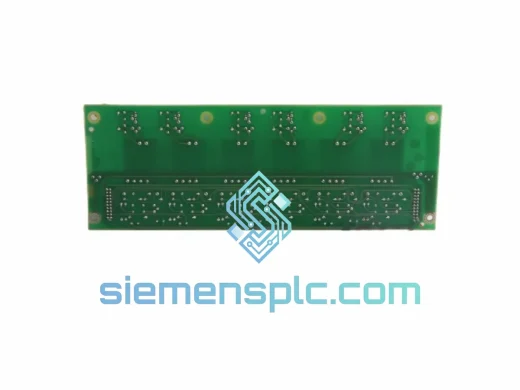
ABB
RFQ Ready
ABB ZINT-592 Fieldbus Interface Board – ZINT Series
ACS Drive
Origin SE
Interface Board
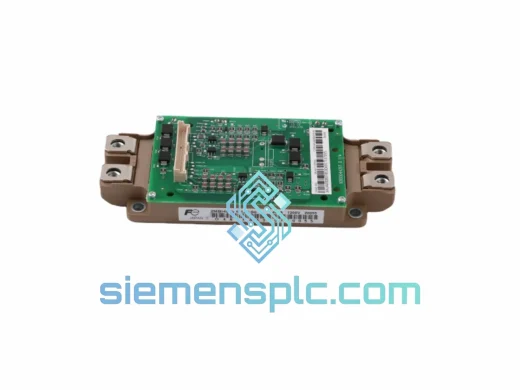
ABB
RFQ Ready
ABB YPK113A 61002774 Drive Control Board
In-Stock Xiamen
Origin SE
Drive Control Board