ABB
RFQ Ready
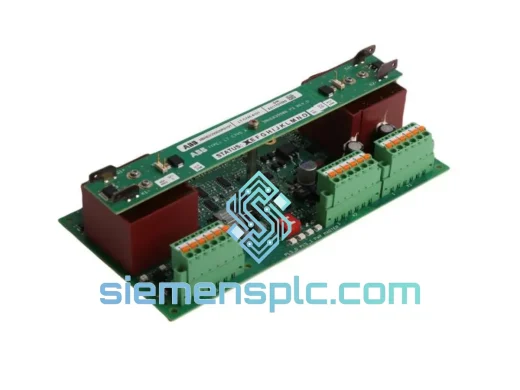
ABB HAC807B102 Analog Input Termination Unit – AC800M Series
AC800M
Origin SE
Analog Input Termination Unit
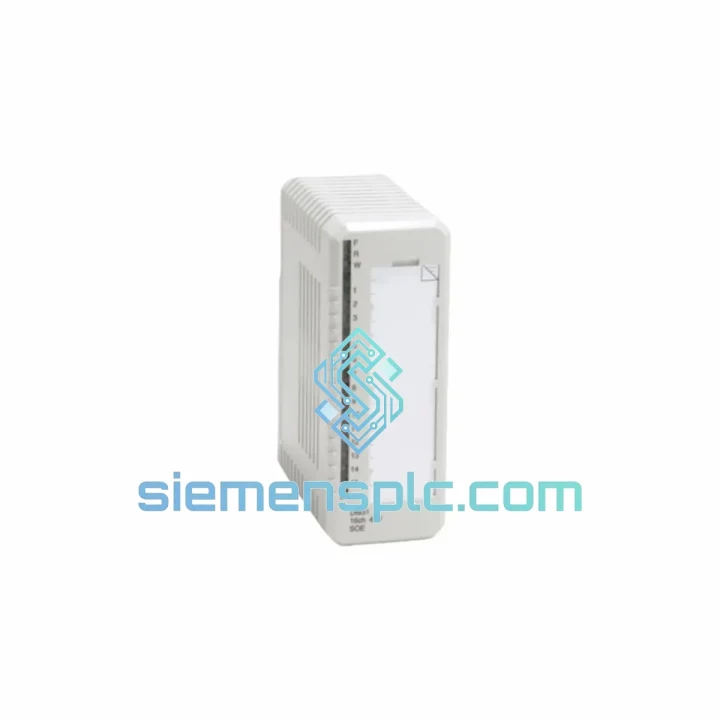
Request verified availability, condition, replacement risk review, packing options and courier lead time for DI831/DP840.
Click Request Quote and the part number is inserted into the inquiry form automatically.
Core fields for model confirmation and RFQ routing. Detailed product narrative remains below.
Your AC800M DCS just flagged a DI831 fault. The process is down. Every minute costs real money — lost throughput, idle crews, contractual penalties. You don’t need a brochure. You need the module on a plane tonight.
We stock the ABB DI831 digital input module paired with the DP840 baseplate in Xiamen, China. Verified original. Tested before dispatch. DHL Express to your plant gate in 3–5 business days, anywhere on the planet. No MOQ. No waiting for ABB’s standard lead time.
URGENT REQUIREMENT? Contact: [email protected] | WhatsApp: +86 18359268345
| Parameter | Specification | Status |
|---|---|---|
| Part Number | DI831 + DP840 | ✅ Ready to Ship |
| Platform | ABB AC800M DCS — S800 I/O Bus | |
| Module Function | 16-Channel Digital Input | |
| Input Voltage | 24 VDC nominal | |
| Logic ON Threshold | 15–30 VDC | |
| Logic OFF Threshold | 0–5 VDC | |
| Input Current per Channel | ≤ 8 mA @ 24 VDC | |
| Input Standard | IEC 61131-2 Type 1 / Type 3 | |
| Isolation | Galvanic, channel-to-bus | |
| Diagnostics | Per-channel open-wire & short-circuit | |
| Backplane Interface | S800 ModuleBus via DP840 | |
| Hot-Swap | Supported (redundant I/O config) | |
| Operating Temperature | 0°C to +55°C | |
| Storage Temperature | -40°C to +70°C | |
| Humidity | 5–95% RH, non-condensing | |
| Protection Rating | IP20 | |
| Certifications | CE, UL, cUL, ATEX Zone 2 (with barrier) | |
| Engineering Tool | ABB Control Builder M / System 800xA | |
| Weight (module + baseplate) | ~950 g | |
| Origin | Germany (ABB OEM) |
Fifteen years of field calls on AC800M systems teach you the same lesson: most DI831 failures are not random. They follow patterns. Here’s what to check before you pull the module — and what to do when you do pull it.
Common Fault Signatures
Step-by-Step Replacement Procedure
Configuration Notes
The DI831 was not designed for a climate-controlled server room. ABB engineered it for the real world — offshore platforms in the North Sea, petrochemical plants in the Middle East, pulp mills in Scandinavia running 24/7 through winter.
The module’s galvanic isolation barrier between field terminals and the ModuleBus protects the controller backplane from the voltage spikes and ground loops that are routine in heavy industrial wiring environments. Field cables running parallel to motor drives, solenoid valves, and high-current switchgear generate transients that would corrupt unprotected digital inputs. The DI831’s isolation architecture absorbs these without passing them upstream.
Vibration is the silent killer of industrial electronics. The DI831’s conformal-coated PCB and press-fit connector interface to the DP840 baseplate are qualified to IEC 60068-2-6 sinusoidal vibration testing — 10–150 Hz, 1g acceleration. In practice, this means the module survives the continuous low-frequency vibration of compressor stations and the shock events of nearby valve actuations without solder joint fatigue.
Humidity is the other field reality. The 5–95% RH operating range with non-condensing specification is backed by conformal coating on the signal processing board. Plants in tropical climates — Southeast Asia, the Gulf Coast, equatorial Africa — run these modules in cabinets where ambient humidity regularly pushes 80%+ during monsoon season. The coating prevents the surface leakage currents that cause phantom input states on unprotected boards.
Operating temperature ceiling of +55°C is the IEC rating. In practice, a well-ventilated S800 I/O cabinet with proper rack spacing will keep module temperatures well within this limit even in a 40°C ambient plant environment. If your cabinet runs hot, check rack airflow before blaming the module.
Our warehouse is in Xiamen, Fujian Province — one of China’s primary export hubs with direct access to Xiamen Gaoqi International Airport (XMN) and daily DHL Express and FedEx Priority freight connections to every major industrial region on earth.
Standard dispatch timeline:
Documentation included with every shipment:
For plant shutdowns and emergency outages, contact us directly on WhatsApp for real-time shipment coordination. We have arranged same-day courier handoffs for critical plant emergencies — if your situation is urgent, tell us and we will work around the clock to get the module moving.
Import duties and taxes are the buyer’s responsibility. We provide accurate commercial invoices to facilitate smooth customs clearance. For customers in the EU, we can provide EUR-1 movement certificates where applicable.
Email: [email protected]
WhatsApp: +86 18359268345
Web: siemensplc.com
© 2026 siemensplc.com. All rights reserved.
We check the full part number, brand, series and visible nameplate information before quotation.
Sales confirms stock path, condition option, quantity and realistic lead time for export dispatch.
DHL, FedEx, UPS or buyer courier arrangements can be reviewed with packing requirements.
Similar brand or category products for fast comparison and multi-item RFQ lists.