ABB
In Stock OK
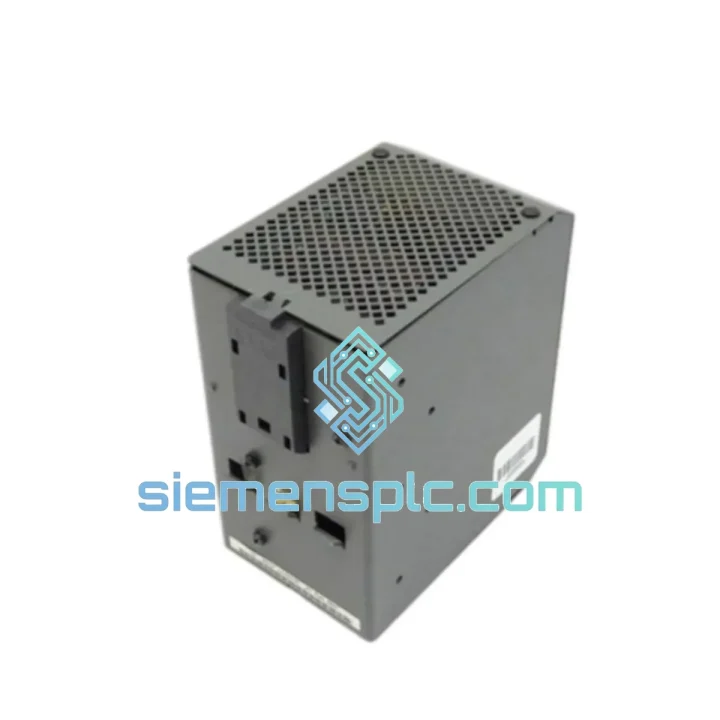
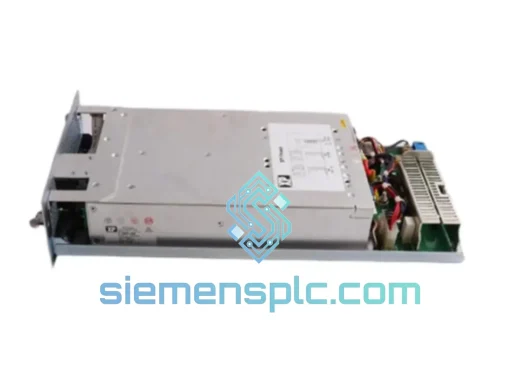
ABB DPW02 Power Supply Module
Request verified availability, condition, replacement risk review, packing options and courier lead time for DPW02.
BrandABB
Part NumberDPW02
ConditionAvailability Check
Lead TimeRFQ Confirmation
DocumentsDatasheet / photos by RFQ
ShippingExport packing available
Auto-filled RFQ
DPW02
Click Request Quote and the part number is inserted into the inquiry form automatically.
- Reply by email: [email protected]
- WhatsApp / Tel: +86 18359268345
- Mon-Sat 9:00-18:00 GMT+8
Procurement Data
Key Product Information
Core fields for model confirmation and RFQ routing. Detailed product narrative remains below.
- Brand
- ABB
- Primary Part Number
- DPW02
- Product Type
- PLC Power Supply Module
- Series / Family
- AC500
- Country of Origin
- SE
- Catalog Category
- Power Supplies
- Humidity
- 5% – 95% RH
Model confirmed for inquiry
DPW02
Send quantity, destination and urgency. The RFQ form keeps this part number attached.
Request Quote
Product Overview
ABB DPW02 Down? Every Minute of Downtime Is Money Bleeding Out — We Ship Today
Your AC500 rack just lost power. The line is stopped. Maintenance is on the phone. You’ve already traced the fault to the DPW02 — the 24 Vdc input power supply module that feeds the entire CPU bus. You don’t need a lecture on specifications. You need a replacement module on a truck today.
We stock the ABB DPW02 in Xiamen and ship globally via DHL Express and FedEx Priority. Most orders placed before 15:00 CST clear customs documentation the same day. For automotive, chemical, and food processing plants running 24/7, that turnaround is the difference between a four-hour repair and a four-day production loss.
URGENT REQUIREMENT? Contact: [email protected] | WhatsApp: +86 18359268345
Quick Technical Datasheet
| Parameter | Value | Notes |
|---|---|---|
| Part Number | DPW02 | OEM ABB |
| Platform | AC500 PLC Series | PM5xx CPU compatible |
| Input Voltage | 24 Vdc nominal | Range: 20.4 – 28.8 Vdc |
| Input Tolerance | ±15% | Handles field voltage sag |
| Mounting | Direct backplane | No adapter required |
| Cooling | Convection (fanless) | Zero moving parts |
| Protection | IP20 | Panel-mount installation |
| Operating Temp | 0°C to +60°C | Storage: -40°C to +85°C |
| Humidity | 5% – 95% RH | Non-condensing |
| Certifications | CE, UL, cUL | Global project compliance |
| Weight | ~900 g | — |
| Stock Status | ✅ Ready to Ship | Xiamen warehouse |
Troubleshooting & Replacement Tips
Fault Signature — How to Confirm It’s the DPW02
Before pulling the module, verify the fault is not upstream. Check your 24 Vdc field supply at the DPW02 input terminals with a calibrated multimeter — you need 20.4 Vdc minimum under load. If field voltage is within spec and the AC500 CPU is still showing a power fault LED or failing to boot, the DPW02 is the prime suspect.
Common fault indicators pointing to DPW02 failure:
- AC500 CPU power LED off or flashing red with no diagnostic output on the programming port
- Entire I/O bus dead — all modules unresponsive — while field 24 Vdc supply is confirmed healthy
- Intermittent CPU resets correlating with ambient temperature rise (thermal degradation of internal capacitors)
- Visible burn marks or swollen capacitors on the DPW02 PCB after module extraction
- ABB Automation Builder diagnostic log showing repeated “Power Supply Fault” events with no other hardware changes
Step-by-Step Replacement Procedure
- Isolate the panel. Follow your site LOTO procedure. Confirm 24 Vdc field supply is de-energized at the upstream fuse or breaker before touching the module.
- Document the rack configuration. Photograph the existing module positions and any DIP switch settings on adjacent I/O modules before disassembly. The AC500 uses slot-based addressing — module position matters.
- Extract the DPW02. Release the locking tabs on both sides of the module. Slide straight out from the backplane. Do not rock or twist — the backplane connector is fragile under lateral force.
- Inspect the backplane connector. Check for bent pins or carbon tracking on the backplane socket before inserting the replacement. A damaged backplane will kill a new module within hours.
- Insert the replacement DPW02. Align the module guide rails and press firmly until both locking tabs click. There is no DIP switch configuration required on the DPW02 itself — it is a passive power supply with no firmware or addressing.
- Re-energize and verify. Apply 24 Vdc field supply. The AC500 CPU should boot within 3–5 seconds. Confirm the power LED is solid green. Check Automation Builder for any residual fault codes — clear them after confirming normal operation.
- Firmware note. The DPW02 carries no firmware. No firmware update or matching procedure is required. CPU firmware version does not affect DPW02 compatibility within the AC500 platform generation.
Common Mistake to Avoid: Do not attempt to hot-swap the DPW02 while the CPU is powered. Unlike some I/O modules on other platforms, the AC500 power supply module is not rated for live insertion. Always de-energize first.
Reliability in Harsh Conditions
The DPW02 is not a commercial-grade component dressed up in industrial packaging. ABB engineered it for the AC500 platform, which is deployed in environments that would destroy consumer or light-industrial electronics within weeks.
Vibration: The module meets IEC 60068-2-6 sinusoidal vibration testing — relevant for installations on compressor skids, pump stations, and mobile equipment where panel vibration is continuous rather than incidental. The backplane locking mechanism provides mechanical retention that prevents connector fretting under sustained vibration.
Thermal cycling: Industrial panels in outdoor enclosures or near process heat sources see daily temperature swings of 30–40°C. The DPW02’s wide operating range (0°C to +60°C) and convection-cooled design mean there are no fan bearings to seize and no airflow path to clog with process dust. Capacitors are selected for extended life at elevated temperatures — a common failure point in cheaper power supply designs.
Humidity and condensation: Coastal plants, food processing facilities, and outdoor substations expose control panels to high humidity. The DPW02 is rated to 95% RH non-condensing and the conformal coating on the PCB provides additional protection against moisture ingress during brief condensation events.
EMI/RFI immunity: The module meets IEC 61000-4 series immunity requirements, including EFT/burst (IEC 61000-4-4) and surge (IEC 61000-4-5), which are the two most common causes of unexplained PLC resets in electrically noisy industrial environments.
Global Express Logistics
Our warehouse is located in Xiamen, Fujian Province — one of China’s primary export hubs with direct access to DHL, FedEx, and UPS international gateways. This is not a drop-ship arrangement. Stock is physically on our shelves, inspected, and ready to pack.
Typical transit times from Xiamen:
- Southeast Asia (Singapore, Thailand, Malaysia, Vietnam): 2–3 business days via DHL Express
- Middle East (UAE, Saudi Arabia, Qatar): 3–4 business days via FedEx International Priority
- Europe (Germany, Netherlands, UK, Poland): 4–5 business days via DHL Express Worldwide
- North America (USA, Canada, Mexico): 4–6 business days via FedEx International Priority
- Australia / New Zealand: 3–5 business days via DHL Express
Export documentation included with every shipment: Commercial invoice, packing list, certificate of origin, and HS code declaration (HS 8537.10 for PLC modules). For projects requiring CITES, end-user certificates, or specific customs declarations, contact us before ordering — we handle complex export paperwork routinely.
Packaging: Modules are packed in anti-static bags, foam-lined boxes, and outer cartons rated for international air freight handling. We do not use recycled packaging for sensitive electronics. Every shipment includes a tracking number issued within 2 hours of dispatch confirmation.
For plant shutdowns and emergency procurement, call or WhatsApp us directly. We can arrange same-day dispatch for orders confirmed before 15:00 CST and provide airway bill numbers within the hour for your maintenance team’s records.
Contact Information
📧 Email: [email protected]
💬 WhatsApp: +86 18359268345
🌐 Web: siemensplc.com
© 2026 siemensplc.com. All rights reserved.
Ready to quote
[email protected]
Send This Part Number to Sales
RFQ workflow
Quality workflow ->
Confirmation Process
01Model confirmation
We check the full part number, brand, series and visible nameplate information before quotation.
02Availability reply
Sales confirms stock path, condition option, quantity and realistic lead time for export dispatch.
03Packing & courier
DHL, FedEx, UPS or buyer courier arrangements can be reviewed with packing requirements.
Continue sourcing
Browse full catalog ->
Related Automation Parts
Similar brand or category products for fast comparison and multi-item RFQ lists.
ABB
RFQ Ready
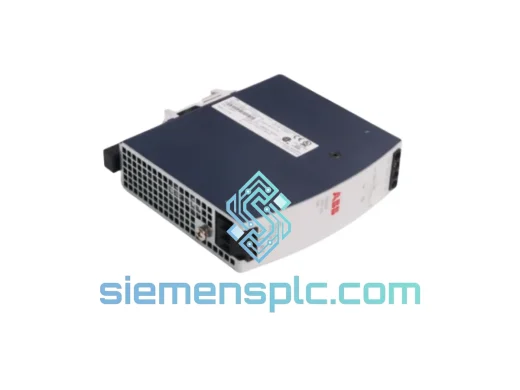
ABB PHARPS03000000 Power Supply Module – AC500 Series
AC500
Origin SE
Power Supply Module