ABB
In Stock OK
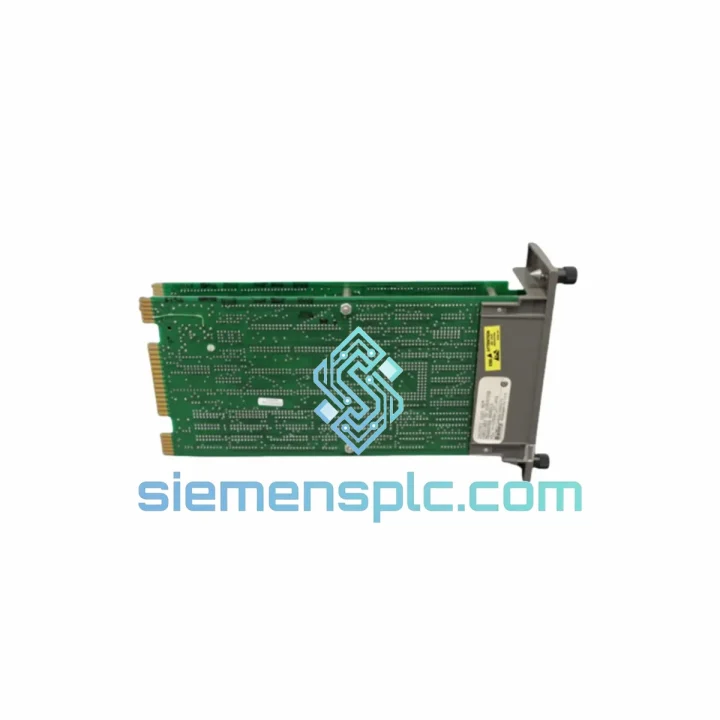
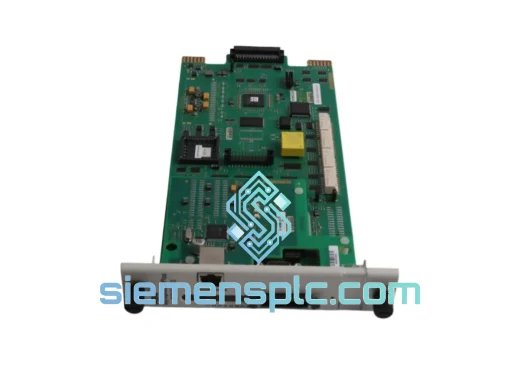
ABB INICT01 Computer Transfer Module
Request verified availability, condition, replacement risk review, packing options and courier lead time for INICT01.
BrandABB
Part NumberINICT01
ConditionAvailability Check
Lead TimeRFQ Confirmation
DocumentsDatasheet / photos by RFQ
ShippingExport packing available
Auto-filled RFQ
INICT01
Click Request Quote and the part number is inserted into the inquiry form automatically.
- Reply by email: [email protected]
- WhatsApp / Tel: +86 18359268345
- Mon-Sat 9:00-18:00 GMT+8
Procurement Data
Key Product Information
Core fields for model confirmation and RFQ routing. Detailed product narrative remains below.
- Brand
- ABB
- Primary Part Number
- INICT01
- Product Type
- PLC Communication Module
- Series / Family
- AC500
- Manufacturer
- ABB
- Country of Origin
- SE
- Catalog Category
- Communication
- Operating Temp.
- 0°C to +60°C
Model confirmed for inquiry
INICT01
Send quantity, destination and urgency. The RFQ form keeps this part number attached.
Request Quote
Product Overview
ABB INICT01 AC500 Computer Transfer Module – Cut Downtime, Ship Today
Every hour your line sits idle costs real money. When the INICT01 fails, you don’t have time for a three-week lead time from the OEM. We stock the ABB INICT01 in Xiamen and can have it on a DHL Express flight within 24 hours of order confirmation. That’s the difference between a half-day outage and a week-long production crisis.
The INICT01 is the communication backbone between the AC500 CPU and its peripheral I/O expansion modules. When it goes down, the entire rack loses coherence — the CPU can no longer address downstream modules, alarms cascade, and your SCADA screen turns into a fault map. We’ve seen it happen on food processing lines, water treatment SCADA panels, and automotive body-shop conveyors. The fix is always the same: swap the module, re-establish the backplane link, and get back to production. The only variable is how fast you can get the part.
URGENT REQUIREMENT? Contact: [email protected] | WhatsApp: +86 18359268345
Quick Technical Datasheet
| Parameter | Value |
|---|---|
| Part Number / SKU | INICT01 |
| Manufacturer | ABB |
| Series | AC500 PLC |
| Module Function | Computer Transfer / Backplane Communication |
| Mounting | AC500 backplane slot, DIN rail compatible |
| Operating Temperature | 0°C to +60°C |
| Storage Temperature | -40°C to +85°C |
| Relative Humidity | 5–95%, non-condensing |
| Country of Origin | Germany |
| Certifications | CE, UL (per ABB official datasheet) |
| Weight | 320 g |
| Stock Status | ✅ Ready to Ship – Xiamen Warehouse |
Troubleshooting & Replacement Tips
The INICT01 sits in a dedicated slot on the AC500 backplane. Before you pull it, run through this checklist — it takes five minutes and can save you from condemning a good module.
Common fault indicators pointing to INICT01 failure:
- ERR LED solid red on CPU (PM5xx): The CPU has lost backplane synchronization. First check the backplane connector pins for corrosion or mechanical damage. If pins are clean, the INICT01 is the primary suspect.
- Fault code 0x8200 / 0x8201 in Automation Builder diagnostics: Internal communication timeout between CPU and transfer module. This is almost always the INICT01 or its backplane seat.
- I/O modules showing as not configured after a power cycle: The transfer module failed to re-initialize the backplane scan on startup. Power cycling alone will not fix this — the module needs replacement.
- Intermittent communication drops under vibration: Connector fatigue. The INICT01 uses a multi-pin edge connector; vibration over time causes micro-fretting. If faults are intermittent and correlate with machine vibration cycles, reseat the module first. If the fault returns within 48 hours, replace.
Step-by-step replacement procedure:
- Place the AC500 CPU in STOP mode via Automation Builder or the local keypad. Confirm all outputs are de-energized before proceeding.
- Document the current slot configuration — take a photo of the rack layout. The INICT01 must return to the same physical slot; the AC500 backplane uses fixed slot addressing for this module type.
- Power down the rack completely. The INICT01 does not support hot-swap on standard AC500 configurations.
- Release the module locking tab and extract the INICT01 with a straight pull — do not rock it side to side, as this can damage the backplane connector.
- Inspect the backplane connector on the rack for bent pins or debris before inserting the replacement unit.
- Seat the new INICT01 firmly until the locking tab clicks. Partial seating is a common cause of repeat faults.
- Power up the rack. The CPU should perform a backplane scan automatically. In Automation Builder, go to Online → PLC Browser and verify all configured modules appear with green status.
- If the CPU reports a configuration mismatch after replacement, perform a Download All from Automation Builder to re-push the hardware configuration. This is required if the replacement unit carries a different firmware revision.
- Firmware note: Check the firmware version label on the module body. If the replacement unit firmware is more than two major revisions behind the CPU firmware, update via Automation Builder firmware update wizard before going back online.
Reliability in Harsh Conditions
The AC500 platform — and the INICT01 specifically — was designed for environments where consumer-grade electronics simply fail. ABB subjects AC500 modules to IEC 60068-series environmental testing before release, covering the conditions that actually kill industrial electronics in the field.
Vibration resistance: The INICT01 is rated to IEC 60068-2-6 sinusoidal vibration testing (5–150 Hz, 1g). In practice, this covers the vibration profiles of most conveyor drives, compressor rooms, and press shop environments. The module PCB uses conformal coating to prevent solder joint fatigue under sustained vibration — a detail that separates it from lower-cost compatible alternatives.
Thermal cycling: Industrial panels routinely swing from cold morning startups to full-load afternoon temperatures. The INICT01 components are rated for the full 0–60°C operating range with no derating. The internal power regulation circuit is designed to handle the inrush current spikes that occur during cold-start conditions, which are a common failure trigger for cheaper modules.
Humidity and condensation: At 5–95% RH non-condensing, the INICT01 handles the humidity levels found in food processing, coastal facilities, and tropical climates. The conformal coating on the PCB provides an additional barrier against moisture ingress — critical in environments where panel doors are opened frequently for maintenance.
EMC immunity: The module meets IEC 61000-4 series immunity requirements, including ESD (Level 3), radiated immunity (Level 3), and fast transient/burst (Level 3). In environments with large VFD installations or frequent contactor switching, this immunity level is not optional — it is what keeps your communication link stable when the rest of the panel is generating electrical noise.
Global Express Logistics
Our warehouse is located in Xiamen, Fujian Province — one of China primary export hubs with direct access to international freight lanes. When you place an order before 14:00 CST, we target same-day dispatch. Here is how the logistics chain works:
- Order confirmation → warehouse pick: Within 2 hours of payment confirmation, the INICT01 is pulled from stock, inspected, and packaged in anti-static foam with a rigid outer carton rated for air freight handling.
- Export documentation: We prepare the commercial invoice, packing list, and certificate of origin in parallel with packaging. For customers in the EU, we include the necessary customs declaration data to avoid clearance delays at destination.
- Carrier selection: DHL Express and FedEx International Priority are our primary carriers for urgent shipments. Both offer door-to-door tracking and typically achieve 2–4 business day delivery to Europe, North America, and Southeast Asia from Xiamen.
- Tracking: A tracking number is sent to your email within 4 hours of dispatch. For WhatsApp customers, we send the tracking link directly to your chat.
- Customs clearance support: We provide HS code 8537.10 documentation and can prepare a formal commercial invoice with the technical description required by customs authorities in the US, EU, and GCC countries. If your procurement team needs a specific invoice format, contact us before shipment.
- Bulk orders: For orders of 3+ units, we can consolidate with other parts on your BOM and ship as a single consignment, reducing your per-unit freight cost significantly.
We have shipped to maintenance teams in Germany, Malaysia, Saudi Arabia, Brazil, and Australia — often with the module arriving before the customer internal procurement process would have even generated a purchase order through the OEM channel.
Contact Information
For urgent requirements, stock confirmation, or technical pre-sales questions:
- Email: [email protected]
- WhatsApp: +86 18359268345
- Web: siemensplc.com
© 2026 siemensplc.com. All rights reserved.
Ready to quote
[email protected]
Send This Part Number to Sales
RFQ workflow
Quality workflow ->
Confirmation Process
01Model confirmation
We check the full part number, brand, series and visible nameplate information before quotation.
02Availability reply
Sales confirms stock path, condition option, quantity and realistic lead time for export dispatch.
03Packing & courier
DHL, FedEx, UPS or buyer courier arrangements can be reviewed with packing requirements.
Continue sourcing
Browse full catalog ->
Related Automation Parts
Similar brand or category products for fast comparison and multi-item RFQ lists.
ABB
RFQ Ready
ABB SPBRC410 PLC Communication Controller
AC500
Origin SE
PLC Communication Controller