ABB
In Stock OK
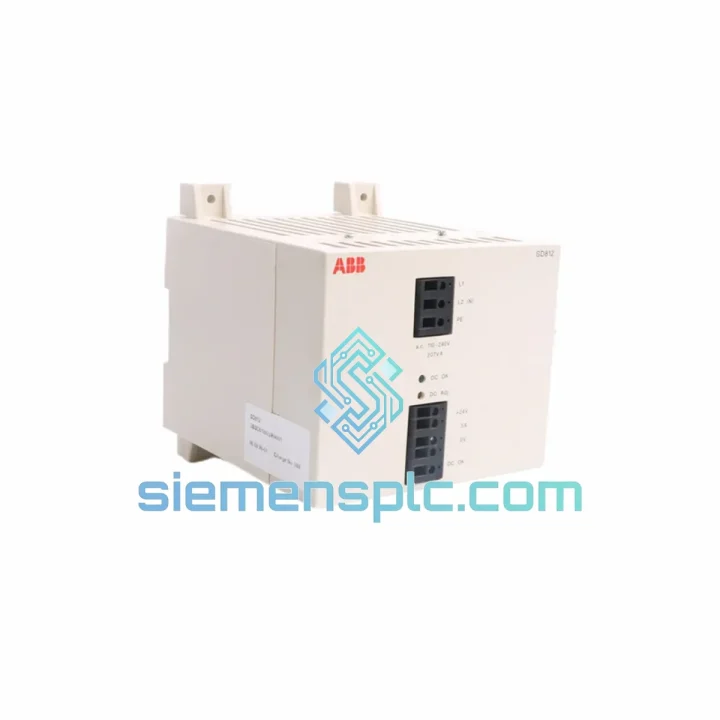
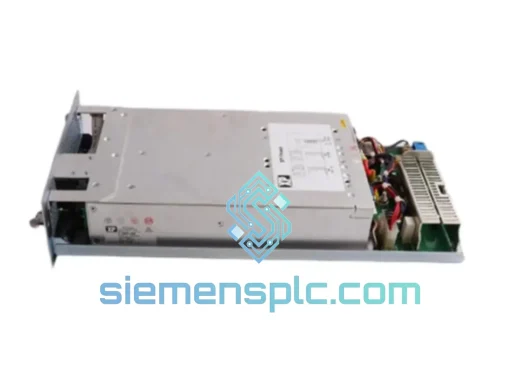
ABB SD812 3BSC610023R0001 Power Supply Module
Request verified availability, condition, replacement risk review, packing options and courier lead time for SD812 3BSC610023R0001.
BrandABB
Part NumberSD812 3BSC610023R0001
ConditionAvailability Check
Lead TimeRFQ Confirmation
DocumentsDatasheet / photos by RFQ
ShippingExport packing available
Auto-filled RFQ
SD812 3BSC610023R0001
Click Request Quote and the part number is inserted into the inquiry form automatically.
- Reply by email: [email protected]
- WhatsApp / Tel: +86 18359268345
- Mon-Sat 9:00-18:00 GMT+8
Procurement Data
Key Product Information
Core fields for model confirmation and RFQ routing. Detailed product narrative remains below.
- Brand
- ABB
- Primary Part Number
- SD812 3BSC610023R0001
- Product Type
- PLC Power Supply Module
- Series / Family
- AC500
- Manufacturer
- ABB Ltd.
- Country of Origin
- SE
- Catalog Category
- Power Supplies
- Operating Temp.
- 0°C to +60°C
- Humidity
- 5–95% RH, non-condensing
Model confirmed for inquiry
SD812 3BSC610023R0001
Send quantity, destination and urgency. The RFQ form keeps this part number attached.
Request Quote
Product Overview
ABB SD812 (3BSC610023R0001): Cut Downtime Now — Same-Day Dispatch Available
Your AC500 rack just lost power. The SD812 is dead. Every minute the line sits idle, you’re bleeding money — production losses, penalty clauses, maintenance overtime. You don’t need a sales pitch. You need the part, fast, from someone who actually understands what’s at stake.
We stock the ABB SD812 (catalog ref: 3BSC610023R0001) in Xiamen, China. Verified original. Ready to ship via DHL Express or FedEx Priority. Most destinations in Asia receive within 24–48 hours. Europe and the Americas within 3–5 business days. We’ve done this hundreds of times. We know the urgency is real.
URGENT REQUIREMENT? Contact: [email protected] | WhatsApp: +86 18359268345
Quick Technical Datasheet
| Part Number | SD812 |
| Catalog Reference | 3BSC610023R0001 |
| Manufacturer | ABB Ltd. |
| Series / Platform | AC500 DCS / PM5xx Controller Family |
| Module Function | Power Supply Core — backplane & I/O bus regulation |
| Nominal Input | 24 VDC system bus (AC500 platform standard) |
| Protection | Overcurrent / Overvoltage / Short-circuit |
| Operating Temperature | 0°C to +60°C |
| Humidity | 5–95% RH, non-condensing |
| Mounting | AC500 backplane slot-mount / DIN rail |
| Certifications | CE, UL (AC500 platform-level) |
| Weight | ~920 g |
| Stock Status | ✔ Ready to Ship — Xiamen Warehouse |
| Condition | New / Factory-sealed (confirm at order) |
Troubleshooting & Replacement Tips
Common failure signatures for the SD812:
- Backplane bus undervoltage fault (AC500 diagnostic LED: red steady or flashing): The SD812’s internal DC-DC converter has failed. The PM5xx CPU will log a power supply fault event in the system log. Check Automation Builder diagnostics — if the PSU module shows “Module not responding” or “Power fault,” the SD812 is the primary suspect.
- Intermittent I/O module dropouts: Partial failure of the SD812’s output regulation causes voltage sag on the backplane bus. SM5xx I/O modules will report communication errors before the CPU itself faults. Don’t chase the I/O modules — replace the SD812 first.
- Thermal shutdown cycling: If the SD812 is mounted in a poorly ventilated enclosure or adjacent to high-heat components, it will cycle on/off. Check enclosure temperature before condemning the module.
Replacement procedure (field-tested):
- Controlled shutdown: Execute a controlled CPU stop via Automation Builder or the local STOP button. Do not hot-swap the SD812 without confirming your AC500 variant supports it — most do not.
- De-energize the rack: Isolate the 24 VDC supply to the AC500 backplane. Verify with a multimeter — do not rely on the panel isolator alone.
- Note the slot position: The SD812 occupies a fixed slot on the AC500 backplane. Photograph the installation before removal. There are no DIP switches or address jumpers on the SD812 itself — addressing is handled by the PM5xx CPU firmware and Automation Builder project configuration.
- Module extraction: Release the locking tabs on both sides of the SD812 and pull straight out. Avoid rocking — the backplane connector is fragile if forced at an angle.
- Inspect the backplane connector: Check for bent pins or contamination before inserting the replacement. A damaged backplane connector will kill the new module within hours.
- Insert the replacement SD812: Align carefully and press firmly until both locking tabs click. Verify catalog number 3BSC610023R0001 matches your original before powering up.
- Firmware check: After power-up, confirm in Automation Builder that the SD812 is recognized and no firmware mismatch is flagged. The SD812 does not carry user-configurable firmware, but the PM5xx CPU must recognize the module type. If the CPU was updated since the original SD812 was installed, verify AC500 compatibility matrix.
- Redundancy verification: If running dual SD812 in N+1 configuration, confirm both modules show green status before returning the system to AUTO.
Error codes to watch: AC500 system log entries referencing “PSU fault,” “Backplane power error,” or “Module supply undervoltage” all point directly to the SD812. Cross-reference with ABB AC500 System Manual (document 3ADR010278) for fault code definitions.
Reliability in Harsh Conditions
The SD812 was not designed for a climate-controlled server room. It was built for the realities of industrial plant environments — where ambient temperatures swing, humidity condenses on cold mornings, and vibration from nearby machinery is constant.
ABB’s AC500 platform is rated for continuous operation across the full 0–60°C range without derating. The SD812’s internal components are selected for extended MTBF under these conditions. Conformal coating on the PCB provides resistance to moisture ingress and airborne contaminants common in chemical, pulp, and water treatment facilities. The module’s mechanical housing is designed to withstand IEC 60068-2-6 vibration profiles — relevant for installations near compressors, pumps, or rotating machinery.
In offshore and marine applications, the AC500 platform (including the SD812) has been deployed in environments with sustained salt-air exposure and vessel vibration. The slot-mount backplane connection is mechanically secured against vibration-induced contact failure — a known failure mode in older DIN-rail mounted PSU designs.
Bottom line: if your plant environment is tough, the SD812 was built for it. The failure you’re dealing with now is almost certainly end-of-life wear or a one-time electrical event — not a design weakness. A new SD812 will give you years of reliable service if the root cause (overvoltage event, cooling failure, contamination) is addressed at the same time.
Global Express Logistics
We ship from our Xiamen, China warehouse. Xiamen is a major international logistics hub with direct DHL Express and FedEx Priority connections to all major global destinations.
- Asia-Pacific (Japan, South Korea, Southeast Asia, Australia): DHL Express — typically 24–48 hours door-to-door.
- Europe (Germany, Netherlands, UK, France, Italy): DHL Express or FedEx Priority — typically 3–4 business days.
- Middle East (UAE, Saudi Arabia, Qatar): DHL Express — typically 2–3 business days.
- North America (USA, Canada, Mexico): FedEx Priority or DHL Express — typically 3–5 business days.
- South America and Africa: 5–7 business days depending on destination customs clearance.
All shipments include: commercial invoice, packing list, and HS code documentation for customs clearance. Certificate of Origin and functional test reports available on request. We handle export documentation for controlled industrial goods — no surprises at customs.
For emergency same-day dispatch: contact us before 14:00 CST. Orders confirmed and paid before that cutoff ship the same business day.
Contact Information
Email: [email protected]
WhatsApp: +86 18359268345
Web: siemensplc.com
© 2026. All rights reserved.
Ready to quote
[email protected]
Send This Part Number to Sales
RFQ workflow
Quality workflow ->
Confirmation Process
01Model confirmation
We check the full part number, brand, series and visible nameplate information before quotation.
02Availability reply
Sales confirms stock path, condition option, quantity and realistic lead time for export dispatch.
03Packing & courier
DHL, FedEx, UPS or buyer courier arrangements can be reviewed with packing requirements.
Continue sourcing
Browse full catalog ->
Related Automation Parts
Similar brand or category products for fast comparison and multi-item RFQ lists.
ABB
RFQ Ready
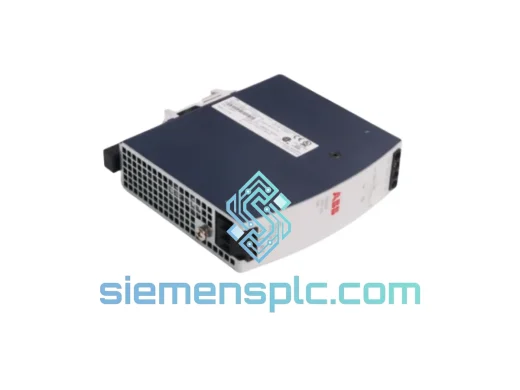
ABB PHARPS03000000 Power Supply Module – AC500 Series
AC500
Origin SE
Power Supply Module