Allen-Bradley
RFQ Ready
Allen-Bradley 1769-L30ERM PLC Motion Controller – CompactLogix 5370
CompactLogix
Origin US
PLC Motion Controller
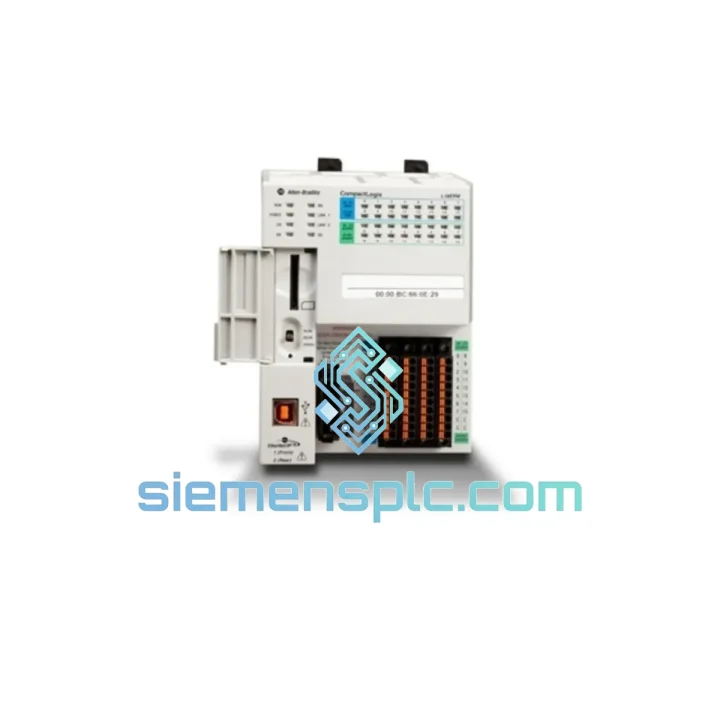
Request verified availability, condition, replacement risk review, packing options and courier lead time for 1769-L18ER-BB1B.
Click Request Quote and the part number is inserted into the inquiry form automatically.
Core fields for model confirmation and RFQ routing. Detailed product narrative remains below.
It is 02:30 on a Tuesday. Your CompactLogix controller has tripped a non-recoverable hardware fault. The FAULT LED is solid red. Studio 5000 cannot establish a connection. The shift supervisor is waiting. Maintenance has already checked the power supply, the backplane, and the I/O modules — everything else is healthy. The controller itself is the problem, and you need a verified, original replacement unit in your hands before the next shift starts.
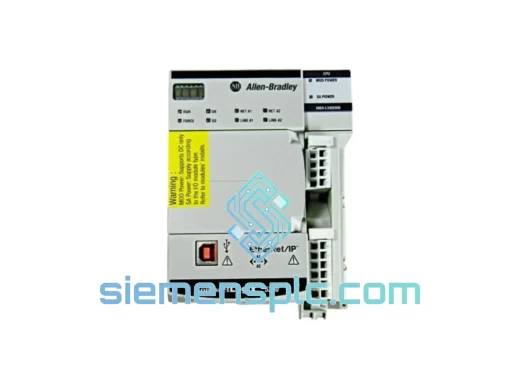
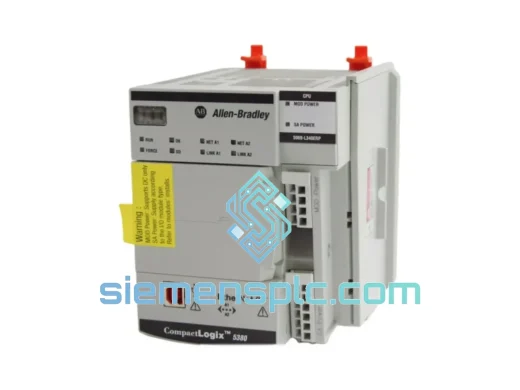
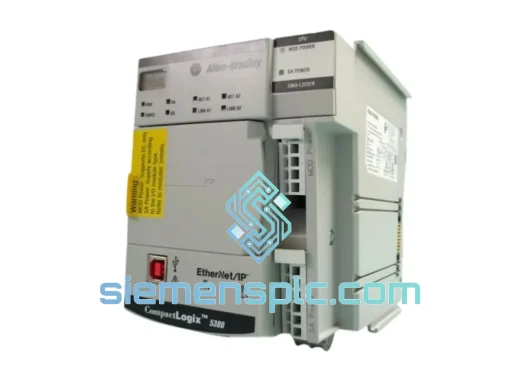
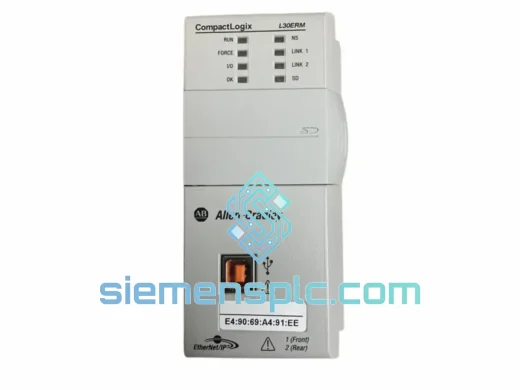
That is exactly the situation our Xiamen inventory exists to solve. The Allen-Bradley 1769-L18ER-BB1B is a CompactLogix 5370 L1-tier programmable controller with 512 KB user memory, 18 onboard I/O points, a dual-port EtherNet/IP switch, and integrated motion support for up to two servo axes. It is one of the most widely deployed compact controllers in OEM machine automation — which means when one fails, the pressure to source a genuine unit fast is real. We carry physical stock in Xiamen. Orders confirmed before 14:00 CST ship the same business day via DHL Express or FedEx International Priority. No back-order queues. No lead-time negotiations. No substitutions.
⚡ URGENT REQUIREMENT? Contact: [email protected] | WhatsApp: +86 18359268345
| Parameter | Specification |
|---|---|
| Catalog Number | 1769-L18ER-BB1B |
| Product Family | CompactLogix 5370 — L1 Tier |
| Brand | Allen-Bradley / Rockwell Automation |
| User Memory | 512 KB |
| Onboard Digital Inputs | 10 × 24V DC Sink/Source |
| Onboard Digital Outputs | 8 × 24V DC Transistor Source |
| EtherNet/IP Port | 2-port embedded switch, 10/100 Mbps, RJ45 |
| USB Port | 1 × Type-B, isolated, programming only |
| Motion Axes Supported | Up to 2 via EtherNet/IP |
| Programming Software | Studio 5000 Logix Designer v21+ |
| Power Input | 24V DC external (1769-PB4 / 1769-PA4) |
| Operating Temperature | 0 °C to 60 °C |
| Relative Humidity | 5% – 95% non-condensing |
| Vibration Rating | IEC 61131-2: 5–150 Hz, 1g continuous |
| Shock Rating | 15g, 11 ms half-sine |
| Certifications | UL, CE, RCM, KC |
| Mounting | 35 mm DIN rail or panel mount |
| Country of Origin | United States |
| Stock Status | ✅ In Stock — Ready to Ship from Xiamen |
Read the fault before you pull the unit. A solid red FAULT LED with no recoverable code in Studio 5000 is a processor watchdog halt — the controller has stopped executing and will not recover via software reset. Before condemning the hardware, attempt a USB connection. If Studio 5000 can still read the fault log, download the project file immediately. Even a partially corrupted project retains tag structure, I/O configuration, and motion parameters that will cut re-commissioning time on the replacement unit from hours to minutes.
Field-documented fault codes on this platform:
Swap procedure — field checklist:
The 1769-L18ER-BB1B was engineered for panels that run continuously in environments where climate control is not a priority. The PCB carries a full conformal coating applied at the board level — not as a post-assembly spray — which means coverage extends under component bodies where condensation and cutting fluid mist accumulate first. This matters in food processing, metalworking, and chemical handling applications where airborne contamination is constant rather than occasional.
Vibration qualification to IEC 61131-2 covers 5 Hz to 150 Hz at 1g continuous, with shock resistance rated at 15g over an 11 ms half-sine pulse. The DIN rail retention mechanism uses a positive-locking tab that requires deliberate tool actuation to release — it does not walk off the rail under sustained mechanical vibration, a failure mode that has been documented with lower-cost alternatives installed near high-cycle stamping and pressing equipment.
Thermal management is entirely passive. There is no fan to fail, no filter to clog, no scheduled maintenance item related to cooling. The 0 °C to 60 °C operating range covers the majority of industrial enclosure environments without forced cooling, including outdoor panels in temperate climates. Units held in our Xiamen warehouse are stored in climate-controlled conditions and shipped with desiccant packs inside moisture barrier packaging — they arrive in factory-equivalent condition regardless of how long they spend in transit.
Every unit we ship is sourced through verified supply channels. We do not sell refurbished, reconditioned, or remarked product. The 1769-L18ER-BB1B you receive will carry its original Rockwell Automation date code, original firmware, and original packaging. If your quality process requires documentation of origin, we provide it as standard — not on request.
Our warehouse is located in Xiamen, Fujian Province — a primary export hub with direct access to DHL Express, FedEx International Priority, and UPS Worldwide Express freight lanes. Orders confirmed before 14:00 CST ship the same business day. Estimated transit times to major industrial regions:
Every shipment includes a commercial invoice, packing list, and certificate of origin as standard documentation. HS code classification and customs valuation are prepared before dispatch to minimize clearance delays. For customers requiring ASEAN FTA Form E, CPTPP certificates, or country-specific import permits, we coordinate documentation prior to shipment. For line-down emergencies, Saturday dispatch is available and airport-to-airport freight can be arranged on request.
Email: [email protected]
WhatsApp: +86 18359268345
Web: siemensplc.com
© 2026 siemensplc.com. All rights reserved.
We check the full part number, brand, series and visible nameplate information before quotation.
Sales confirms stock path, condition option, quantity and realistic lead time for export dispatch.
DHL, FedEx, UPS or buyer courier arrangements can be reviewed with packing requirements.
Similar brand or category products for fast comparison and multi-item RFQ lists.