BACHMANN
RFQ Ready
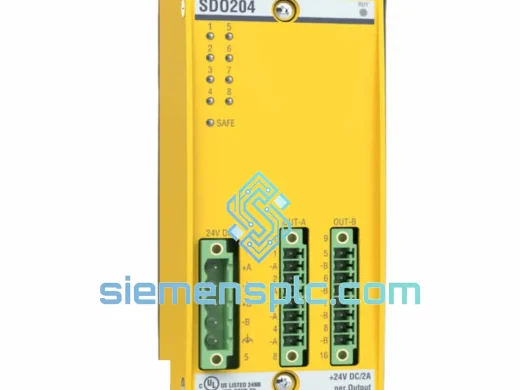
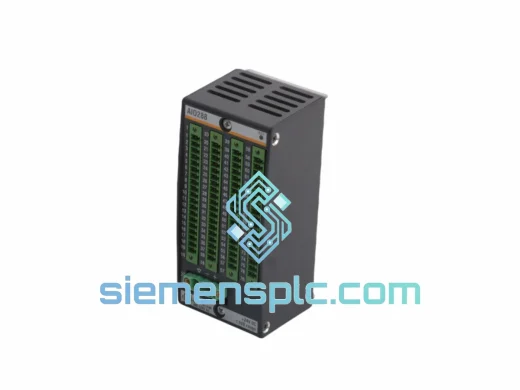
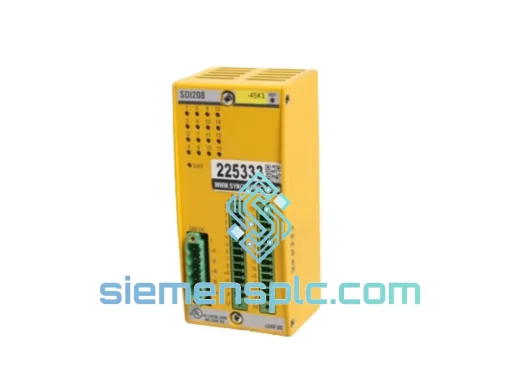
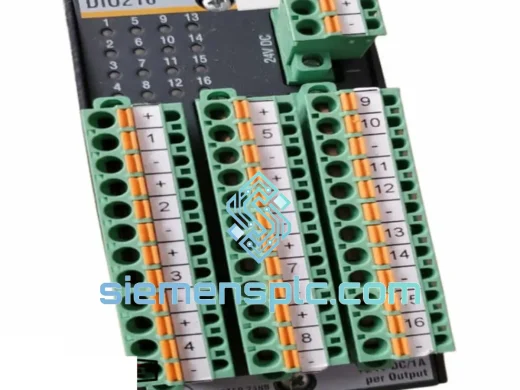
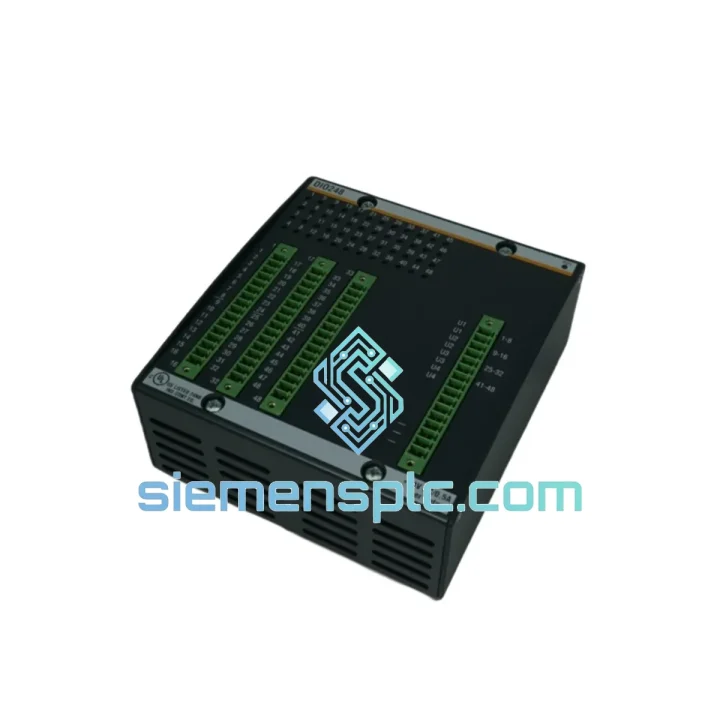
BACHMANN DIO216 Digital I/O Module – M1 Series
M1 Series
Origin AT
Digital I/O Module
Request verified availability, condition, replacement risk review, packing options and courier lead time for 200150-05-05.
Click Request Quote and the part number is inserted into the inquiry form automatically.
Core fields for model confirmation and RFQ routing. Detailed product narrative remains below.
Every minute your line is down, you’re bleeding money. A failed DIO248 in a Bachmann M1 rack doesn’t just halt one machine — it can cascade into a full production freeze. We stock the Bachmann DIO248 (Part No. 200150-05-05) in Xiamen, verified original, ready to ship today via DHL Express or FedEx Priority. While your procurement team is still drafting an RFQ to the OEM, your replacement module can already be in transit.
This is not a refurbished unit. This is not a grey-market pull. This is a 100% genuine Bachmann M1 Series DIO248 — inspected, tested, and packed for immediate dispatch. If you’re reading this page, you probably already know what you need. Let’s get it moving.
URGENT REQUIREMENT? Contact: [email protected] | WhatsApp: +86 18359268345
| Parameter | Specification |
|---|---|
| Part Number | 200150-05-05 |
| Module Designation | DIO248 |
| Series | Bachmann M1 |
| Module Function | Mixed Digital Input / Output |
| Digital Inputs | 24 channels, IEC 61131-2 Type 1/3 |
| Digital Outputs | 8 channels, transistor sourcing |
| Input Voltage | 24 V DC nominal |
| Output Current | 0.5 A per channel, short-circuit protected |
| Isolation | Optocoupler, 500 V AC field-to-bus |
| Backplane Interface | Bachmann M1 proprietary high-speed bus |
| Programming Environment | Bachmann SolutionCenter (IEC 61131-3) |
| Operating Temperature | -20 °C to +60 °C |
| Protection Rating | IP20 |
| Certifications | CE, UL, GL (Wind Energy) |
| Weight | ~1,370 g (module + field connector) |
| Stock Status | ✅ Ready to Ship — Xiamen Warehouse |
Swapping a DIO248 looks straightforward on paper. In the field, it’s where things go sideways if you skip steps. Here’s what 10 years of M1 rack work teaches you:
Step 1 — Confirm the fault is the module, not the field wiring. Before you pull the card, check the M1 diagnostic page in SolutionCenter. A solid red LED on the DIO248 with error code 0x0003 (Module Communication Fault) or 0x0010 (I/O Bus Timeout) points directly at the module. If you’re seeing 0x0020 (Field Power Missing), check your 24 V DC supply rail first — don’t swap a good module chasing a blown fuse.
Step 2 — Note the slot address before removal. The DIO248 uses automatic slot addressing via the M1 backplane. The CPU assigns the module address based on physical rack position. If you’re moving the replacement into the same slot, the address carries over automatically. If the slot has changed for any reason, you must update the hardware configuration in SolutionCenter and re-download the project — otherwise the CPU will boot with a configuration mismatch fault.
Step 3 — Check firmware compatibility. The DIO248 (200150-05-05) requires CPU firmware ≥ 1.70 for full feature support. If your MPC240 or MPC265 is running an older firmware, the module may enumerate but output channels will not activate. Verify via SolutionCenter → System → Firmware Version before insertion.
Step 4 — Field connector pinout. The DIO248 uses a 50-pin high-density connector. Photograph the existing wiring before disconnecting. Mislabeled field cables are the #1 cause of post-swap commissioning delays. If the connector is corroded or the locking tab is cracked, order a replacement connector set — we can include it with the module shipment.
Step 5 — Hot-swap procedure. In supported M1 rack configurations, the DIO248 supports hot-swap. However, always confirm with your site safety officer before performing live rack work. Disable the affected I/O group in the PLC program first to prevent spurious output pulses during insertion.
Common fault codes on DIO248:
The DIO248 was not designed for a climate-controlled server room. It was designed for wind turbine nacelles at 80 meters altitude, offshore platforms with salt-laden air, and steel mill control cabinets where the ambient temperature swings 40 degrees between day and night shifts. The GL certification is not a marketing badge — it means this module has passed Germanischer Lloyd’s vibration, shock, humidity, and thermal cycling protocols for wind energy applications, one of the most punishing certification regimes in industrial electronics.
The 500 V AC optocoupler isolation between field and backplane is not just for electrical safety. In environments with heavy motor switching, VFD interference, and ground potential differences across large plant footprints, that isolation barrier is what keeps your CPU alive when the field side takes a transient hit. We’ve seen unprotected I/O modules fail within weeks in arc furnace environments. The DIO248 keeps running.
Operating range of -20 °C to +60 °C covers the vast majority of industrial deployment scenarios without derating. The IP20 housing is designed for panel-mount use with proper cabinet ingress protection — pair it with a sealed enclosure rated IP54 or better for outdoor or wash-down environments.
Our warehouse is located in Xiamen, Fujian Province — one of China’s primary export hubs with direct access to DHL Express, FedEx International Priority, and UPS Worldwide Express services. Here’s how a typical urgent order moves:
All shipments include a commercial invoice, packing list, and certificate of origin. For customs clearance in the EU, we provide HS Code 8537.10 documentation. For US imports, we can provide HTS classification support. Duties and taxes are typically handled DDP (Delivered Duty Paid) on request — ask us when you place the order.
Tracking numbers are issued within 2 hours of dispatch. We send proactive updates if any carrier delay is detected. For plant shutdowns or emergency maintenance windows, contact us directly on WhatsApp for real-time shipment coordination.
Email: [email protected]
WhatsApp: +86 18359268345
Web: siemensplc.com
© 2026 siemensplc.com. All rights reserved.
We check the full part number, brand, series and visible nameplate information before quotation.
Sales confirms stock path, condition option, quantity and realistic lead time for export dispatch.
DHL, FedEx, UPS or buyer courier arrangements can be reviewed with packing requirements.
Similar brand or category products for fast comparison and multi-item RFQ lists.