Bently Nevada
RFQ Ready
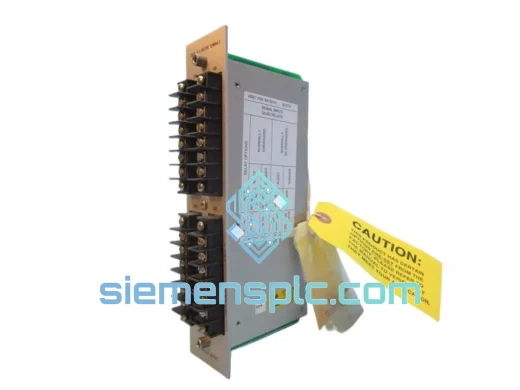
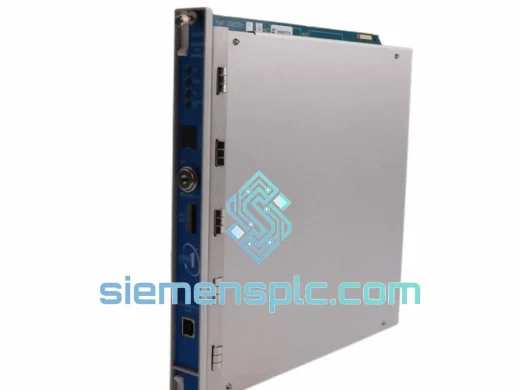
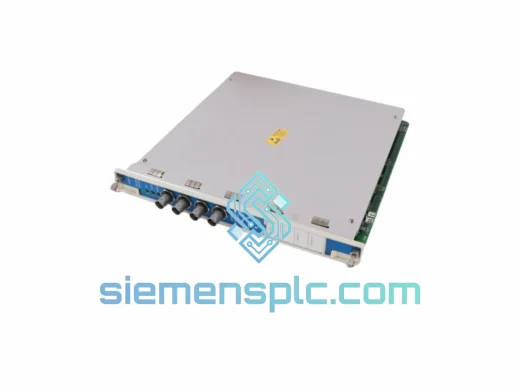
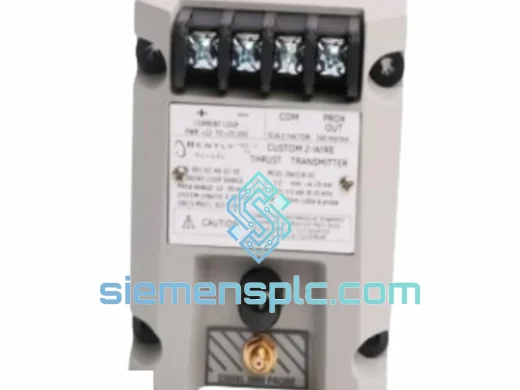
Bently Nevada 991-06-XX-01-00 Thrust Position Transmitter
3500 Series
Origin US
Thrust Position Transmitter
Request verified availability, condition, replacement risk review, packing options and courier lead time for 149844-01.
Click Request Quote and the part number is inserted into the inquiry form automatically.
Core fields for model confirmation and RFQ routing. Detailed product narrative remains below.
A dark slot in a 3500 rack is not an abstract problem. It’s a locked-out compressor, a tripped turbine, a production line that stopped generating revenue the moment that module failed. The Bently Nevada 149844-01 is the dedicated speed monitoring card for the 3500 Machinery Protection System — and the difference between a 4-hour recovery and a 4-week wait is whether your supplier has it on the shelf. We do. Xiamen warehouse. Verified stock. Ready to move today.
Every hour of unplanned downtime in a refinery, power plant, or petrochemical facility carries a cost that dwarfs the price of this module by an order of magnitude. We’ve shipped 149844-01 units to engineers in the middle of night shifts, on weekends, and across 14 time zones. The urgency is never lost on us. When you reach out, you get a response — not a ticket number.
URGENT REQUIREMENT? Contact: [email protected] | WhatsApp: +86 18359268345
| Parameter | Specification |
|---|---|
| Part Number | 149844-01 |
| Manufacturer | Bently Nevada (Baker Hughes) |
| Series | 3500 Machinery Protection System |
| Module Function | Speed Monitoring & Overspeed Trip Protection |
| Input Compatibility | Proximity Probe / Magnetic Pickup / Keyphasor Signal |
| Output | Speed Value, Overspeed Trip Relay, OK Relay |
| Rack Compatibility | 3500 Series I/O Rack — slot-specific, verify rack drawing |
| Configuration Tool | System 1 Condition Monitoring Platform |
| Communication | Modbus RTU / RS-232 / RS-485 (rack-dependent) |
| Compliance | API 670, SIL-rated |
| Operating Temperature | -20°C to +65°C |
| PCB Protection | Conformal Coated |
| Backplane Connector | Gold-plated, 500+ insertion cycle rated |
| Weight | ~1,380 g |
| Country of Origin | USA |
| Condition | New / Functionally Verified Surplus |
| Stock Status | ✔ Ready to Ship — Xiamen Warehouse |
These are the failure modes and replacement pitfalls that actually show up in the field — not the ones in the manual.
Common Fault Signatures:
Replacement Field Checklist — Execute in Order:
The 3500 Series was not designed for a climate-controlled control room. It was designed for oil and gas platforms, petrochemical processing units, and power generation facilities — environments that impose vibration, thermal shock, humidity, and airborne particulates simultaneously and without warning.
The conformal-coated PCB on the 149844-01 resists humidity ingress in coastal and offshore installations where salt-laden air accelerates corrosion on unprotected boards within months. The -20°C to +65°C operating range covers cold-start conditions in northern climates through the ambient heat of an enclosed turbine hall at peak summer load. Vibration tolerance is validated to IEC 60068-2-6 test profiles — directly relevant because speed monitor modules are frequently mounted in racks physically adjacent to the rotating machinery they protect, where structural vibration is a continuous mechanical load on every solder joint and connector.
The backplane connector uses gold-plated contacts rated for 500+ insertion cycles. In high-maintenance environments where modules are pulled for annual calibration checks or troubleshooting, connector integrity over the full service life of the rack is not a minor detail. Tin-plated contacts fret and oxidize under repeated insertion; gold-plated contacts maintain low, stable contact resistance across the entire service life of the installation.
Units dispatched from our Xiamen facility have been stored in climate-controlled conditions from the point of acquisition. Temperature and humidity logs are maintained for our storage facility. We do not commingle verified and unverified stock. Every unit that ships has been confirmed to power on, complete self-test, respond correctly to input signals, and actuate output relays — before it is packaged.
Our Xiamen warehouse operates on a 24-hour dispatch cycle, seven days a week. From the moment you confirm your order, here is exactly what happens:
Export paperwork is handled correctly the first time. Incorrect HS code classification and undervalued commercial invoices are the two most common causes of customs delays for industrial electronics shipments. We classify accurately, declare correctly, and prepare dual-use screening documentation where required. Your shipment clears customs without paperwork-driven delays.
For orders confirmed before 14:00 CST, same-day dispatch is available. Contact us directly via WhatsApp before placing the order to confirm stock and arrange priority handling.
When your line is down, a contact form is not the answer. Reach us directly and get a response within the hour during business hours.
© 2026 siemensplc.com. All rights reserved.
We check the full part number, brand, series and visible nameplate information before quotation.
Sales confirms stock path, condition option, quantity and realistic lead time for export dispatch.
DHL, FedEx, UPS or buyer courier arrangements can be reviewed with packing requirements.
Similar brand or category products for fast comparison and multi-item RFQ lists.