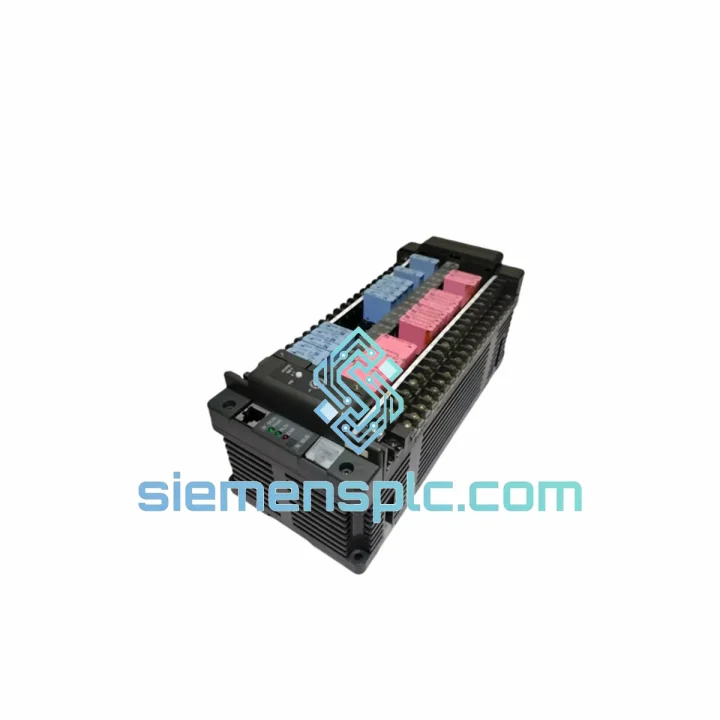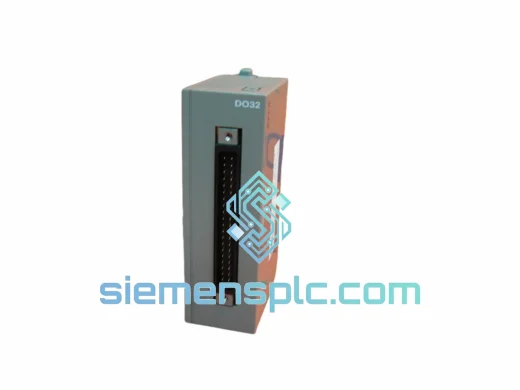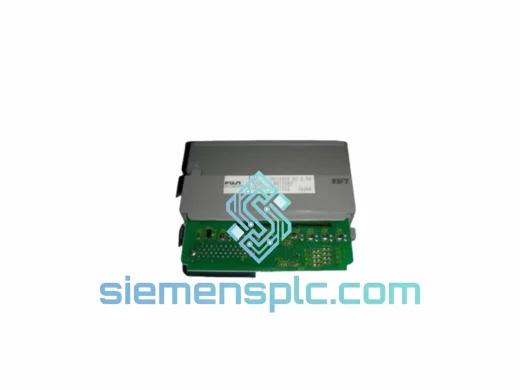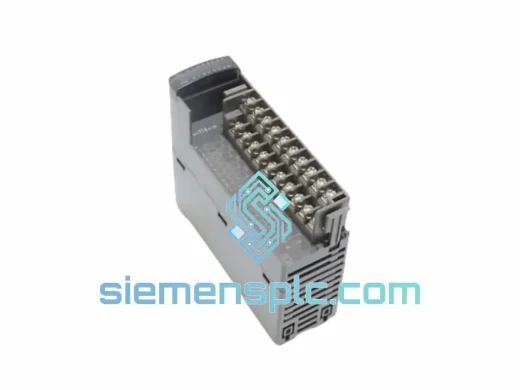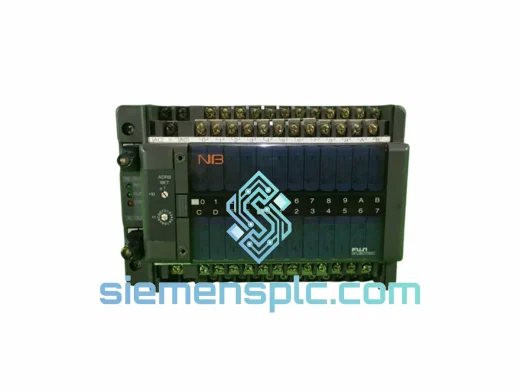
FUJI Electric NB1W40X-01 PLC I/O Expansion Unit
Request verified availability, condition, replacement risk review, packing options and courier lead time for NB1W40X-01.
Click Request Quote and the part number is inserted into the inquiry form automatically.
- Reply by email: [email protected]
- WhatsApp / Tel: +86 18359268345
- Mon-Sat 9:00-18:00 GMT+8
Key Product Information
Core fields for model confirmation and RFQ routing. Detailed product narrative remains below.
- Brand
- Fuji Electric
- Primary Part Number
- NB1W40X-01
- Product Type
- PLC I/O Expansion Unit
- Series / Family
- NB1 Series
- Manufacturer
- FUJI Electric Co., Ltd.
- Country of Origin
- Japan
- Catalog Category
- I/O Modules
- Operating Temp.
- 0°C to +55°C
- Humidity
- 5% to 95% RH, non-condensing
NB1W40X-01 Down? Every Minute of Downtime Costs You Money — We Ship Today
Your line is stopped. The NB1 expansion rack is dark. Maintenance is standing by. You’ve already pulled the NB1W40X-01 and confirmed it’s the culprit — now you need a replacement unit on-site before the next shift, not next week. That’s exactly why this page exists.
We stock the FUJI Electric NB1W40X-01 in Xiamen, China, with same-day DHL/FedEx dispatch available for orders confirmed before 15:00 CST. No broker delays, no grey-market risk — 100% original FUJI Electric NB1 Series hardware, sourced through verified industrial channels, shipped with full export documentation.
URGENT REQUIREMENT? Contact: [email protected] | WhatsApp: +86 18359268345
Quick Technical Datasheet
| Parameter | Specification |
|---|---|
| Part Number | NB1W40X-01 |
| Manufacturer | FUJI Electric Co., Ltd. |
| Series | NB1 Series PLC Platform |
| Module Type | I/O Expansion Unit |
| I/O Points | 40 points (mixed DI/DO configuration) |
| Bus Interface | Direct NB1 expansion bus — no external cabling |
| Mounting | DIN Rail / NB1 base rack slot |
| Operating Voltage | Supplied via NB1 backplane (no separate PSU required) |
| Operating Temperature | 0°C to +55°C |
| Storage Temperature | -25°C to +70°C |
| Humidity | 5% to 95% RH, non-condensing |
| Protection Class | IP20 |
| Certifications | CE, UL, RoHS |
| Country of Origin | Japan |
| Stock Status | ✅ Ready to Ship — Xiamen Warehouse |
Troubleshooting & Replacement Tips
After ten years of field work, here’s what actually goes wrong with the NB1W40X-01 and what to watch for when you swap it out:
Common Failure Signatures
- ERR LED solid red on expansion unit — Most often a failed internal DC/DC converter on the backplane power rail. The CPU continues running but all I/O on this module goes dark. Confirm by checking 5 VDC on the expansion bus connector pins before condemning the CPU.
- Intermittent I/O dropout under vibration — Connector fatigue on the expansion bus edge connector. Reseat first; if the fault returns within hours, the connector fingers are worn and the module needs replacement.
- CPU throws expansion bus communication fault (e.g., E-60 or equivalent NB1 error code) — Can be caused by a failed module or by a loose expansion cable. Swap the cable first (it’s free). If the fault persists with a known-good cable, the NB1W40X-01 is the source.
- Outputs stuck ON after power cycle — Internal output driver IC failure, typically triggered by an inductive load surge without adequate suppression. Check your flyback diodes on relay/solenoid outputs before installing the replacement unit.
Step-by-Step Hot-Swap Replacement Procedure
- Place the NB1 CPU in STOP mode via the programming terminal or keyswitch. Do not power-cycle the entire panel if other modules are live — unnecessary power cycling can corrupt retentive data in adjacent modules.
- Document the current I/O wiring layout with a phone photo before disconnecting anything. Terminal block labeling fades; photos don’t lie.
- De-energize the I/O field power supply feeding this module’s output commons. The backplane power can remain live if your safety procedures allow — the NB1W40X-01 is hot-insertable on most NB1 rack configurations, but verify this against your specific CPU firmware version.
- Disconnect the field wiring terminal blocks. NB1 Series uses removable terminal blocks — lift the locking tab and pull straight out. Do not pry from the side.
- Release the DIN rail locking tab and slide the module out of the rack slot.
- Address switch check: The NB1W40X-01 uses automatic slot-based addressing in most NB1 configurations — no rotary DIP switch to set. However, if your system uses a non-default I/O mapping, verify the slot position matches the original before inserting the replacement. Inserting into the wrong slot will cause an address conflict and a CPU fault.
- Insert the replacement module, engage the DIN rail clip, and reconnect terminal blocks. Verify terminal block orientation — they are keyed but can be forced in reversed if the key tab is damaged.
- Restore field power, then set the CPU to RUN. Monitor the ERR LED for 30 seconds. A clean startup shows the RUN LED solid green with no ERR indication.
- Firmware note: The NB1W40X-01 carries no user-programmable firmware — it is a passive I/O expansion unit. No firmware download is required after replacement. If the CPU reports a module type mismatch, confirm you have the correct part number (not NB1W32X-01 or NB1W48X-01).
- Run a full I/O force test from the programming terminal to verify all 40 points before returning the machine to production.
Reliability in Harsh Conditions
The NB1W40X-01 was not designed for a climate-controlled server room. FUJI Electric engineered the NB1 Series for the realities of the factory floor — and that means it has been validated against conditions that would kill consumer-grade electronics within weeks.
The module’s conformal-coated PCB resists moisture ingress in high-humidity environments such as food processing washdown areas and coastal facilities where salt-laden air accelerates corrosion on unprotected boards. Operating continuously at 55°C ambient — the kind of temperature found inside a poorly ventilated control cabinet on a hot summer day — is within spec, not an edge case.
Vibration resistance is validated to IEC 61131-2 standards, covering the 5–150 Hz frequency range that encompasses most industrial machinery vibration profiles: conveyor drives, compressors, press machines, and stamping lines. The expansion bus connector uses a positive-locking mechanism that maintains contact integrity under sustained vibration, unlike card-edge connectors that rely solely on friction.
Electrical noise immunity is equally robust. The NB1W40X-01 meets IEC 61000-4 series requirements for ESD, radiated immunity, conducted immunity, and fast transient/burst — meaning it will not misfire outputs or drop inputs when a large VFD switches nearby or when a welding machine shares the same panel ground bus. In field experience, NB1 Series modules outlast the machines they control. Mean time between failures in typical industrial duty cycles runs well beyond 100,000 hours.
Global Express Logistics
Our Xiamen warehouse operates on a same-day dispatch model for in-stock parts. Here’s exactly how your order moves from our shelf to your site:
- Order confirmation before 15:00 CST: Unit is picked, inspected, and packed the same afternoon. Anti-static bag, bubble wrap, rigid outer carton — no shortcuts on packaging for a module that’s traveled this far to reach you.
- Export documentation: Commercial invoice, packing list, and Certificate of Origin are prepared simultaneously with packing. No customs delays caused by missing paperwork on our end.
- Carrier selection: DHL Express and FedEx International Priority are our primary carriers. For Southeast Asia destinations, we also use SF Express international for cost-competitive transit times. Carrier is selected based on your destination and urgency — we will confirm with you before booking.
- Transit times (typical): Southeast Asia 1–2 business days. Europe 2–3 business days. North America 2–4 business days. Middle East and Africa 3–5 business days. All times are door-to-door from Xiamen.
- Tracking: AWB number is sent to you within 2 hours of dispatch. Real-time tracking link included.
- Customs clearance: HS Code 8537.10 applies to this module class. We declare accurate values — no under-declaration that creates customs holds or legal exposure for your import team.
- Emergency freight: For truly critical situations — plant-wide shutdown, safety system offline — contact us directly on WhatsApp. We can arrange next-flight-out courier for destinations where standard express is not fast enough.
Contact Information
Ready to order or need a quote? Reach us through any channel below — we respond within 30 minutes during business hours (08:00–18:00 CST, Monday–Saturday).
- Email: [email protected]
- WhatsApp: +86 18359268345
- Web: siemensplc.com
© 2026 siemensplc.com. All rights reserved.
Send This Part Number to Sales
Confirmation Process
We check the full part number, brand, series and visible nameplate information before quotation.
Sales confirms stock path, condition option, quantity and realistic lead time for export dispatch.
DHL, FedEx, UPS or buyer courier arrangements can be reviewed with packing requirements.