GE
In Stock OK
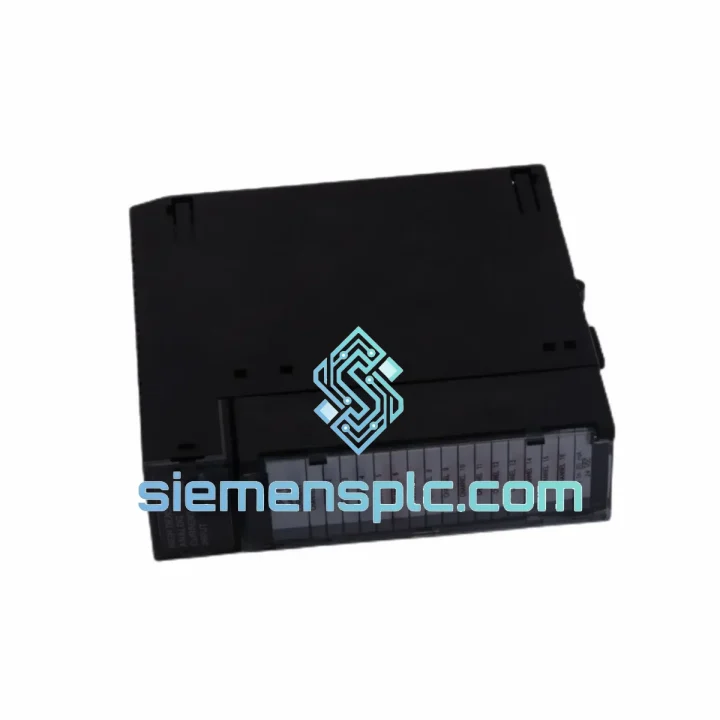
GE IC693ALG220 Analog Input Module
Request verified availability, condition, replacement risk review, packing options and courier lead time for IC693ALG220.
BrandGE
Part NumberIC693ALG220
ConditionAvailability Check
Lead TimeRFQ Confirmation
DocumentsDatasheet / photos by RFQ
ShippingExport packing available
Auto-filled RFQ
IC693ALG220
Click Request Quote and the part number is inserted into the inquiry form automatically.
- Reply by email: [email protected]
- WhatsApp / Tel: +86 18359268345
- Mon-Sat 9:00-18:00 GMT+8
Procurement Data
Key Product Information
Core fields for model confirmation and RFQ routing. Detailed product narrative remains below.
- Brand
- GE
- Primary Part Number
- IC693ALG220
- Product Type
- Analog Input Module
- Series / Family
- 90-30
- Country of Origin
- US
- Catalog Category
- I/O Modules
- Humidity
- 5%–95% non-condensing
Model confirmed for inquiry
IC693ALG220
Send quantity, destination and urgency. The RFQ form keeps this part number attached.
Request Quote
Product Overview
GE IC693ALG220 — Stop the Bleed: Every Hour of Downtime Has a Price Tag
Your Series 90-30 rack just threw a fault. The IC693ALG220 analog input module is dead — 16 channels of process data gone dark. Temperature loops open. Flow signals lost. The DCS is flying blind and your shift supervisor is already on the phone. You don’t need a sales pitch. You need the part, tested, boxed, and moving toward your dock today.
We stock the GE IC693ALG220 in Xiamen. Not “available to order” — physically on the shelf. DHL Express can have it at your facility in 3–5 business days from payment confirmation, anywhere in the world. That’s the difference between a 6-hour repair window and a 3-week procurement nightmare.
URGENT REQUIREMENT? Contact: [email protected] | WhatsApp: +86 18359268345
Quick Technical Datasheet
| Parameter | Specification |
|---|---|
| Part Number | IC693ALG220 ✅ Ready to Ship |
| Series | GE Series 90-30 PLC |
| Module Type | Analog Input |
| Input Channels | 16 single-ended / 8 differential |
| Signal Types | Voltage & Current (per-channel configurable) |
| Voltage Ranges | ±10 V, 0–10 V, 0–5 V, 1–5 V |
| Current Ranges | 4–20 mA, 0–20 mA |
| Resolution | 12-bit (4096 counts) |
| Isolation | Optical (field-to-backplane) |
| Operating Temp | 0°C to 60°C |
| Storage Temp | -40°C to 85°C |
| Humidity | 5%–95% non-condensing |
| Backplane Bus | Series 90-30 standard I/O bus |
| Certifications | UL Listed, CE Marked |
| Weight | ~350 g |
| Condition | New / Tested Surplus |
| Stock Location | Xiamen, China — Ships Same Day |
Troubleshooting & Replacement Tips
After 10 years of field work on Series 90-30 systems, here are the failure patterns I see most often with the IC693ALG220 — and what to watch for when you swap it out.
Common Failure Modes:
- All channels reading rail value (32767 or -32768): Classic sign of a blown input protection circuit, usually from a field wiring short or transient spike above 30 V. Don’t just swap the module — check the field wiring first or you’ll kill the replacement in 20 minutes.
- Single channel stuck at zero or last-known value: Often a failed multiplexer on the ADC input stage. If it’s one channel out of 16, the module is the culprit. If it’s a whole group of 8, check your differential vs. single-ended jumper configuration.
- Intermittent %AI data corruption: Nine times out of ten this is a backplane connector issue — bent pins on the module edge or a cracked backplane slot. Reseat the module first. If the fault follows the module to a different slot, the module is bad.
- CPU fault code 0x0083 or I/O Bus Fault LED: The module is not responding on the backplane. Confirm the slot address in your hardware configuration matches the physical slot. Series 90-30 uses fixed slot addressing — there is no auto-discovery. If you move the module to a different slot, you must update the hardware config in Proficy ME and re-download.
Replacement Checklist — Do This Before You Power Up:
- Verify the replacement module’s firmware revision matches or exceeds the original. Check the label on the module face — revision is printed as REV X. Mismatched firmware between the CPU and I/O module can cause configuration mismatch faults on first scan.
- Confirm channel configuration: voltage vs. current selection is done in software (Proficy ME hardware config), not via DIP switches on this module. However, verify your field wiring matches the configured signal type — connecting a 4–20 mA transmitter to a channel configured for voltage will give you garbage data and potentially damage the input.
- Check the backplane slot for bent or corroded pins before insertion. A damaged backplane slot will cause the same fault on the new module.
- After installation, force a hardware configuration download from Proficy ME. Do not assume the CPU will auto-detect the new module — it won’t. The config must match exactly.
- On first power-up, monitor the module’s OK LED. Solid green = module passed self-test. Flashing or red = configuration mismatch or hardware fault. Check the CPU fault table immediately.
- If you’re replacing a module in a running system with hot-swap capability disabled (most Series 90-30 installations), you must put the CPU in STOP mode before removing the module. Pulling a live module without stopping the CPU can corrupt the I/O scan table.
Reliability in Harsh Conditions
The IC693ALG220 was designed for the plant floor, not a server room. GE engineered the Series 90-30 I/O modules to operate continuously in environments that would destroy consumer-grade electronics within weeks.
The optical isolation barrier between the field terminals and the backplane bus is the first line of defense. It blocks ground loops — the silent killer of analog accuracy in plants where multiple pieces of equipment share a common ground reference. In a steel mill or chemical plant, ground potential differences of several volts between field devices and the control panel are routine. Without isolation, those differences appear as offset errors in your analog readings. With the IC693ALG220’s optical isolation, the field side and the logic side are electrically independent.
Vibration tolerance is built into the module’s mechanical design. The PCB is conformally coated to resist moisture ingress and condensation — critical in coastal facilities, paper mills, and food processing plants where humidity swings are constant. The edge connector is gold-plated to resist oxidation in environments with airborne sulfur compounds (common in wastewater treatment and pulp & paper).
Operating temperature range of 0°C to 60°C covers the vast majority of industrial panel environments. For installations in outdoor enclosures in cold climates, panel heaters are recommended to keep the ambient above 0°C — the module itself is rated for storage down to -40°C, but the operating spec is the number that matters when the system is running.
Mean time between failure (MTBF) data from GE’s published reliability documentation places the Series 90-30 analog modules in the hundreds of thousands of hours range under normal operating conditions. The units we ship have been inspected at board level and functionally verified — we don’t ship modules that have visible corrosion, damaged connectors, or failed self-test.
Global Express Logistics
Our warehouse is in Xiamen, Fujian Province — one of China’s primary export hubs with direct access to international freight lanes via Xiamen Gaoqi International Airport and Xiamen Port.
Standard Express Flow:
- Day 0 (Payment Confirmed): Module pulled from stock, inspected, ESD-bagged, foam-packed in double-wall carton. Commercial invoice, packing list, and certificate of origin prepared.
- Day 0–1: DHL Express or FedEx International Priority pickup. Tracking number sent to your email within 2 hours of handoff to carrier.
- Day 2–3: Clears Xiamen customs. In-transit scan visible in DHL/FedEx tracking portal.
- Day 3–5: Delivery to your facility, depending on destination country and customs clearance speed. EU, US, Southeast Asia, and Middle East destinations typically land in 3–4 business days. Remote locations may require 5–7 days.
We handle all export documentation. HS code for the IC693ALG220 is 8537.10 (boards, panels, consoles for electric control). For destinations requiring a certificate of origin, we provide a standard CO issued through the Xiamen Chamber of Commerce. For US imports, we can provide documentation to support HTS classification and customs entry.
Expedited same-day dispatch is available for orders confirmed before 14:00 CST. Contact us directly on WhatsApp for time-critical shipments — we can coordinate with DHL on priority handling for plant emergency situations.
Contact Information
📧 Email: [email protected]
📱 WhatsApp: +86 18359268345
🌐 Web: siemensplc.com
© 2026 siemensplc.com. All rights reserved.
Ready to quote
[email protected]
Send This Part Number to Sales
RFQ workflow
Quality workflow ->
Confirmation Process
01Model confirmation
We check the full part number, brand, series and visible nameplate information before quotation.
02Availability reply
Sales confirms stock path, condition option, quantity and realistic lead time for export dispatch.
03Packing & courier
DHL, FedEx, UPS or buyer courier arrangements can be reviewed with packing requirements.
Continue sourcing
Browse full catalog ->
Related Automation Parts
Similar brand or category products for fast comparison and multi-item RFQ lists.