GE
In Stock OK
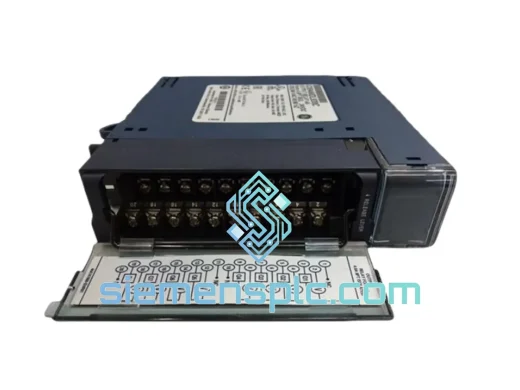
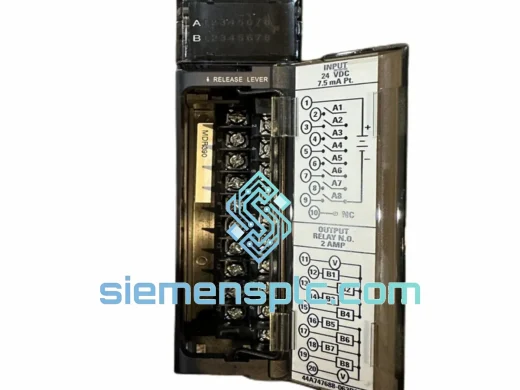
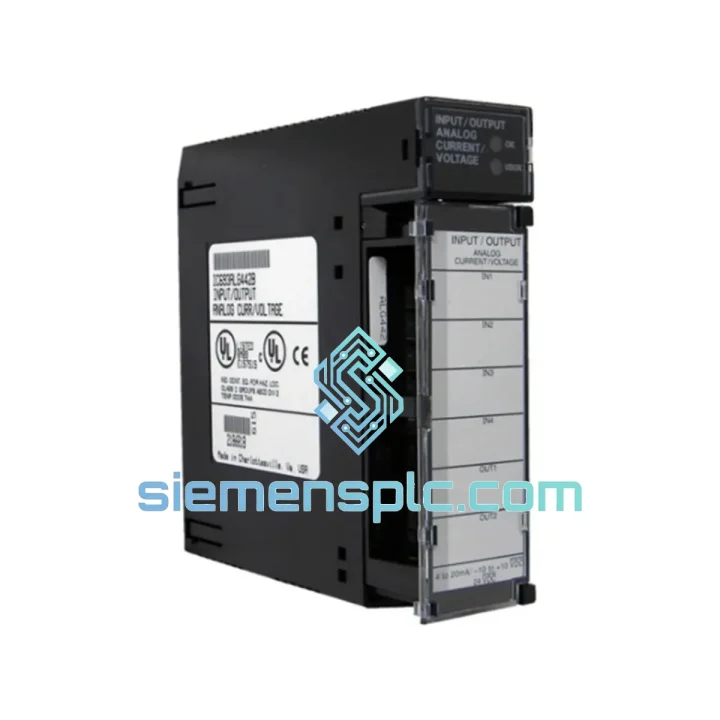
GE IC693ALG442 Analog I/O Module
Request verified availability, condition, replacement risk review, packing options and courier lead time for IC693ALG442.
BrandGE
Part NumberIC693ALG442
ConditionAvailability Check
Lead TimeRFQ Confirmation
DocumentsDatasheet / photos by RFQ
ShippingExport packing available
Auto-filled RFQ
IC693ALG442
Click Request Quote and the part number is inserted into the inquiry form automatically.
- Reply by email: [email protected]
- WhatsApp / Tel: +86 18359268345
- Mon-Sat 9:00-18:00 GMT+8
Procurement Data
Key Product Information
Core fields for model confirmation and RFQ routing. Detailed product narrative remains below.
- Brand
- GE
- Primary Part Number
- IC693ALG442
- Product Type
- PLC Analog I/O Module
- Series / Family
- 90-30
- Country of Origin
- US
- Catalog Category
- I/O Modules
- Operating Temp.
- 0°C to 60°C
- Humidity
- 5%–95% non-condensing
Model confirmed for inquiry
IC693ALG442
Send quantity, destination and urgency. The RFQ form keeps this part number attached.
Request Quote
Product Overview
GE IC693ALG442 — Stop the Bleed: Every Minute of Downtime Has a Price Tag
Your Series 90-30 rack just threw a fault. The analog loop is dead. The process is blind. Whether it’s a 4–20 mA input that stopped scanning or an output channel that lost its drive signal to a control valve, the IC693ALG442 is the module that needs to be back in that slot — fast. We stock it. We ship it today. From Xiamen to your plant floor via DHL or FedEx, typically 3–5 business days worldwide.
Don’t wait three weeks for a distributor backorder. Don’t let procurement drag this into next quarter. One call, one module, line back up.
URGENT REQUIREMENT? Contact: [email protected] | WhatsApp: +86 18359268345
Quick Technical Datasheet
| Parameter | Specification |
|---|---|
| Part Number | IC693ALG442 |
| Platform | GE Series 90-30 |
| Module Function | Combination Analog Input / Output |
| Analog Inputs | 4 channels (software-selectable per channel) |
| Analog Outputs | 2 channels (software-selectable per channel) |
| Input Signal Range | ±10 V DC or 4–20 mA |
| Output Signal Range | ±10 V DC or 4–20 mA |
| Resolution | 12-bit (4,096 counts) |
| Isolation | Optical — field side to backplane |
| Operating Temperature | 0°C to 60°C |
| Storage Temperature | -40°C to 85°C |
| Humidity | 5%–95% non-condensing |
| Backplane Compatibility | 5-slot, 10-slot, expansion racks (IC693CHS391/392/393/398) |
| Configuration Software | GE Proficy Machine Edition (Logic Developer – PLC) |
| Module Weight | ~380 g |
| Stock Status | ✅ Ready to Ship — Xiamen Warehouse |
Troubleshooting & Replacement Tips
Most common failure modes on the IC693ALG442:
1. Channel-specific input fault (LED solid red on one channel, others OK)
This almost always points to a field-side wiring issue first — check for an open 4–20 mA loop, a shorted transmitter, or a broken shield drain causing ground loop noise that saturates the ADC. If the fault persists after isolating the field wiring, the input amplifier on that channel has likely failed. The IC693ALG442 does not support per-channel replacement; the entire module must be swapped.
2. All channels reading 0 or maximum rail value
Power rail issue on the backplane or the module’s internal DC/DC converter has failed. Verify backplane voltage at the slot with a meter before condemning the module. Also check the power supply — IC693PWR321/322/330/331 — for output sag under load.
3. Output channel not driving the field device
Confirm the channel is configured as an output in Proficy ME and that the PLC program is actually writing a non-zero value to the reference address. A common mistake after a CPU swap or program reload is that the analog output reference table gets reset to zero. Check %AQ registers in the reference table viewer.
4. Module not recognized after installation (slot shows “?” in hardware config)
This is a configuration mismatch. The hardware config in Proficy ME must match the physical slot assignment. After seating the IC693ALG442, go to Hardware Configuration, verify the module is assigned to the correct slot number, download the updated config to the CPU, and perform a warm restart. Do not perform a cold restart unless you have confirmed the program and config are both current — a cold restart clears the I/O table.
Replacement procedure checklist:
- Power down the rack or confirm hot-swap is supported by your rack model before pulling the module
- Label all field wiring terminals before disconnecting — the IC693ALG442 uses a removable terminal block; photograph the wiring before removal
- Seat the replacement module firmly until the locking tabs click — a partially seated module will cause intermittent faults that are difficult to diagnose
- Verify the hardware configuration in Proficy ME matches the replacement module’s slot position
- After power-up, check the module status LED: solid green = healthy, flashing green = configuration mismatch, red = hardware fault
- Perform a channel-by-channel loop check before returning the process to automatic control
- The IC693ALG442 does not have DIP switches or jumpers for address setting — all configuration is software-based via Proficy ME, which simplifies replacement but requires a valid hardware config download
Firmware note: The IC693ALG442 does not carry user-upgradeable firmware. No firmware flashing is required on replacement. The module’s behavior is entirely governed by the hardware configuration downloaded from the CPU.
Reliability in Harsh Conditions
The Series 90-30 platform was engineered for the plant floor, not the server room. The IC693ALG442 reflects that design philosophy. Its optical isolation barrier between the field terminals and the backplane bus is not a checkbox feature — it’s the reason this module survives in environments where ground potential differences between field instruments and the control cabinet can reach tens of volts. In refineries, offshore platforms, and heavy manufacturing cells, that isolation is what keeps a single instrument fault from cascading into a CPU fault.
The conformal coating on the PCB provides a meaningful barrier against humidity and airborne contaminants — condensation during seasonal temperature swings, coolant mist in machining environments, and dust in cement or aggregate processing facilities. Modules that have been in service for 10–15 years in these conditions and are still functioning are not unusual; the failure rate on well-maintained Series 90-30 analog modules is low. When they do fail, it’s typically due to electrostatic discharge events from unprotected field wiring, sustained overvoltage on an input channel, or simple end-of-life capacitor degradation on the internal power supply.
Vibration tolerance is adequate for standard industrial mounting — the module locks into the backplane with a positive mechanical latch, and the terminal block connector is a screw-clamp design that resists loosening under vibration. For high-vibration applications (compressor skids, mobile equipment), adding a secondary cable tie to the wiring harness at the terminal block is a standard field practice that prevents connector fatigue.
Operating temperature ceiling of 60°C is sufficient for most control cabinet environments, but if your cabinet ambient regularly exceeds 45°C, verify that the backplane power supply is derated accordingly — the power supply is typically the first component to fail in a thermally stressed rack, not the I/O modules.
Global Express Logistics
Stock is held at our Xiamen warehouse, positioned specifically for fast international dispatch. Xiamen is a major export hub with direct DHL and FedEx service connections, which means your module doesn’t sit in a domestic transit hub before it starts moving toward you.
Typical transit times from Xiamen:
- Southeast Asia (Singapore, Thailand, Malaysia, Indonesia, Vietnam): 2–4 business days via DHL Express
- Middle East (UAE, Saudi Arabia, Qatar, Kuwait): 3–5 business days via FedEx International Priority
- Europe (Germany, Netherlands, UK, France, Poland): 4–6 business days via DHL Express Worldwide
- North America (USA, Canada, Mexico): 4–6 business days via FedEx International Priority
- South America (Brazil, Chile, Colombia): 5–8 business days via DHL Express
- Australia / New Zealand: 3–5 business days via DHL Express
Every shipment includes full tracking from pickup to delivery. Export documentation — commercial invoice, packing list, and certificate of origin — is prepared same day for orders confirmed before 14:00 CST. For customers in countries with import duty sensitivities, we can advise on HS code classification (typically 8537.10 for PLC modules) and provide documentation to support customs clearance.
For critical downtime situations, contact us directly via WhatsApp for same-day shipping confirmation. We do not batch urgent orders into weekly dispatch runs — if it’s in stock and you need it today, it ships today.
Contact Information
📧 Email: [email protected]
💬 WhatsApp: +86 18359268345
🌐 Web: siemensplc.com
© 2026. All rights reserved.
Ready to quote
[email protected]
Send This Part Number to Sales
RFQ workflow
Quality workflow ->
Confirmation Process
01Model confirmation
We check the full part number, brand, series and visible nameplate information before quotation.
02Availability reply
Sales confirms stock path, condition option, quantity and realistic lead time for export dispatch.
03Packing & courier
DHL, FedEx, UPS or buyer courier arrangements can be reviewed with packing requirements.
Continue sourcing
Browse full catalog ->
Related Automation Parts
Similar brand or category products for fast comparison and multi-item RFQ lists.