
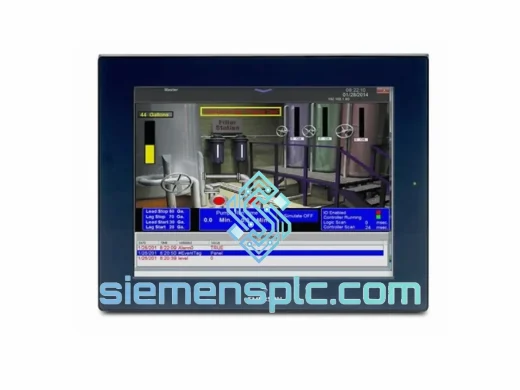
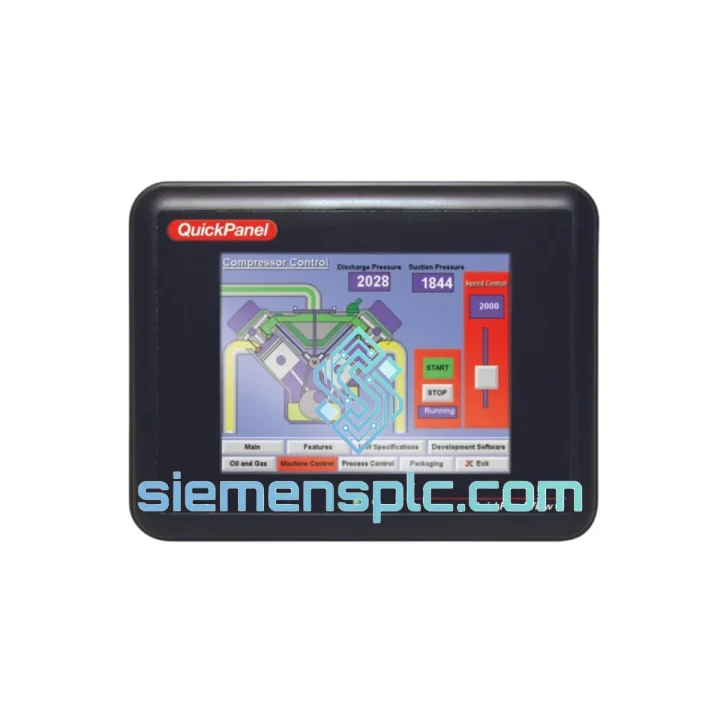
GE
In Stock OK
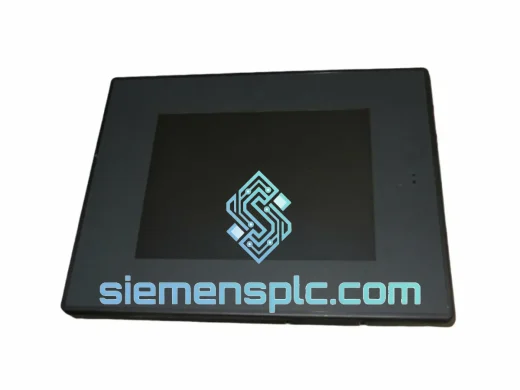
GE IC754VSF15CTD HMI Terminal
Request verified availability, condition, replacement risk review, packing options and courier lead time for IC754VSF15CTD.
BrandGE
Part NumberIC754VSF15CTD
ConditionAvailability Check
Lead TimeRFQ Confirmation
DocumentsDatasheet / photos by RFQ
ShippingExport packing available
Auto-filled RFQ
IC754VSF15CTD
Click Request Quote and the part number is inserted into the inquiry form automatically.
- Reply by email: [email protected]
- WhatsApp / Tel: +86 18359268345
- Mon-Sat 9:00-18:00 GMT+8
Procurement Data
Key Product Information
Core fields for model confirmation and RFQ routing. Detailed product narrative remains below.
- Brand
- GE
- Primary Part Number
- IC754VSF15CTD
- Product Type
- HMI Terminal
- Product Family
- Other series
- Country of Origin
- US
- Catalog Category
- HMI Panels
Model confirmed for inquiry
IC754VSF15CTD
Send quantity, destination and urgency. The RFQ form keeps this part number attached.
Request Quote
Product Overview
GE IC754VSF15CTD QuickPanel 15″ HMI — Every Hour of Downtime Costs You. We Ship Today.
Your line stopped. The IC754VSF15CTD panel is dead — blank screen, no touch response, or a boot loop that won’t clear. You’ve already pulled the unit and confirmed it’s the HMI. Now you need a replacement on-site before the next shift, not in three weeks. We stock the GE IC754VSF15CTD in Xiamen and ship via DHL Express or FedEx International Priority within 24 hours of order confirmation. No broker delays, no warehouse runaround.
URGENT REQUIREMENT? Contact: [email protected] | WhatsApp: +86 18359268345
Quick Technical Datasheet
| Parameter | Specification | Status |
|---|---|---|
| Part Number | IC754VSF15CTD | ✔ Ready to Ship |
| Brand / Series | GE — QuickPanel Operator Interface | Original OEM |
| Display | 15″ Color TFT LCD, 1024×768 XGA | — |
| Touch Type | Resistive Touchscreen | — |
| Operating System | Windows CE 6.0 | — |
| Power Supply | 24 VDC (±15%) | — |
| Communication | Ethernet RJ45, RS-232, RS-485, USB Host/Device | — |
| Protection Rating | NEMA 4 / IP65 (front bezel) | — |
| Operating Temp | 0°C to +50°C | — |
| Certifications | CE, UL, RoHS | — |
| Dispatch Lead Time | Within 24 hours of payment confirmation | ✔ Ready to Ship |
Troubleshooting & Replacement Tips
After ten years on the floor, here’s what actually goes wrong with the IC754VSF15CTD and what to watch before you bolt in the new unit:
1. Backlight Failure — Most Common Fault
The CCFL backlight on the 15″ panel degrades after 30,000–50,000 hours. Symptom: screen appears black but the unit is still running — you can faintly see the HMI image with a flashlight. Do not confuse this with a CPU or power fault. Confirm by measuring 24 VDC at the power terminals. If voltage is good and the unit is unresponsive to touch, the backlight inverter board is the likely culprit. Replacement backlight kits are available — ask us.
2. Touch Calibration Drift After Swap
Resistive touch panels shift calibration when the unit is moved or the bezel pressure changes. After installing the replacement IC754VSF15CTD, boot into the Windows CE calibration utility (Start → Settings → Control Panel → Stylus) and run a full 5-point calibration before loading your HMI project. Skipping this step causes offset touch errors that look like software bugs.
3. Project Restore — CE Storage Card
The IC754VSF15CTD stores the HMI runtime on a CompactFlash card or internal flash. Before pulling the failed unit, attempt to copy the project files from the CF card if the card is still readable. On the replacement unit, restore via Proficy Machine Edition or the GE QuickPanel Workbench utility. Confirm the firmware version on the replacement matches your project’s target runtime — a mismatch causes a “Runtime Version Conflict” error on first boot.
4. Firmware Version Check
GE released multiple firmware revisions for the VSF15CTD platform. Check the label on the back of the unit for the firmware revision sticker. If your project was compiled against firmware 3.x and the replacement ships with 2.x, you must update firmware before loading the project. Firmware files are available from GE Digital’s support portal — we can assist with sourcing the correct revision.
5. IP Address & Ethernet Configuration
The replacement unit ships with DHCP enabled by default. If your plant network uses static IP addressing (common in isolated OT networks), you must manually set the IP before the HMI can communicate with the PLC. Navigate to Start → Settings → Network and Dial-up Connections → Built-in Ethernet and assign the correct static IP, subnet, and gateway. Failure to do this before going live will cause a communication timeout alarm on the PLC side.
6. Common Error Codes
- “No Connection to Controller” — Ethernet cable, IP mismatch, or SRTP/Modbus driver not loaded. Check driver configuration in Machine Edition first.
- “Runtime Not Found” — Project not loaded or CF card not seated. Re-seat the card and re-download the project.
- “Touch Panel Error” — Calibration lost or digitizer hardware fault. Run calibration; if persistent, the touch overlay needs replacement.
- “Low Battery” — Internal RTC battery (CR2032) is depleted. Replace the coin cell and reset the system clock. This does not affect HMI operation but will cause time-stamp errors in alarm logs.
Reliability in Harsh Conditions
The IC754VSF15CTD was engineered for environments where consumer-grade electronics fail within weeks. The front bezel carries a full NEMA 4 / IP65 rating — it withstands directed water jets, heavy dust ingress, and the kind of chemical mist common in food processing and pharmaceutical lines. The resistive touch panel responds to gloved hands and operates correctly even when the surface is wet, which capacitive panels cannot do.
Vibration resistance meets IEC 60068-2-6 test profiles, covering the 5–150 Hz frequency range at 1G acceleration — relevant for installations near compressors, presses, or conveyor drive systems. The operating temperature ceiling of +50°C covers most non-climate-controlled factory floors, and the unit has been validated for humidity up to 85% RH non-condensing. The steel rear housing acts as a heat sink, dissipating processor heat passively without a fan — eliminating the single most common failure point in industrial panel PCs.
Units we ship have been stored in climate-controlled conditions and inspected for capacitor bulge, connector corrosion, and label integrity before dispatch. We do not ship units that show signs of prior field damage or repair.
Global Express Logistics
Our warehouse is located in Xiamen, Fujian, China — one of the primary export hubs on China’s southeast coast, with direct access to DHL, FedEx, and UPS international gateways. Here’s how your order moves:
- Order Confirmed → Same-Day Pick & Pack: Orders confirmed before 15:00 CST are picked, inspected, and packed the same business day. The IC754VSF15CTD is wrapped in anti-static ESD foam, placed in a rigid outer carton, and sealed with tamper-evident tape.
- Export Documentation: Commercial invoice, packing list, and certificate of origin are prepared in parallel. HS Code 8537.10 is declared for customs clearance. We handle all export formalities — you receive a clean AWB number within 2 hours of dispatch.
- DHL Express / FedEx International Priority: Transit times — Southeast Asia: 1–2 days; Europe: 2–3 days; North America: 3–4 days; Middle East: 2–3 days; Australia: 3–4 days. These are door-to-door times from Xiamen, not port-to-port estimates.
- Tracking: You receive a live tracking link the moment the shipment is collected by the carrier. No chasing required.
- Customs Clearance Support: For destinations with complex import requirements (India, Brazil, Russia), we provide pre-shipment documentation packages on request to prevent customs holds.
If your plant is in a time-critical shutdown window, contact us on WhatsApp before placing the order. We can confirm stock, generate a proforma invoice, and have the unit moving within hours of payment receipt.
Contact Information
Email: [email protected]
WhatsApp: +86 18359268345
Web: siemensplc.com
© 2026 siemensplc.com. All rights reserved.
Ready to quote
[email protected]
Send This Part Number to Sales
RFQ workflow
Quality workflow ->
Confirmation Process
01Model confirmation
We check the full part number, brand, series and visible nameplate information before quotation.
02Availability reply
Sales confirms stock path, condition option, quantity and realistic lead time for export dispatch.
03Packing & courier
DHL, FedEx, UPS or buyer courier arrangements can be reviewed with packing requirements.
Continue sourcing
Browse full catalog ->
Related Automation Parts
Similar brand or category products for fast comparison and multi-item RFQ lists.
GE
RFQ Ready
GE IC754VBI10MTD-BB HMI Operator Interface – QuickPanel View
PACSystems
Origin US
HMI Operator Interface