Hirschmann
RFQ Ready
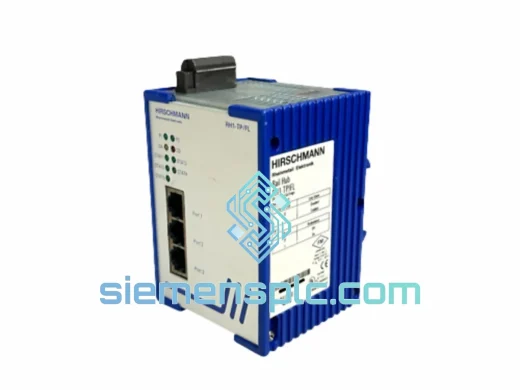
Hirschmann RH1-TP/FL Industrial Ethernet Hub
DIN Rail
Origin DE
Industrial Ethernet Hub
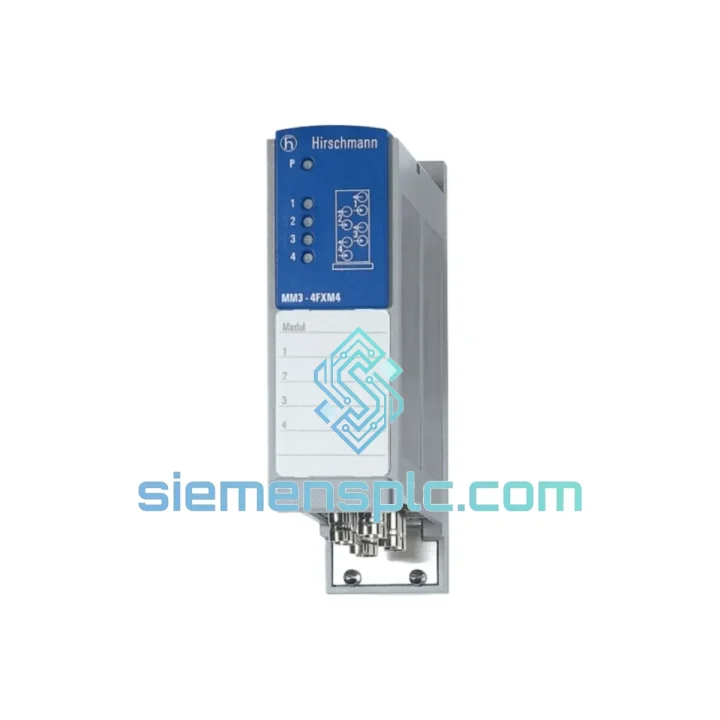
Request verified availability, condition, replacement risk review, packing options and courier lead time for MM3-4FLM4.
Click Request Quote and the part number is inserted into the inquiry form automatically.
Core fields for model confirmation and RFQ routing. Detailed product narrative remains below.
Every minute a Mice3 switch sits offline with a dead fiber module, your production network is blind. PLCs stop receiving commands. SCADA loses telemetry. Safety interlocks may trip on loss-of-communication faults. The HIRSCHMANN MM3-4FLM4 is a 4-port 100BASE-FX multimode fiber expansion module for the Mice3 modular industrial Ethernet switch platform — and when yours fails, you need an exact replacement in hand before the next shift starts, not in three weeks.
siemensplc.com maintains verified stock of the MM3-4FLM4 specifically for emergency procurement scenarios. We understand that a purchase order raised at 11 PM needs to ship by 8 AM. Our logistics pipeline from Xiamen is built around that reality. No minimum order. No waiting for a distributor’s weekly replenishment cycle. One unit, shipped express, tracked door-to-door.
URGENT REQUIREMENT? Contact: [email protected] | WhatsApp: +86 18359268345
| Parameter | Value |
|---|---|
| Part Number | MM3-4FLM4 |
| Brand | HIRSCHMANN (Belden) |
| Platform | Mice3 Modular Industrial Ethernet Switch |
| Module Type | Fiber Media Expansion Module |
| Port Count | 4 × Fast Ethernet fiber ports |
| Standard | IEEE 802.3u — 100BASE-FX |
| Fiber Type | Multimode (OM1 / OM2) |
| Connector | SC Duplex |
| Max Segment Length | 2 km (multimode, 62.5/125 µm) |
| Hot-Swap | Yes — no chassis power-down required |
| Operating Temperature | -10 °C to +60 °C |
| Certifications | CE, UL (per Mice3 platform) |
| Weight | ~100 g |
| Origin | Germany |
| Availability | ✔ Ready to Ship — Express Dispatch from Xiamen |
After ten years of field work, here are the failure patterns and swap pitfalls that catch engineers off guard with the MM3-4FLM4 and the Mice3 platform:
1. Confirm the fault is the module, not the fiber run. Before pulling the MM3-4FLM4, use an optical power meter or visual fault locator on each SC port. A dead port with good optical signal at the connector face points to the module’s receiver circuit — replace the module. No optical signal at all? Check the patch cable and the far-end SFP or media converter first. Swapping a good module into a broken fiber run wastes time and money.
2. Hot-swap procedure — do it right. The MM3-4FLM4 supports hot insertion, but the Mice3 chassis must be running firmware that supports live module recognition. On older firmware revisions (pre-4.x on some Mice3 variants), inserting a module while powered can cause a brief management plane reset. If your chassis is running legacy firmware, schedule the swap during a maintenance window or accept a 30–60 second management interruption. Field traffic on non-management VLANs typically continues uninterrupted.
3. No configuration required — but verify port state. Unlike some managed switch line cards, the MM3-4FLM4 does not require manual addressing or DIP switch configuration. Ports are auto-detected by the Mice3 management software (HiVision / Industrial HiVision). After insertion, open the chassis web interface or HiVision and confirm all four fiber ports appear in the port list. If a port shows as “not present” after 60 seconds, reseat the module — connector alignment in the backplane slot is occasionally the culprit on older chassis with worn guides.
4. Common fault codes to watch for:
5. Firmware note: If you are replacing an MM3-4FLM4 in a chassis that will be upgraded to a newer Mice3 firmware version, perform the firmware upgrade before the module swap where possible. This avoids edge cases where a new module is initialized under old firmware and then re-initialized under new firmware with a different port numbering scheme — which can silently shift VLAN assignments on the fiber ports.
The Mice3 platform — and the MM3-4FLM4 by extension — was not designed for a climate-controlled server room. HIRSCHMANN built this module for the environments where network failures have real consequences: substations with switching transients, chemical plants with corrosive atmospheres, outdoor cabinets in tropical humidity, and automotive assembly lines where 50 Hz vibration from press machinery is constant background noise.
The module’s fiber-optic transmission path is inherently immune to electromagnetic interference — a critical advantage in motor-drive-heavy environments where copper Ethernet would require expensive shielding and grounding schemes. The SC connector housing is rated for repeated mating cycles well beyond typical maintenance intervals, and the PCB conformal coating provides protection against condensation and airborne contaminants.
Operating range of -10 °C to +60 °C covers the vast majority of industrial cabinet installations globally, including unheated outdoor enclosures in temperate climates. For arctic or desert-extreme deployments, consult the full Mice3 environmental specification sheet — but for 95% of plant environments, the MM3-4FLM4 operates without derating.
All units supplied by siemensplc.com are inspected for physical integrity, connector condition, and label authenticity prior to dispatch. We do not ship modules with bent pins, cracked housings, or missing firmware labels — conditions that indicate improper prior handling and predict early field failure.
Our warehouse and export operations are based in Xiamen, China — one of the country’s primary international freight hubs with direct air cargo connections to major logistics gateways in Europe, the Middle East, Southeast Asia, and the Americas. This is not a coincidence: Xiamen’s port and airport infrastructure was a deliberate choice to support time-critical industrial parts shipments.
Standard express dispatch process for the MM3-4FLM4:
For project orders requiring multiple units or consolidated shipments with other automation components, contact us for a consolidated freight quote — combining items into a single shipment typically reduces per-unit freight cost significantly for orders above 5 kg.
Email: [email protected]
WhatsApp: +86 18359268345
Web: siemensplc.com
© 2026 siemensplc.com. All rights reserved.
We check the full part number, brand, series and visible nameplate information before quotation.
Sales confirms stock path, condition option, quantity and realistic lead time for export dispatch.
DHL, FedEx, UPS or buyer courier arrangements can be reviewed with packing requirements.
Similar brand or category products for fast comparison and multi-item RFQ lists.