Honeywell
RFQ Ready
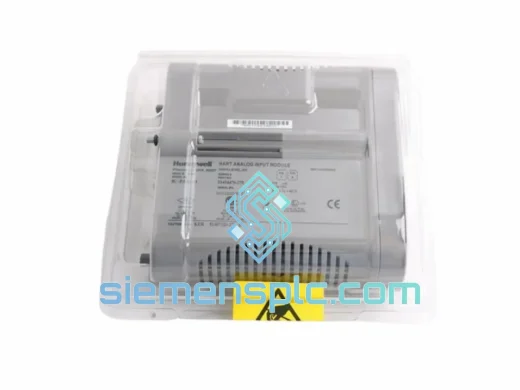
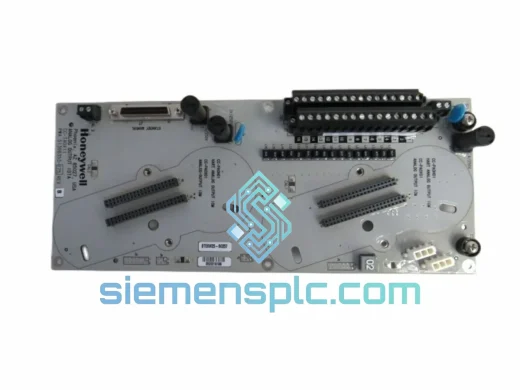
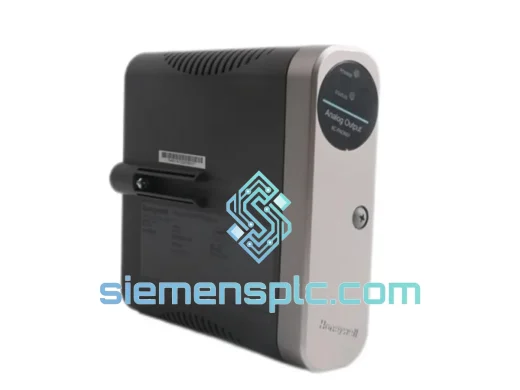
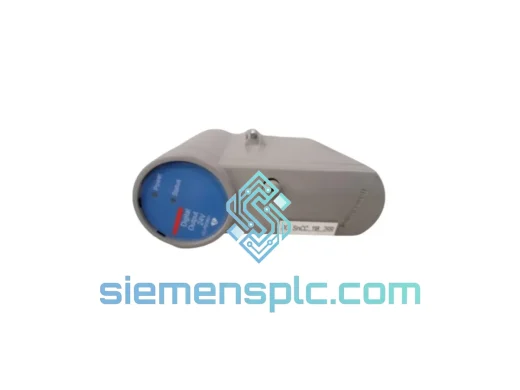
Honeywell CC-PDOB11 Digital Output Module – Experion PKS C300
Experion PKS
Origin US
Digital Output Module
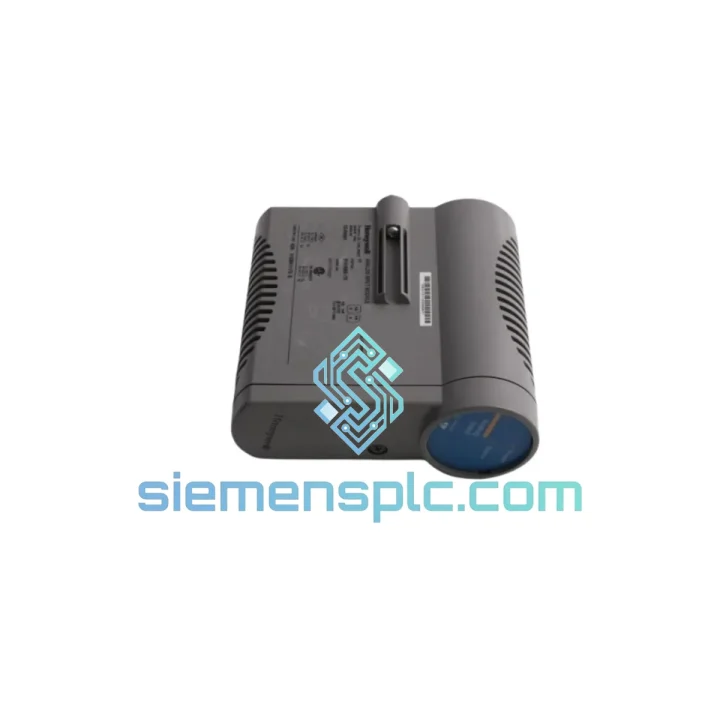
Request verified availability, condition, replacement risk review, packing options and courier lead time for CC-IP0101.
Click Request Quote and the part number is inserted into the inquiry form automatically.
Core fields for model confirmation and RFQ routing. Detailed product narrative remains below.
Two FF-H1 segments. Sixteen field devices per segment. One failed CC-IP0101 and your entire FOUNDATION Fieldbus network collapses — transmitters go blind, valve positioners lock in last position, and your DCS historian starts logging nothing but Bad quality blocks. The C300 controller is still alive, but it might as well be shouting into a void. Every minute the CC-IP0101 51410056-175 sits dead in that CIOM-A chassis slot is a minute your operators are running the unit on gut feel and manual overrides.
We carry the CC-IP0101 51410056-175 in stock at our Xiamen warehouse. Not “available to order” — physically on the shelf, tested, packed, and ready to hand to DHL before your maintenance window closes. Lead times from Honeywell’s authorized distribution can stretch 6–12 weeks on this part. We ship in 24 hours. That gap is the difference between a controlled restart and an extended forced outage that your plant manager will be explaining to corporate for the next quarter.
⚡ URGENT REQUIREMENT? Contact us now:
📧 [email protected] | 💬 WhatsApp: +86 18359268345
| Parameter | Specification |
|---|---|
| Part Number | CC-IP0101 |
| Honeywell Order Code | 51410056-175 |
| Manufacturer | Honeywell Process Solutions |
| Platform | Experion PKS — CIOM-A Chassis |
| Module Role | FOUNDATION Fieldbus H1 Segment Interface |
| Protocol | IEC 61158 / IEC 61784 FF-H1 @ 31.25 kbit/s |
| H1 Segments | 2 independent, electrically isolated |
| Devices per Segment | Up to 16 (subject to power budget) |
| Chassis Interface | CIOM-A backplane — no external wiring to controller |
| Slot Addressing | Automatic via backplane — no DIP switch required |
| RIUP Support | Yes — hot-swap without chassis power-down |
| Operating Temp | 0 °C to +60 °C continuous, no derating |
| Humidity Range | 5% – 95% RH, non-condensing |
| PCB Protection | Conformal coating — corrosion and condensation resistant |
| Certifications | CE, UL Listed |
| Unit Weight | ~1,900 g |
| Country of Origin | China (Xiamen stocked) |
| Stock Status | ✅ In Stock — Ready to Ship within 24 Hours |
How to confirm the CC-IP0101 is the actual failure point — not a wiring or device issue:
The most common misdiagnosis on an FF-H1 segment failure is blaming the interface module when the real culprit is a missing terminator, a shorted spur, or a single device pulling the segment bus voltage below the 9 V minimum. Before you condemn the CC-IP0101, run through this sequence:
Replacement procedure — written for a 2 AM callout, not a training manual:
Most common post-replacement issue: Devices return online but one or two function blocks remain in Out of Service mode. This is almost always a scheduled function block that was manually placed OOS during the outage and not returned to Auto. Check the Experion Station alarm summary for any OOS mode changes that occurred during the fault window and reverse them manually.
The CC-IP0101 was not designed for a climate-controlled server room. It was designed for the kind of environments where process control actually operates: a refinery control cabinet running at 55 °C ambient in a Middle Eastern summer, a pulp mill where hydrogen sulfide attacks every uncoated metal surface, an offshore platform where the entire structure resonates at 5–50 Hz from wave action and rotating machinery.
Honeywell validated the CIOM-A module family to IEC 61131-2 environmental standards. The CC-IP0101 carries a continuous operating rating of 0 °C to 60 °C with no thermal derating — meaning it delivers full specification performance at the top of its temperature range, not a degraded mode. The PCB is conformal-coated to resist condensation, airborne particulates, and corrosive gases. Gold-plated edge connector contacts resist oxidation in sulfur-rich and salt-laden atmospheres — the two most aggressive environments for electronic contacts in industrial settings.
Vibration qualification covers IEC 60068-2-6 sinusoidal sweep and IEC 60068-2-64 random vibration profiles, encompassing the frequency ranges generated by centrifugal pumps, reciprocating compressors, and steam turbines mounted in the same structural bay as the control cabinet. The module’s internal power conditioner maintains stable segment bus voltage across the full range of CIOM-A backplane voltage ripple — a critical detail, because FF-H1 signal integrity degrades rapidly when bus voltage drops below 9 V, even momentarily.
Every unit we dispatch from Xiamen undergoes a physical inspection covering connector pin integrity, PCB surface condition, and power-on self-test completion. We do not ship modules that show any sign of prior installation damage, oxidized contacts, or self-test faults. Units that fail inspection are quarantined — they do not get repackaged and sold as “tested good.”
Our warehouse operates from Xiamen, Fujian Province, China — a dedicated export hub with direct access to Xiamen Gaoqi International Airport (XMN) and Xiamen Port, one of China’s top-ten container ports by volume. This location is not coincidental: it places us within 24–48 hours air freight time of every major industrial region on the planet.
Dispatch schedule:
Estimated door-to-door transit times:
Standard documentation included with every shipment: commercial invoice, detailed packing list, and certificate of conformance. For customers requiring additional export documentation — HS code declaration (8543.70.9000 for programmable controllers and interface modules), certificate of origin, or end-user certificates for customs clearance — we prepare these as standard at no additional charge. We have completed export documentation for customers in 50+ countries and maintain templates for the most common import regimes.
Packaging: every module ships in an ESD-safe anti-static bag, heat-sealed, inside a closed-cell polyethylene foam insert cut to the module’s exact profile, inside a double-wall corrugated outer carton. Fragile and orientation labels are applied externally. No loose fill materials. The module does not move inside the carton — period. A module that survives a decade in a refinery should not arrive with a cracked faceplate because someone used packing peanuts.
📧 Email: [email protected]
💬 WhatsApp: +86 18359268345
🌐 Website: siemensplc.com
© 2026 siemensplc.com — Industrial Automation Components, Xiamen, China. All rights reserved.
We check the full part number, brand, series and visible nameplate information before quotation.
Sales confirms stock path, condition option, quantity and realistic lead time for export dispatch.
DHL, FedEx, UPS or buyer courier arrangements can be reviewed with packing requirements.
Similar brand or category products for fast comparison and multi-item RFQ lists.