
MATROX
In Stock OK
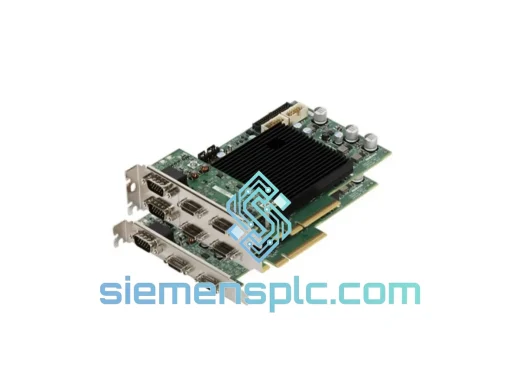
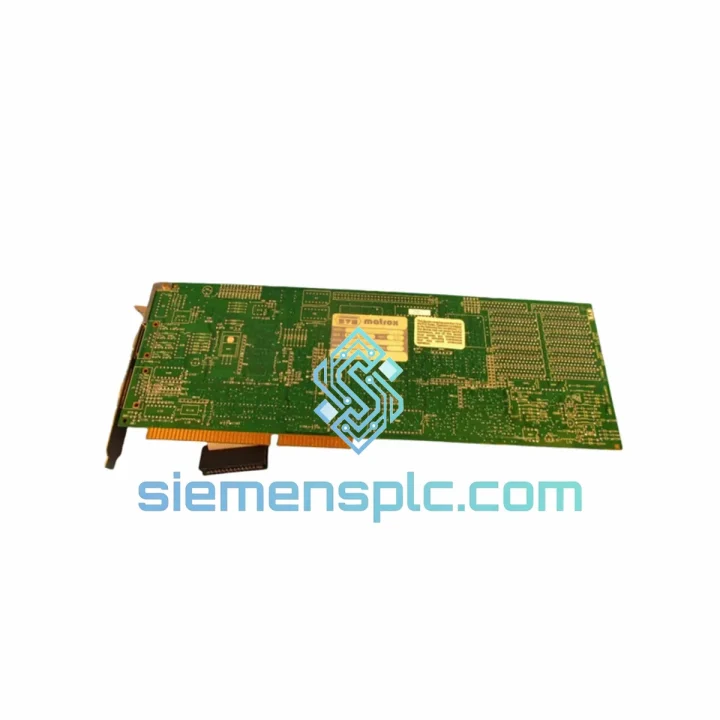
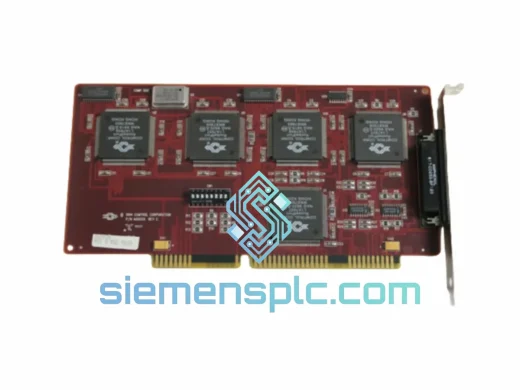
Matrox IP-8/AT/256 Machine Vision Board
Request verified availability, condition, replacement risk review, packing options and courier lead time for IP-8/AT/256.
BrandMATROX
Part NumberIP-8/AT/256
ConditionAvailability Check
Lead TimeRFQ Confirmation
DocumentsDatasheet / photos by RFQ
ShippingExport packing available
Auto-filled RFQ
IP-8/AT/256
Click Request Quote and the part number is inserted into the inquiry form automatically.
- Reply by email: [email protected]
- WhatsApp / Tel: +86 18359268345
- Mon-Sat 9:00-18:00 GMT+8
Procurement Data
Key Product Information
Core fields for model confirmation and RFQ routing. Detailed product narrative remains below.
- Brand
- MATROX
- Primary Part Number
- IP-8/AT/256
- Product Type
- Machine Vision Board
- Product Family
- Other series
- Manufacturer
- Matrox Electronic Systems Ltd.
- Country of Origin
- Canada
- Catalog Category
- Industrial Automation Spares
Model confirmed for inquiry
IP-8/AT/256
Send quantity, destination and urgency. The RFQ form keeps this part number attached.
Request Quote
Product Overview
IP-8/AT/256 Down? Your Inspection Line Loses Money Every Hour — We Ship in 24H
It’s 2 AM. Your automated optical inspection station has flatlined. The conveyor is stopped, the shift supervisor is on the phone, and your maintenance team has just confirmed the culprit: a dead Matrox IP-8/AT/256 ISA frame capture card. You’ve already called three distributors. Two said “discontinued.” One quoted you six weeks. That’s not an answer — that’s a production catastrophe.
We stock it. Right now. In Xiamen. This is not a listing for a part we’ll “source” after you pay. The IP-8/AT/256 is physically on our warehouse shelf, ESD-bagged, tested, and ready for DHL Express pickup within 24 hours of payment confirmation. If you contact us before 14:00 CST, same-day dispatch is on the table.
The IP-8/AT/256 is a 16-bit ISA-bus image processing board from Matrox’s legacy Imaging Series — a platform that powered machine vision systems across automotive stamping, PCB inspection, pharmaceutical packaging, and semiconductor wafer handling lines throughout the 1990s and early 2000s. Thousands of these systems are still running in production today because the vision algorithms, the PLC handshakes, and the line configurations were built around this exact hardware. There is no software patch that replaces a dead frame capture card. You need the board.
Every unit we ship has passed a pre-dispatch functional test covering power rail stability, full 256 KB frame buffer read/write integrity, and ISA bus communication verification. A board that fails any stage does not leave our warehouse. You receive a working part, not a gamble.
⚡ URGENT REQUIREMENT? Contact: [email protected] | WhatsApp: +86 18359268345
Quick Technical Datasheet
| Parameter | Specification |
|---|---|
| Part Number / SKU | IP-8/AT/256 |
| Manufacturer | Matrox Electronic Systems Ltd. |
| Product Series | Matrox Imaging Series |
| Board Function | Image Processing / Frame Capture |
| Bus Interface | ISA 16-bit (AT-bus) |
| On-Board Frame Memory | 256 KB |
| Trigger Interface | TTL-level external trigger input |
| Compatible Software | Matrox MIL (Matrox Imaging Library), legacy Matrox vision drivers |
| Typical I/O Base Address | 0x300 / 0x310 (jumper-configured) |
| IRQ Options | 5, 7, 10 (jumper-configured) |
| Memory Window | 0xC800–0xCFFF (typical) |
| Application Domain | Automated Optical Inspection, Industrial Machine Vision |
| Country of Origin | Canada |
| Unit Weight | 1,140 g |
| Stock Status | ✅ Ready to Ship — Xiamen Warehouse |
| Lead Time | Ships within 24 hours of payment confirmation |
| Condition | New / Tested Refurbished (confirm on inquiry) |
Troubleshooting & Replacement Tips
Ten years of emergency callouts on Matrox Imaging Series hardware teaches you where the traps are. Here’s what catches engineers off guard during an IP-8/AT/256 swap — and how to clear each one fast.
Fault 1 — Board Not Detected After Installation
The single most common post-swap failure. The IP-8/AT/256 uses physical jumpers to set its I/O base address and IRQ line. Before you pull the failed board, photograph every jumper block. ISA resource conflicts with co-installed cards — frame grabbers, digital I/O boards, legacy serial adapters — will cause a “board not found” error every time. Typical base address: 0x300 or 0x310. IRQ: 5, 7, or 10. Replicate the original configuration exactly on the replacement board before seating it.
Fault 2 — MIL Driver Initialization Failure
If the host PC returns a “board initialization failed” error at MIL startup, the first suspect is a firmware mismatch between the board’s onboard EPROM revision and the installed MIL driver version. Check the PCB silkscreen for the board revision stamp. MIL 4.x and earlier have specific driver builds tied to board hardware revisions. Do not update MIL without first confirming backward compatibility — a driver upgrade on a legacy system can take a working board offline permanently.
Fault 3 — Corrupted or Partial Frame Capture
With 256 KB of frame memory, the IP-8/AT/256 operates at the edge of its buffer on higher-resolution captures. Corruption patterns that repeat in the same pixel rows point to a failing DRAM chip on the board — not a cable issue. Random corruption across the frame is more likely EMI: ISA-era boards have no shielding against the RF noise generated by adjacent VFDs, servo drives, or switching power supplies. Verify camera sync signal integrity with an oscilloscope before condemning the board. A clean TTL trigger pulse is non-negotiable.
Fault 4 — System Hangs on POST After Board Insertion
Modern motherboards used in PC upgrades often ship with ISA legacy support disabled in BIOS. Enter BIOS setup and enable “ISA Bus Support” or “Legacy ISA” under the PCI/PnP configuration section. Also confirm the board’s memory window (0xC800–0xCFFF) does not overlap with any other ISA device’s mapped region. Overlap here causes a hard hang with no error message — the system simply stops.
Pre-Power-Up Checklist
- Power down fully and discharge the system — ISA boards are ESD-sensitive; use a grounded wrist strap throughout.
- Set all jumpers on the replacement board to match the original configuration before insertion.
- Apply firm, even pressure when seating — ISA edge connectors require more insertion force than PCI; a partially seated card produces intermittent, hard-to-diagnose faults.
- Reconnect all camera cables and I/O connectors before power-on; ISA peripherals do not support hot-plug.
- Run Matrox’s board diagnostic utility before loading your vision application to confirm the board is communicating correctly.
- Log the new board’s serial number and jumper configuration in your maintenance records before closing the enclosure.
Reliability in Harsh Conditions
The IP-8/AT/256 was not designed for a server room. It was built for factory floors — and the through-hole component construction that defines ISA-era boards is a genuine mechanical advantage in that environment. Through-hole solder joints on component leads are structurally more resistant to the micro-fracture fatigue caused by continuous low-frequency vibration from presses, conveyors, stamping equipment, and compressors. Surface-mount-only designs crack at the solder joint under sustained vibration loads. Through-hole boards outlast them in these conditions.
Temperature cycling is the other long-term stress factor. Facilities that run cold overnight and heat up during production shifts — foundries, automotive body shops, food processing plants — subject electronics to repeated thermal expansion and contraction. The IP-8/AT/256’s component selection and PCB construction handle this cycling without the delamination or trace cracking that plagues cheaper boards.
Every unit we dispatch has been stored in controlled-humidity conditions with desiccant packs inside sealed anti-static bags. We do not pull boards from open shelving or uncontrolled environments. For installations in high-humidity locations — coastal facilities, chemical plants, food processing — ask us about conformal-coated variants on inquiry and we’ll advise on available stock.
Our pre-shipment test protocol is non-negotiable: power rail stability check, full 256 KB frame buffer read/write verification, and ISA bus communication test. Any board that fails a single stage of this protocol is quarantined and does not ship. You are not receiving an untested spare — you are receiving a verified, functional replacement.
Global Express Logistics
Our dispatch hub is in Xiamen, Fujian, China — a primary export gateway with direct DHL Express and FedEx International Priority access. From the moment your payment clears, the clock runs on a defined, predictable logistics chain.
Day 0 — Order Confirmed: Board pulled from inventory, ESD packaging applied, export documentation prepared — commercial invoice, packing list, HS code declaration, and country-of-origin certificate where required.
Day 1 — Dispatched: Shipment handed to DHL Express or FedEx at the Xiamen gateway. Tracking number issued to your email within 2 hours of carrier pickup scan. No chasing required.
Day 2–4 — In Transit: DHL Express delivers to major European hubs (Germany, Netherlands, UK, France) within 3 business days from Xiamen. North America (US, Canada, Mexico) runs 3–4 business days. Southeast Asia and Australia: 2–3 business days. Middle East and India: 3–5 business days. These are real transit times, not marketing estimates.
Customs Clearance: All shipments are pre-declared with accurate HS codes and commercial values. EU customers can request DDP (Delivered Duty Paid) shipping — you receive the board, we handle import VAT and duty paperwork. US customers receive full documentation for customs broker clearance. We have shipped to over 40 countries and know the documentation requirements for each major market.
Emergency Same-Day Dispatch: For confirmed production-down situations, contact us via WhatsApp before 14:00 CST. Orders confirmed by that cutoff are prioritized for same-day dispatch. An express handling fee applies — it is a fraction of what another hour of downtime costs you.
Every shipment is insured for full declared value. If a package is damaged in transit, we ship a replacement unit immediately and handle the carrier claim ourselves. You do not wait for an insurance resolution before getting a working board.
Contact Information
📧 Email: [email protected]
💬 WhatsApp: +86 18359268345
🌐 Web: siemensplc.com
© 2026 siemensplc.com. All rights reserved.
Ready to quote
[email protected]
Send This Part Number to Sales
RFQ workflow
Quality workflow ->
Confirmation Process
01Model confirmation
We check the full part number, brand, series and visible nameplate information before quotation.
02Availability reply
Sales confirms stock path, condition option, quantity and realistic lead time for export dispatch.
03Packing & courier
DHL, FedEx, UPS or buyer courier arrangements can be reviewed with packing requirements.
Continue sourcing
Browse full catalog ->
Related Automation Parts
Similar brand or category products for fast comparison and multi-item RFQ lists.
MATROX
RFQ Ready
MATROX COMTROL A20056 Machine Vision Controller – COMTROL Series
Origin Canada
Machine Vision Controller