Mitsubishi Electric
RFQ Ready
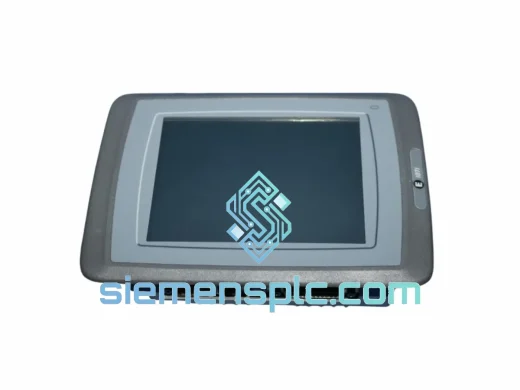
Mitsubishi F940GOT-LWD-E HMI Graphic Operation Terminal
MELSEC
Origin JP
HMI Graphic Operation Terminal
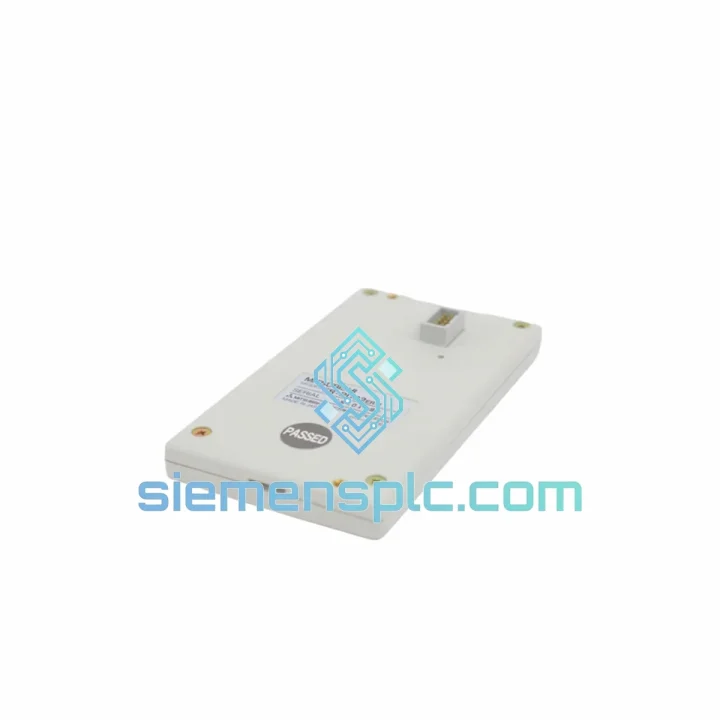
Request verified availability, condition, replacement risk review, packing options and courier lead time for FR-PU02ER.
Click Request Quote and the part number is inserted into the inquiry form automatically.
Core fields for model confirmation and RFQ routing. Detailed product narrative remains below.
Your inverter is locked out. The operator panel is dead. The line is stopped. You’ve already pulled the FR-PU02ER and confirmed it’s the fault — now you need a replacement unit in your hands, not a lead time quote. We stock the Mitsubishi FR-PU02ER remote parameter unit at our Xiamen warehouse, verified genuine, tested, and ready to dispatch on the same business day you order. No middlemen. No warehouse delays. Direct to your site via DHL or FedEx Express.
This is not a catalog listing. This is a field-ready supply chain built for engineers who cannot afford to wait.
URGENT REQUIREMENT? Contact: [email protected] | WhatsApp: +86 18359268345
| Parameter | Specification |
|---|---|
| Part Number | FR-PU02ER |
| Manufacturer | Mitsubishi Electric |
| Series | FR Parameter Unit |
| Compatible Drives | FR-A500, FR-F500, FR-E500, FR-S500, FR-A024, FR-A044 |
| Interface | RS-485 serial via PU port connector |
| Display | LED numeric readout, 4-digit |
| Functions | Parameter R/W, frequency set, run/stop, fault log, parameter copy |
| Remote Cable Support | Up to 5 m extension cable |
| Operating Temperature | 0°C to +50°C |
| Storage Temperature | -20°C to +65°C |
| Weight | Approx. 420 g |
| Mounting | Panel-mount or handheld remote |
| Country of Origin | Japan |
| Stock Status | ✅ Ready to Ship — Xiamen Warehouse |
After ten years of field work, here’s what actually goes wrong with the FR-PU02ER and what to watch when you swap it out:
Common Failure Modes
Replacement Checklist
The FR-PU02ER was engineered for the factory floor, not a climate-controlled server room. Mitsubishi Electric designed this unit to operate continuously in environments that would kill consumer-grade electronics within weeks.
The sealed front panel resists ingress from cutting fluid mist, cement dust, and textile fiber — common in the machine tool, construction materials, and textile industries where FR-A500 series drives are most heavily deployed. The LED display maintains full readability at operating temperatures up to 50°C, which covers the internal panel temperatures typical of poorly ventilated MCC cabinets in summer.
Vibration resistance is built into the connector locking mechanism. The PU port latch is a positive-lock design that prevents the cable from backing out under the continuous low-frequency vibration generated by large motor loads. In our experience, units pulled from 15-year-old installations in steel mill auxiliary drives show no display degradation — the LED segments on this series do not suffer the segment dropout that plagues LCD-based alternatives in high-temperature environments.
Units supplied from our Xiamen stock are stored in climate-controlled conditions, individually wrapped in anti-static foam, and inspected for physical damage and label integrity before dispatch. We do not ship units with cracked bezels, damaged connectors, or suspect labeling — if it doesn’t pass visual inspection, it doesn’t leave the warehouse.
Our dispatch hub is in Xiamen, Fujian — one of China’s primary export ports with direct DHL and FedEx Express gateway access. This is not a drop-ship arrangement. Stock is physically on our shelves.
We have shipped FR-series components to manufacturing plants in Germany, Thailand, Saudi Arabia, Brazil, and Australia within 72 hours of order confirmation. If your plant is down, tell us — we will find the fastest route to your door.
Email: [email protected]
WhatsApp: +86 18359268345
Web: siemensplc.com
© 2026 siemensplc.com. All rights reserved.
We check the full part number, brand, series and visible nameplate information before quotation.
Sales confirms stock path, condition option, quantity and realistic lead time for export dispatch.
DHL, FedEx, UPS or buyer courier arrangements can be reviewed with packing requirements.
Similar brand or category products for fast comparison and multi-item RFQ lists.