National Instruments
RFQ Ready
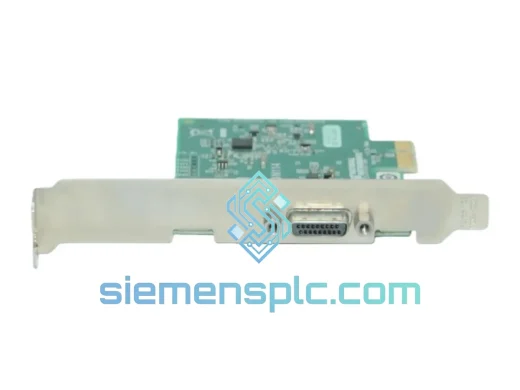
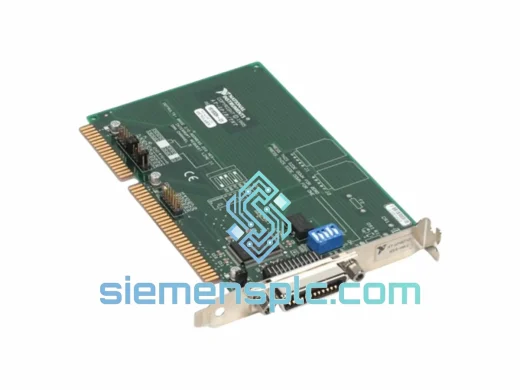
National Instruments AT-GPIB-TN GPIB Interface Card
Industrial ATE
Origin US
GPIB Interface Card
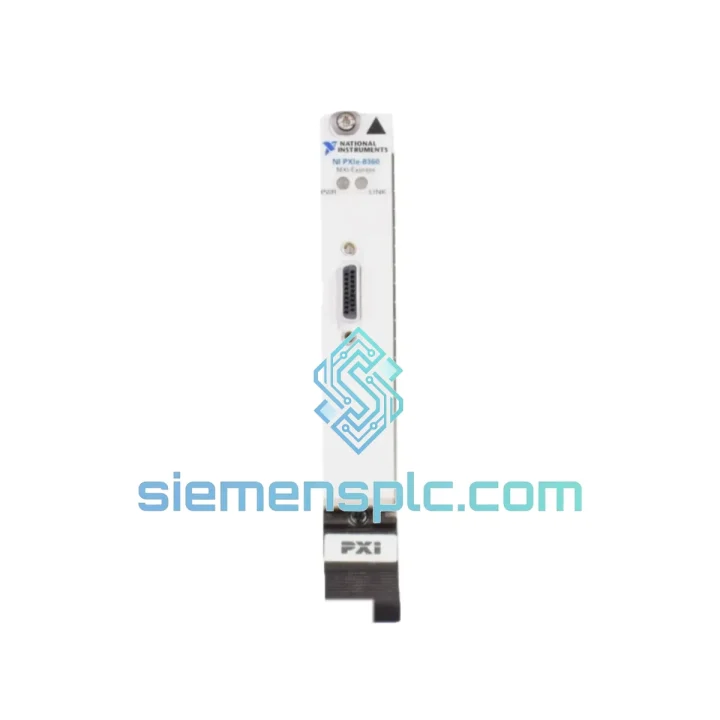
Request verified availability, condition, replacement risk review, packing options and courier lead time for PXIe-8360.
Click Request Quote and the part number is inserted into the inquiry form automatically.
Core fields for model confirmation and RFQ routing. Detailed product narrative remains below.
Your PXI Express chassis is dark. The test line is stopped. The production schedule is slipping. You’ve already traced the fault to the NI PXIe-8360 MXI-Express Remote Control Module — the single card that bridges your chassis to the host PC. We stock it. We ship it today from Xiamen. DHL Express puts it on your bench in 24–72 hours, anywhere on the planet.
This is not a listing. This is a recovery plan.
URGENT REQUIREMENT? Contact: [email protected] | WhatsApp: +86 18359268345
| Parameter | Specification | Status |
|---|---|---|
| Part Number | PXIe-8360 | ✔ Ready to Ship |
| Manufacturer | National Instruments (NI) | |
| Series | MXI-Express (MXI-4) | |
| Form Factor | PXI Express peripheral module (1-slot) | |
| Host Interface | ExpressCard/34 — PCIe x1 Gen 1 | |
| Max Throughput | 110 MB/s bidirectional | |
| Max Cable Length | 3 m standard / 7 m extended | |
| Compatible Chassis | NI PXIe-1062Q, PXIe-1075, PXIe-1085 and all PXIe chassis | |
| Operating Temperature | 0 °C to 55 °C | |
| Storage Temperature | −40 °C to 71 °C | |
| Driver Requirement | NI-MXI / NI Platform Services | |
| OS Compatibility | Windows 10 / 11, LabVIEW Real-Time | |
| Weight | 420 g | |
| Origin | United States | |
| Condition | Original, inspected, tested | ✔ Ready to Ship |
Ten years of field calls on MXI-Express systems teach you the same lesson every time: the failure mode is almost never the cable. It’s the module. Here’s what you need to know before you pull the card and before you seat the replacement.
Common Fault Signatures That Point to a Dead PXIe-8360:
Replacement Procedure — Step by Step:
Multi-Chassis Daisy-Chain Note: If your system chains multiple chassis, replace only the failed 8360 and re-run the chassis discovery wizard in NI MAX after replacement. Do not assume the chain order is preserved — MAX may re-enumerate chassis in a different sequence, which will break resource names in your test code. Update your VISA aliases immediately after validation.
The PXIe-8360 was designed to live inside PXI chassis deployed in environments that would kill consumer-grade hardware in a week. The PCB uses conformal coating on production units, protecting the board from condensation in high-humidity factory floors and coastal test facilities. The module’s PCIe x1 edge connector is gold-plated to resist oxidation in environments where airborne sulfur compounds — common in chemical plants and battery manufacturing — attack tin-plated contacts within months.
Vibration tolerance is validated to MIL-STD-810G Method 514.6 profiles, making the 8360 a standard choice in defense HIL rigs mounted on vibrating platforms. The operating temperature ceiling of 55 °C gives you real headroom in chassis that run hot under full instrument load — a chassis with 8 high-power RF modules will push internal air temperature well above 40 °C, and the 8360 handles it without throttling or link degradation.
Every unit we ship from Xiamen is inspected for connector integrity, powered on for link negotiation verification, and packed in anti-static foam with humidity indicator cards. If the card arrives with a failed humidity indicator, contact us before installation — we will replace it, no questions asked.
Our warehouse is in Xiamen, Fujian — one of China’s primary export hubs with direct DHL Express and FedEx International Priority pickup routes operating 6 days a week. Here is what the timeline looks like from the moment you confirm your order:
All shipments include a commercial invoice, packing list, and HS code declaration pre-filled for customs clearance. For customers in the EU, we provide EORI-compatible documentation. For US imports, we declare under HTS 8537.10 with accurate valuation — no undervaluation, no customs delays. Tracking numbers are sent via email and WhatsApp within 2 hours of dispatch. If your shipment is held at customs for any reason, our logistics team intervenes directly with the carrier on your behalf.
For orders requiring air freight on a dedicated charter or hand-carry delivery to a remote site, contact us directly. We have handled emergency deliveries to offshore platforms and remote mining operations — if there is a flight, we can get the part on it.
Email: [email protected]
WhatsApp: +86 18359268345
Web: siemensplc.com
© 2026 siemensplc.com. All rights reserved.
We check the full part number, brand, series and visible nameplate information before quotation.
Sales confirms stock path, condition option, quantity and realistic lead time for export dispatch.
DHL, FedEx, UPS or buyer courier arrangements can be reviewed with packing requirements.
Similar brand or category products for fast comparison and multi-item RFQ lists.