Parker Hannifin
RFQ Ready
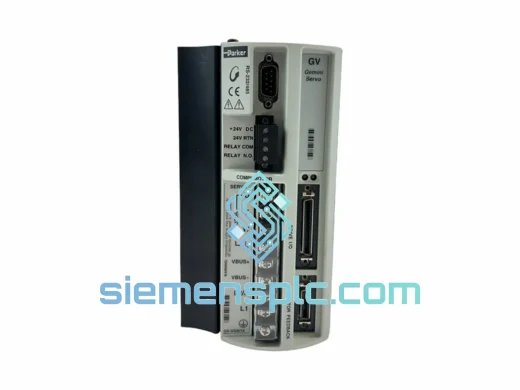
Parker GV-U6E-310 AC Servo Drive – Compumotor GV Series
Compumotor GV Series
Origin US
AC Servo Drive
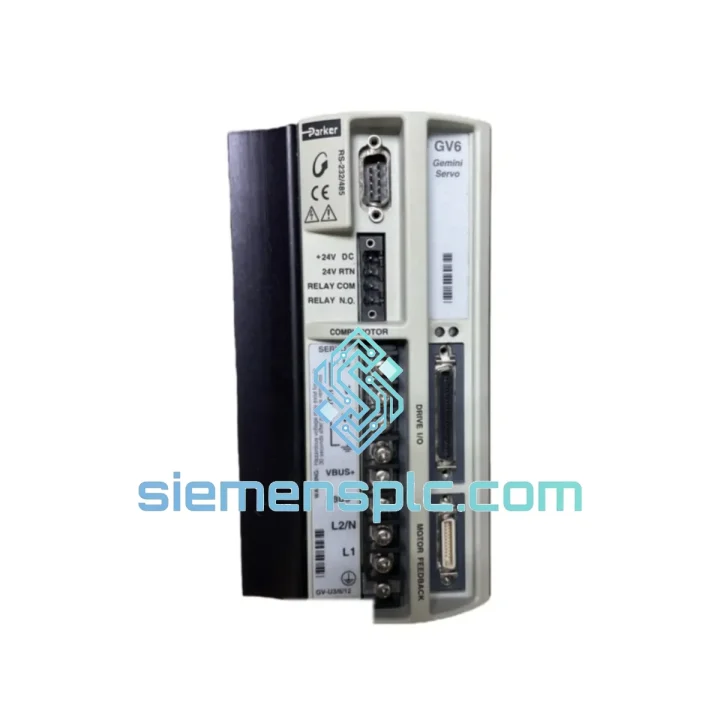
Request verified availability, condition, replacement risk review, packing options and courier lead time for GV6-U12E-NK.
Click Request Quote and the part number is inserted into the inquiry form automatically.
Core fields for model confirmation and RFQ routing. Detailed product narrative remains below.
A failed servo drive on a multi-axis gantry or packaging line doesn’t wait for procurement cycles. Every hour of downtime on a GV6-U12E-NK-driven axis translates directly into scrapped batches, missed shipments, and penalty clauses. We stock the Parker GV6-U12E-NK in Xiamen and ship globally via DHL/FedEx Express — most orders clear customs and land on your dock within 3–5 business days. If your line is down right now, skip to the CTA below.
URGENT REQUIREMENT? Contact: [email protected] | WhatsApp: +86 18359268345
| Parameter | Specification |
|---|---|
| Part Number | GV6-U12E-NK |
| Brand / Series | Parker Hannifin / GV6 |
| Drive Type | Digital AC Servo Drive |
| Continuous Output Current | 12 A |
| Peak Output Current | 24 A |
| Input Voltage | 100–240 VAC, 1Ø / 3Ø |
| Communication Bus | EtherNet/IP (E suffix) |
| Feedback Interface | Incremental / Absolute Encoder |
| Control Modes | Position / Velocity / Torque |
| Enclosure Rating | IP20 |
| Keypad | None (NK = No Keypad — remote config only) |
| Certifications | CE, UL |
| Weight | ~1,650 g |
| Country of Origin | United States |
| Stock Status | ✅ Ready to Ship — Xiamen Warehouse |
| Lead Time | Same-day dispatch for in-stock units; 4–8 weeks OEM lead time if sourced new |
Most common failure modes on the GV6-U12E-NK in the field:
Step-by-step hot-swap procedure:
The GV6-U12E-NK was engineered for continuous duty in industrial panel environments. The drive’s thermal management system uses a forced-air heatsink with an internal fan — the fan bearing is one of the few wear items; on drives exceeding 40,000 operating hours, fan replacement is recommended before the bearing seizes and causes thermal shutdown faults.
The conformal-coated PCBs resist humidity ingress in environments up to 95% RH (non-condensing), making the drive suitable for food processing and pharmaceutical facilities where washdown procedures create elevated ambient moisture. The DC bus capacitors are rated for 105°C — in ambient temperatures above 40°C, ensure the panel has adequate forced ventilation to keep the drive’s internal temperature below 70°C (monitor via the drive’s thermal register in Parker Motion Planner).
Vibration resistance: the GV6 platform meets IEC 60068-2-6 (sinusoidal vibration, 10–500 Hz, 1 g) and IEC 60068-2-27 (shock, 15 g, 11 ms). For installations on mobile equipment or near high-vibration machinery (presses, compactors), use anti-vibration mounts on the panel and ensure all connector latches are fully engaged.
Units supplied by siemensplc.com are individually inspected: DC bus capacitance measured, IGBT gate drive signals verified, encoder interface tested with a signal generator, and EtherNet/IP communication confirmed before dispatch. We do not ship untested surplus.
Our Xiamen warehouse sits 12 km from Xiamen Gaoqi International Airport — one of China’s top-5 air cargo hubs by throughput. This geography is deliberate: it cuts the time between “order confirmed” and “airside” to under 4 hours for same-day dispatch orders placed before 14:00 CST.
Standard express routing for the GV6-U12E-NK:
All shipments include: commercial invoice with accurate HS code (8537.10 for servo drives), packing list, and certificate of origin. For customers requiring formal customs clearance support, we provide pre-shipment documentation packages. Duties and import VAT are the buyer’s responsibility — we recommend consulting your local customs broker for duty rate confirmation before ordering.
Packaging: the GV6-U12E-NK is double-boxed in anti-static foam with corner protection. Drop-test certified to ISTA 2A standard. We have shipped over 2,000 servo drives internationally with zero transit damage claims.
📧 Email: [email protected]
💬 WhatsApp: +86 18359268345
🌐 Web: siemensplc.com
© 2026 siemensplc.com. All rights reserved.
We check the full part number, brand, series and visible nameplate information before quotation.
Sales confirms stock path, condition option, quantity and realistic lead time for export dispatch.
DHL, FedEx, UPS or buyer courier arrangements can be reviewed with packing requirements.
Similar brand or category products for fast comparison and multi-item RFQ lists.