Pro-face
In Stock OK
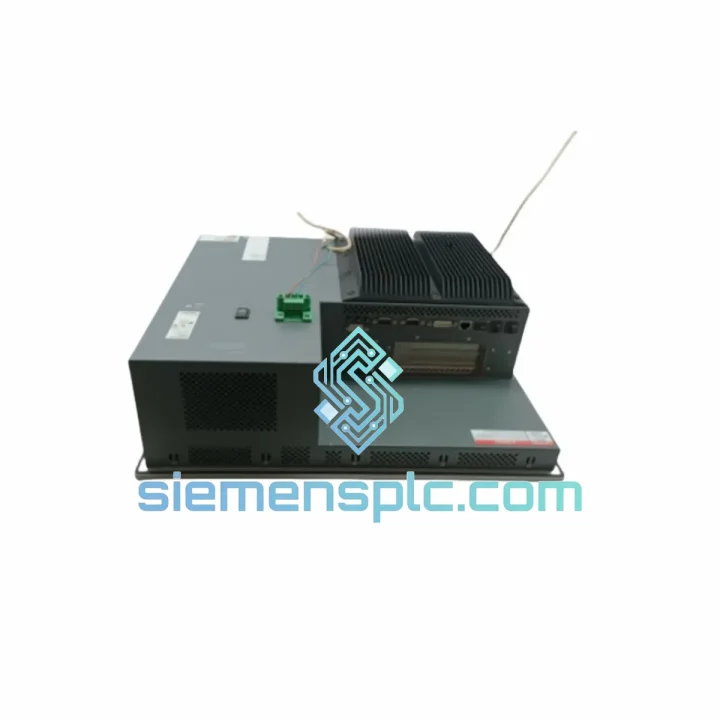
Pro-face PFXPP161EA25P00G00 HMI Touch Screen Panel
Request verified availability, condition, replacement risk review, packing options and courier lead time for PFXPP161EA25P00G00.
BrandPro-face
Part NumberPFXPP161EA25P00G00
ConditionAvailability Check
Lead TimeRFQ Confirmation
DocumentsDatasheet / photos by RFQ
ShippingExport packing available
Auto-filled RFQ
PFXPP161EA25P00G00
Click Request Quote and the part number is inserted into the inquiry form automatically.
- Reply by email: [email protected]
- WhatsApp / Tel: +86 18359268345
- Mon-Sat 9:00-18:00 GMT+8
Procurement Data
Key Product Information
Core fields for model confirmation and RFQ routing. Detailed product narrative remains below.
- Brand
- Pro-face
- Primary Part Number
- PFXPP161EA25P00G00
- Product Type
- HMI Touch Screen Panel
- Series / Family
- SP5000 Series
- Country of Origin
- JP
- Catalog Category
- HMI Panels
Model confirmed for inquiry
PFXPP161EA25P00G00
Send quantity, destination and urgency. The RFQ form keeps this part number attached.
Request Quote
Product Overview
Pro-face PFXPP161EA25P00G00 — Stop the Clock on Your Downtime. Ship Today.
Your line is down. Every minute costs real money — rejected batches, idle labor, delayed deliveries. The Pro-face PFXPP161EA25P00G00 is a 15-inch TFT LCD HMI panel from the SP5000/PS5000 Series, and when it fails, there is no workaround. You need the exact unit, verified, tested, and on a plane — not a 6-week lead time from a regional distributor. We stock it in Xiamen. We ship it today.
URGENT REQUIREMENT? Contact: [email protected] | WhatsApp: +86 18359268345
Quick Technical Datasheet
| Parameter | Specification |
|---|---|
| Part Number | PFXPP161EA25P00G00 |
| Brand | Pro-face (Digital Electronics / Schneider Electric) |
| Series | SP5000 / PS5000 |
| Display Size | 15″ TFT LCD Color |
| Resolution | 1024 × 768 (XGA) |
| Touch Technology | Analog Resistive (glove-operable) |
| Power Supply | DC 24V |
| Communication | RS-232C, RS-422/485, Ethernet RJ-45, USB Host/Client |
| Operating Temp | 0°C to +50°C |
| Storage Temp | -20°C to +60°C |
| Protection Rating | IP65 (front panel) |
| Certifications | CE, UL, cUL |
| Software | GP-Pro EX (all versions) |
| Mounting | Panel cut-out, rear-mount brackets included |
| Origin | Japan |
| Stock Status | ✅ Ready to Ship — Xiamen Warehouse |
Troubleshooting & Replacement Tips
After 10 years of field work, here is what actually goes wrong with the PFXPP161EA25P00G00 — and what to watch before you bolt in the replacement.
Common Failure Modes:
- Backlight failure (most frequent): Screen goes dark but the unit still responds to touch. The CCFL inverter board or LED backlight strip degrades after 40,000–50,000 hours. If you can still see a faint image under direct light, it is the backlight, not the LCD panel itself. Full unit swap is the fastest fix on a live line.
- Touch drift / dead zones: Resistive touch layers delaminate under sustained heat cycling. Recalibration via the GP-Pro EX utility buys time, but if drift returns within days, the touch overlay is physically worn. Replace the unit.
- Ethernet port failure: Caused by ESD events on poorly grounded panels. Symptom: PLC communication drops intermittently, PING fails. Check grounding first — if the port is dead, no firmware fix will recover it.
- Flash memory corruption: Manifests as boot loop or “Project Load Error” on startup. Caused by power interruptions during project write operations. Attempt a forced firmware reflash via USB before condemning the unit.
- RS-422/485 communication errors: Often a termination resistor issue on the network, not the panel. Before swapping, verify 120Ω termination at both ends of the bus.
Pre-Swap Checklist (do this before powering the new unit):
- Back up the existing project file via GP-Pro EX Transfer Tool — even a corrupted panel may still allow a USB project export.
- Note the IP address, subnet mask, and gateway configured on the old unit. The replacement ships with factory defaults (192.168.0.1).
- Verify DC 24V supply is within ±10% tolerance. Marginal power supplies kill replacement units fast.
- Check the panel cutout dimensions: 381 × 295 mm. Gasket condition matters for IP65 integrity — replace the gasket if compressed or cracked.
- The PFXPP161EA25P00G00 does not use DIP switches for addressing. All configuration is software-based via GP-Pro EX. No hardware jumpers to set.
- Firmware version: confirm the replacement unit firmware matches or exceeds the version your GP-Pro EX project was compiled on. Downward compatibility is not guaranteed for projects built on newer GP-Pro EX versions.
- After first boot, run the touch panel calibration routine before going live. Access via System Menu → Maintenance → Touch Panel Calibration.
Error Codes You Will See:
- ERR: 0x0010 — Communication timeout with PLC. Check cable, baud rate, and station number settings.
- ERR: 0x0020 — Project version mismatch. Reload project from GP-Pro EX.
- ERR: 0x0050 — Ethernet IP conflict. Assign a unique IP before connecting to the network.
- SYS ERR: MEDIA — Internal flash issue. Attempt firmware recovery via USB boot mode.
Reliability in Harsh Conditions
The PFXPP161EA25P00G00 was not designed for office environments. It was built for the floor — and the floor is brutal.
The front panel carries an IP65 rating, meaning it withstands sustained water jets and fine dust ingress. In food and beverage plants where high-pressure washdowns are routine, this is not optional — it is the baseline. The aluminum die-cast rear housing dissipates heat passively, keeping internal temperatures stable even when the ambient air around the panel reaches 50°C. In steel mills and foundries where radiant heat is a constant, this thermal margin is what separates a panel that lasts three years from one that fails in six months.
Vibration resistance is validated to IEC 60068-2-6 standards. On packaging lines and press machines where the entire cabinet shakes at 10–150 Hz, connector fatigue and PCB solder joint cracking are the silent killers of HMI panels. The SP5000 series uses conformal-coated PCBs and reinforced connector housings specifically to address this. Humidity tolerance extends to 90% RH non-condensing — relevant for coastal facilities, outdoor enclosures, and any plant that runs steam processes nearby.
Units sourced through our Xiamen warehouse are stored in climate-controlled conditions and inspected prior to dispatch. We do not ship units that have been sitting in uncontrolled storage — humidity and temperature cycling during storage degrades electrolytic capacitors and flash memory before the unit ever reaches your panel.
Global Express Logistics
We operate from Xiamen, China — one of the most logistics-efficient export hubs in Asia, with direct DHL, FedEx, and UPS gateway access. Here is how a typical urgent order moves:
- Order confirmed before 14:00 CST: Same-day dispatch to DHL/FedEx sort facility.
- DHL Express Worldwide: Europe 2–3 business days, North America 3–4 business days, Southeast Asia 1–2 business days, Middle East 3–5 business days.
- FedEx International Priority: Available as alternative carrier — same transit windows, useful when DHL has service disruptions in your region.
- Tracking: AWB number provided within 2 hours of dispatch. Real-time tracking link sent via email and WhatsApp.
- Customs documentation: Commercial invoice, packing list, and HS code declaration prepared to your country’s import requirements. We have cleared customs into Germany, USA, Australia, UAE, India, and 40+ other countries without delays.
- Packaging: Anti-static foam insert, double-wall carton, fragile labeling. The panel arrives ready to install — not ready to be inspected for shipping damage.
For plant shutdowns or scheduled maintenance windows, we also offer pre-positioned stock arrangements — contact us to discuss holding units against your maintenance schedule.
Contact Information
📧 Email: [email protected]
📱 WhatsApp: +86 18359268345
🌐 Web: siemensplc.com
© 2026 siemensplc.com. All rights reserved.
Ready to quote
[email protected]
Send This Part Number to Sales
RFQ workflow
Quality workflow ->
Confirmation Process
01Model confirmation
We check the full part number, brand, series and visible nameplate information before quotation.
02Availability reply
Sales confirms stock path, condition option, quantity and realistic lead time for export dispatch.
03Packing & courier
DHL, FedEx, UPS or buyer courier arrangements can be reviewed with packing requirements.
Continue sourcing
Browse full catalog ->
Related Automation Parts
Similar brand or category products for fast comparison and multi-item RFQ lists.

Siemens
RFQ Ready
Siemens 6AV7240-0HC07-0PA0 Industrial Panel PC Motherboard – SIMATIC IPC477D
SIMATIC
Origin DE
Industrial Panel PC Motherboard