
Proface
In Stock OK
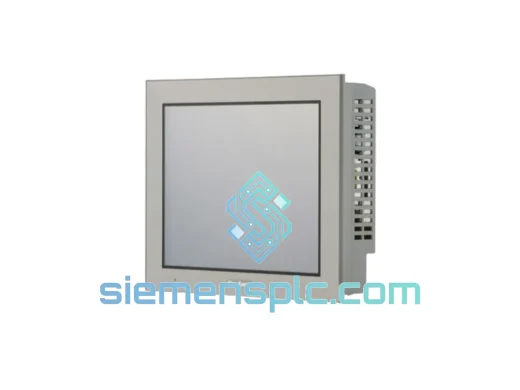
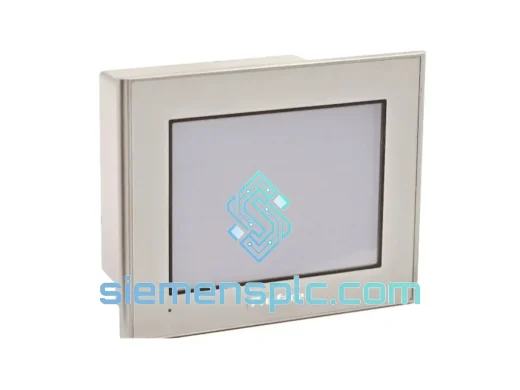
PROFACE AGP3360-T1-D24 HMI Touch Screen Panel
Request verified availability, condition, replacement risk review, packing options and courier lead time for AGP3360-T1-D24.
BrandProface
Part NumberAGP3360-T1-D24
ConditionAvailability Check
Lead TimeRFQ Confirmation
DocumentsDatasheet / photos by RFQ
ShippingExport packing available
Auto-filled RFQ
AGP3360-T1-D24
Click Request Quote and the part number is inserted into the inquiry form automatically.
- Reply by email: [email protected]
- WhatsApp / Tel: +86 18359268345
- Mon-Sat 9:00-18:00 GMT+8
Procurement Data
Key Product Information
Core fields for model confirmation and RFQ routing. Detailed product narrative remains below.
- Brand
- Proface
- Primary Part Number
- AGP3360-T1-D24
- Product Type
- HMI Touch Screen Panel
- Product Family
- Other series
- Country of Origin
- JP
- Catalog Category
- HMI Panels
- Operating Temp.
- 0°C to 50°C
Model confirmed for inquiry
AGP3360-T1-D24
Send quantity, destination and urgency. The RFQ form keeps this part number attached.
Request Quote
Product Overview
AGP3360-T1-D24 Down? Every Minute Costs You — Get It Back Online Today
Your line stopped. The GP3000 panel is dark. Operators are standing around, supervisors are calling, and the clock is running at full downtime rate. You already know the part number — PROFACE AGP3360-T1-D24 — and you need it now, not in three weeks. We stock it in Xiamen, we ship it today, and we’ve done this exact scenario hundreds of times. This page exists for one reason: to get your machine back up as fast as physically possible.
The AGP3360-T1-D24 is a mid-range GP3000 Series operator panel running on 24 VDC, built for the kind of industrial environments where panels take abuse daily — vibration, heat cycles, coolant mist, and operators who don’t always treat equipment gently. It’s deployed across automotive body shops, food processing lines, water treatment SCADA stations, and semiconductor fabs. When it fails, there’s no workaround. The machine is blind.
URGENT REQUIREMENT? Contact: [email protected] | WhatsApp: +86 18359268345
Quick Technical Datasheet
| Parameter | Specification |
|---|---|
| Part Number | AGP3360-T1-D24 |
| Brand | PROFACE (Schneider Electric) |
| Series | GP3000 |
| Power Supply | 24 VDC ±10% |
| Display Type | TFT Color LCD, Analog Resistive Touch |
| Front Panel Protection | IP65 |
| Operating Temperature | 0°C to 50°C |
| Storage Temperature | -20°C to 60°C |
| Communication Ports | RS-232C / RS-422/485, Ethernet (model-dependent) |
| Programming Software | GP-Pro EX |
| Weight | Approx. 300 g |
| Origin | Japan |
| Stock Status | ✔ Ready to Ship — Xiamen Warehouse |
Troubleshooting & Replacement Tips
After ten years of field work, these are the failure modes and swap pitfalls that actually bite engineers on the AGP3360-T1-D24:
1. Backlight failure — the most common call. The panel powers up, the PLC communicates, but the screen is black or barely visible. Before condemning the panel, check your 24 VDC supply rail under load. A sagging supply (below 21.6 V) will kill the backlight first. If supply is solid, the CCFL or LED backlight assembly has failed. On the AGP3360-T1-D24, this is not field-replaceable — the whole panel needs to swap. Keep a spare on the shelf.
2. Touch calibration drift after replacement. When you install the new panel, GP-Pro EX will prompt a touch calibration sequence on first boot. Do not skip it. If the replacement panel was stored for more than 12 months, run calibration twice — resistive touch films can settle. Operators hitting the wrong buttons after a swap is almost always a calibration issue, not a hardware defect.
3. Project file transfer — use the correct GP-Pro EX version. The AGP3360-T1-D24 has firmware version dependencies. If your replacement unit ships with a different firmware revision than the failed panel, GP-Pro EX may refuse to download the project or throw a version mismatch error. Check the firmware version on the new unit via the offline menu (hold the top-left corner of the screen during power-up to enter system mode). Match your GP-Pro EX project file to the firmware version, or update firmware first via USB.
4. Communication port wiring — RS-232 vs RS-422/485 jumper. The AGP3360-T1-D24 uses a shared COM port that can be configured for RS-232C or RS-422/485 via internal DIP switches (SW1 on the PCB, accessible from the rear). If your failed panel was running RS-485 multi-drop to a Mitsubishi or Omron PLC and the replacement defaults to RS-232, you’ll get a communication timeout immediately. Verify the DIP switch position before closing the panel back into the cabinet. The setting is documented in the GP3000 Series Hardware Manual, Section 3.
5. IP address conflict on Ethernet models. If your site uses the Ethernet port for PLC communication or SCADA connectivity, the replacement panel ships with a default IP of 192.168.0.1. If that conflicts with your network, the panel will appear to communicate but data will be erratic. Set the IP via the offline menu before connecting to the network.
6. Error code ERR:E1 / ERR:E2 on startup. These indicate a project data corruption or missing project file. The panel is functional — it just has no screen data loaded. Connect via USB with GP-Pro EX and re-download the project. If you don’t have the project file backed up, this is the moment you’ll wish you had. We recommend keeping a GP-Pro EX project archive on a USB drive taped inside the cabinet door.
Reliability in Harsh Conditions
The GP3000 Series was not designed for office environments. The AGP3360-T1-D24 front panel carries an IP65 rating — fully dust-tight and protected against water jets from any direction. In automotive paint shops where panels get wiped down with solvent-dampened rags daily, in food processing lines where high-pressure washdowns are routine, and in outdoor pump stations where condensation is a constant threat, the IP65 gasket is the difference between a panel that lasts five years and one that fails in six months.
The analog resistive touch technology is deliberately chosen for industrial use. Unlike capacitive screens that require bare fingertips, the AGP3360-T1-D24 responds to gloved hands, stylus inputs, and even the blunt end of a screwdriver in a pinch. On a cold morning in a refrigerated warehouse or a hot afternoon in a steel mill, operators don’t remove their gloves to interact with the HMI. The resistive panel doesn’t ask them to.
Vibration tolerance is validated to IEC 61131-2 standards. In applications mounted on compressor skids, press frames, or mobile equipment where constant mechanical vibration is present, the GP3000 panel maintains display integrity and communication stability. The internal PCB connectors are secured with locking mechanisms specifically to prevent vibration-induced intermittent faults — the kind that are nearly impossible to diagnose remotely and waste hours of engineering time.
Operating temperature range of 0°C to 50°C covers the vast majority of industrial indoor environments. For applications approaching the upper limit — foundries, glass plants, kiln control panels — ensure adequate cabinet ventilation and consider a cabinet air conditioner if ambient temperatures exceed 45°C consistently. The panel will throttle display brightness before it shuts down, giving operators a visual warning before thermal protection activates.
Global Express Logistics
Our warehouse is in Xiamen, Fujian — one of China’s primary export hubs with direct access to DHL, FedEx, and UPS international express networks. When you confirm an order before 14:00 CST, the unit ships the same business day. No exceptions, no excuses.
Typical transit times from Xiamen:
- Southeast Asia (Singapore, Thailand, Vietnam, Malaysia): 2–3 business days via DHL Express
- Japan / South Korea: 2–3 business days via FedEx International Priority
- Europe (Germany, UK, France, Netherlands): 3–5 business days via DHL Express Worldwide
- North America (USA, Canada, Mexico): 3–5 business days via FedEx International Priority
- Middle East (UAE, Saudi Arabia, Qatar): 3–4 business days via DHL Express
- Australia / New Zealand: 3–4 business days via DHL Express
Every shipment includes a commercial invoice, packing list, and certificate of origin. For customers in countries with specific import requirements for industrial electronics, we prepare documentation in advance to prevent customs holds. We’ve shipped to 60+ countries and know where the friction points are.
The AGP3360-T1-D24 is packed in anti-static foam with a humidity indicator card inside the outer carton. If the card shows exposure during transit, you have documented evidence for a carrier claim — we’ve built that into our standard packing process because we’ve seen what happens when panels arrive damaged and there’s no proof of condition at dispatch.
For genuinely critical situations — a plant shutdown with production loss accumulating by the hour — contact us directly on WhatsApp. We can arrange weekend dispatch, charter courier options, and airport-to-airport freight for the fastest possible delivery when standard express isn’t fast enough.
Contact Information
Email: [email protected]
WhatsApp: +86 18359268345
Web: siemensplc.com
© 2026 siemensplc.com. All rights reserved.
Ready to quote
[email protected]
Send This Part Number to Sales
RFQ workflow
Quality workflow ->
Confirmation Process
01Model confirmation
We check the full part number, brand, series and visible nameplate information before quotation.
02Availability reply
Sales confirms stock path, condition option, quantity and realistic lead time for export dispatch.
03Packing & courier
DHL, FedEx, UPS or buyer courier arrangements can be reviewed with packing requirements.
Continue sourcing
Browse full catalog ->
Related Automation Parts
Similar brand or category products for fast comparison and multi-item RFQ lists.
Proface
RFQ Ready
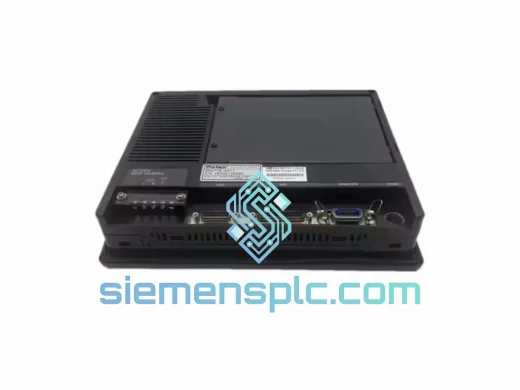
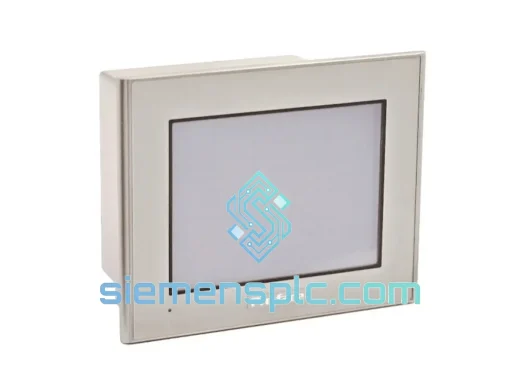
PROFACE GP2301-SC41-24V HMI Touch Panel – GP2000 Series
GP2000 Series
Origin Japan
HMI Touch Panel