Schenck
RFQ Ready
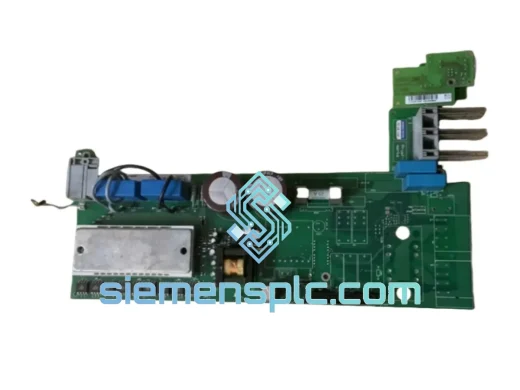
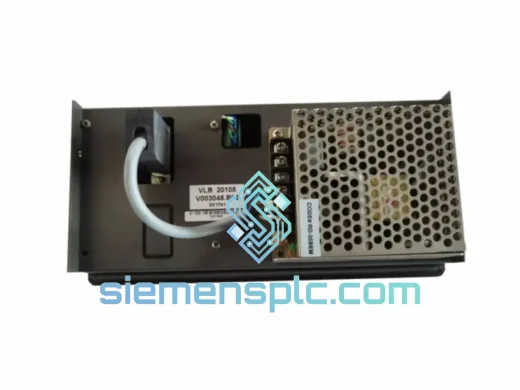
Schenck VLB20105 V003048.B02 Vibration Balancing Control Module
VLB Series
Origin Not specified
Vibration Balancing Control Module
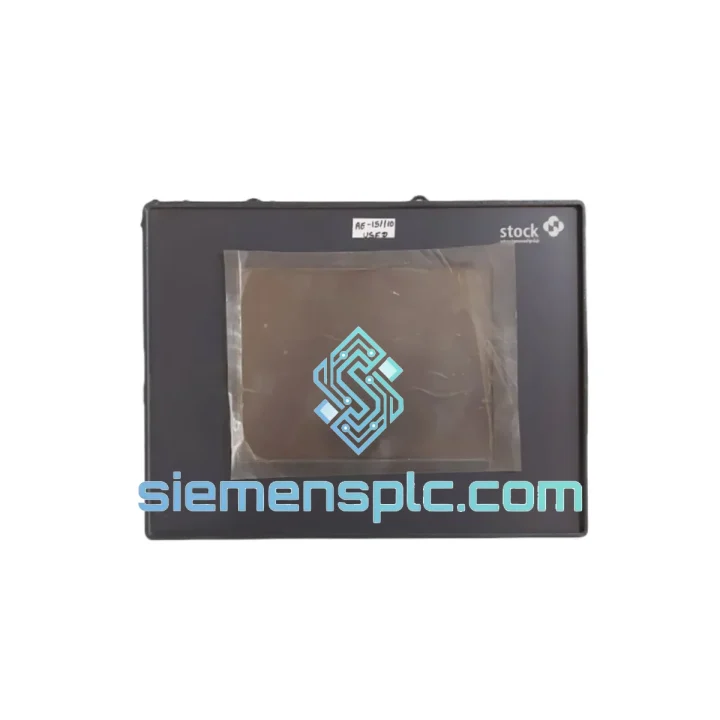
Request verified availability, condition, replacement risk review, packing options and courier lead time for V064089.B01.
Click Request Quote and the part number is inserted into the inquiry form automatically.
Core fields for model confirmation and RFQ routing. Detailed product narrative remains below.
Your balancing machine is down. The production line is stopped. Operators are standing idle. You’ve already pulled the fault log and traced it back to the HMI panel — the Schenck V064089.B01. You don’t need a sales pitch. You need the part on a plane tonight.
We stock the V064089.B01 in Xiamen and have shipped this exact module to plants in Germany, South Korea, Mexico, and the UAE — all on emergency timelines. Our logistics team is on standby. One email or WhatsApp message is all it takes to get a shipping confirmation within hours, not days.
URGENT REQUIREMENT? Contact: [email protected] | WhatsApp: +86 18359268345
| Parameter | Detail |
|---|---|
| Part Number | V064089.B01 |
| Manufacturer | Schenck |
| Product Category | HMI / Touch Screen Operator Interface |
| Primary Application | Schenck Dynamic Balancing Machines |
| Interface Type | Resistive / Capacitive Touch Panel |
| Communication | Schenck proprietary bus; Profibus / Modbus (system-dependent) |
| Operating Voltage | 24 VDC (panel-supplied) |
| Operating Temperature | 0 °C to +55 °C |
| Protection Rating | IP54 front panel (typical Schenck HMI spec) |
| Mounting | Panel cut-out, flush mount |
| Origin | Germany |
| Condition | New / Surplus New (confirm on inquiry) |
| Stock Status | ✔ Ready to Ship — Xiamen Warehouse |
| Lead Time | Same-day dispatch for orders confirmed before 16:00 CST |
After ten years of field work on Schenck balancing systems, these are the failure patterns that send engineers searching for a V064089.B01 replacement:
1. Blank or Frozen Screen on Power-Up
The most common call we get. The backlight driver or touch controller IC fails after prolonged thermal cycling. Before condemning the panel, verify the 24 VDC supply rail is within ±5% tolerance. A sagging supply will cause the panel to boot-loop or display a white screen. If supply is clean and the panel stays blank, the V064089.B01 itself is the culprit — swap it.
2. Touch Input Drift or Dead Zones
Resistive touch layers degrade in environments with cutting fluid mist or repeated cleaning with solvent-based agents. Operators often compensate by pressing harder, which accelerates delamination. If calibration no longer corrects the offset, the touch overlay is gone — replacement is the only fix.
3. Communication Loss to Measurement Electronics
Fault codes referencing “HMI COMM ERROR” or “PANEL NOT RESPONDING” in the Schenck controller log almost always point to the panel-side communication interface, not the controller. Check the ribbon cable connector first (reseat it). If the error persists after reseating, the panel’s communication IC has failed.
4. Replacement Configuration Checklist
Balancing machine environments are not kind to electronics. The V064089.B01 is engineered to operate where lesser HMI panels fail within months.
Vibration Resistance: Schenck designs its own HMI hardware to withstand the continuous low-frequency vibration generated by the balancing machines it controls. The V064089.B01 uses conformal-coated PCBs and vibration-damped connector assemblies to prevent solder joint fatigue — the primary failure mode of standard commercial HMI panels in this environment.
Thermal Stability: Industrial balancing cells frequently operate in foundry or machining environments where ambient temperatures fluctuate significantly across a shift. The V064089.B01’s thermal management design maintains stable display performance across the full 0–55 °C operating range without requiring active cooling.
Contamination Resistance: The IP54-rated front panel seals against metallic dust, coolant mist, and hydraulic oil vapor — all common in the environments where Schenck balancing machines operate. The sealed front bezel prevents ingress that would otherwise cause touch layer failure or display fogging.
EMC Hardening: Schenck’s HMI panels are designed to operate in close proximity to variable-frequency drives, servo amplifiers, and high-current motor starters — all significant sources of conducted and radiated EMI. The V064089.B01 meets the EMC requirements of the EU Machinery Directive, ensuring stable operation without spurious resets or display artifacts.
Long-Term Component Availability: Schenck’s industrial product lifecycle management means the V064089.B01 was designed for a service life measured in decades, not years. We maintain stock specifically because plants running Schenck balancing machines from the 2000s and 2010s still need this panel — and will continue to need it.
Our warehouse is located in Xiamen, China — one of the most logistics-connected cities in Asia, with direct access to DHL, FedEx, and UPS international express networks.
Standard Emergency Dispatch Process:
Typical transit times: Europe 2–3 business days | North America 2–4 business days | Southeast Asia 1–2 business days | Middle East 3–5 business days.
We have shipped to plants in Germany, the Netherlands, South Korea, Japan, Brazil, Mexico, Saudi Arabia, and Australia. Every shipment clears customs. We know what documentation each major market requires.
Your line cannot wait. Reach us now:
© 2026 siemensplc.com. All rights reserved.
We check the full part number, brand, series and visible nameplate information before quotation.
Sales confirms stock path, condition option, quantity and realistic lead time for export dispatch.
DHL, FedEx, UPS or buyer courier arrangements can be reviewed with packing requirements.
Similar brand or category products for fast comparison and multi-item RFQ lists.