
Siemens
In Stock OK
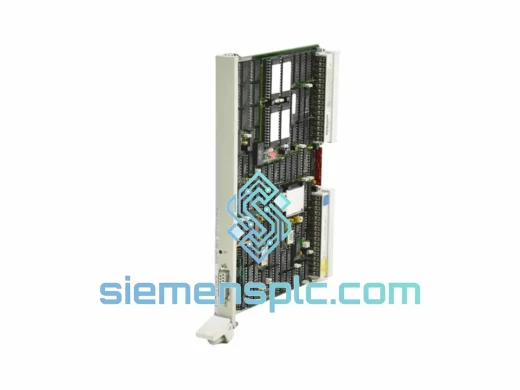
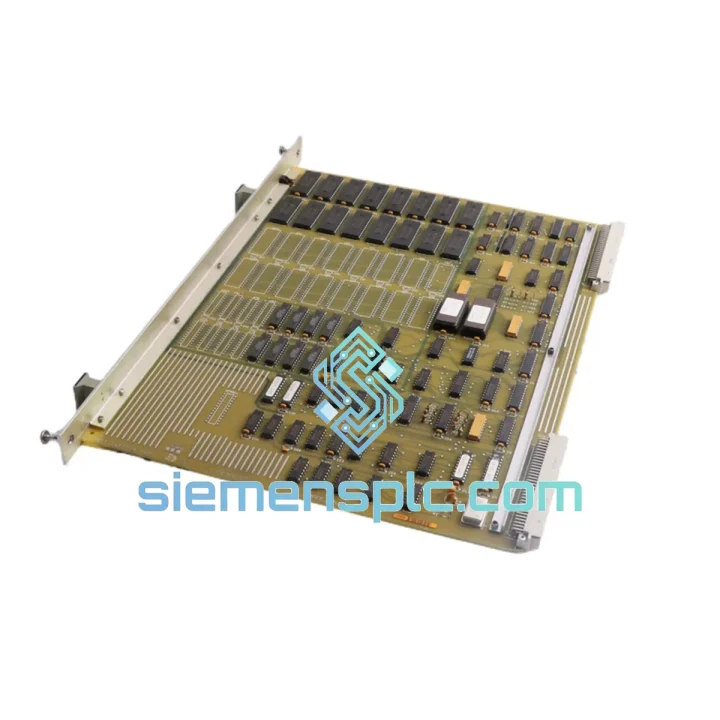
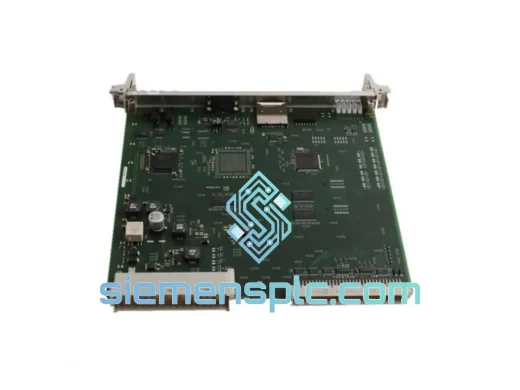
Siemens 560-2136 PLC Memory Module
Request verified availability, condition, replacement risk review, packing options and courier lead time for 560-2136.
BrandSiemens
Part Number560-2136
ConditionAvailability Check
Lead TimeRFQ Confirmation
DocumentsDatasheet / photos by RFQ
ShippingExport packing available
Auto-filled RFQ
560-2136
Click Request Quote and the part number is inserted into the inquiry form automatically.
- Reply by email: [email protected]
- WhatsApp / Tel: +86 18359268345
- Mon-Sat 9:00-18:00 GMT+8
Procurement Data
Key Product Information
Core fields for model confirmation and RFQ routing. Detailed product narrative remains below.
- Brand
- Siemens
- Primary Part Number
- 560-2136
- Product Type
- PLC Memory Module
- Series / Family
- SIMATIC S5
- Manufacturer
- Siemens AG
- Country of Origin
- DE
- Catalog Category
- PLCs & Controllers
- Warranty
- 90-Day DOA Guarantee
Model confirmed for inquiry
560-2136
Send quantity, destination and urgency. The RFQ form keeps this part number attached.
Request Quote
Product Overview
Siemens 560-2136 SIMATIC S5 Global Memory Card: Stop the Clock on Your Downtime
Every minute your line is down, you’re bleeding money. If your SIMATIC S5 system just threw a memory fault or a 560-2136 module has failed, you don’t have time for a 6-week lead time from a catalog distributor. We stock the Siemens 560-2136 Global Memory Card in Xiamen and ship same-day via DHL Express or FedEx International Priority. One call, one part, line back up.
This is not a clone. Not a refurbished unknown. Every unit we dispatch is a factory-original Siemens component, pulled from verified industrial surplus channels and bench-checked before it leaves our warehouse. We’ve been doing this long enough to know that a bad memory card on an S5 system doesn’t just cause a fault — it can corrupt your entire user program block. That’s why we don’t cut corners on sourcing.
URGENT REQUIREMENT? Contact: [email protected] | WhatsApp: +86 18359268345
Quick Technical Datasheet
| Parameter | Value |
|---|---|
| Part Number | 560-2136 |
| Manufacturer | Siemens AG |
| Series | SIMATIC S5 |
| Module Type | Global Memory Card (RAM/EPROM Expansion) |
| Compatible CPUs | S5-90U, S5-95U, S5-100U, S5-115U, S5-135U, S5-155U |
| Country of Origin | Germany |
| Condition | New / Surplus New (verified) |
| Stock Status | ✅ Ready to Ship – Same Day Dispatch |
| Dispatch Location | Xiamen, China |
| Warranty | 90-Day DOA Guarantee |
Troubleshooting & Replacement Tips
The 560-2136 is a passive memory expansion card — it doesn’t have firmware of its own, but it interacts directly with the S5 CPU’s memory management. Here’s what you need to know before you pull the old card and slot in the new one:
Common failure symptoms that point to a 560-2136 fault:
- CPU halts with STOP LED lit and no obvious program error — check memory card seating first.
- Intermittent SF (System Fault) LED flashing during normal operation, especially after vibration events or thermal cycling.
- PG/PC connection via STEP 5 shows corrupted or missing program blocks (OBs, FBs, DBs) that were previously intact.
- CPU powers up but fails to enter RUN mode — memory checksum error is the most common culprit on S5 systems.
Replacement procedure (field-tested):
- Power down the rack completely. Do not hot-swap S5 memory cards — the bus is not designed for it and you risk corrupting adjacent modules.
- Ground yourself. S5 memory cards are ESD-sensitive. Use a wrist strap. The card’s edge connector is exposed and a static discharge will kill it before it ever runs a scan cycle.
- Note the slot position. On multi-slot S5 racks, the global memory card must occupy the designated memory slot — consult your CPU’s hardware manual for the exact slot assignment. Inserting it in the wrong slot will result in a non-start condition.
- Check DIP switch settings. Some 560-2136 variants have onboard DIP switches that configure the memory address range. Before installing, verify the switch positions match your CPU’s memory map. If you’re replacing a failed card, photograph the old card’s switch positions before removal.
- Reload your user program. If the original card held the program in RAM (not EPROM), you will need to reload from your STEP 5 backup via PG. If the program was stored in EPROM, it should be retained — but always verify with a block list comparison after startup.
- Perform a cold restart (CRST). After seating the new card and powering up, initiate a complete cold restart from the CPU’s mode selector. This forces the CPU to re-initialize its memory map and recognize the new card’s address space.
- Monitor the first 10 scan cycles. Watch for any SF or BF LED activity. If the CPU enters RUN cleanly and holds it, you’re done. If it trips back to STOP, connect your PG and read the diagnostic buffer — the error code will tell you exactly what’s wrong.
Pro tip: If you’re running an S5-115U or S5-135U with a large DB structure, always back up your data blocks to the PG before swapping memory cards. A cold restart on a RAM-based system will wipe all DB contents.
Reliability in Harsh Conditions
The SIMATIC S5 platform was engineered for the factory floor, not the server room. The 560-2136 Global Memory Card reflects that design philosophy. Siemens built these modules to operate continuously in environments that would destroy consumer-grade electronics within weeks.
The card’s PCB is conformally coated to resist moisture ingress — critical in food processing, chemical, and coastal manufacturing environments where humidity regularly exceeds 85% RH. The edge connector is gold-plated to maintain low-resistance contact even after years of thermal cycling that causes the backplane to expand and contract with every startup and shutdown sequence.
Vibration tolerance is rated to IEC 68-2-6 standards, which means the card can handle the continuous mechanical stress of press lines, compressor rooms, and heavy machining centers without connector fatigue or solder joint cracking. We’ve seen S5 systems running in steel mills where ambient temperatures hit 55°C — the 560-2136 keeps running because it was designed with industrial thermal margins, not commercial ones.
Units we supply from verified surplus stock have been stored in climate-controlled conditions. We do not source from outdoor salvage or uncontrolled warehouses. Every card is inspected for corrosion on the edge connector, PCB delamination, and component integrity before it ships. If it doesn’t pass visual and functional inspection, it doesn’t leave our facility.
Global Express Logistics
Our dispatch hub is in Xiamen, China — one of the country’s primary export ports with direct DHL and FedEx gateway access. When you place an order before 14:00 CST, we target same-day dispatch. Here’s how the logistics chain works:
- Order confirmation: We issue a proforma invoice and confirm stock within 2 hours of your inquiry during business hours.
- Export documentation: Commercial invoice, packing list, and HS code declaration (HS 8537.10 or applicable) are prepared in parallel with packing — no delays waiting for paperwork.
- Carrier selection: DHL Express Worldwide or FedEx International Priority, depending on destination and your preference. Both services offer door-to-door tracking and customs clearance support.
- Transit times (typical): Southeast Asia 1–2 days | Europe 3–5 days | North America 3–5 days | Middle East 3–4 days | Australia 3–5 days.
- Customs support: We provide accurate HS codes, country-of-origin certificates, and can prepare CITES or dual-use documentation where required. We’ve shipped to 60+ countries without a customs hold on properly documented industrial components.
- Tracking: AWB number sent to you within 1 hour of dispatch. Real-time tracking link provided.
For critical plant shutdowns, contact us directly on WhatsApp for priority handling. We’ve turned around emergency shipments in under 4 hours from inquiry to dispatch for customers facing production-critical downtime situations.
Contact Information
Email: [email protected]
WhatsApp: +86 18359268345
Web: siemensplc.com
© 2026. All rights reserved.
Ready to quote
[email protected]
Send This Part Number to Sales
RFQ workflow
Quality workflow ->
Confirmation Process
01Model confirmation
We check the full part number, brand, series and visible nameplate information before quotation.
02Availability reply
Sales confirms stock path, condition option, quantity and realistic lead time for export dispatch.
03Packing & courier
DHL, FedEx, UPS or buyer courier arrangements can be reviewed with packing requirements.
Continue sourcing
Browse full catalog ->
Related Automation Parts
Similar brand or category products for fast comparison and multi-item RFQ lists.
Siemens
RFQ Ready
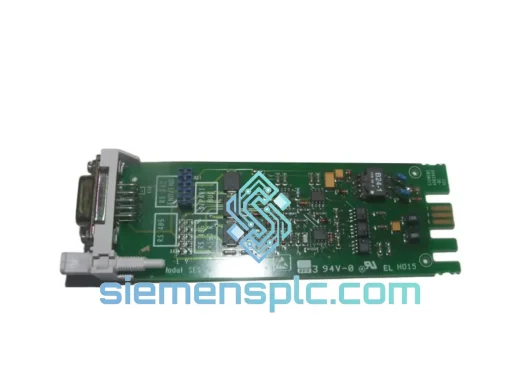
Siemens 6ES5734-1BD20 S5 Programming Cable
SIMATIC S5
Origin DE
PLC Programming Cable
Siemens
RFQ Ready
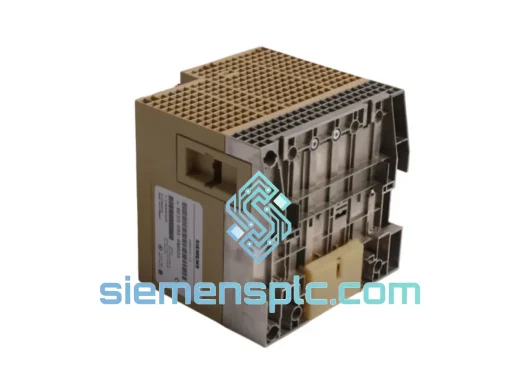
SIEMENS K3R072 528605 PLC Controller Module – SIMATIC S5
SIMATIC S5
Origin DE
PLC Controller Module