Siemens
RFQ Ready
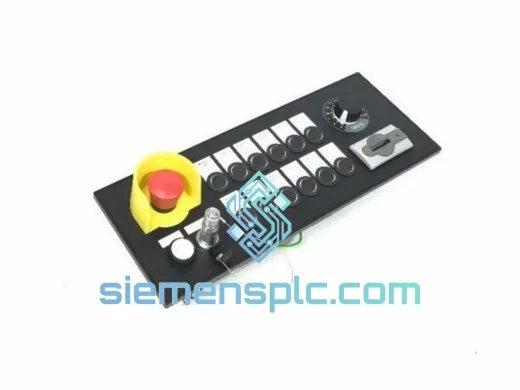
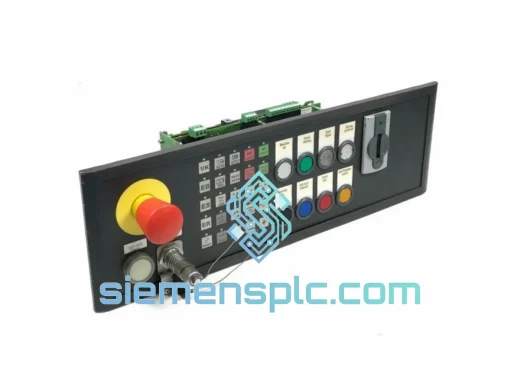
Siemens MPP483IEH-S12 Machine Push Button Panel – SINUMERIK
SINUMERIK
Origin DE
Machine Push Button Panel
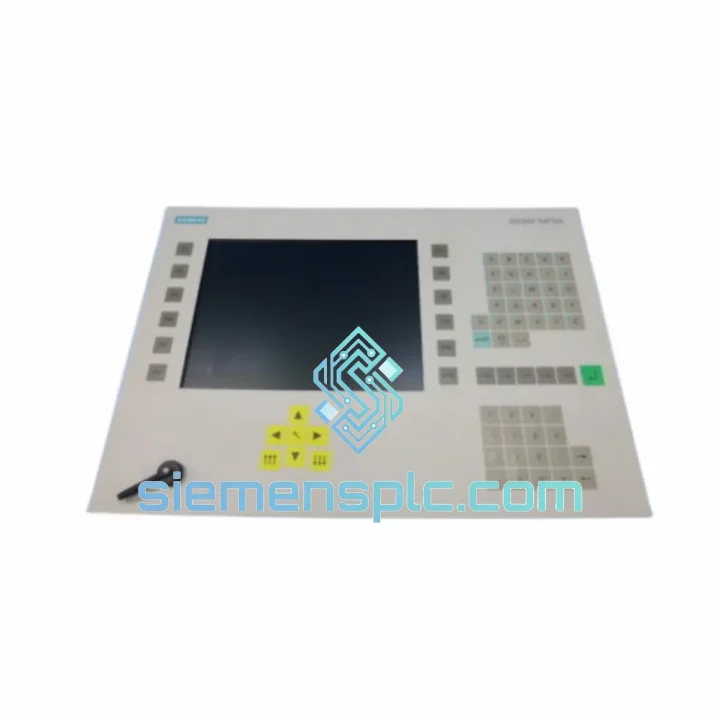
Request verified availability, condition, replacement risk review, packing options and courier lead time for 6BK1100-0BA01-1AA0.
Click Request Quote and the part number is inserted into the inquiry form automatically.
Core fields for model confirmation and RFQ routing. Detailed product narrative remains below.
A SINUMERIK machine that won’t boot because the operator panel is dead isn’t a maintenance issue — it’s a production crisis. Every hour that spindle sits cold is scrap rate climbing, delivery commitments slipping, and your plant manager asking questions you don’t want to answer. The Siemens 6BK1100-0BA01-1AA0 is physically on our shelf in Xiamen right now. Not inbound. Not on order. On the shelf, tested, packed, and waiting for your shipping label.
We’ve moved this part to automotive body shops in Germany, pharmaceutical packaging lines in Switzerland, and CNC machining centers across Southeast Asia. The call is always the same: machine down, no local stock, need it yesterday. We’ve built our entire operation around that call.
URGENT REQUIREMENT? Contact: [email protected] | WhatsApp: +86 18359268345
| Parameter | Specification |
|---|---|
| Part Number | 6BK1100-0BA01-1AA0 ✔ Ready to Ship |
| Manufacturer | Siemens AG |
| Product Series | SINUMERIK Operator Panel |
| Device Function | Machine Operator Interface / HMI Panel |
| Bus Interface | MPI / PROFIBUS DP / Industrial Ethernet (NCU-dependent) |
| Supply Voltage | 24 V DC (±10%), PELV circuit |
| Front Protection | IP65 (coolant-spray and swarf resistant) |
| Rear Terminals | IP20 |
| Operating Temperature | 0 °C to +55 °C |
| Storage Temperature | −20 °C to +70 °C |
| Humidity | 5 % – 95 % RH, non-condensing |
| Vibration Rating | IEC 60068-2-6: 10–58 Hz / 0.075 mm; 58–500 Hz / 1 g |
| Keypad Life | > 1,000,000 actuations per key |
| Unit Weight | 320 g |
| Country of Origin | Germany |
| Warehouse Location | Xiamen, China — In Stock |
Replacing the 6BK1100-0BA01-1AA0 is straightforward if you follow the sequence. Skip a step and you’ll be chasing a second fault on top of the original one.
Step 1 — Controlled NCU shutdown before disconnection. Navigate to the SINUMERIK Operate shutdown menu and execute a clean power-off. Do not pull the 24 V supply while the NCU is active. An abrupt cut during a CF card write cycle can corrupt the boot partition, turning a panel swap into a full NCU recovery job.
Step 2 — Verify and set the MPI/PROFIBUS node address. The rear housing carries a rotary address switch. Factory default is node 14. Multi-panel installations frequently use non-default addresses — confirm the address in your machine documentation before powering the replacement unit. A node collision will prevent the NCU from establishing panel communication and will generate alarm 380500 immediately on startup.
Step 3 — Firmware compatibility check. Panel firmware must align with the NCU software version. Navigate to Diagnostics → Version in SINUMERIK Operate and note the NCU build. If the replacement panel carries older firmware, the NCU will report OP not found or cycle through 380xxx alarms. Update panel firmware via CF card or USB before the first power-on with the NCU connected.
Step 4 — Common fault signatures and their root causes:
Step 5 — Post-installation validation. Before releasing the machine to production, execute the full key-matrix test and confirm all axis keys, override dials, and emergency stop register correctly. Log the replacement in your maintenance record with the firmware version installed.
The 6BK1100-0BA01-1AA0 was designed for the floor, not the office. The IP65 front seal blocks directed coolant jets, cutting fluid mist, and metallic swarf that are standard conditions on any turning or milling center. The membrane keypad construction eliminates mechanical switch contacts — there are no springs to fatigue, no contacts to oxidize, and no pivot points to jam with contamination.
Vibration performance is validated to IEC 60068-2-6. At 10–58 Hz the panel tolerates 0.075 mm displacement; from 58–500 Hz it handles 1 g continuous. That covers the resonance bands of most press brakes, grinding machines, and heavy-duty machining centers where panel-door mounting is standard practice. Units installed on the cabinet doors of large-format gantry mills — where structural vibration is significant — have run multi-year intervals without display degradation or connector fatigue.
The solid-state architecture — no rotating media, no cooling fans — means thermal cycling is handled passively. The panel operates identically at 5 °C in an unheated winter facility and at 55 °C adjacent to a heat-treating enclosure. We have shipped this part to foundry customers in Malaysia operating in ambient temperatures that would cause consumer-grade electronics to throttle or shut down within hours. Field feedback from those installations confirms stable operation across full production shifts.
Every unit leaving our Xiamen facility passes a pre-shipment inspection protocol: housing integrity check, connector pin-out verification, and a 24-hour powered burn-in cycle. Infant mortality failures are caught in our warehouse, not on your machine.
Xiamen Gaoqi International Airport is 15 minutes from our warehouse. We have standing accounts with DHL Express, FedEx International Priority, and UPS Worldwide Express. When you confirm an order before 15:00 CST, the part leaves the same day. Typical door-to-door transit times from Xiamen:
Every shipment includes a commercial invoice, packing list, and certificate of origin. DDP (Delivered Duty Paid) terms are available — we handle customs brokerage and prepay import duties so your receiving team signs for the part with zero paperwork. Export classification: HS 8537.10. For line-down emergencies where standard express is not fast enough, contact us on WhatsApp for Next Flight Out options via DHL Aviation.
Email: [email protected]
WhatsApp: +86 18359268345
Web: siemensplc.com
© 2026 siemensplc.com. All rights reserved.
We check the full part number, brand, series and visible nameplate information before quotation.
Sales confirms stock path, condition option, quantity and realistic lead time for export dispatch.
DHL, FedEx, UPS or buyer courier arrangements can be reviewed with packing requirements.
Similar brand or category products for fast comparison and multi-item RFQ lists.