Siemens
RFQ Ready
Siemens 6DD7060-1AA06 Communication Processor Module – SIMADYN D
SIMADYN D
Origin DE
Communication Processor Module
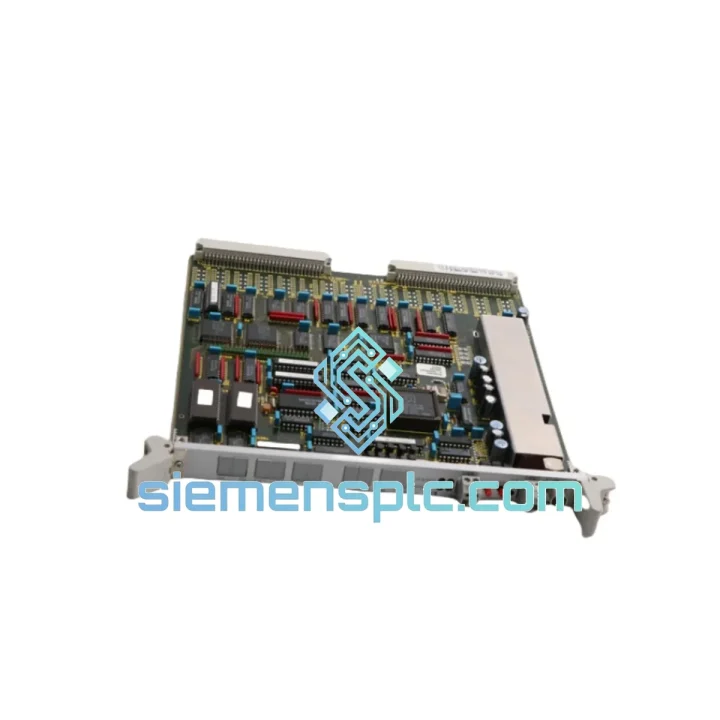
Request verified availability, condition, replacement risk review, packing options and courier lead time for 6DD1611-0AF0.
Click Request Quote and the part number is inserted into the inquiry form automatically.
Core fields for model confirmation and RFQ routing. Detailed product narrative remains below.
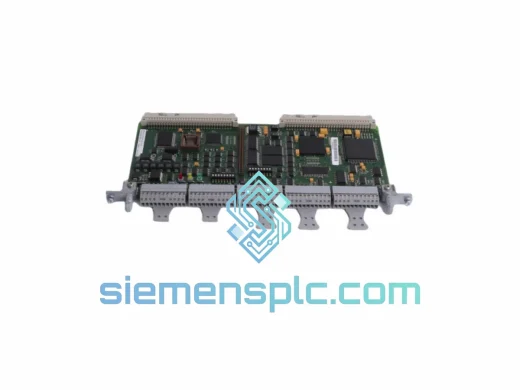
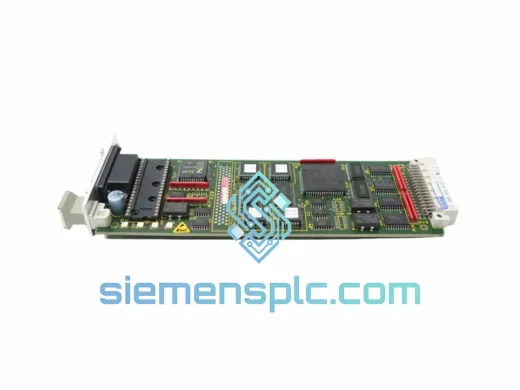
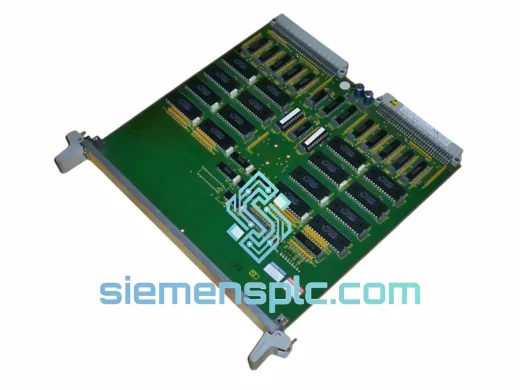
A dead MM3 in a SIMATIC TDC rack doesn’t give you warning. One moment your multi-axis drive coordination is running clean; the next, the entire inter-CPU data exchange chain locks up and production stops cold. The Siemens 6DD1611-0AF0 is the shared-memory bridge between CPU551 and CPU555 processors inside the UR2 rack — and when it fails, there is no software patch, no bypass, no workaround. You need the physical module, tested and on your bench, as fast as possible.
We carry the 6DD1611-0AF0 in our Xiamen warehouse. Orders confirmed before 14:00 CST ship the same day via DHL Express or FedEx International Priority. Door-to-door delivery to most industrial regions in Europe, Southeast Asia, and the Middle East runs 48–72 hours. That’s not a marketing claim — it’s the logistics reality of shipping from one of China’s primary export gateways with pre-cleared commercial documentation.
Every unit is inspected before dispatch: gold-plated edge connector integrity, PCB conformal coating condition, front panel locking mechanism, and visual check for prior thermal stress or arc damage. We do not move modules that show signs of abuse. What ships is what you install.
URGENT REQUIREMENT? Contact: [email protected] | WhatsApp: +86 18359268345
| Parameter | Specification |
|---|---|
| Part Number | 6DD1611-0AF0 |
| Module Designation | MM3 – Mailbox Module 3 |
| Platform | SIMATIC TDC (Technology & Drive Control) |
| Communication Method | Dual-port shared RAM, cycle-synchronous |
| Compatible Rack | UR2 (6DD1606-0AA0), UR2-H (6DD1606-0AB0) |
| Supported CPUs | CPU551 (6DD1607-0AA1), CPU555 (6DD1607-0AA2) |
| Slot Addressing | Automatic via backplane – no DIP switch required |
| Operating Temperature | 0 °C to +55 °C |
| Storage Temperature | −40 °C to +70 °C |
| Relative Humidity | 5–95%, non-condensing |
| Power Source | TDC backplane bus (no external supply) |
| Form Factor | Eurocard, rack-mount |
| Country of Origin | Germany |
| Availability | ✔ In Stock – Ready to Ship from Xiamen |
Identifying a Genuine MM3 Failure
Not every TDC communication fault points to the 6DD1611-0AF0. Before ordering, run through this field triage to confirm the module is the root cause:
0x8095 fault — dual-port RAM access error. This code is hardware-specific to the MM3 and is not generated by CPU or backplane faults.Step-by-Step Replacement Procedure
0x8090) on startup.0x8091 initialization timeouts that are easy to misattribute to the new module.0x80A0 fault code.Common Fault Code Reference
0x8090 — MM3 absent at configured slot: physical slot does not match CFC hardware config0x8091 — Initialization timeout: check backplane bus and ±5 V rail on the rack power supply0x8095 — Dual-port RAM access failure: module hardware defective, replacement confirmed necessary0x80A0 — Firmware revision rejected: update TDC engineering software or source a matching hardware revisionThe 6DD1611-0AF0 was designed for the same environments where SIMATIC TDC earns its keep: steel rolling mills with constant structural vibration, paper machine sections with persistent humidity, cement plant drives running 24/7 in dust-laden air. The PCB carries a full conformal coating that seals the board against condensation and airborne particulates — a non-negotiable requirement for modules installed near open process equipment.
Vibration performance is qualified to IEC 60068-2-6, covering the sinusoidal vibration profiles generated by heavy rotating machinery and overhead crane movements. The Eurocard form factor with positive-locking front panel connectors keeps the module mechanically secured under sustained vibration — a failure mode that frequently affects aftermarket alternatives with loose edge connector tolerances.
The dual-port RAM chip is rated for continuous operation at 55 °C ambient, which accounts for the thermal load inside a fully populated UR2 rack at maximum CPU utilization. EMC shielding on the backplane interface suppresses high-frequency switching noise from adjacent IGBT inverter sections — a real installation concern in TDC cabinets where the rack shares enclosure space with SINAMICS or MASTERDRIVES power stages. The module’s ground plane layout and shielded backplane traces were engineered with this co-location in mind, not added as an afterthought.
Xiamen is not a secondary logistics hub. It is a tier-1 export gateway with direct DHL and FedEx international flight connections operating daily. When you place an order before 14:00 CST, the module is picked, inspected, packed with anti-static protection, and handed to the carrier the same afternoon. The commercial invoice is prepared with the correct HS code (8537.10) and declared value to prevent customs holds — a detail that separates professional industrial suppliers from general traders.
We have executed emergency deliveries to active plant shutdowns in Germany, India, South Korea, Brazil, and the UAE — door-to-door under 60 hours from order confirmation. If your line is down, message us now. Every hour of delay has a cost; we exist to reduce it.
Email: [email protected]
WhatsApp: +86 18359268345
Web: siemensplc.com
© 2026. All rights reserved.
We check the full part number, brand, series and visible nameplate information before quotation.
Sales confirms stock path, condition option, quantity and realistic lead time for export dispatch.
DHL, FedEx, UPS or buyer courier arrangements can be reviewed with packing requirements.
Similar brand or category products for fast comparison and multi-item RFQ lists.