Siemens
In Stock OK
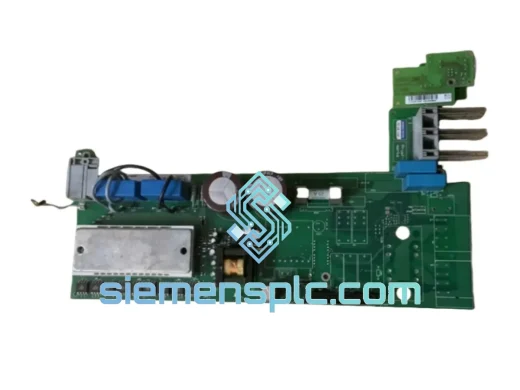
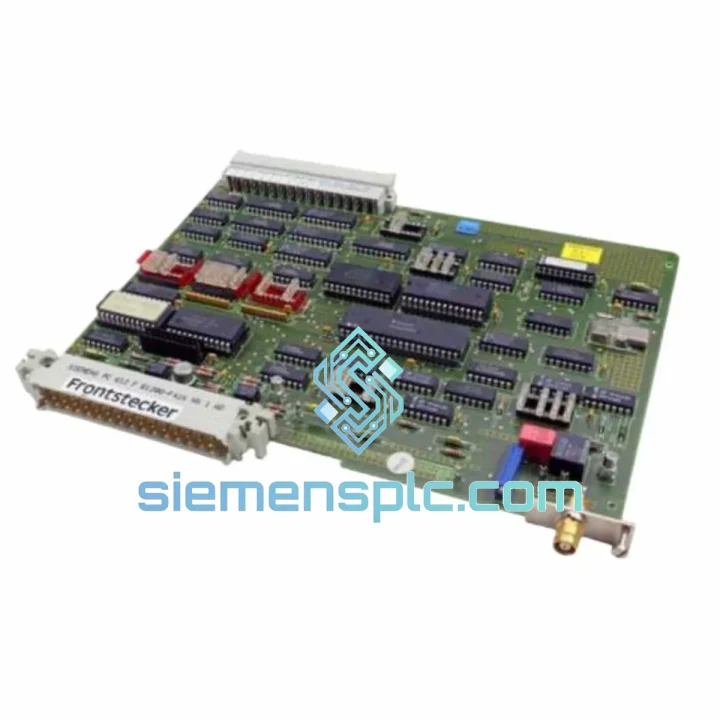
Siemens 6DS1300-8AB DCS Interface Module
Request verified availability, condition, replacement risk review, packing options and courier lead time for 6DS1300-8AB.
BrandSiemens
Part Number6DS1300-8AB
ConditionAvailability Check
Lead TimeRFQ Confirmation
DocumentsDatasheet / photos by RFQ
ShippingExport packing available
Auto-filled RFQ
6DS1300-8AB
Click Request Quote and the part number is inserted into the inquiry form automatically.
- Reply by email: [email protected]
- WhatsApp / Tel: +86 18359268345
- Mon-Sat 9:00-18:00 GMT+8
Procurement Data
Key Product Information
Core fields for model confirmation and RFQ routing. Detailed product narrative remains below.
- Brand
- Siemens
- Primary Part Number
- 6DS1300-8AB
- Product Type
- DCS Interface Module
- Product Family
- Other series
- Manufacturer
- Siemens AG
- Country of Origin
- DE
- Catalog Category
- HMI Panels
- Operating Temp.
- 0 °C to +55 °C
- Humidity
- 5 % – 95 % RH, non-condensing
Model confirmed for inquiry
6DS1300-8AB
Send quantity, destination and urgency. The RFQ form keeps this part number attached.
Request Quote
Product Overview
Siemens 6DS1300-8AB: Cut the Downtime, Restore Control Now
Every minute your TELEPERM M operator station is dark, you’re bleeding money. A failed Monitor/Keyboard Interface Module doesn’t just kill visibility — it severs the operator’s only window into the process. No alarms. No setpoints. No control. The 6DS1300-8AB is the exact card that bridges your operator console to the TELEPERM M process bus, and when it fails, there is no workaround. You need the part. You need it fast.
We stock the Siemens 6DS1300-8AB in Xiamen, verified, bench-tested, and ready to ship today. DHL or FedEx express to your plant gate — most destinations in 3–5 business days. No waiting on OEM lead times. No six-week procurement cycles. Just the module, on your bench, back in the rack.
URGENT REQUIREMENT? Contact: [email protected] | WhatsApp: +86 18359268345
Quick Technical Datasheet
| Part Number | 6DS1300-8AB ✔ Ready to Ship |
| Manufacturer | Siemens AG |
| Platform | TELEPERM M Distributed Control System |
| Module Function | Monitor / Keyboard Interface (HMI Bridge) |
| Form Factor | Eurocard, rack-mount |
| Bus Interface | TELEPERM M internal process bus |
| Supply Voltage | 24 V DC (system bus powered) |
| Operating Temperature | 0 °C to +55 °C |
| Storage Temperature | -25 °C to +70 °C |
| Humidity | 5 % – 95 % RH, non-condensing |
| Weight | approx. 400 g |
| Origin | Germany |
| Condition | Surplus / Tested — functional verified |
| Stock Status | ✔ In Stock — Ships within 24 hrs |
Troubleshooting & Replacement Tips
Fifteen years of pulling cards in TELEPERM M racks teaches you a few things. Here’s what actually matters when you’re swapping a 6DS1300-8AB under pressure:
Common failure signatures:
- Blank operator monitor with no fault LED: Nine times out of ten this is the interface card, not the monitor itself. Swap the 6DS1300-8AB before you start chasing the display chain.
- Keyboard input frozen, process values still updating: The receive path on the module is alive but the transmit side has failed. Classic partial failure — the card needs replacement, not reset.
- Intermittent alarm display dropouts: Check the bus connector pins on the backplane first. If they’re clean and seated, the module’s bus transceiver is degrading. Replace before it goes hard-fail during a process upset.
- System fault code F-xx on the AS 230/235 CPU: Cross-reference the fault register against the TELEPERM M hardware manual (C79000-G8576-C199). If the fault points to the HMI bus segment, the 6DS1300-8AB is the first card to pull.
Replacement procedure — field notes:
- Notify the control room operator and shift supervisor before pulling any card. Log the action in the maintenance record.
- The 6DS1300-8AB does not carry site-specific parameterization in most standard configurations — it is a passive interface card. Confirm this against your system’s Hardware Configuration List (HCL) before proceeding.
- Power down the affected rack segment if your site safety procedure requires it. In many TELEPERM M installations, hot-swap is physically possible but not recommended without explicit OEM guidance.
- Seat the replacement card firmly — the Eurocard edge connector requires full insertion. A half-seated card will produce the same symptoms as a failed one.
- After insertion, allow 30–60 seconds for the system to re-establish bus communication before declaring the repair successful. Monitor the CPU fault register for residual errors.
- If the fault persists after card swap, the issue has migrated upstream — check the backplane bus termination resistors and the CPU’s HMI bus port.
Reliability in Harsh Conditions
TELEPERM M hardware was engineered for the environments that break consumer-grade electronics in weeks. The 6DS1300-8AB reflects that design philosophy. Siemens built these cards to operate continuously in petrochemical control rooms where ambient temperatures spike, humidity swings with seasonal changes, and vibration from nearby rotating equipment is a constant background condition.
The PCB substrate and component selection on TELEPERM M interface cards are rated for industrial-grade thermal cycling — not the benign office environment that most electronics assume. Conformal coating on the board protects against condensation events that occur when a plant goes through a cold startup after a shutdown. The card’s bus connectors use gold-plated contacts specifically to resist the oxidation that causes intermittent faults in high-humidity environments.
Every unit we ship has been inspected for physical damage, cleaned of contamination, and bench-tested under powered conditions to verify bus communication and signal integrity. We do not ship untested surplus. If a card doesn’t pass the bench, it doesn’t go in a box.
Global Express Logistics
Our warehouse is in Xiamen, China — one of the country’s primary export hubs with direct access to DHL, FedEx, and UPS international express networks. When you place an order before 14:00 CST, the module ships the same day. Here’s what the timeline looks like from your purchase order to your receiving dock:
- Day 0: Order confirmed, proforma invoice issued, module pulled from stock and inspected.
- Day 1: Packed in anti-static bag inside foam-lined export carton. Commercial invoice, packing list, and test report prepared. Shipment booked with DHL Express or FedEx International Priority.
- Day 2–4: In transit. Tracking number provided immediately upon pickup scan. Most European and North American destinations arrive within this window via express service.
- Day 3–5: Delivery to plant gate or receiving address. Customs clearance documentation — including HS code classification and certificate of origin — is included in every shipment to prevent customs holds.
For destinations with import restrictions or specific customs requirements (Middle East, South America, Southeast Asia), contact us before ordering and we will advise on the correct documentation package. We have shipped to over 40 countries and know where the friction points are.
Contact Information
Email: [email protected]
WhatsApp: +86 18359268345
Web: siemensplc.com
© 2026. All rights reserved.
Ready to quote
[email protected]
Send This Part Number to Sales
RFQ workflow
Quality workflow ->
Confirmation Process
01Model confirmation
We check the full part number, brand, series and visible nameplate information before quotation.
02Availability reply
Sales confirms stock path, condition option, quantity and realistic lead time for export dispatch.
03Packing & courier
DHL, FedEx, UPS or buyer courier arrangements can be reviewed with packing requirements.
Continue sourcing
Browse full catalog ->
Related Automation Parts
Similar brand or category products for fast comparison and multi-item RFQ lists.

Siemens
RFQ Ready
Siemens 6AV7240-0HC07-0PA0 Industrial Panel PC Motherboard – SIMATIC IPC477D
SIMATIC
Origin DE
Industrial Panel PC Motherboard