Siemens
RFQ Ready
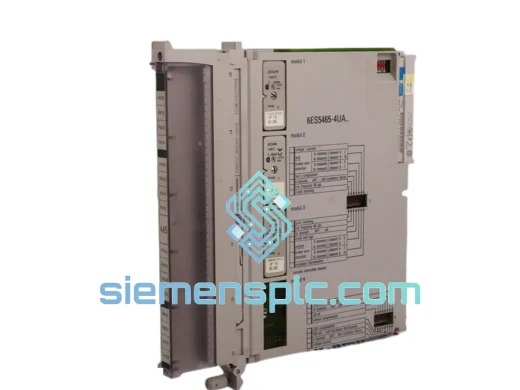
Siemens 900S50-0460 Digital Output Module – SIMATIC S5
SIMATIC S5
Origin DE
Digital Output Module
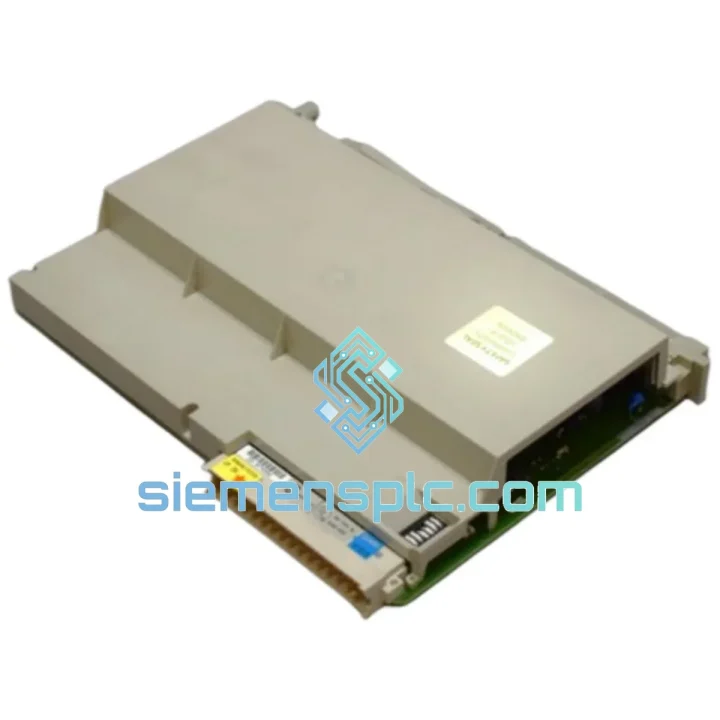
Request verified availability, condition, replacement risk review, packing options and courier lead time for 6ES5454-4UA13.
Click Request Quote and the part number is inserted into the inquiry form automatically.
Core fields for model confirmation and RFQ routing. Detailed product narrative remains below.
Your conveyor stopped. Your bottling line is cold. Your shift supervisor is standing behind you. Every minute of downtime on a SIMATIC S5 system running a 6ES5454-4UA13 digital output module costs real money — and the clock is ticking. We stock this module. It ships today from Xiamen. DHL Express puts it on your bench in 24–72 hours depending on your region. No waiting on a distributor’s back-order queue. No six-week lead time from a factory that stopped making this part in 2010.
This is not a listing. This is a recovery plan.
URGENT REQUIREMENT? Contact: [email protected] | WhatsApp: +86 18359268345
| Parameter | Specification |
|---|---|
| Part Number | 6ES5454-4UA13 |
| Manufacturer | Siemens |
| Series | SIMATIC S5 |
| Module Type | Digital Output (DO) |
| Output Channels | 32 × 24 V DC transistor (sourcing) |
| Output Current | 0.5 A per channel |
| Isolation | Optocoupler — field side vs. logic side |
| Compatible Racks | S5-115U / S5-135U / S5-155U |
| Compatible CPUs | CPU 941 / 942 / 943 / 944 / 945 / 946/947 / 948 |
| Address Setting | DIP switch on module front panel |
| Operating Temp | 0 °C to +60 °C |
| Storage Temp | −40 °C to +70 °C |
| Protection Rating | IP20 |
| Weight | ~600 g |
| Standards | CE, UL, IEC 61131-2 |
| Stock Status | ✅ Ready to Ship — Xiamen Warehouse |
Step 1 — Confirm the fault before you pull the module. On the S5 CPU, check the SF (System Fault) LED and run a diagnostic read via STEP 5 or COM PROFIBUS. A 6ES5454-4UA13 failure typically surfaces as output group faults on byte addresses Q32–Q35 (or whatever byte range you’ve assigned via DIP). If the CPU shows no bus error but field devices are dead, the module is the prime suspect.
Step 2 — Power down the rack before extraction. The S5 parallel bus does not support hot-swap. Cut 24 V DC field supply first, then cut rack power. Pulling a live module risks bus contention and can corrupt CPU memory — a secondary failure you do not want on top of a hardware fault.
Step 3 — DIP switch address matching. Before inserting the replacement, photograph or record the DIP switch positions on the failed module. The 6ES5454-4UA13 uses an 8-position DIP block on the front panel to set the module’s byte address on the S5 I/O bus. Mismatch here means the CPU will not recognize the module and you’ll chase a ghost fault for an hour. Set the new module to identical positions before racking it.
Step 4 — Check the hardware revision suffix. The -4UA13 suffix denotes a specific hardware revision. A -4UA14 is functionally equivalent and a direct drop-in for most applications, but verify your STEP 5 hardware configuration file (*.S5D) lists the correct module type. Some older configurations are revision-specific.
Step 5 — Power-on verification. After insertion, restore rack power and observe the module’s green RUN LED. If it stays red or flashes, re-check DIP address settings and confirm the 24 V DC field supply is present on the connector. Common fault codes to watch:
Step 6 — Firmware note. The 6ES5454-4UA13 carries no user-updatable firmware. It is a pure hardware module. No firmware matching is required between module revisions. This is one of the few advantages of legacy S5 hardware — what you see is what you get.
The SIMATIC S5 platform was engineered in an era when industrial hardware had to survive without air conditioning, without clean power, and without a maintenance window. The 6ES5454-4UA13 reflects that design philosophy. Its optocoupler isolation stage provides galvanic separation between the 24 V DC field side and the 5 V logic bus, absorbing voltage transients from inductive loads — solenoids, contactors, motor starters — that would destroy unprotected logic circuits.
The module’s conformal-coated PCB resists condensation and airborne contaminants common in food processing, chemical, and coastal industrial environments. Operating range of 0–60 °C covers the vast majority of panel enclosure conditions without forced cooling. Vibration tolerance meets IEC 68-2-6 test profiles, making it suitable for press lines, compressor rooms, and mobile plant installations where mechanical shock is a daily reality.
Units in our inventory are stored in ESD-safe, climate-controlled conditions. Every module undergoes a functional power-on test and 32-channel output verification before dispatch. Refurbished units ship with a test report on request. New-old-stock (NOS) units are sealed in original Siemens anti-static packaging where available.
Our dispatch warehouse is located in Xiamen, Fujian Province — one of China’s primary export hubs with direct access to DHL Express, FedEx International Priority, and UPS Worldwide Express gateways. This is not a drop-ship arrangement. Stock is physically on our shelves.
Typical transit times from Xiamen:
All shipments include a commercial invoice with accurate HS code (8537.10) for customs clearance. We can provide a proforma invoice for advance customs pre-clearance on request — useful for time-critical shipments into markets with slow customs processing. Tracking numbers are issued within 4 hours of payment confirmation. We do not batch shipments — your order moves the same day.
For orders requiring same-day dispatch, contact us before 14:00 CST. We will confirm stock availability and cut-off time in real time.
📧 Email: [email protected]
💬 WhatsApp: +86 18359268345
🌐 Web: siemensplc.com
© 2026 siemensplc.com. All rights reserved.
We check the full part number, brand, series and visible nameplate information before quotation.
Sales confirms stock path, condition option, quantity and realistic lead time for export dispatch.
DHL, FedEx, UPS or buyer courier arrangements can be reviewed with packing requirements.
Similar brand or category products for fast comparison and multi-item RFQ lists.