
Siemens
In Stock OK
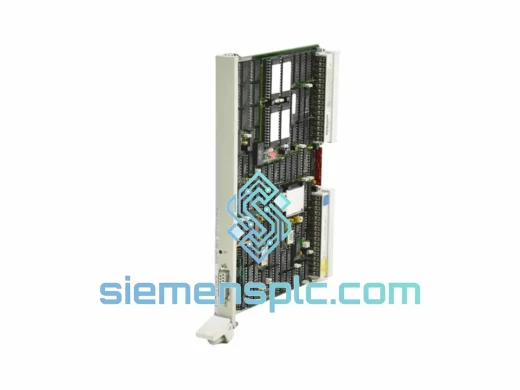
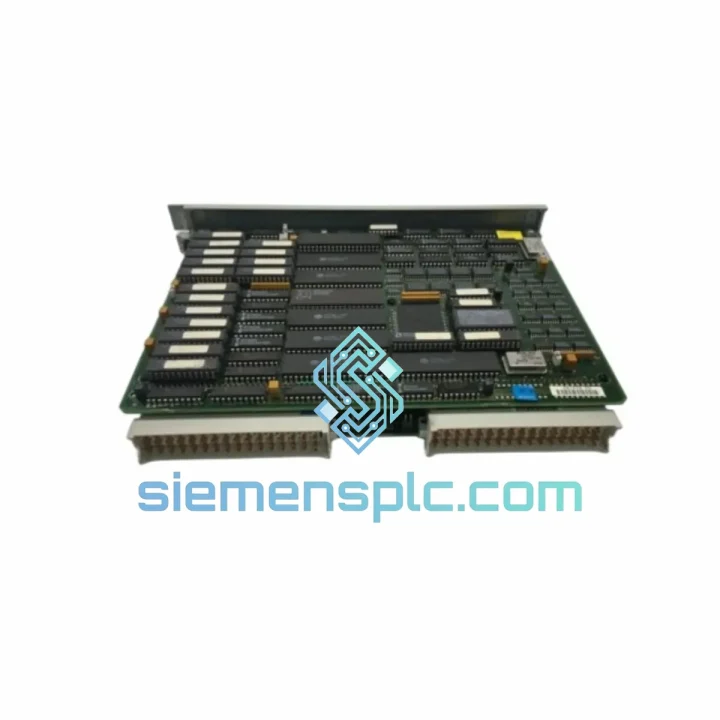
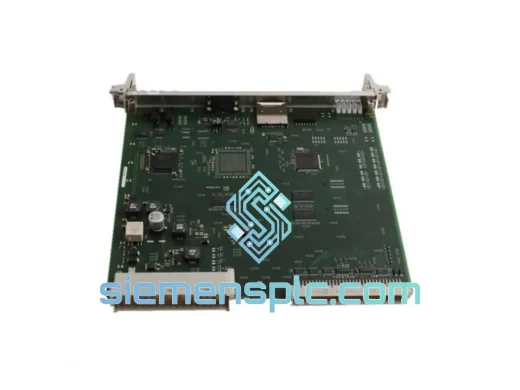
Siemens 6ES5946-3UA23 CPU946 PLC Processor Module
Request verified availability, condition, replacement risk review, packing options and courier lead time for 6ES5946-3UA23.
BrandSiemens
Part Number6ES5946-3UA23
ConditionAvailability Check
Lead TimeRFQ Confirmation
DocumentsDatasheet / photos by RFQ
ShippingExport packing available
Auto-filled RFQ
6ES5946-3UA23
Click Request Quote and the part number is inserted into the inquiry form automatically.
- Reply by email: [email protected]
- WhatsApp / Tel: +86 18359268345
- Mon-Sat 9:00-18:00 GMT+8
Procurement Data
Key Product Information
Core fields for model confirmation and RFQ routing. Detailed product narrative remains below.
- Brand
- Siemens
- Primary Part Number
- 6ES5946-3UA23
- Product Type
- PLC Processor Module
- Series / Family
- SIMATIC S5
- Manufacturer
- Siemens AG
- Country of Origin
- DE
- Catalog Category
- PLCs & Controllers
- Operating Temp.
- 0 °C to +60 °C
- Warranty
- 12 months
Model confirmed for inquiry
6ES5946-3UA23
Send quantity, destination and urgency. The RFQ form keeps this part number attached.
Request Quote
Product Overview
Siemens 6ES5946-3UA23 CPU946: Stop the Bleeding — Get Your Line Back Online
It’s 2 AM. Your S5-900U rack has thrown a CPU fault. The shift supervisor is on the phone. Every minute the line sits idle costs real money — and the nearest authorized service center won’t open for six hours. This is exactly the scenario the Siemens 6ES5946-3UA23 CPU946 was built to resolve. We keep verified stock on the shelf, pre-tested and ready to ship same day from Xiamen. No waiting on factory lead times. No sourcing from unknown grey-market channels. Just a confirmed, traceable unit in your hands as fast as international express freight can move.
The 6ES5946-3UA23 is the high-performance CPU variant in the SIMATIC S5 family — the processing brain behind thousands of still-running production lines in automotive, chemical, food processing, and power generation plants worldwide. It handles multi-rack I/O coordination, runs complex ladder and function block programs, and manages the backplane communication that keeps your entire S5 system synchronized. When it fails, nothing else matters until it’s replaced.
⚡ URGENT REQUIREMENT? Contact: [email protected] | WhatsApp: +86 18359268345
Quick Technical Datasheet
| Part Number | 6ES5946-3UA23 |
| Model | CPU946 |
| Series | SIMATIC S5 (S5-900U / S5-115U compatible) |
| Manufacturer | Siemens AG |
| Module Type | Central Processing Unit (CPU) |
| Memory | Battery-backed SRAM; EPROM program load memory |
| Programming Software | STEP 5 (S5DOS / PG740 / PG760) |
| Operating Voltage | 24 V DC (via backplane) |
| Operating Temperature | 0 °C to +60 °C |
| Weight | approx. 1,000 g |
| Origin | Germany |
| Stock Status | ✔ Ready to Ship — Xiamen Warehouse |
| Warranty | 12 months |
Troubleshooting & Replacement Tips
Before you pull the module, confirm the fault is actually the CPU and not a downstream issue masking as one. Here’s the field sequence I run every time:
Step 1 — Isolate the fault. Check the CPU’s RUN/STOP/ERROR LED status. A solid red ERROR LED with STOP state typically points to a CPU hardware fault or corrupted program memory. If the LED is flashing, you may be dealing with a watchdog timeout triggered by a hung I/O module — check your IM (interface module) and expansion racks first before condemning the CPU.
Step 2 — Battery check. The 6ES5946-3UA23 relies on a lithium backup battery to retain SRAM program data. A dead battery won’t kill the CPU outright, but after a power cycle you’ll lose your loaded program. Always replace the battery on a new unit before installation. Use a Siemens-compatible 3.6V lithium cell. Do this with the rack powered — hot-swap the battery to avoid data loss.
Step 3 — DIP switch configuration. The CPU946 has onboard DIP switches that set operating mode and memory configuration. Before inserting the replacement unit, photograph the switch positions on the failed module. Common settings include: SW1 for RUN/STOP mode selection, SW2–SW4 for memory area assignment. Mismatched switch settings are the #1 cause of a replacement CPU failing to come up correctly — the system will sit in STOP with no obvious error.
Step 4 — Program reload. If your original program was stored on an EPROM memory submodule, transfer it directly to the replacement CPU. If the program was RAM-resident only and the battery was dead, you’ll need to reload from your STEP 5 backup via a PG programmer or compatible PC interface (e.g., PC Adapter S5). Confirm your STEP 5 project file version matches the CPU firmware revision — a mismatch can cause block transfer errors during download.
Step 5 — Rack addressing. After insertion, cycle power to the rack. The CPU946 performs a self-addressing scan of all connected I/O modules on startup. If any module fails to respond within the scan timeout, the CPU will flag it as a hardware fault. Remove and reseat suspect I/O cards before assuming the new CPU is defective.
Common fault codes to know: SF (System Fault) with BUSF (Bus Fault) LED active usually means a broken backplane connector or a failed IM module — not the CPU itself. FRCE (Force) LED active after replacement means a force table was active in the previous CPU’s memory; clear it via STEP 5 before resuming production.
Reliability in Harsh Conditions
The SIMATIC S5 platform was engineered in an era when industrial hardware had to survive without the luxury of climate-controlled server rooms. The 6ES5946-3UA23 reflects that design philosophy. Its conformal-coated PCB resists moisture ingress and condensation — a real concern in food processing plants where washdown cycles create humidity spikes. The module’s metal front panel and robust backplane connector are rated for thousands of insertion cycles, meaning repeated maintenance access doesn’t degrade the connection integrity over time.
Vibration tolerance is built into the mechanical design: the module locks into the S5 rack with a positive-retention latch that prevents micro-movement under continuous machine vibration — the kind generated by presses, compressors, and heavy conveyor drives running 24/7. Thermal performance holds stable across the full 0–60 °C operating range, with internal components selected for long-term drift stability rather than just initial accuracy. That’s why units manufactured in the 1990s are still running reliably in plants today — and why a properly sourced replacement will give you another decade of service.
Every unit we ship has passed a power-on functional test and visual inspection for capacitor condition, connector integrity, and PCB contamination. We do not ship untested modules.
Global Express Logistics
Our warehouse is located in Xiamen, Fujian — one of China’s primary export hubs with direct access to international freight lanes via Xiamen Gaoqi International Airport and Xiamen Port. For urgent orders, we dispatch via DHL Express or FedEx International Priority, both of which offer door-to-door tracking and customs clearance support.
Typical transit times from Xiamen: Europe 3–5 business days, Southeast Asia 2–3 business days, Middle East 3–4 business days, North America 4–6 business days. We prepare full export documentation — commercial invoice, packing list, and certificate of origin — to minimize customs hold risk. For customers in countries with specific import requirements (e.g., CE declarations, RoHS statements), contact us before ordering and we’ll prepare the appropriate paperwork in advance.
Orders confirmed before 14:00 CST are typically dispatched same day. We’ll send you the AWB tracking number within 2 hours of handover to the carrier.
Contact Information
📧 Email: [email protected]
💬 WhatsApp: +86 18359268345
🌐 Web: siemensplc.com
© 2026 siemensplc.com. All rights reserved.
Ready to quote
[email protected]
Send This Part Number to Sales
RFQ workflow
Quality workflow ->
Confirmation Process
01Model confirmation
We check the full part number, brand, series and visible nameplate information before quotation.
02Availability reply
Sales confirms stock path, condition option, quantity and realistic lead time for export dispatch.
03Packing & courier
DHL, FedEx, UPS or buyer courier arrangements can be reviewed with packing requirements.
Continue sourcing
Browse full catalog ->
Related Automation Parts
Similar brand or category products for fast comparison and multi-item RFQ lists.
Siemens
RFQ Ready
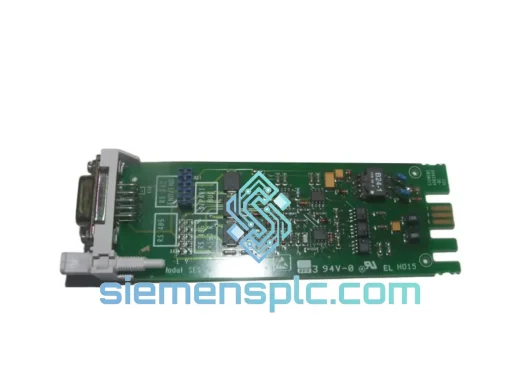
Siemens 6ES5734-1BD20 S5 Programming Cable
SIMATIC S5
Origin DE
PLC Programming Cable
Siemens
RFQ Ready
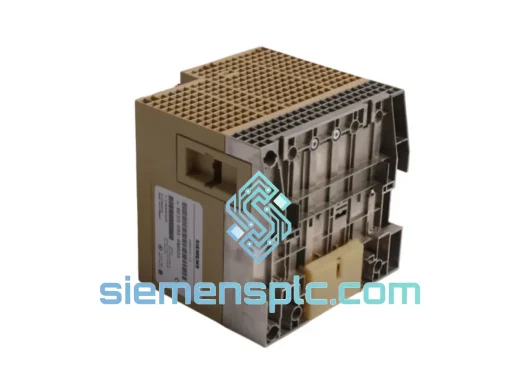
SIEMENS K3R072 528605 PLC Controller Module – SIMATIC S5
SIMATIC S5
Origin DE
PLC Controller Module